How Can I Categorize Consumers or Medications with Custom Filters?
Have you ever needed to add additional filtering or categorization to medications?
Check out the Custom Filter Utility!
This can be used for a variety of features, including Consumers, Medications, and Mileage
Medications
How to apply custom filtering to Medications
Video
Check out the video below to learn more!
Instructions
Start by navigating to the Custom Filter Utility
Once inside the utility, we'll create a few things.
The first is the overall category for the filter itself.
For example, if we want to create a new filter for Time of Administration, we'll start by creating that filter:
In the Custom Filters subsection, select Add New Record.
Next, select Entity Type: Consumer Medication
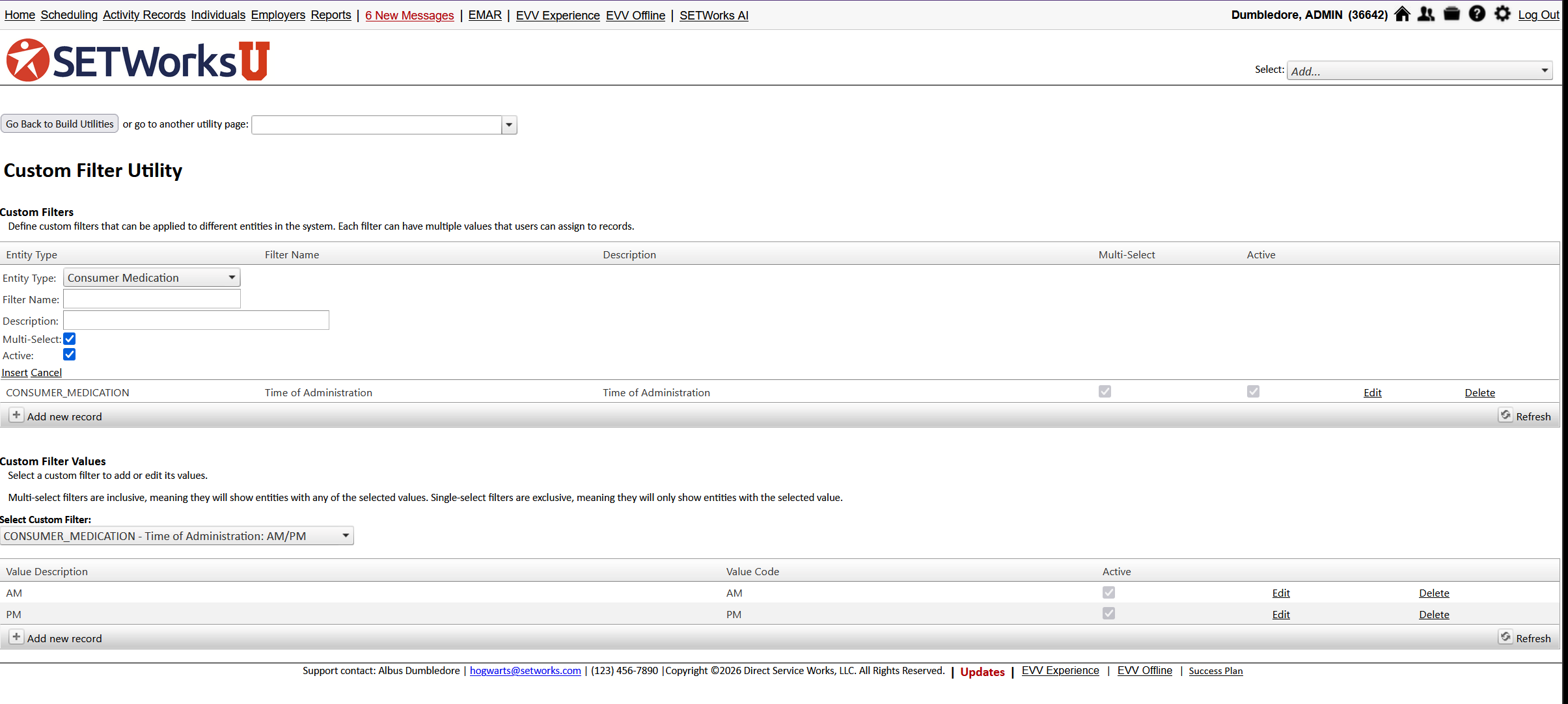
Enter a name for the new filter category, such as Time of Administration:
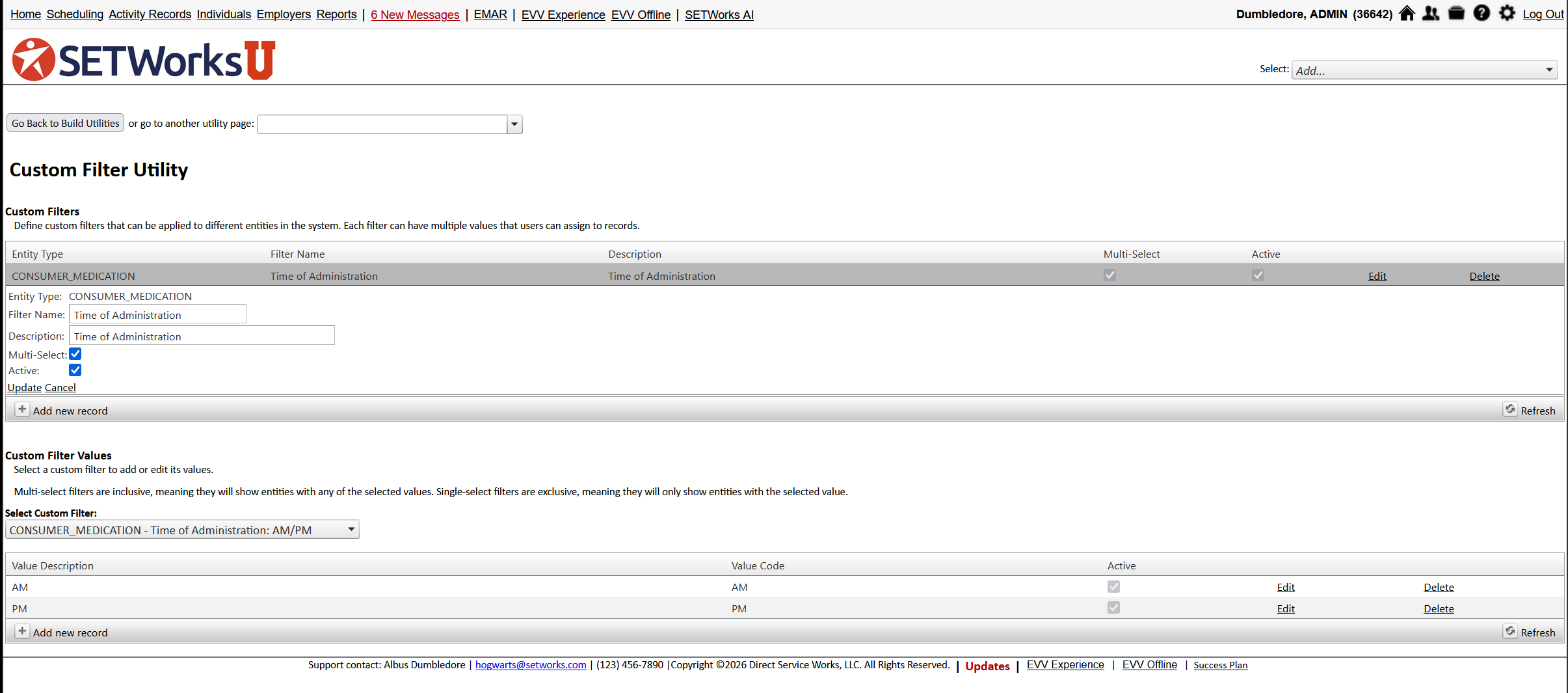
Save the record.
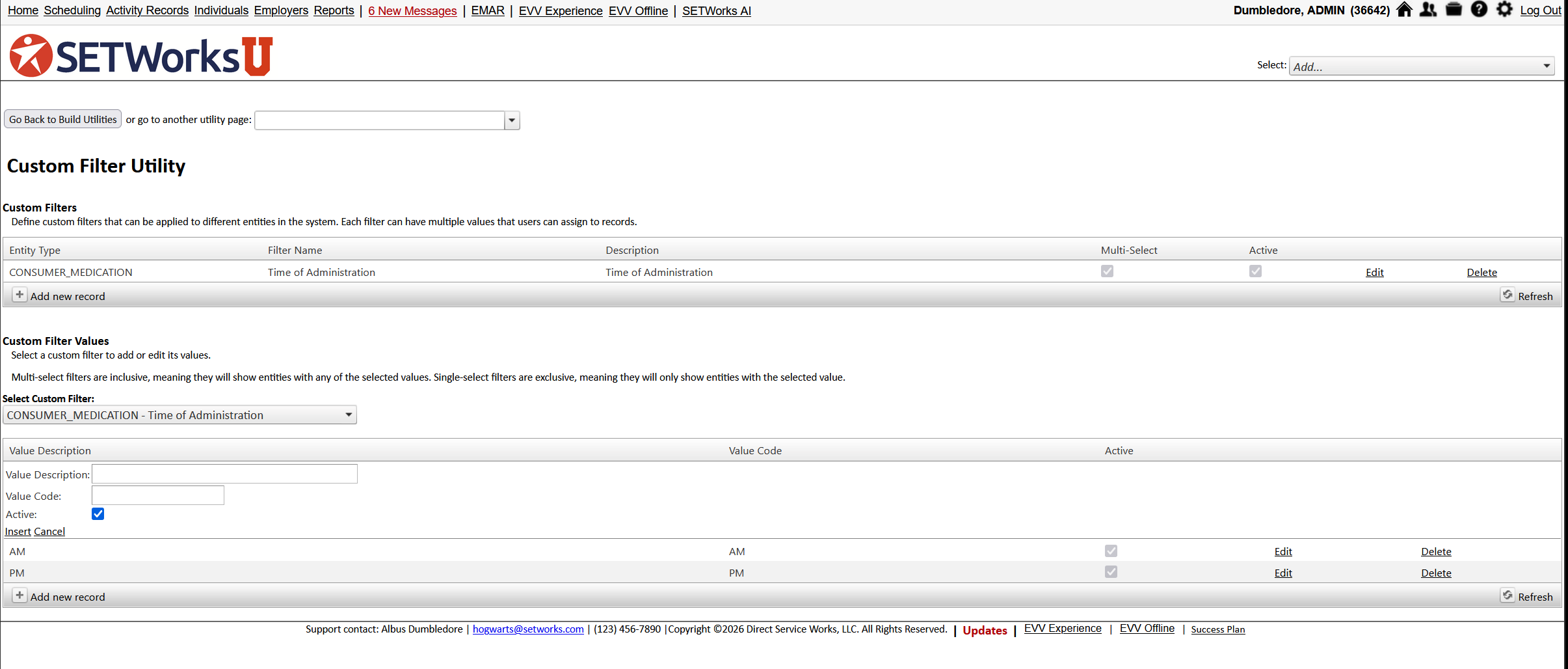
Next, in the Custom Filter Values subsection, create new values that live under that filter:
Select the Time of Administration Category.
Next, create the categories. We're using AM or PM as categories here. So we'll create two:
1. AM
2. PM
Consumers
How to apply custom filtering to Consumers
Instructions
Start by navigating to the Custom Filter Utility
Once inside the utility, we'll create a few things.
The first is the overall category for the filter itself.
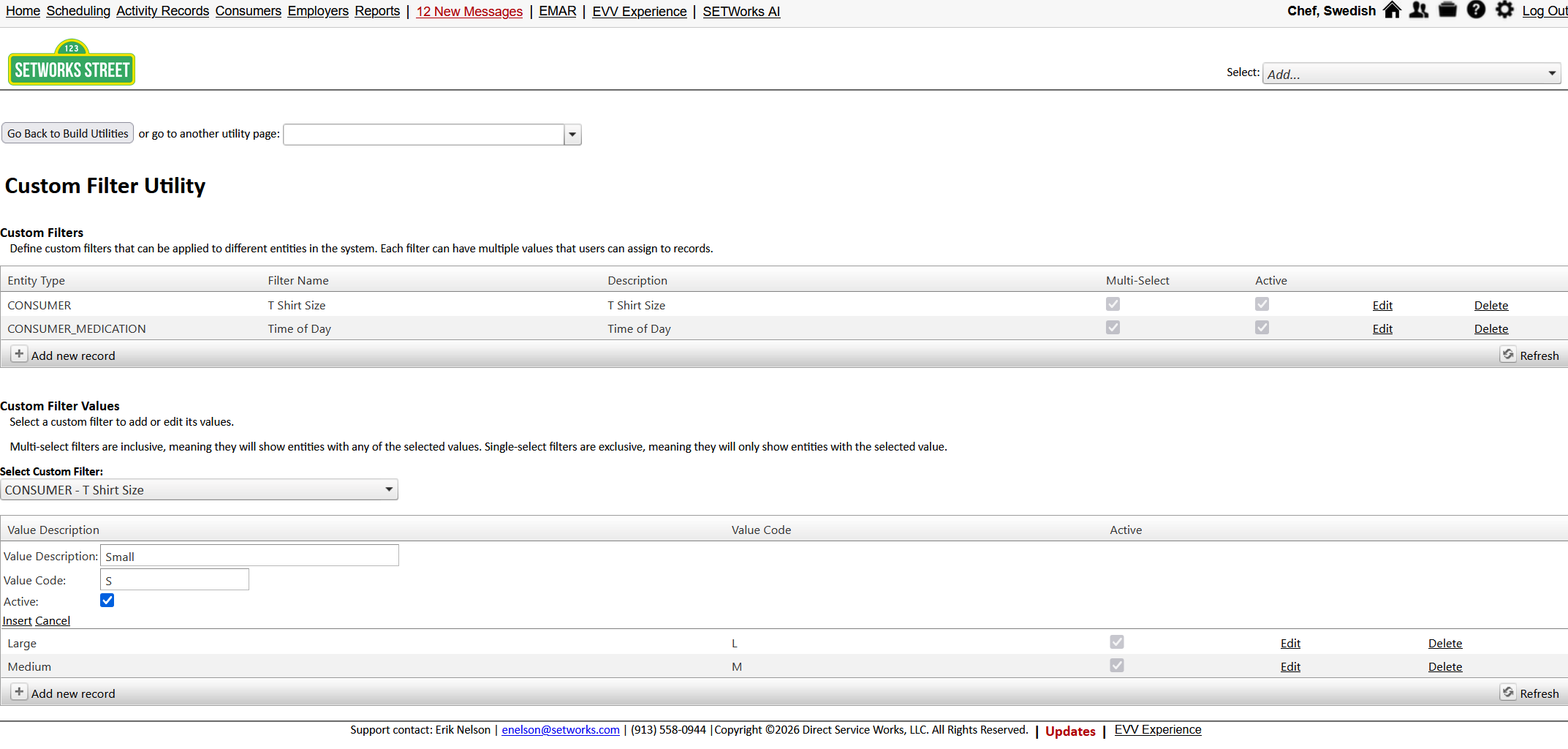
For example, if we want to create a new filter for T Shirt Size we'll start by creating that filter:
In the Custom Filters subsection, select Add New Record.
Next, select Entity Type: Consumer
Enter a name for the new filter category, such as T Shirt Size:
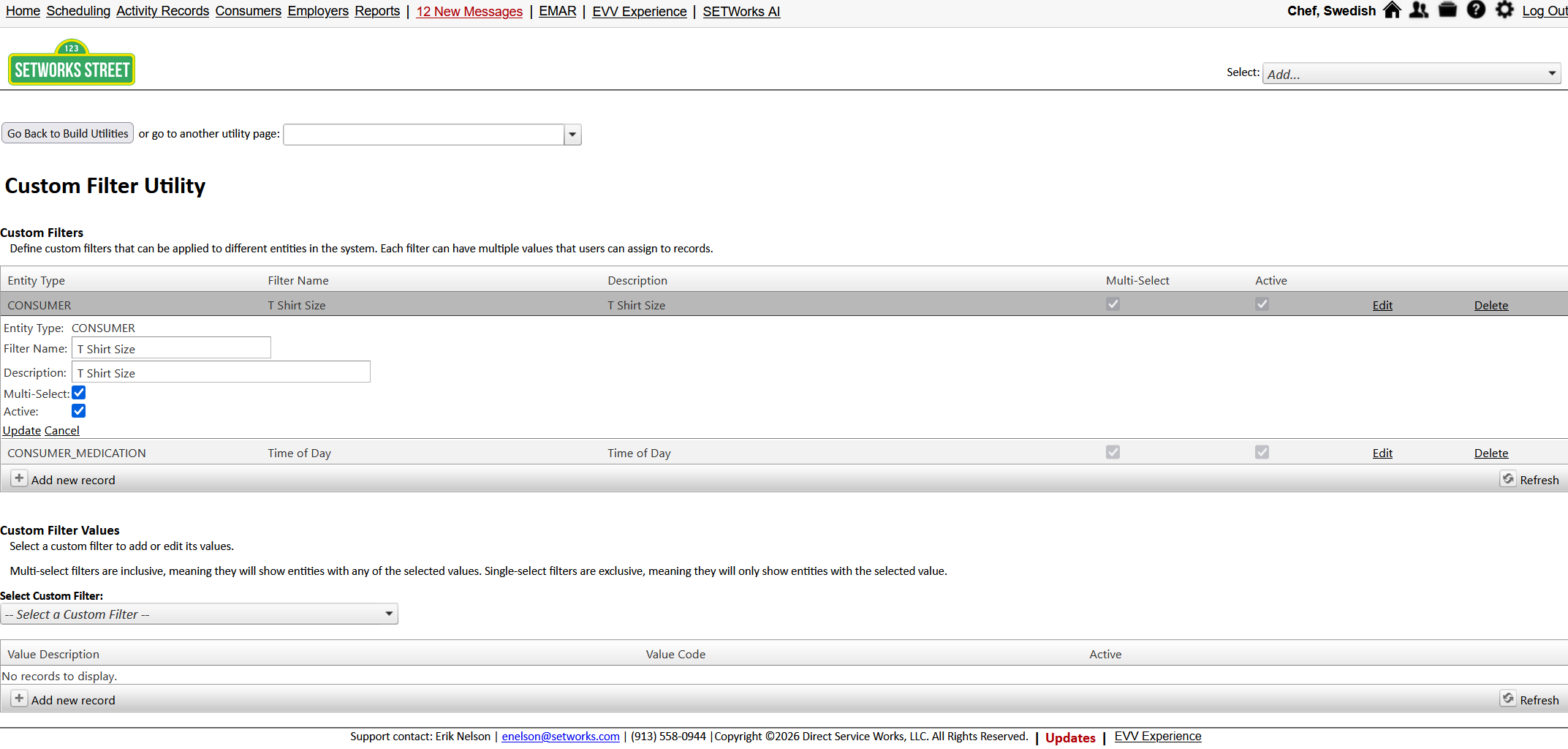
Save the record.
Next, in the Custom Filter Values subsection, create new values that live under that filter:
Select the T Shirt Size Category.
Next, create the categories. We're using Small, Medium, or Large as categories here.