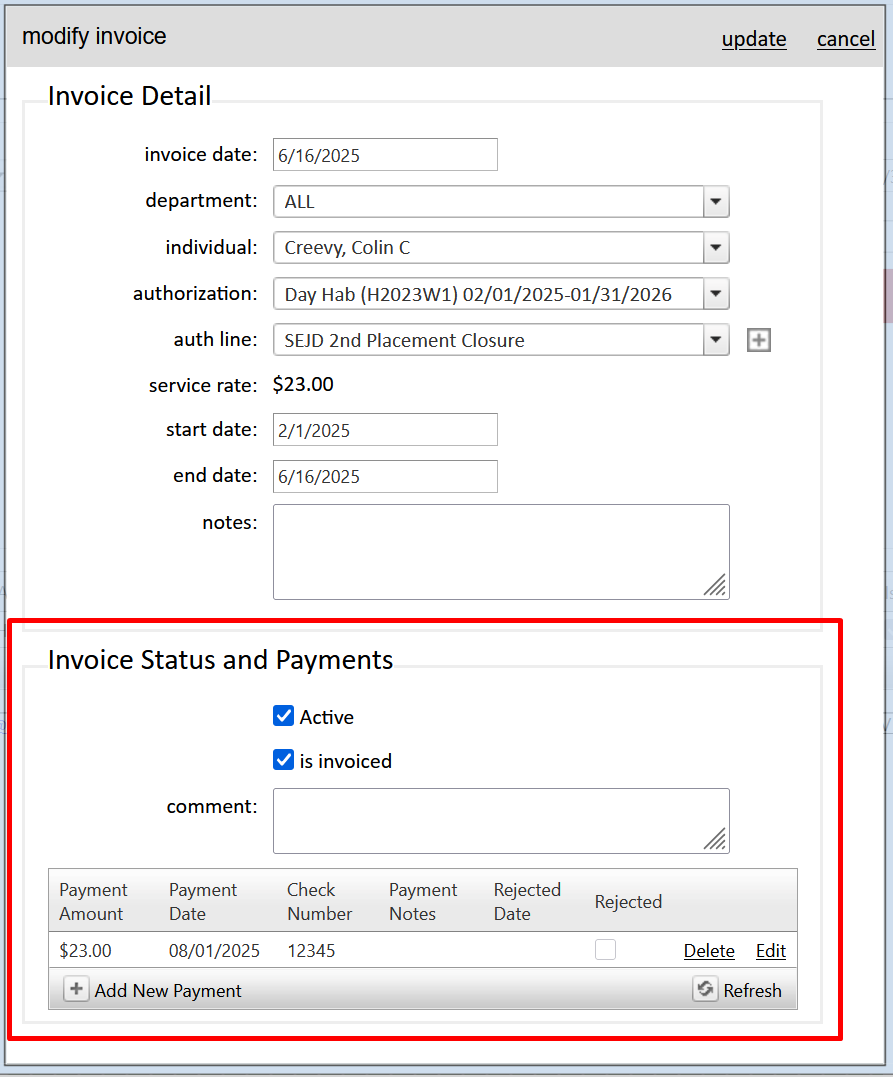
How can I mass update payment information for Invoices?
Administrators, Managers
This feature allows for importing payment information on multiple invoices at one time.
Note: Settings > Provider Build > Maintain Privileges > Electronic Billing > Can import invoice payment files into system. General Importer.
Creating a template
Note: Global action menu > Manage Invoices
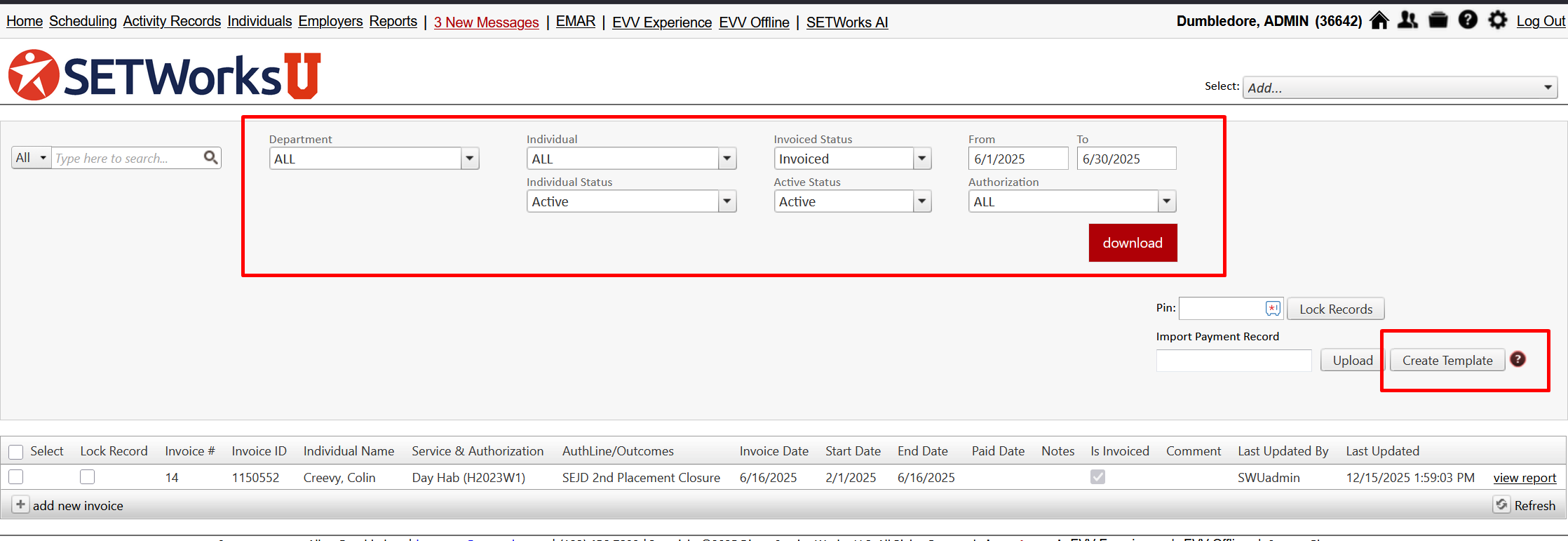
Navigate to the Manage Invoices Screen. Use the filters to filter for the invoices that need payment information added. Then, click Create Template in the importer section.
Entering Payment Information
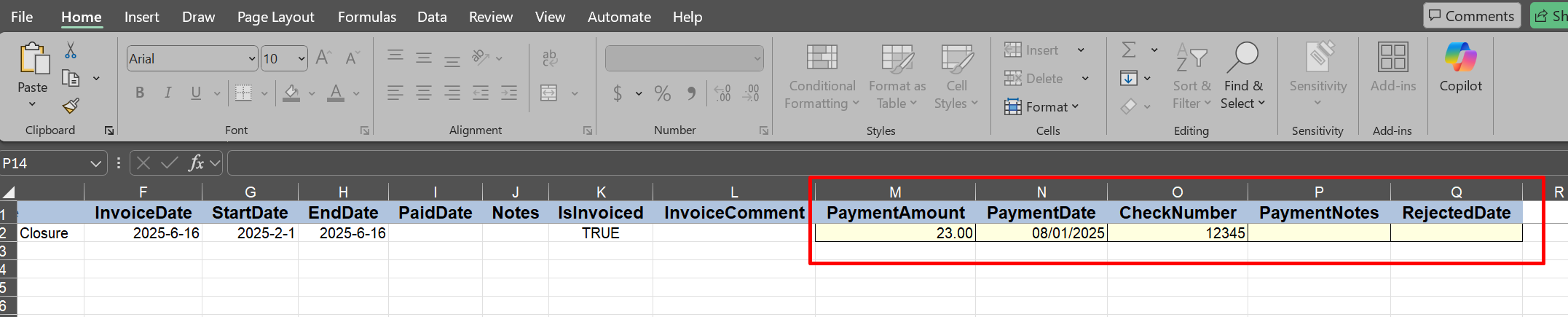
Retrieve the excel document from your downloads and open the document. Here you will find the existing invoice information. Enter the applicable payment information in the fields provided. These fields will be highlighted in yellow. Once you've entered payment information for all invoices, ensure the document is saved to your device.
Uploading Payment Information
On the Manage Invoices screen, select Upload from the Import section and select the file you just saved. The payment information will begin uploading an you will see the progress in the Import section.
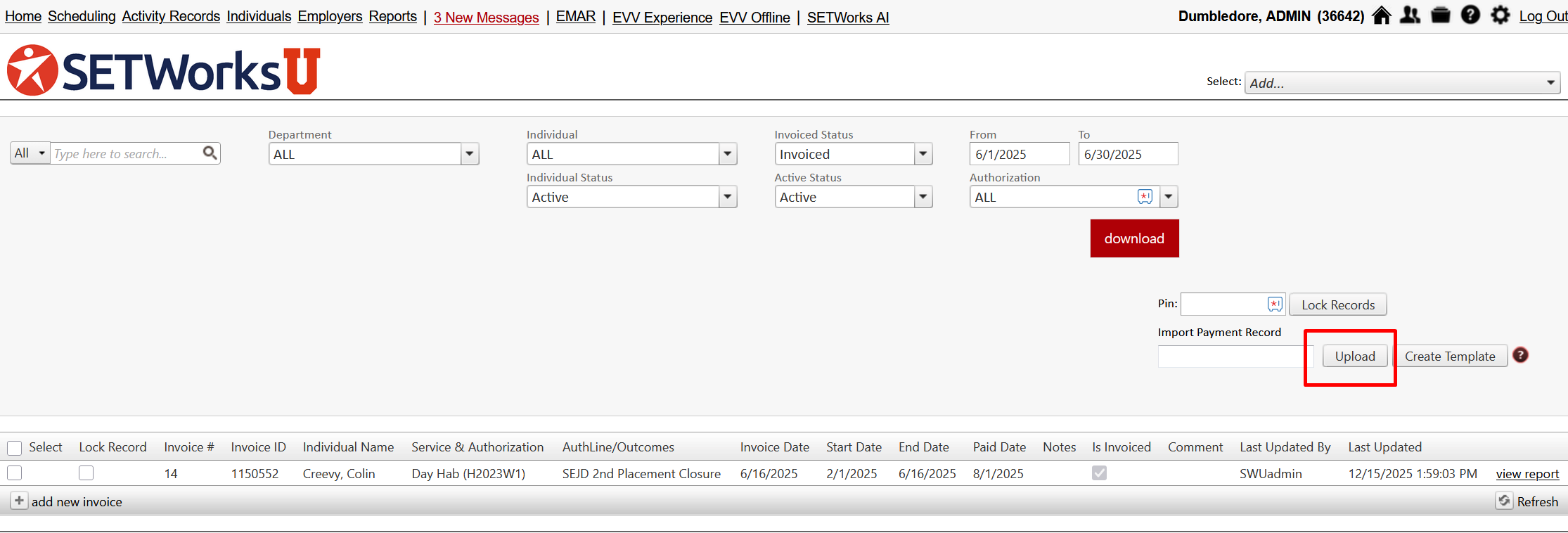
Once completely uploaded, the payment information will be added to the invoice(s).