
Show Additional Signatures Button
Need to work with forms that have lots of signatures? We’ve got you covered!
To keep things clean and easy to navigate, SETWorks now automatically collapses extra signatures. Instead of scrolling forever, you’ll see a handy Show Additional Signatures button that expands everything with one click.
Privileges
Settings > Provider Build > Maintain Privileges > Forms:
Note: Enable compact signatures on Forms Grids (Excluding Review and Sign Forms).
How It Works
- Open the Consumer's Profile
- Select the Forms tab
- If the form has several signatures configured, only the first set will appear by default
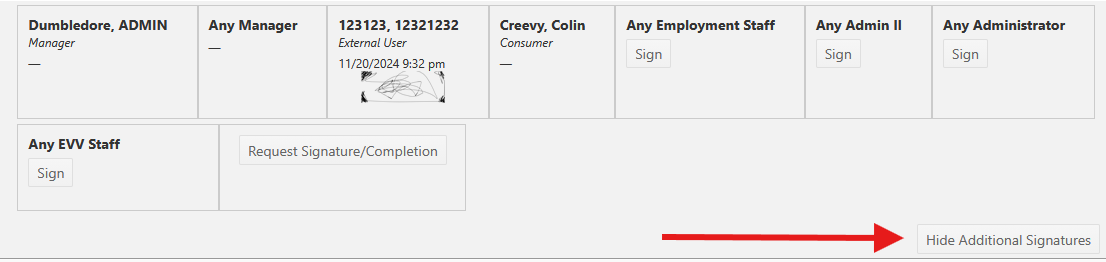
- Look for the Show Additional Signatures button

- Select it to instantly reveal all remaining signatures
- Need to focus again? Select Hide Additional Signatures to keep things tidy
Why This Is Awesome
To keep your workflow clean and stress free, this feature helps organize forms that contain a large number of signatures. Instead of scrolling through a long list, the Show Additional Signatures button keeps everything compact until you are ready to open it up. This means you can quickly focus on the signatures you need without visual clutter getting in the way.
By making long forms easier to navigate, you save time, reduce clicking and scrolling, and keep your workspace feeling much more manageable. It is a small enhancement that makes a big difference in everyday form signing. Your eyes, your mouse, and your workflow will all appreciate it!