
I accidentally created two copies of the same Network Contact for a consumer. How can I merge them together?
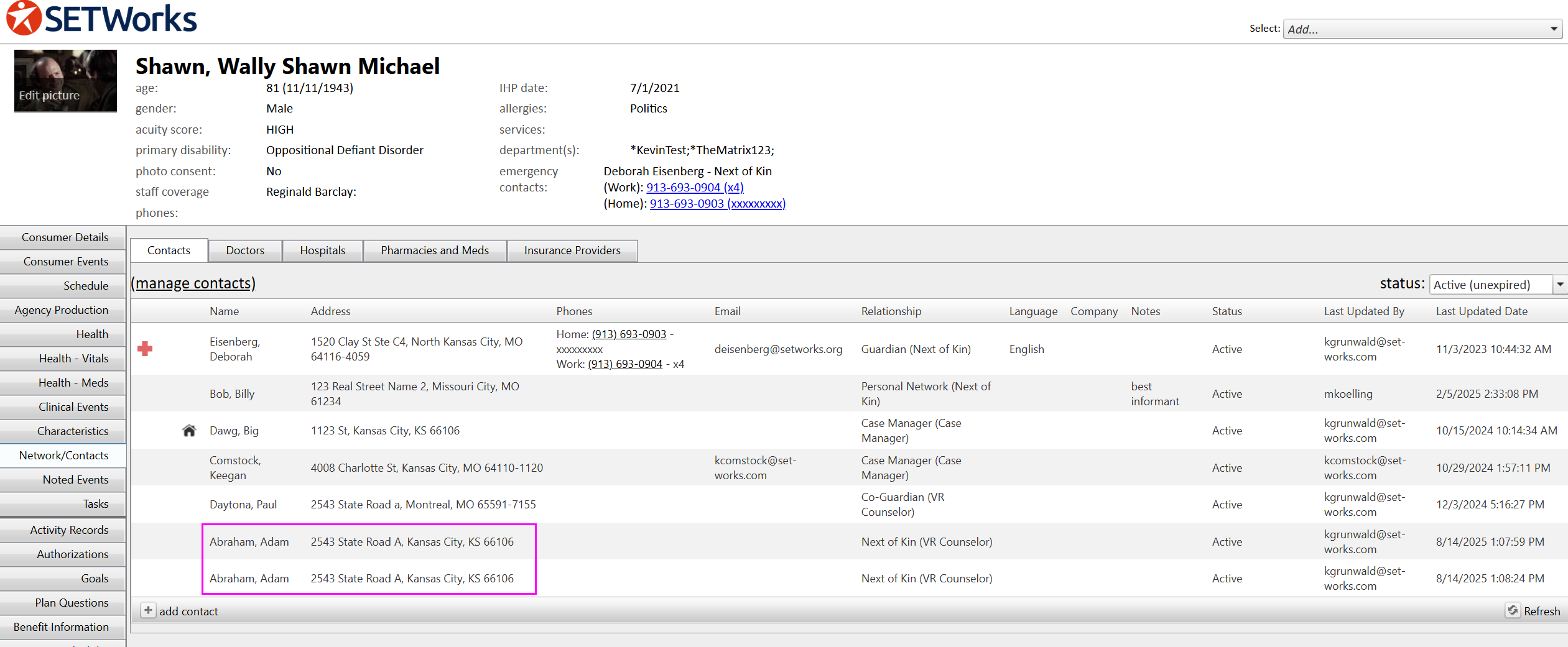
In the example screenshot below, we see two copies of the same network contact:
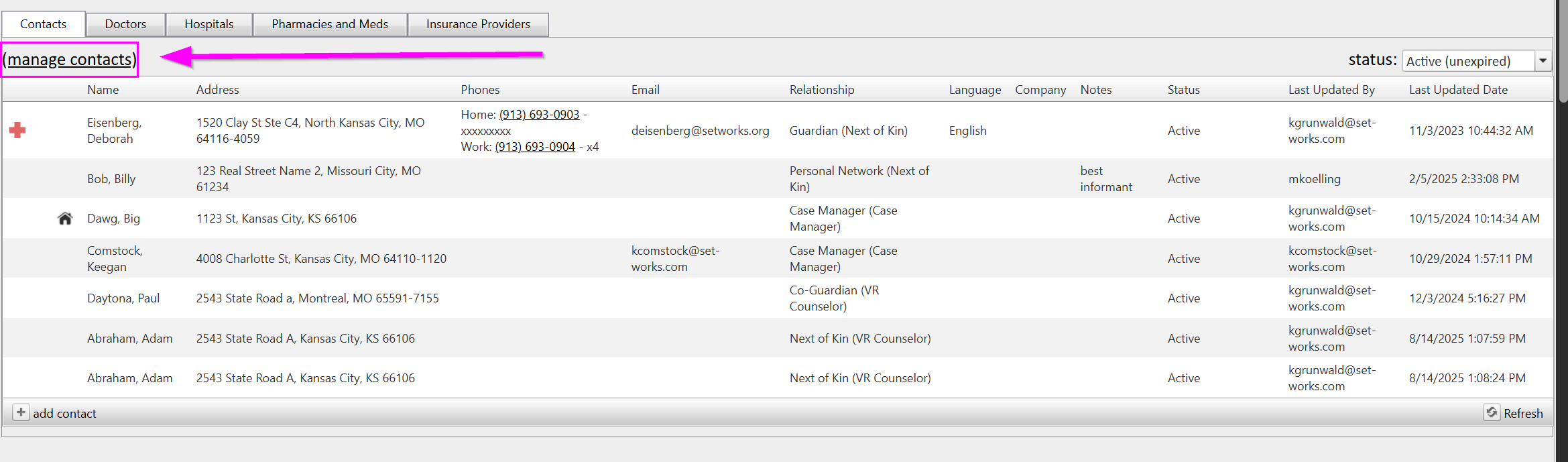
To resolve, first select "(manage contacts)":
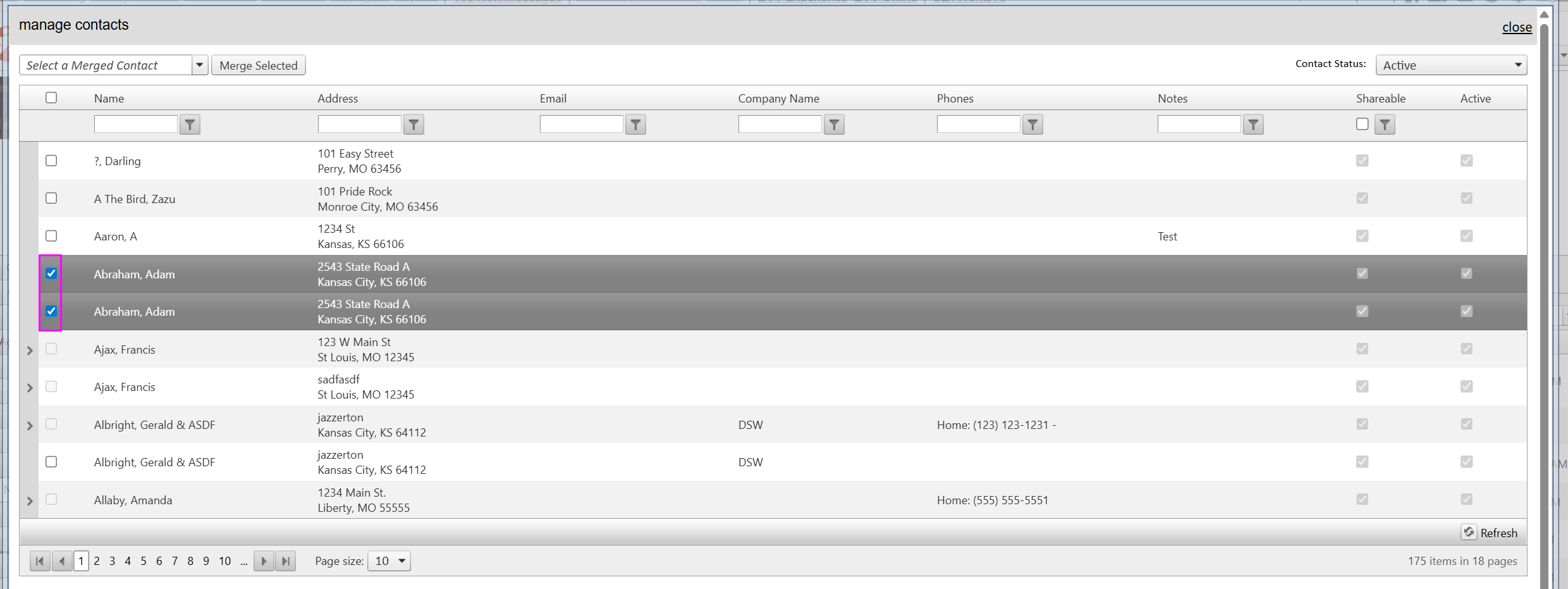
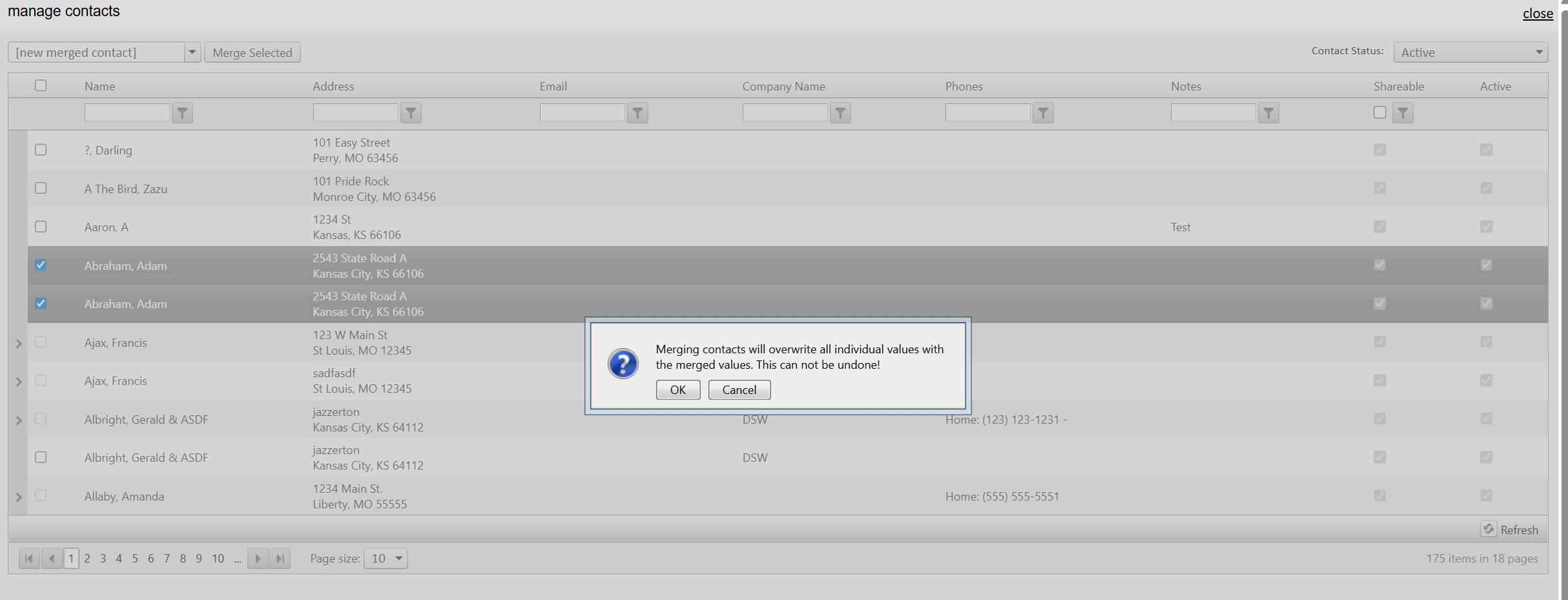
In the new window that opens, highlight the two contacts that need to be merged by selecting the checkboxes:
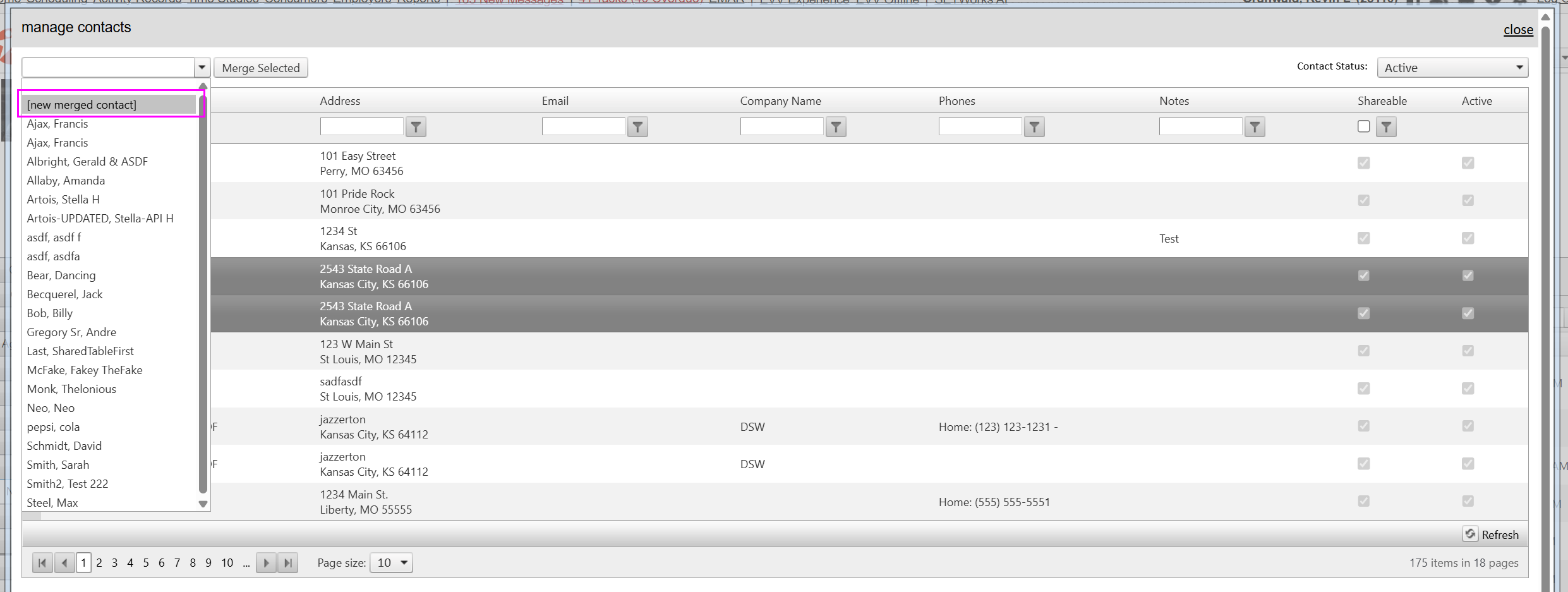
Next, at the dropdown at the top, select "[new merged contact]" and then click "Merge Selected"
A warning message will appear. Select OK
A new window will open that allows you to confirm the merge operation.
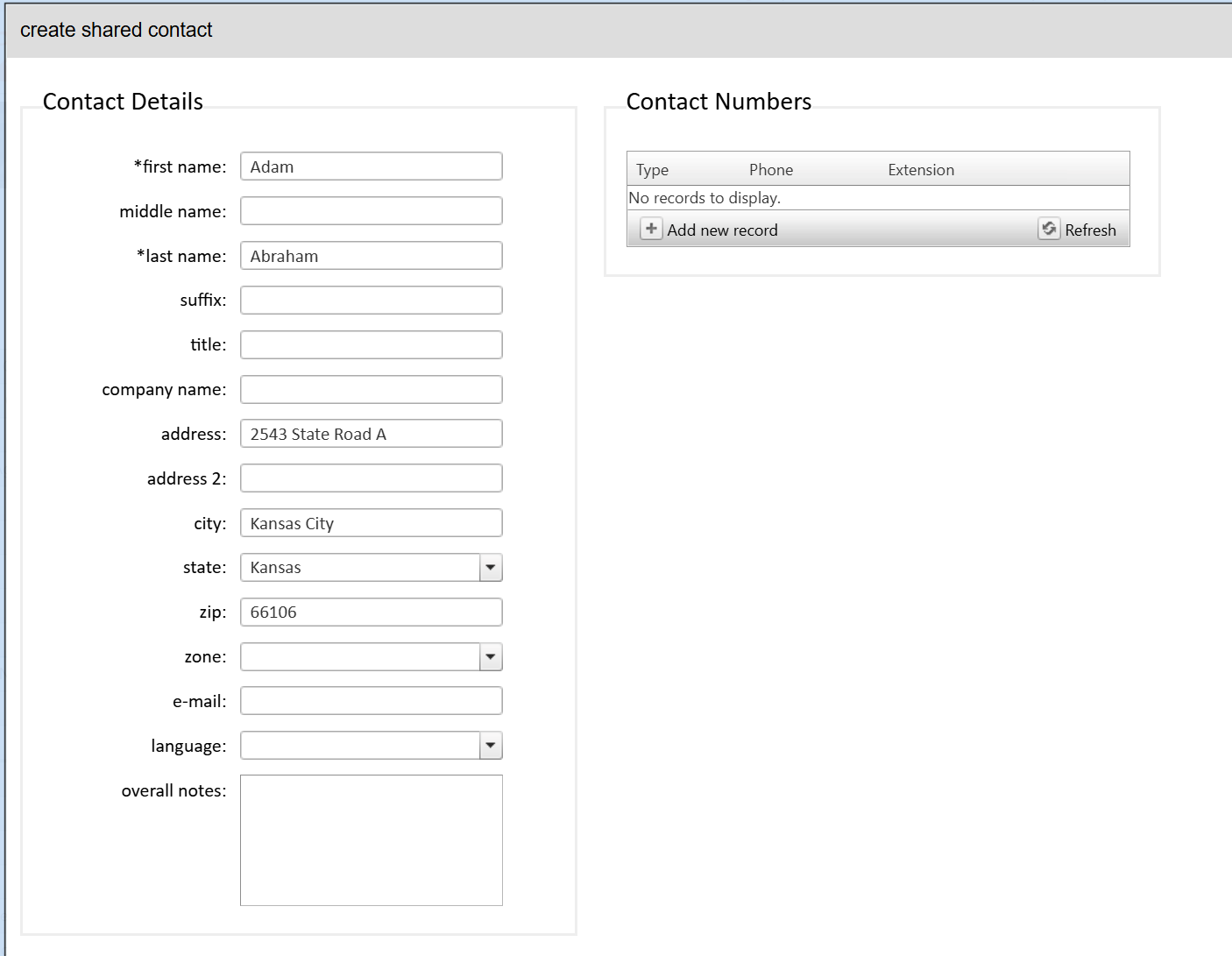
Select save to merge the two contacts.