
Understanding the Custom Authorization Status Feature
What is a Custom Authorization Status?
All users
The Custom Authorization Status feature enhances workflow flexibility by allowing organizations to define and assign custom statuses to authorizations. This feature enables teams to tailor status labels and meanings to better reflect their internal processes, improving clarity and efficiency in tracking and managing authorizations.
Rather than relying solely on system-defined statuses (such as "Pending," "Approved," or "Denied"), users can create personalized status categories that align with their unique operational steps or review phases.
Configuration
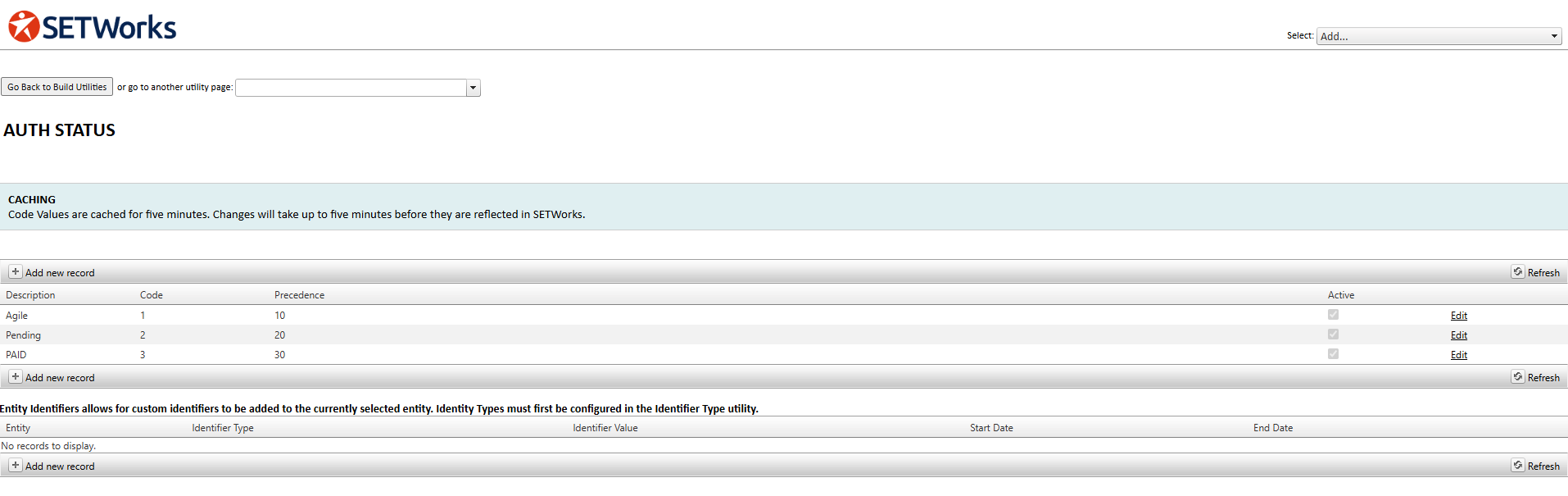
Custom Authorization Statuses are managed through the Custom Authorization Status Utility, a tool accessible by Administrators. Using this utility, Administrators can:
Create new status categories
Edit existing custom statuses
Organize and label statuses in a way that reflects internal processes
These custom statuses will then be available for use across the organization, providing consistency in how authorizations are tracked and reported.
Privileges Required
To enable and use this feature within your organization, specific privileges must be granted. These can be activated in the following path:
Settings > Provider Build > Maintain Privileges > Authorizations
The two key privileges related to this feature are:
Note: Display Custom Authorization Status information on consumer authorization screen and status filter on authorization grid Enables users to view custom status information directly within the authorization interface and filter authorizations by status. Allow user to modify Custom Authorization Status Grants users the ability to assign or change the custom status of an authorization as part of their workflow.
Ensure these permissions are assigned to all relevant roles to fully leverage the feature.
Application
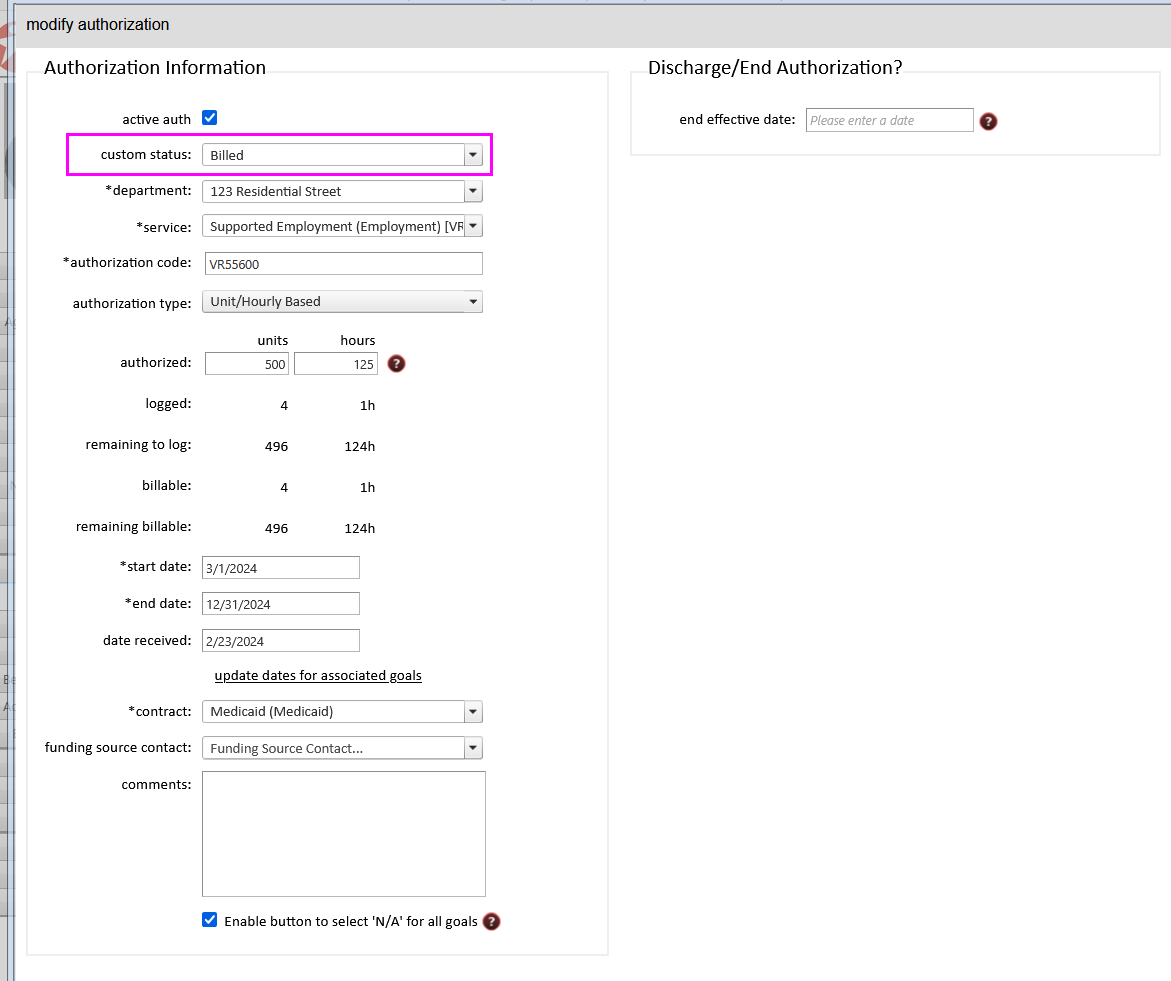
To apply a custom authorization status to an authorization, change the "custom status" dropdown shown near the top of the authorization (screenshot):
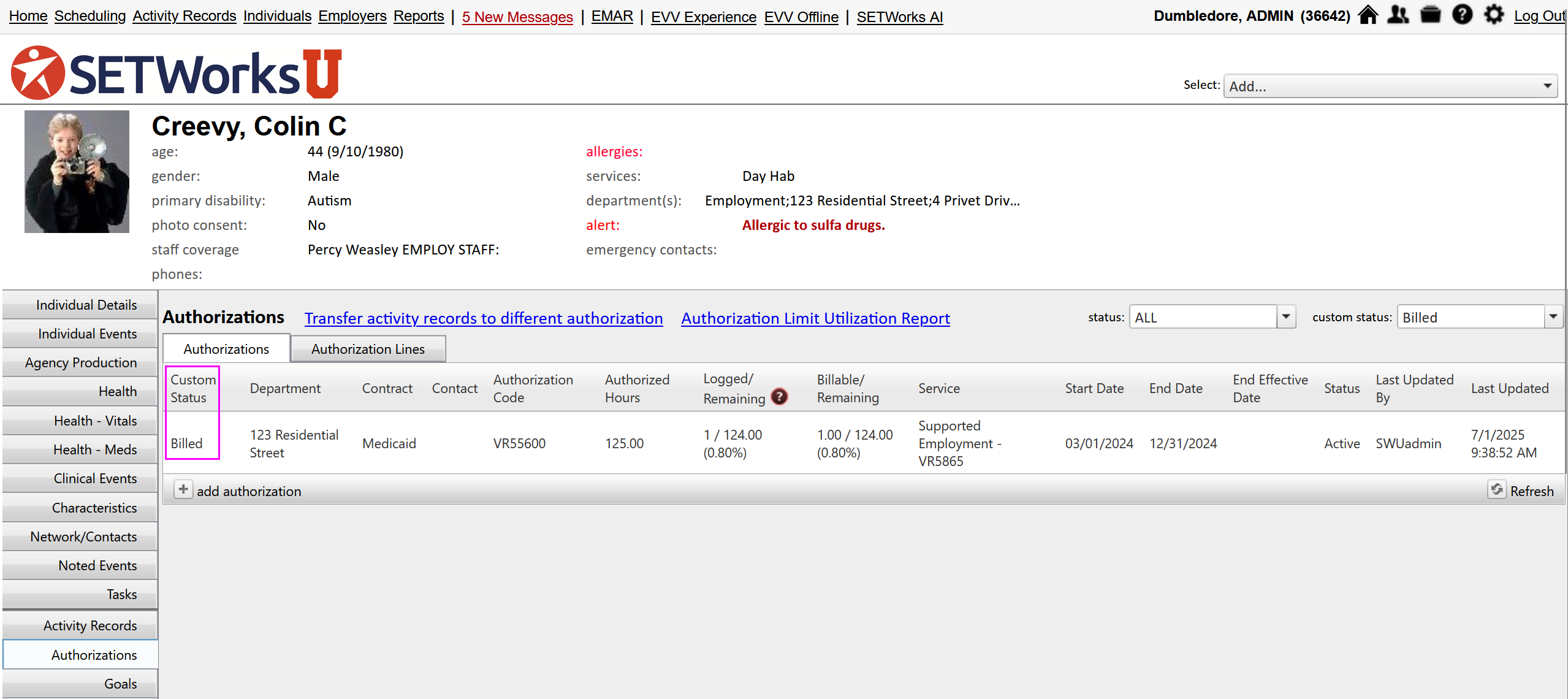
Once the authorization has been updated with a custom status, you can view the status on the authorization grid (screenshot):
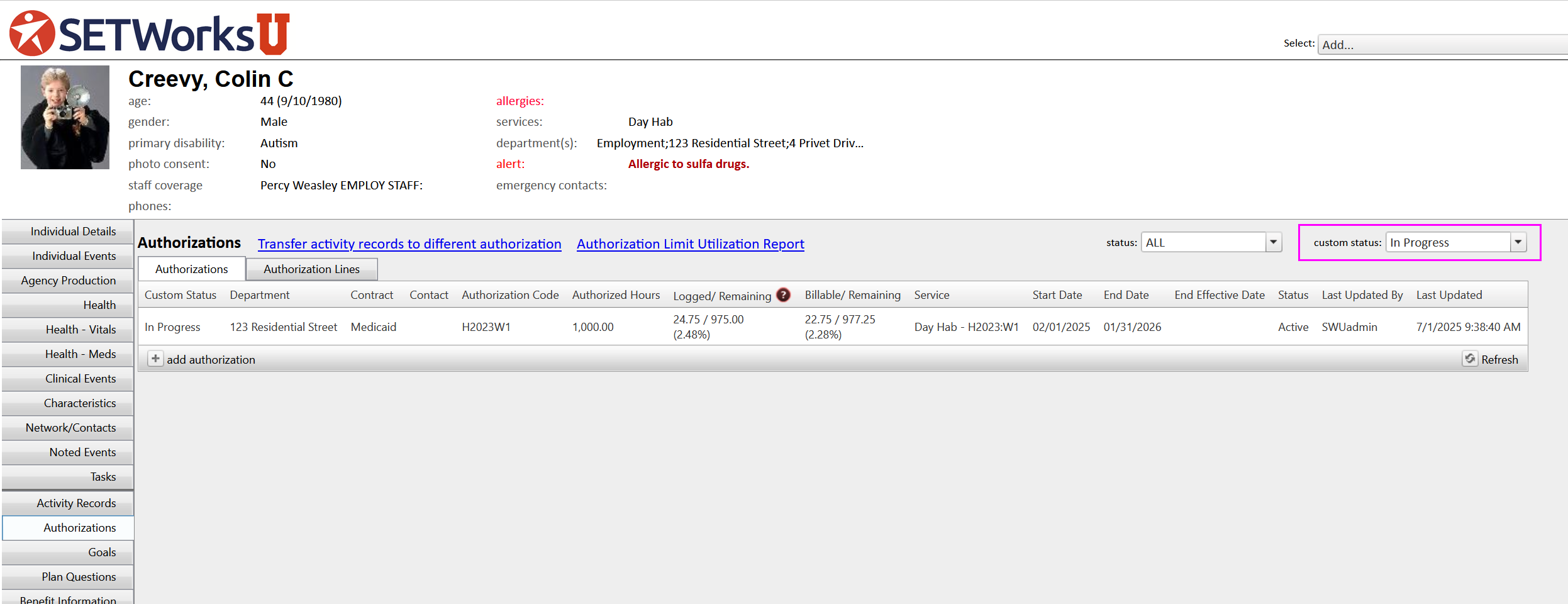
Filter for the custom status using the dropdown menu (screenshot):
Reporting
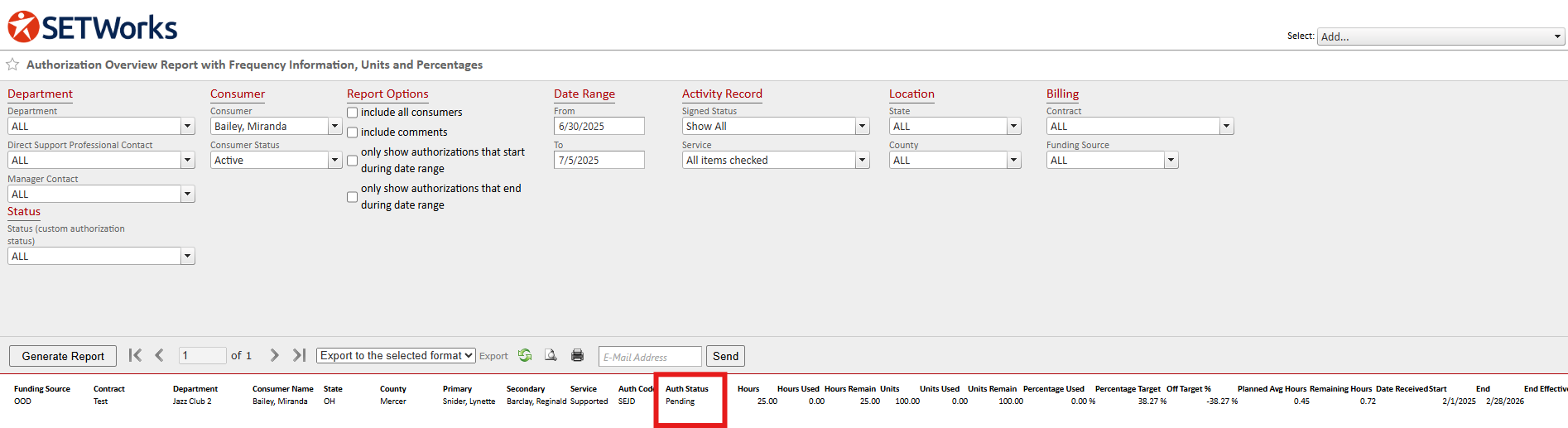
Custom Authorization Status is integrated into the Authorization Overview Report with Frequency Information, Units, and Percentages. This allows for:
Filtering authorizations by custom status
Analyzing trends and volumes based on workflow-specific statuses
Supporting audit and process improvement initiatives by providing greater visibility into authorization stages
The Custom Authorization Status feature empowers organizations to define and use authorization statuses that reflect their real-world workflows. Through proper configuration and permission settings, this tool enhances transparency, improves operational alignment, and supports more meaningful reporting.