Iowa - 270/271 Medicaid Eligibility Check
SETWorks now offers auto-generated 270 files that can then be uploaded to EDISS. They will then provide a 271 file that you can upload into SETWorks to check Medicaid Eligibility for consumers. This process significantly speeds up the time it takes to complete this essential process for providers.
Note: If you do not have access to the Manage Medicaid Files page and would like to have access to this feature, please contact sales@setworks.com or schedule a call to learn more!
Note: Consumers must have properly formatted Medicaid Numbers in the consumer profile. Provider must also have access to the EDISS site.
Manage Medicaid Files
Navigate to the Manage Medicaid Files Page using the global action menu (select-add drop-down menu)
Once on the Manage Medicaid Files Page, select the date range you wish to evaluate eligibility, select the consumers you wish to evaluate eligibility for, then select Request 270 file
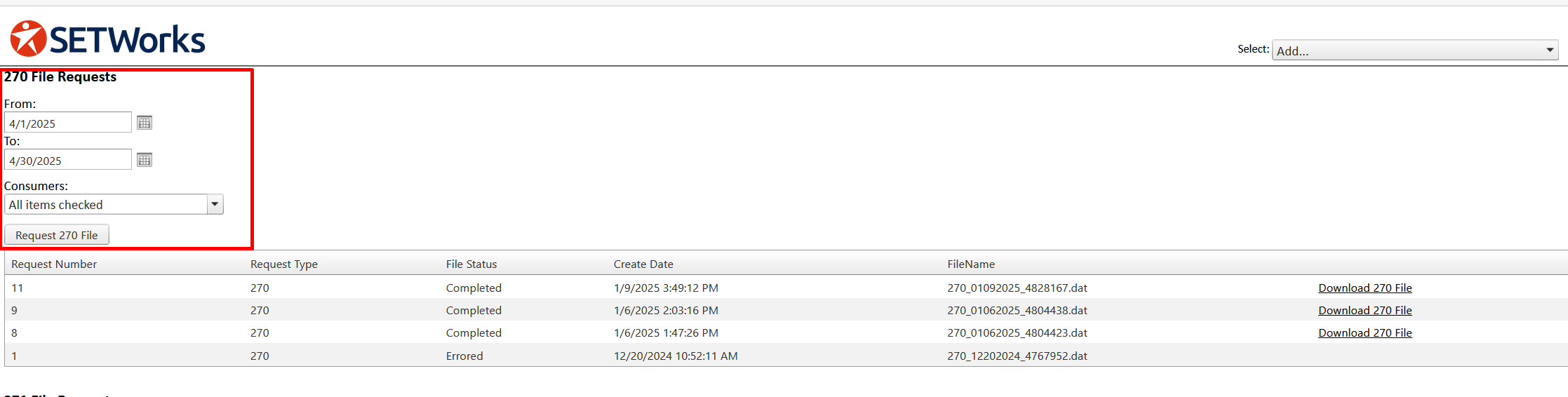
Allow some time for SETWorks to generate the 270 file. It will then be available to download. Click on the download link to the right of the most recent request.
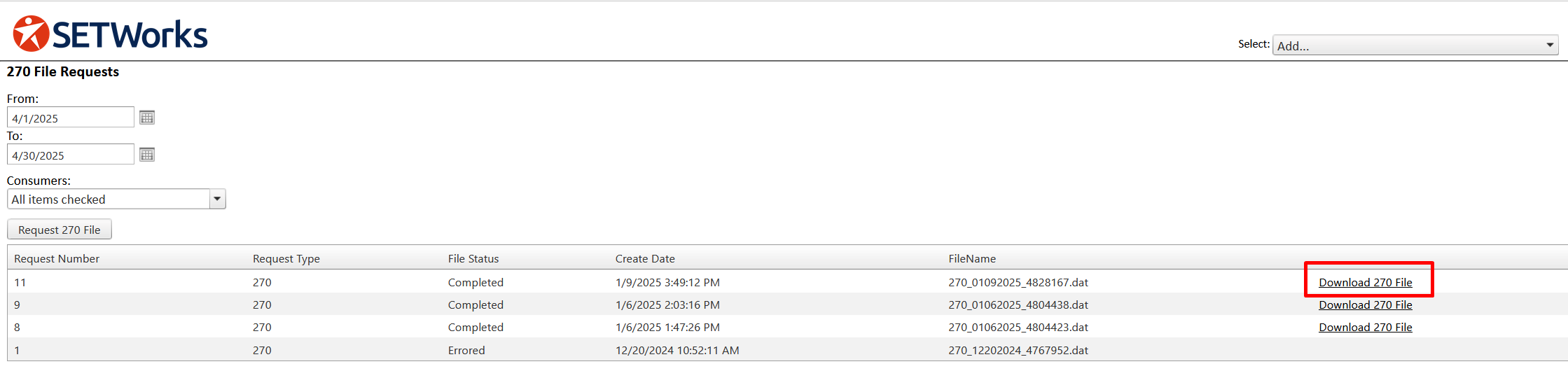
Save the downloaded file to your device.
Generating 271 Files
Log into your providers EDISS Account and upload the 270 file, generated from SETWorks, to the batch FTP upload area.
After some time, a 271 file will be generated within EDISS. Once available, download this file and save it to your device.
Reading 271 Files
Navigate back to the Manage Medicaid Files Page in SETWorks. Upload the 271 file you received from EDISS into SETWorks. Click Submit.
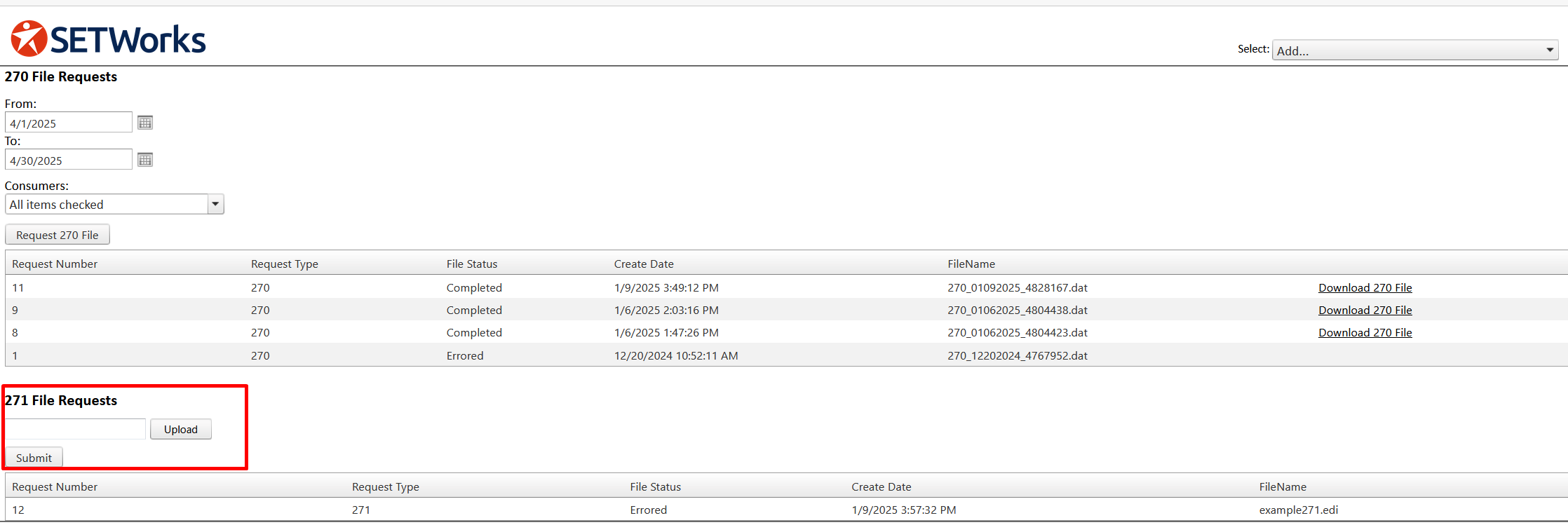
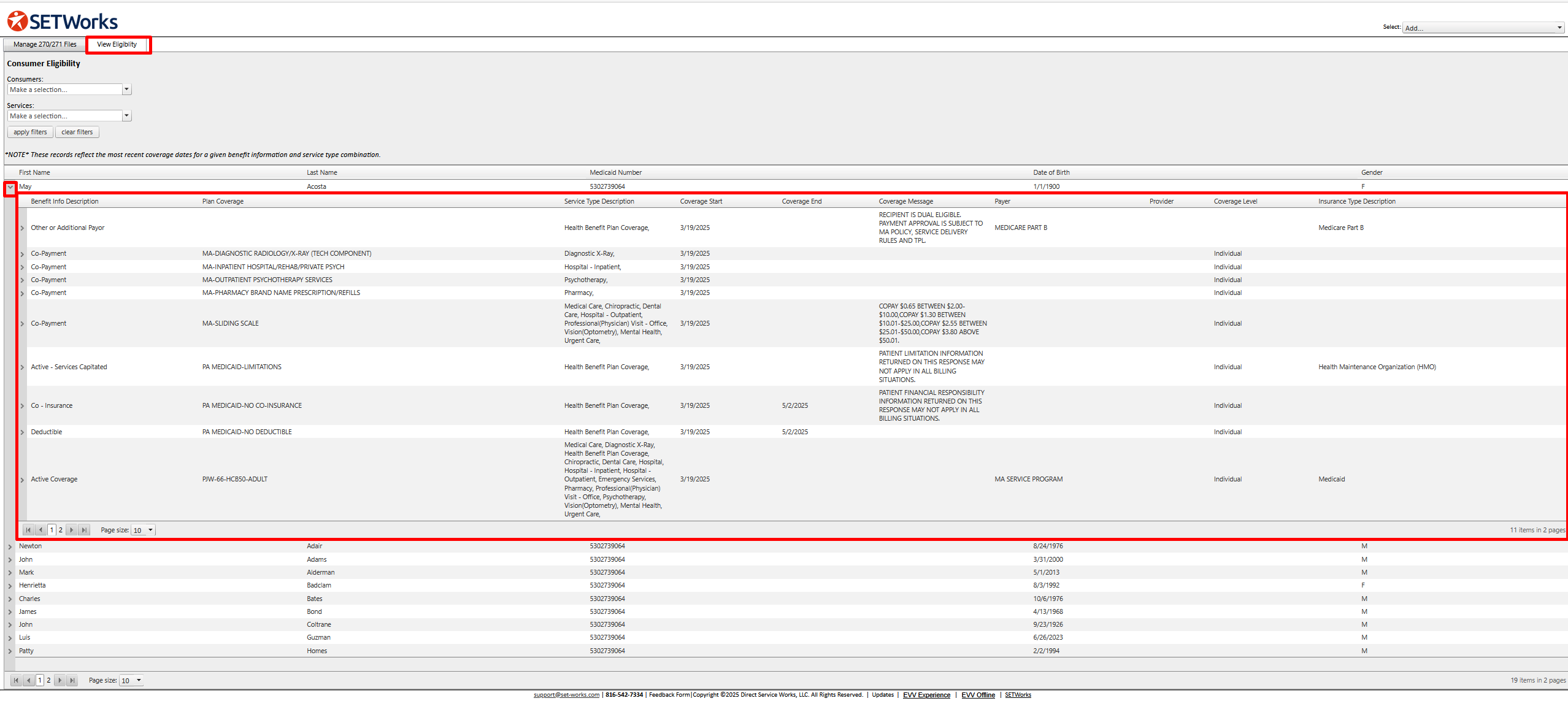
Once you've uploaded the 271 File, SETWorks will return the results will be displayed in the View Eligibility Tab on the Manage Eligibility Page.
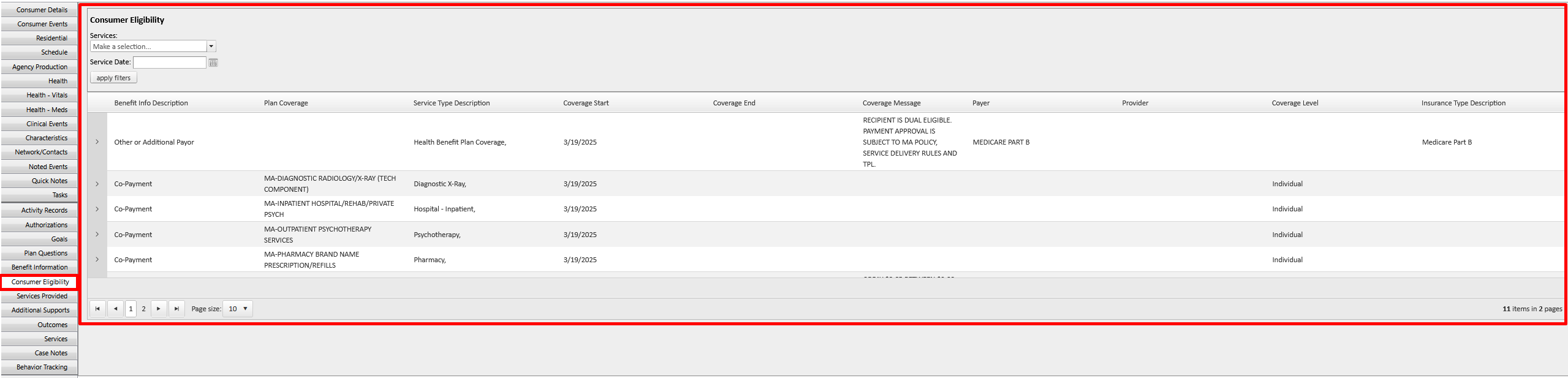
Individual Consumer Results are also available to view in the Consumer Profile using the Consumer Eligibility Tab.
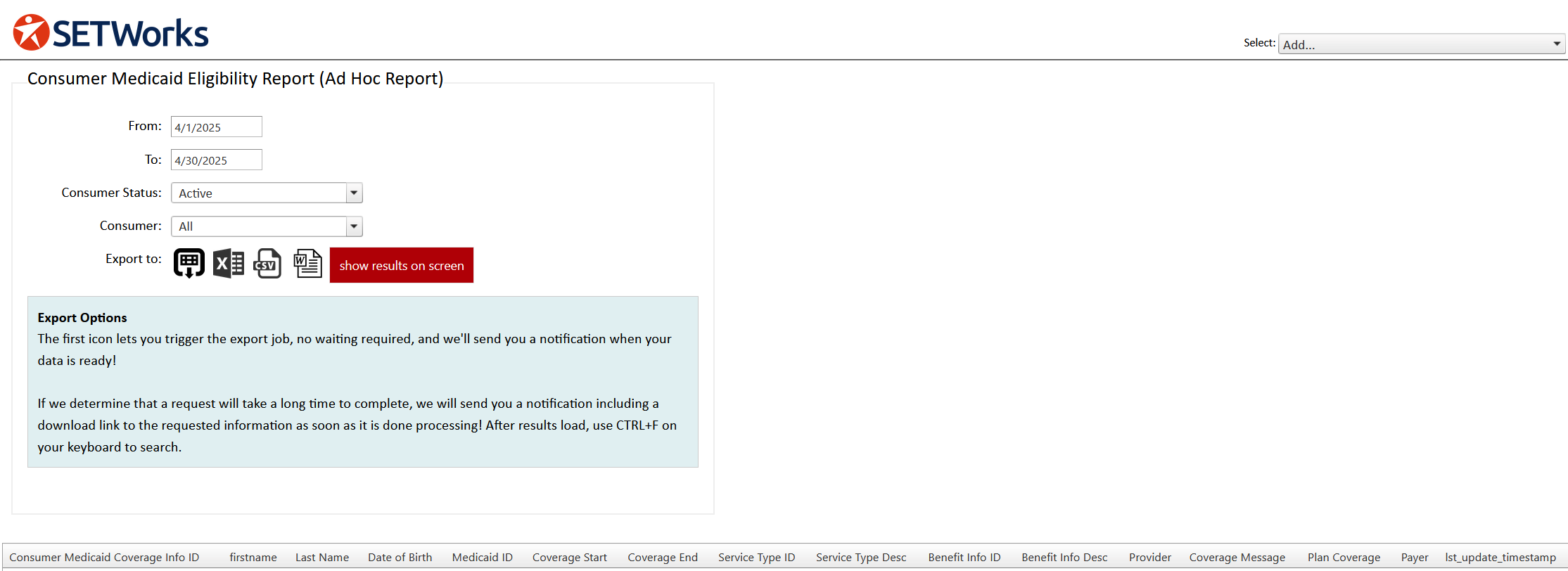
Results are also available in a report. Navigate to the Reports Tab and search for the Consumer Medicaid Eligibility Report.