

Overview
SETWorks AI Agents provide HIPAA-compliant, secure chat functionality powered by specialized artificial intelligence. Designed to enhance productivity, improve communication, and streamline various professional tasks, these agents are integrated directly within SETWorks. They provide precise, tailored responses for IDD-specific functions, all while strictly adhering to rigorous HIPAA standards to ensure complete privacy compliance. Additionally, you can create your own AI Agent and share it with others in your organization!
How to Access SETWorks AI Agents

SETWorks AI Agents are accessible directly within your SETWorks account by clicking on "SETWorks AI" at the top of your screen.
Note: SETWorks AI Agents are a part of SETWorks AI Essentials, which is a paid set of features. For more information visit our SETWorks AI overview page
, or connect with our team via a 15 minute call or by reaching out to Sales@SETWorks.com.
How to Navigate Between AI Agents
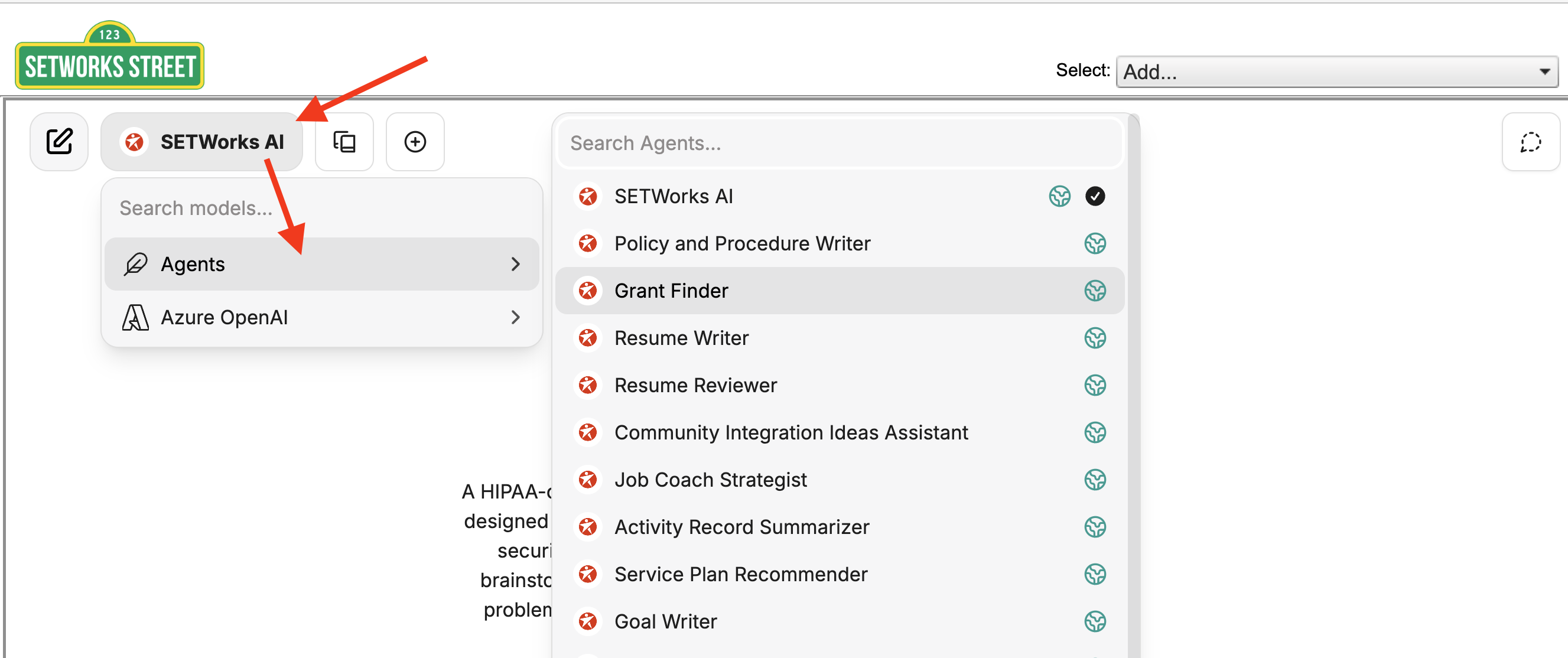
To navigate between the AI agents, click on the agent menu at the top of the screen.
How to View Past Topics
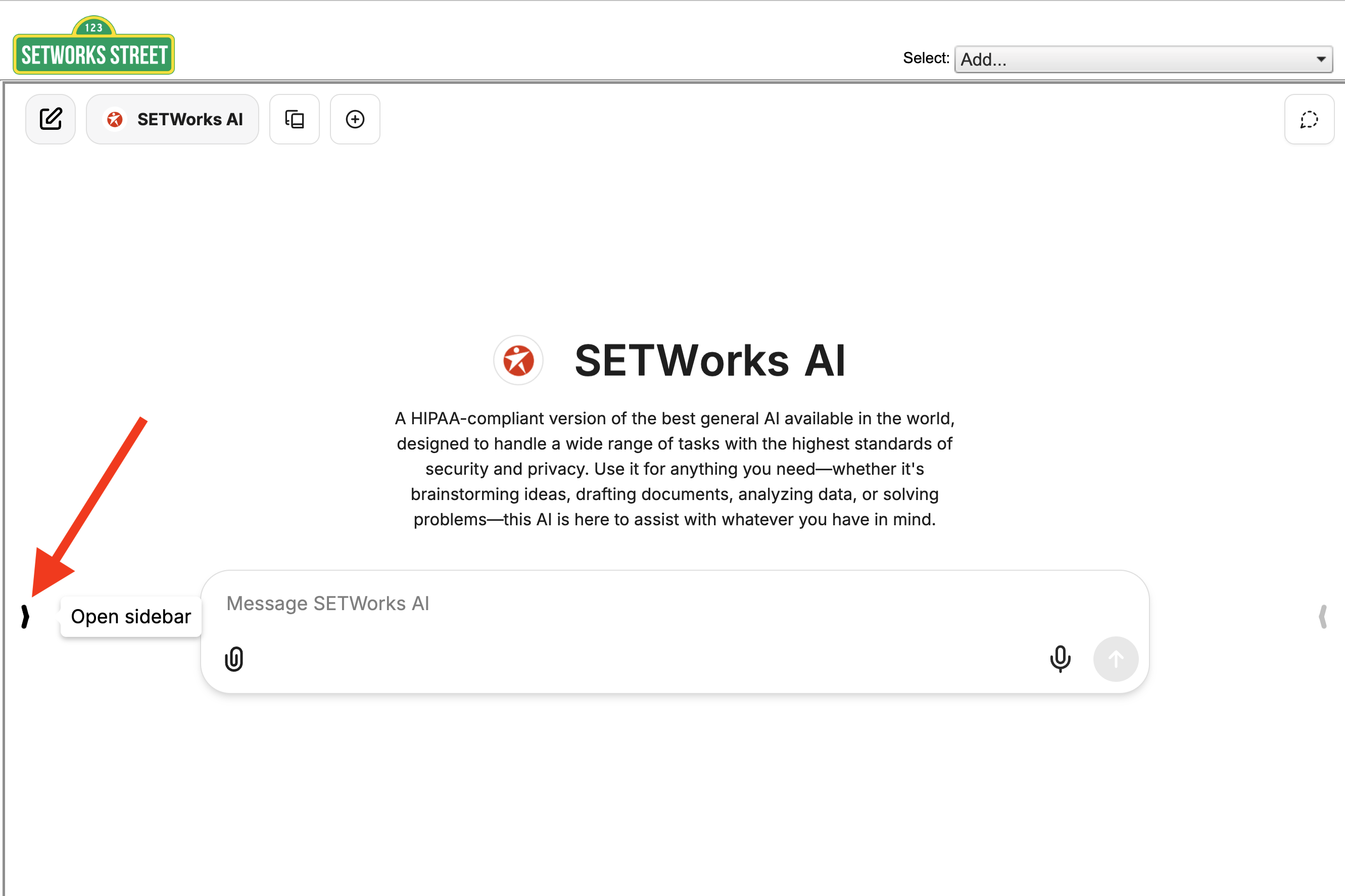
All interactions with SETWorks AI Agents are securely logged, allowing users to easily revisit and review previous topics and conversations. Simply open the sidebar within the AI chat interface to view past interactions.
Available Agents
SETWorks provides various specialized AI Agents, many designed to support specific tasks:
SETWorks AI Agent
Customized Employment Job Developer Agent
- Community Integration Agent
- Policy and Procedure Agent
- Grant Finding Agent
- Grant Writing Agent
- Family + Case Management Planning Agent
- Resume Writing Agent
- Resume Reviewing Agent
- Job Coach Strategy Agent
- Activity Record Summarizing Agent
- Service Plan Recommending Agent
- Goal Writing Agent
- And more coming soon!
Creating Your Own AI Agent
Interested in creating a custom AI Agent? Learn more about creating and sharing your own agent here
Getting the most from SETWorks AI Agents
To obtain the most relevant and actionable responses:
- Be specific in your queries.
- Provide context, such as time frames and relevant individuals involved.
- Ask targeted questions rather than broad or vague inquiries.
- The more precise your input, the more effectively the AI Agents can tailor their analysis and recommendations to your needs. With practice, you'll quickly learn how to leverage SETWorks AI to work smarter and more efficiently.
Video Library:
Explore SETWorks AI agents through our videos:
- 📍Introduction to SETWorks AI Agents | SETWorks AI
- How to create your own AI Agent
- How to share your own AI Agent
- Individual Workplace Accommodations | Job Coach Strategist Agent | SETWorks AI
- Full Community Integration Day Plan | Community Integrations Assistant | SETWorks AI
- Kessler Foundation Grant Application | Grant Writing Agent | SETWorks AI
Note: While SETWorks AI Agents are powerful tools designed to enhance your efficiency and effectiveness, they are assistive technologies and may occasionally make mistakes. Always review AI-generated content carefully to ensure compliance and accuracy.