
How do I create my own SETWorks AI agent?
Overview:
SETWorks AI Agents provide HIPAA-compliant, secure chat functionality powered by specialized artificial intelligence. Designed to enhance productivity, improve communication, and streamline various professional tasks, these agents are integrated directly within SETWorks. They provide precise, tailored responses for IDD-specific functions, all while strictly adhering to rigorous HIPAA standards to ensure complete privacy compliance.
SETWorks offers the ability to build your own AI agent, which is stored personally and can be continuously referable for future use. You can also share your AI agent with others in your organization!
How to Access SETWorks AI Agent Builder

1. Access SETWorks AI at the top of the screen.
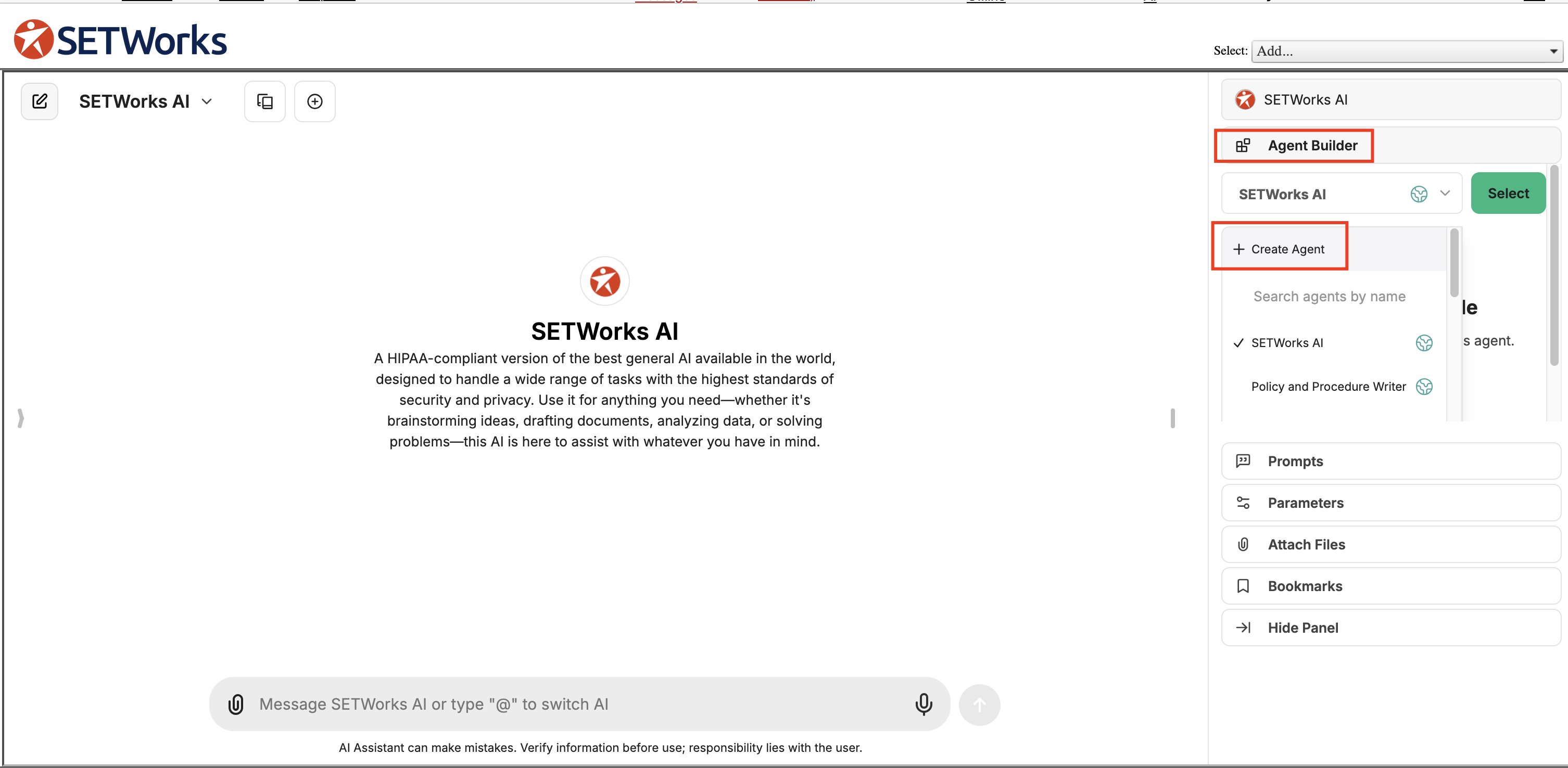
2. Select Agent Builder from the right hand panel.
3. Select +Create Agent
4. Complete the optional fields:
- Name: Name of Agent
- Description: Appears under the name & informs the user what this agent is built to do.
- Instructions: Enter specific prompts to inform and instruct the agent about the type of questions it will be asked.
How to Video: Creating Your Own AI Agent
How To Video: How to Share Your Own Agent
Note: General Notes on Working with AI Tools
While AI tools are intelligent and efficient, they don't learn in the same ongoing way humans do. AI Agents are specifically built and trained to perform certain tasks, but they don't retain new information or adapt independently over time. This is why creating clear, specific inputs when building your AI Agent is important—so you don’t need to repeatedly enter the same prompts each time you interact with the AI.