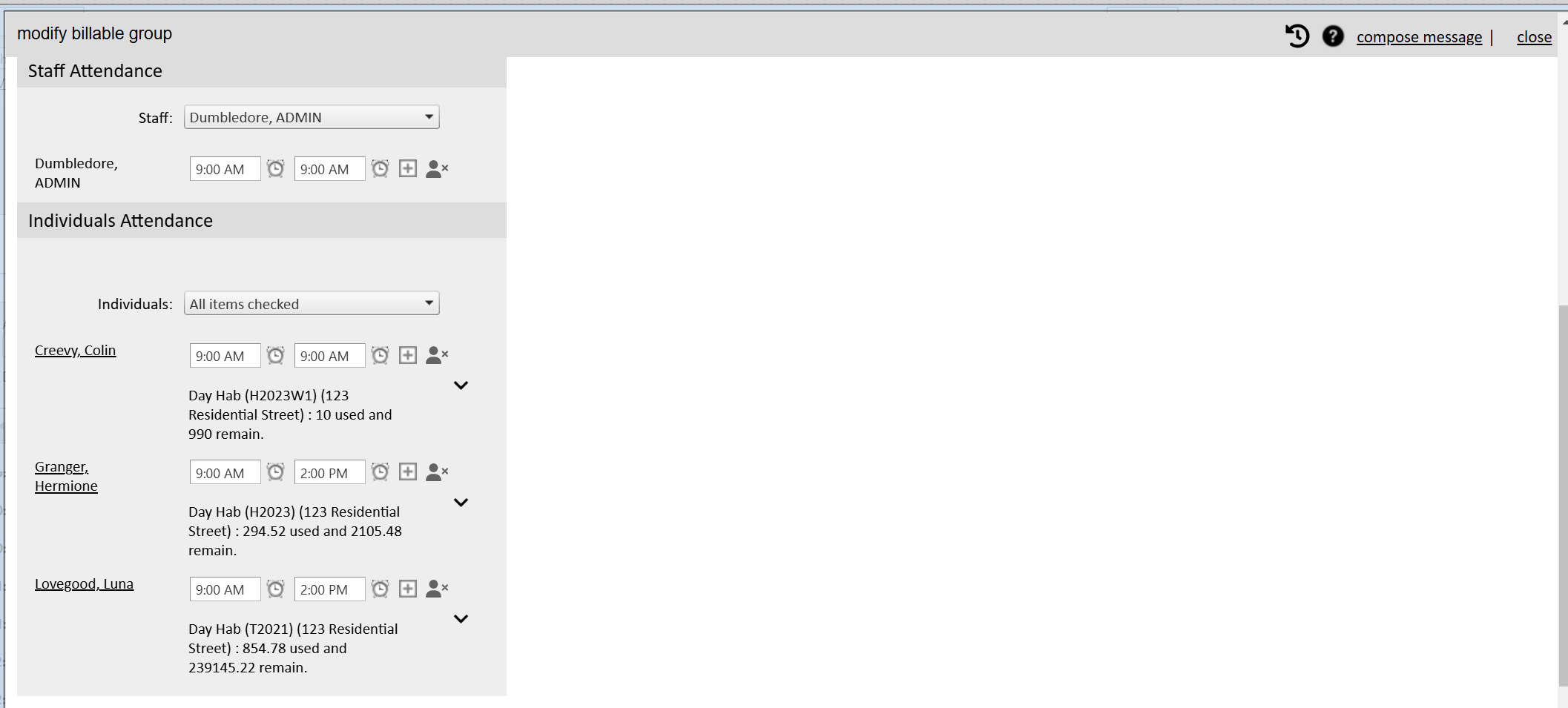
How can I mark a staff or consumer absent on group records?
All Users
This configuration allows for users creating or updating billable group activity records to include staff and consumers on the record and mark them as absent.
Note: Terminology can be modified within SETWorks to better fit the needs of your organization. If the terminology in our articles are not the same on your site, talk to your local administrator to assist in translation.
Configuration
Please ensure the following privileges are enabled for the desired roles.
Settings > Provider Build > Maintain Privileges > Activity Records Group
Note: Enables the "Mark as absent" button for consumers
Note: Enables the "Mark as absent" button for staff
Marking Staff and/or Consumers Absent
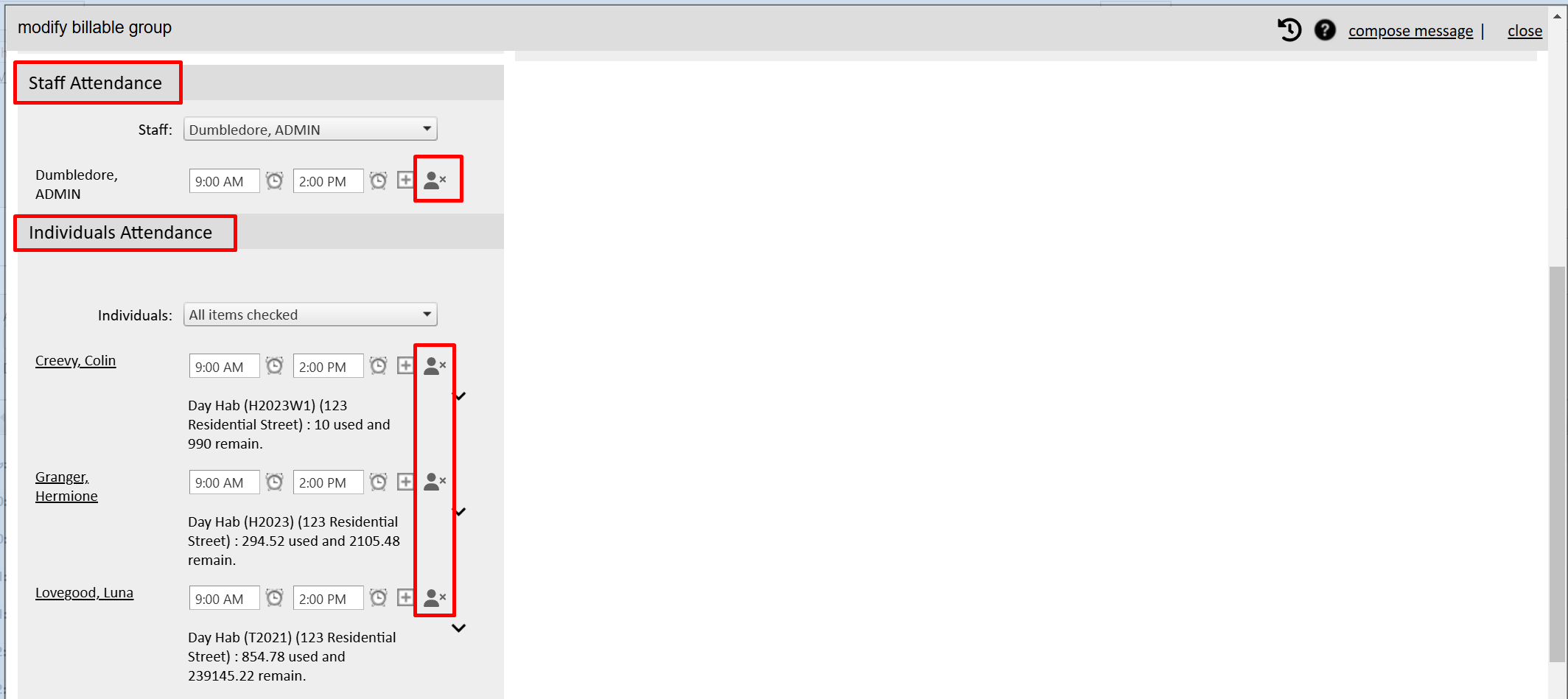
In the Details section of the Billable Group Activity Record, navigate to the Staff Attendance and/or Consumer Attendance section. Here you will see an icon. To mark the staff and/or consumer absent, click on the icon across from their name.
When you select the mark as absent button the time on the record with be "zeroed" out. So you will see that the start time and end time will match. The time selectors will also be disabled.
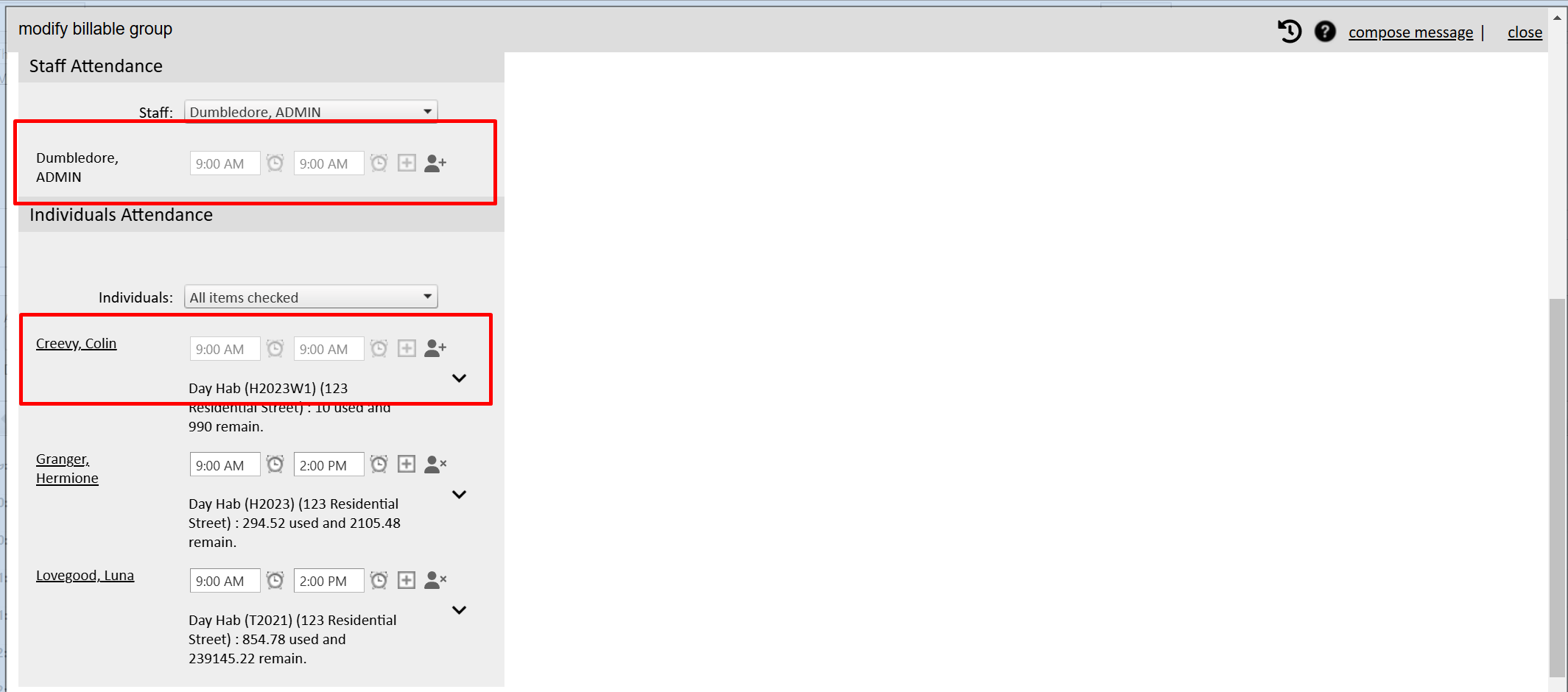
If you need to remove the absence, click on the icon again and the time selectors will be enabled to adjust the time.