
How to configure and complete the new OOD Form 4 - Monthly JSA & Site Development (Effective October 1, 2024)
OOD has updated forms for services occurring on and after October 1, 2024 and SETWorks has made the necessary changes to the forms on our platform to reflect this. Because the OOD changes were not substantial ones, most of the new 2024 forms will look and function in a very similar manner to the old forms.
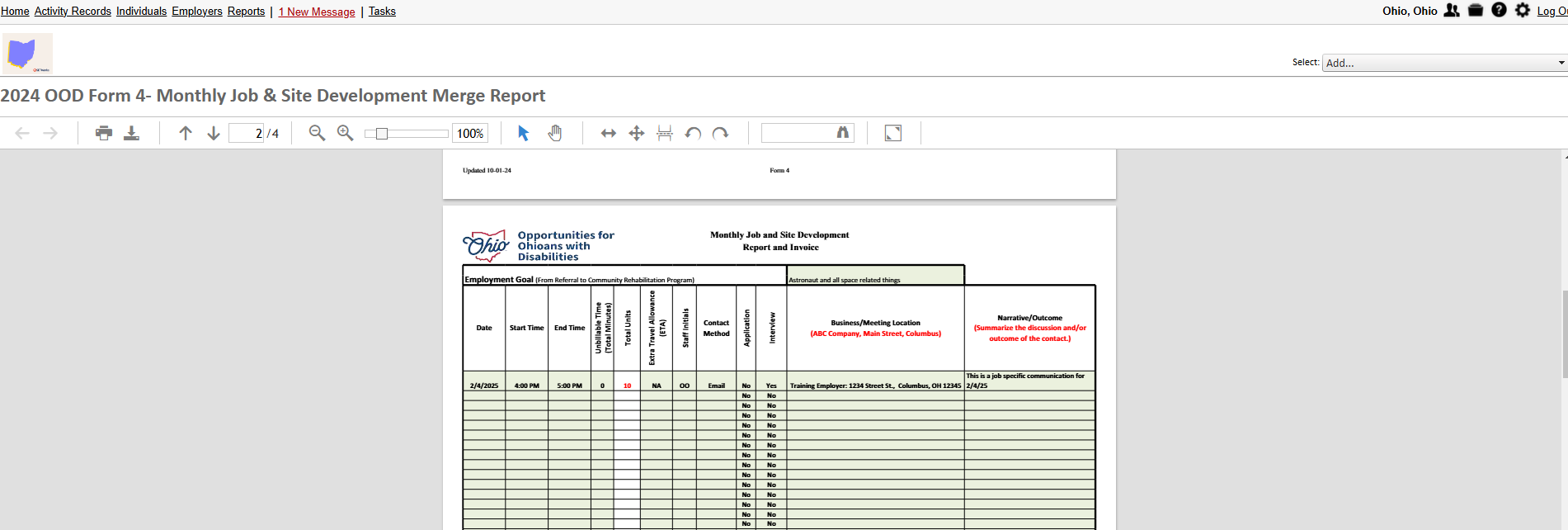
Understanding Form 4
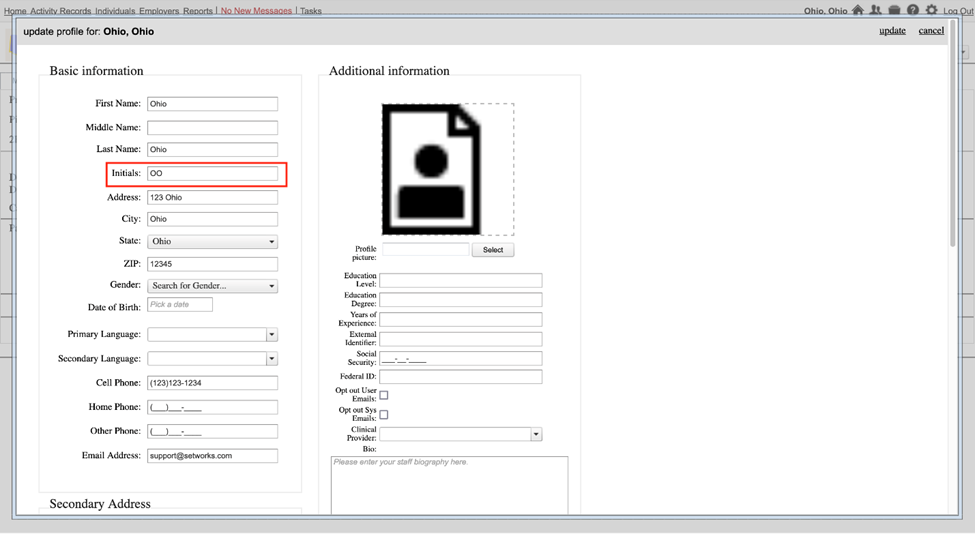
Staff Initials
- User Profile > Initials
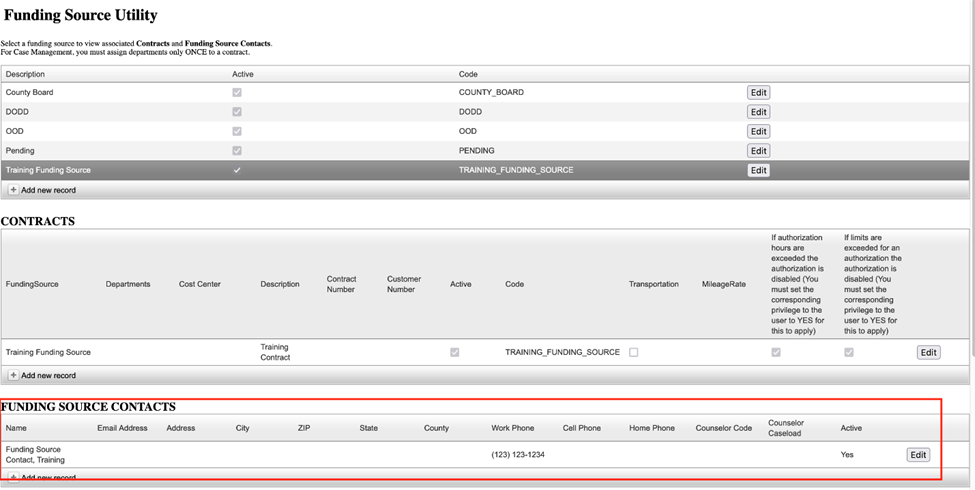
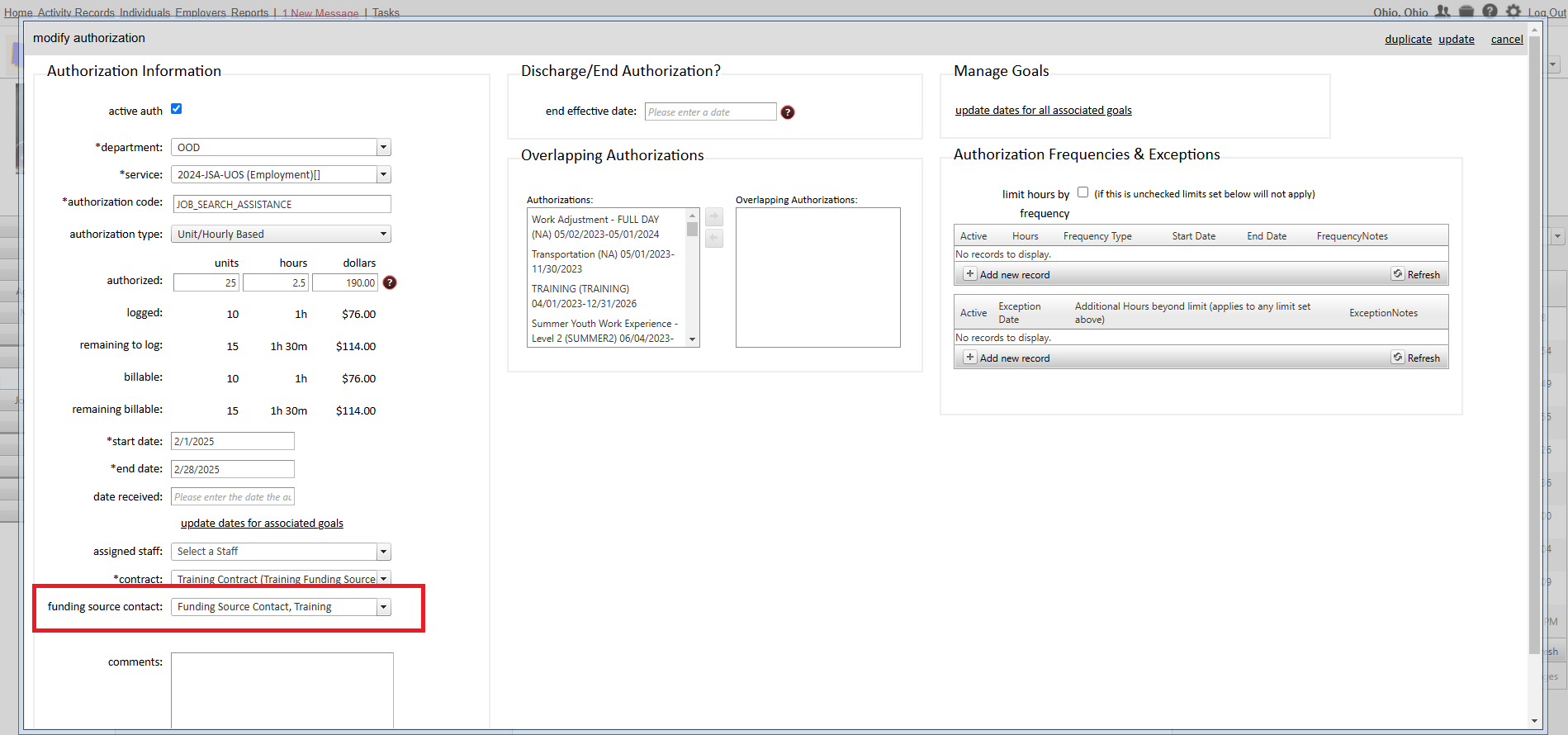
Funding Source Contacts
- "OOD Staff or OOD Contractor Name" on form pulls from the Funding Source Contact associated to the Authorization
Employment Goal
- Job Placements > Employment Goals
- The Notes section of the Employment Goal pulls to the form
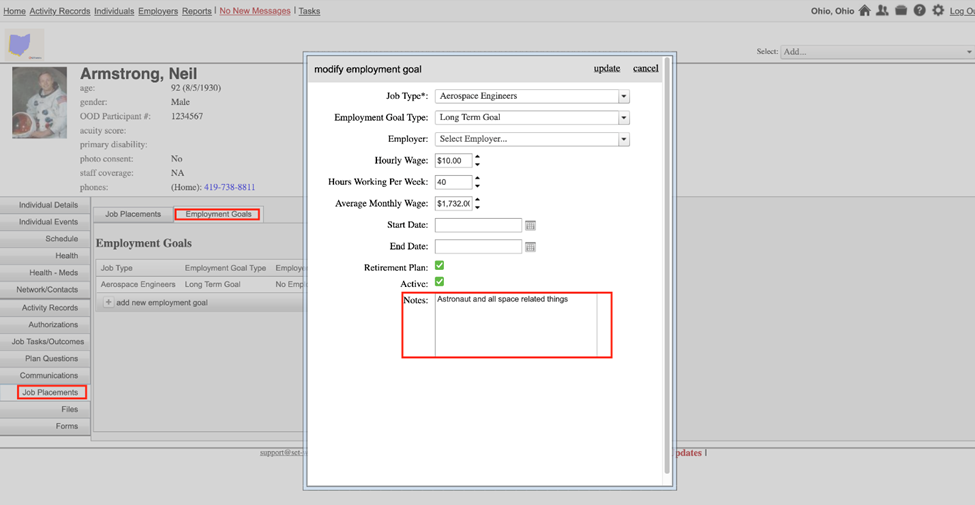
Note: If the goal is not displayed on the bottom of the form, check the goal to ensure notes are entered.
Communications
Must be completed within the Activity Record to generate on the form
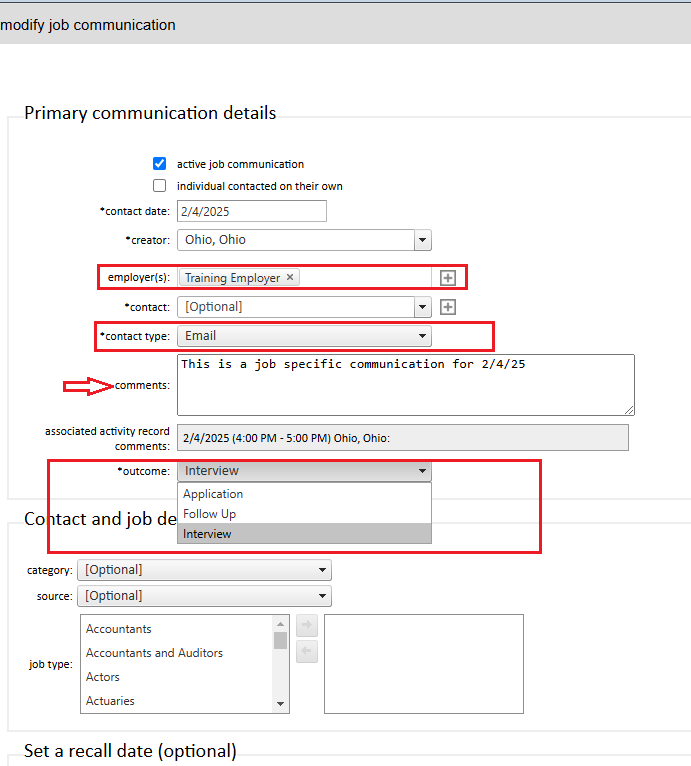
- Job Communications > Contact Type (copied)
- Outcomes should be required and configured to the following: Application, Interview, Follow up (copied)
- Employers attached to the Job Communications pull into the Business/Meeting Locations on the form
- Comments pull into the Narrative/Outcomes on the form
Activity Record Documentation
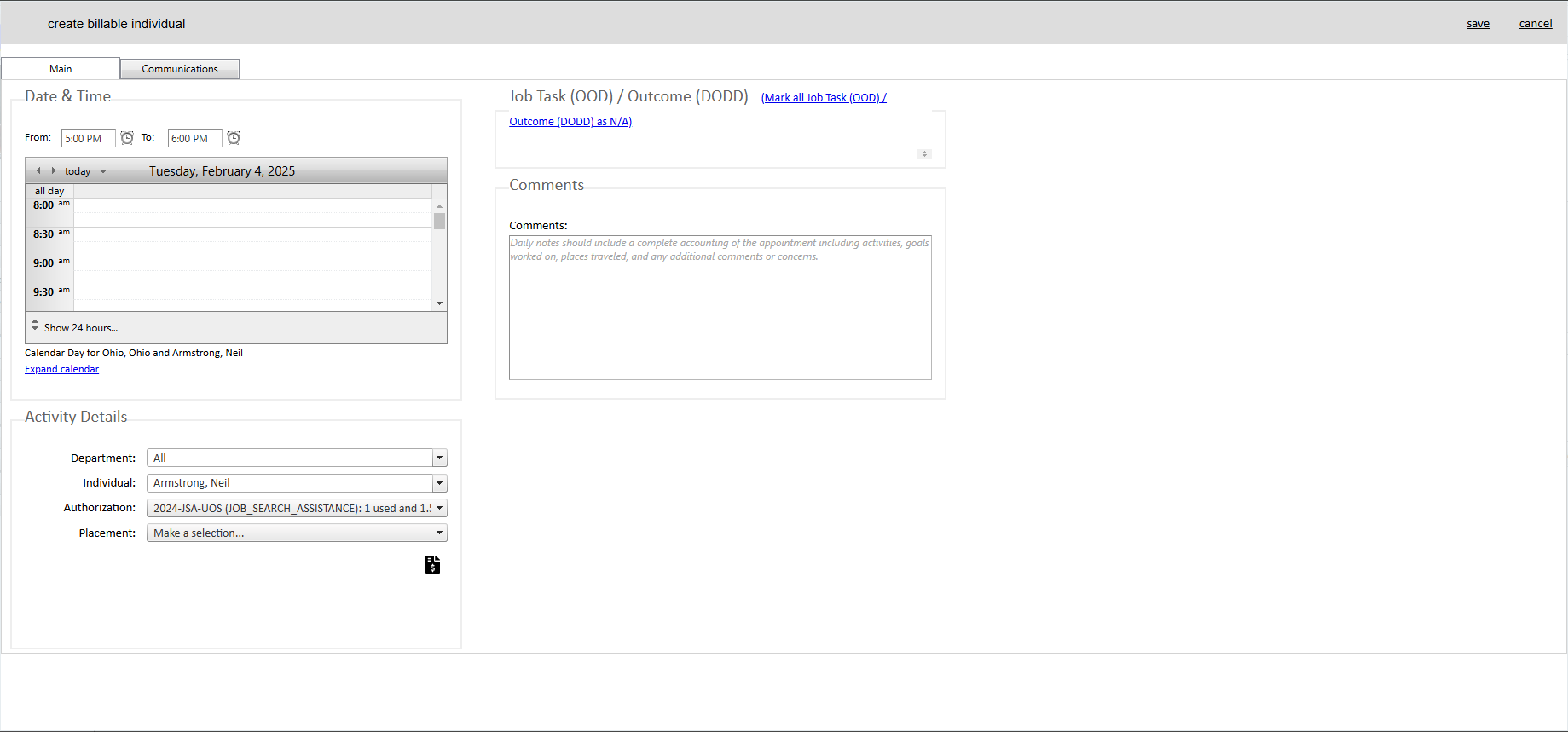
- Create a Billable Individual Activity Record
- Select the date
- Select the time
- Select the department (not required)
- Select the individual served
- Select the authorization
- Include a Comment, as needed
Communication Documentation
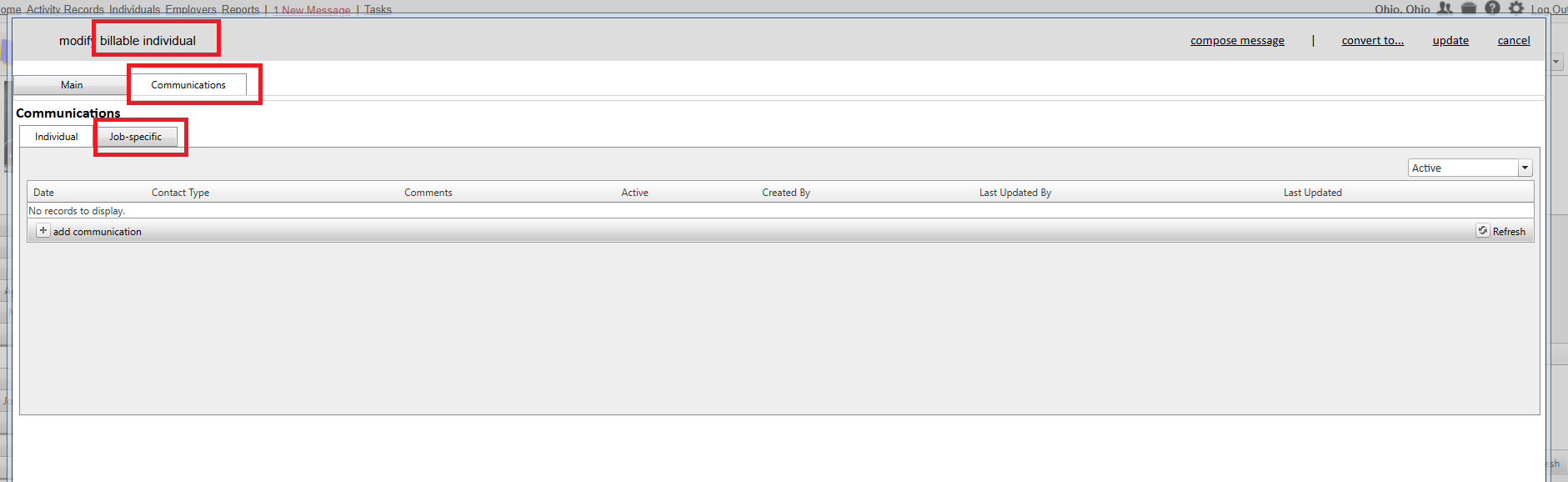
- Select the Communications tab
- Document on Individual and Job-specific communications.
NOTE: Employer, Contact type, and Outcome populate onto Form 4 as needed.
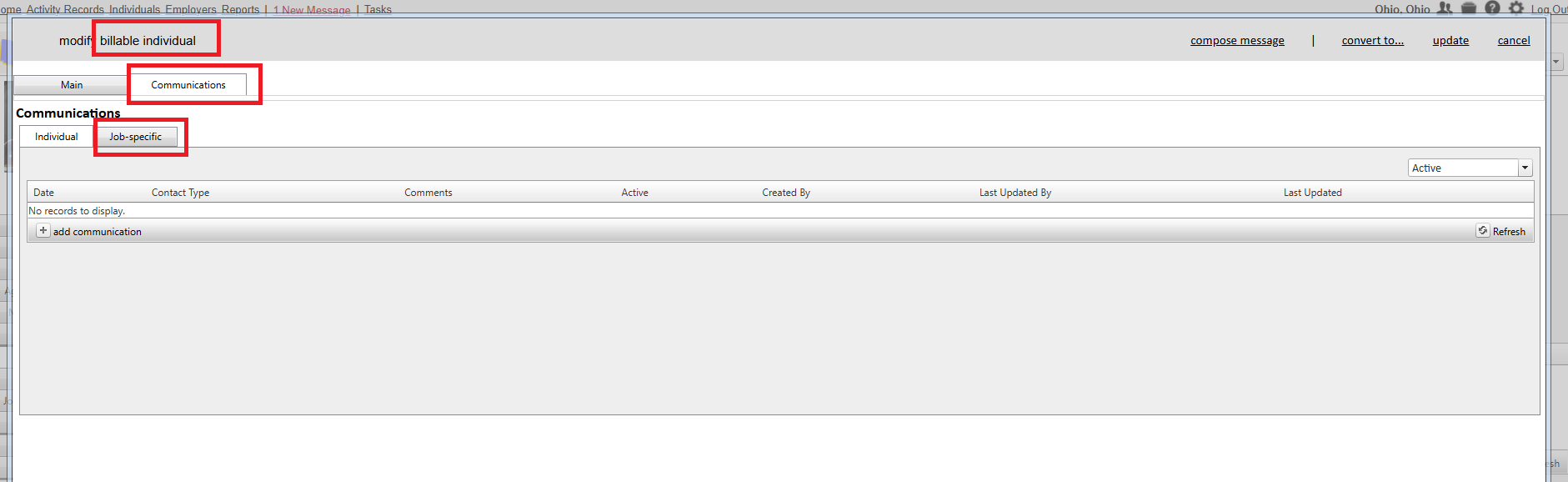
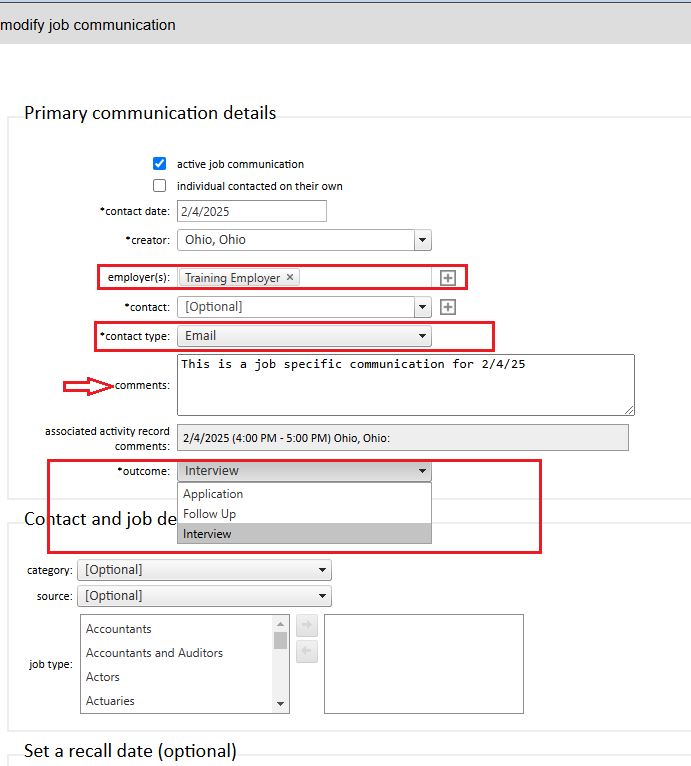
NOTE: Communications must be entered within the Activity Record to be associated to the record on the form. It cannot be entered directly within the Communications tab of the individual's profile.
Form Documentation
- At the end of service, monthly, or as needed, complete the Form in the individual's profile for billing.
- Remember to choose the form with the "2024" Prefix for any service that occurred on or after October 1, 2024
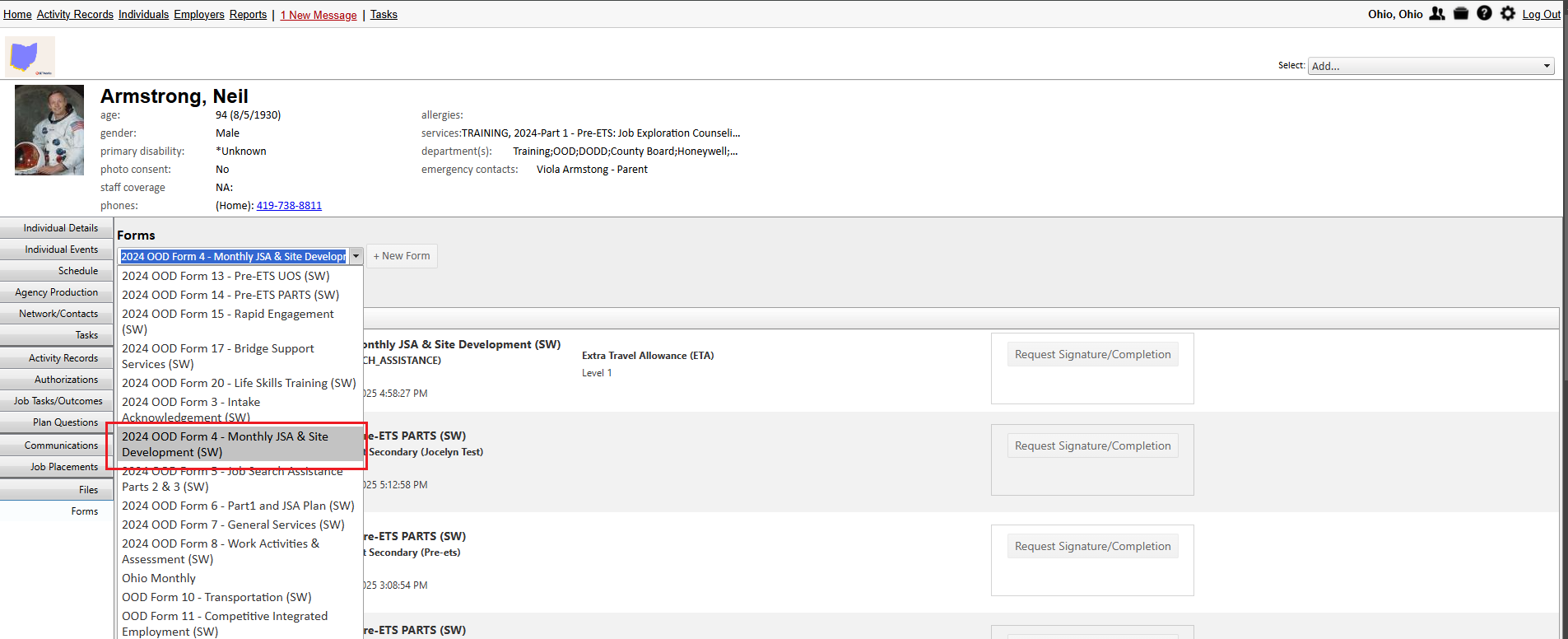
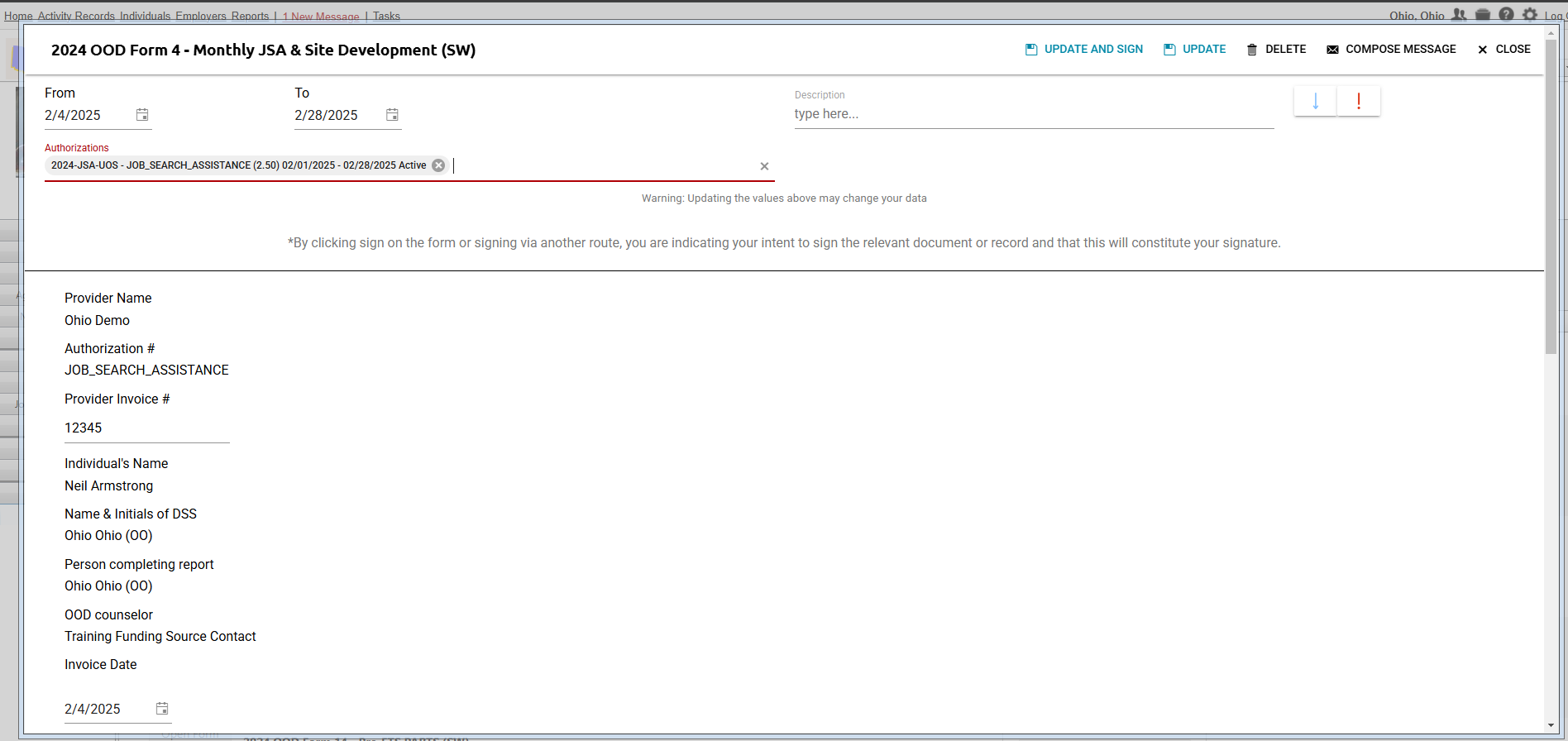
- Select the Date Range
- Select the Authorization
- Complete the form.
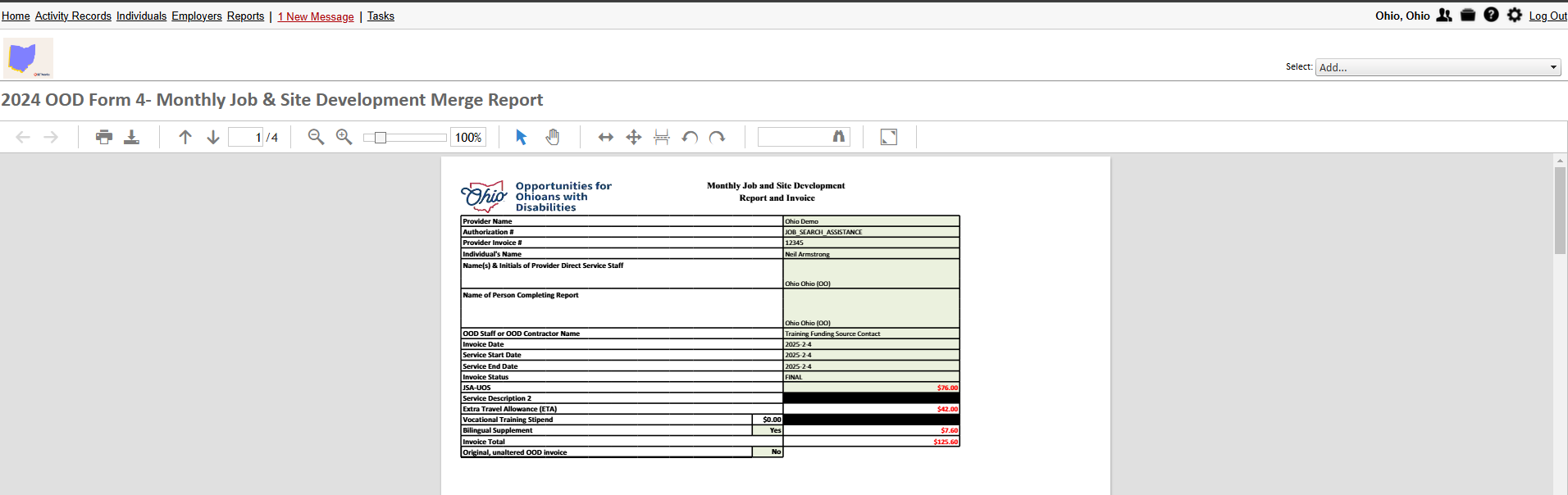
NOTE: If predefined answers/fields on the form do not populate, double check configuration recommendations at the top of this document.
Other Notes
- Signatures are not generated on this form; signature configuration is preferential.
Note: NOTE: If information is missing on the report, review the steps above, update, and save the report.
Note: NOTE: If information is in the database or on the form, but does not appear on the report, contact support@setworks.com .