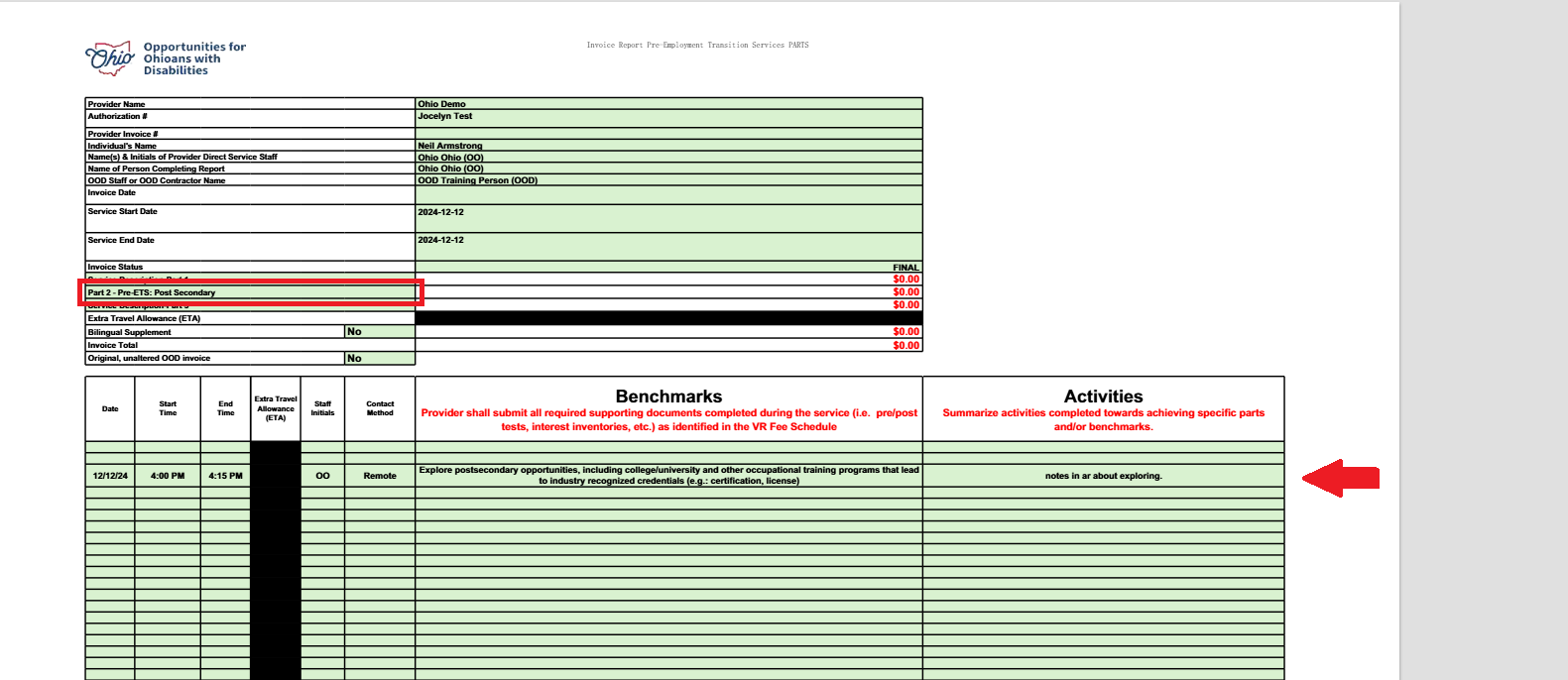
How to configure and complete the new OOD Form 14 - Pre-ETS PARTS (Effective October 1, 2024)
OOD has updated forms for services occurring on and after October 1, 2024 and SETWorks has made the necessary changes to the forms on our platform to reflect this. Because the OOD changes were not substantial ones, the new 2024 forms will look and function in a very similar manner to the old forms.
Configuration
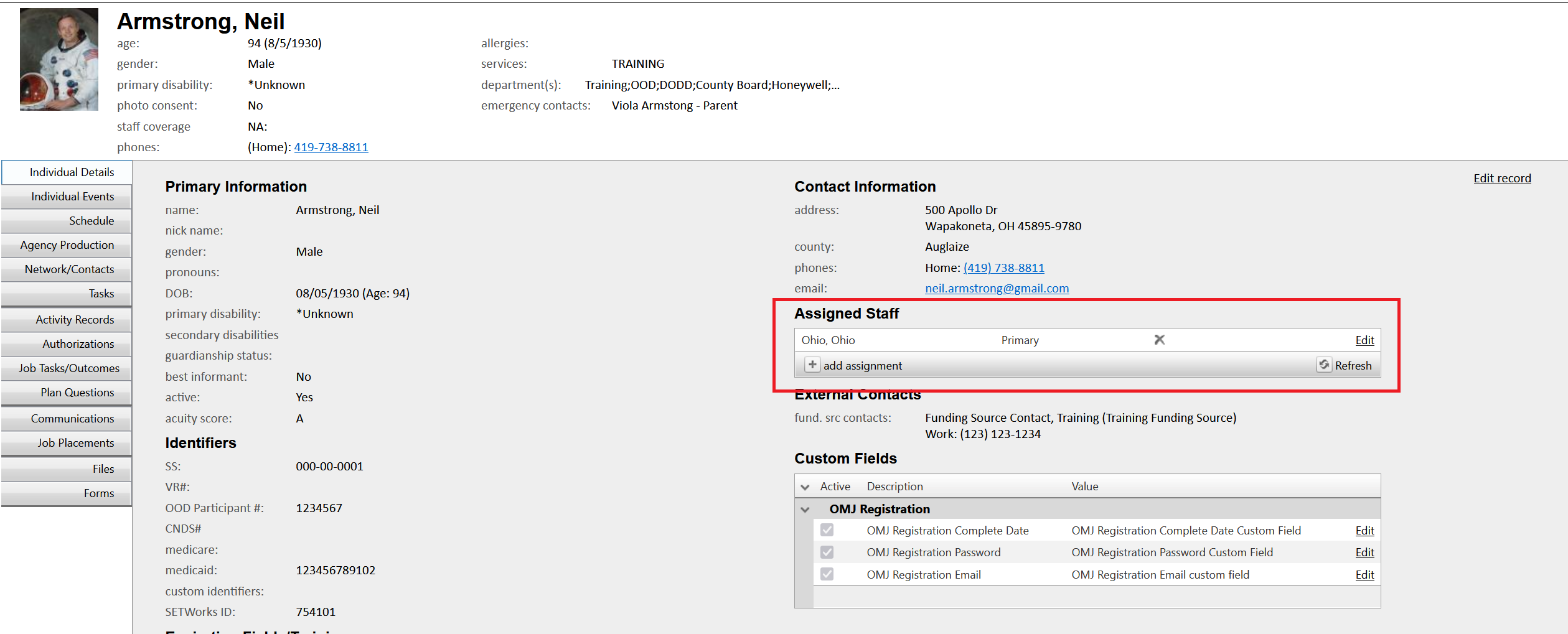
Make sure Individuals have a staff assignment
- Individuals > Individual details
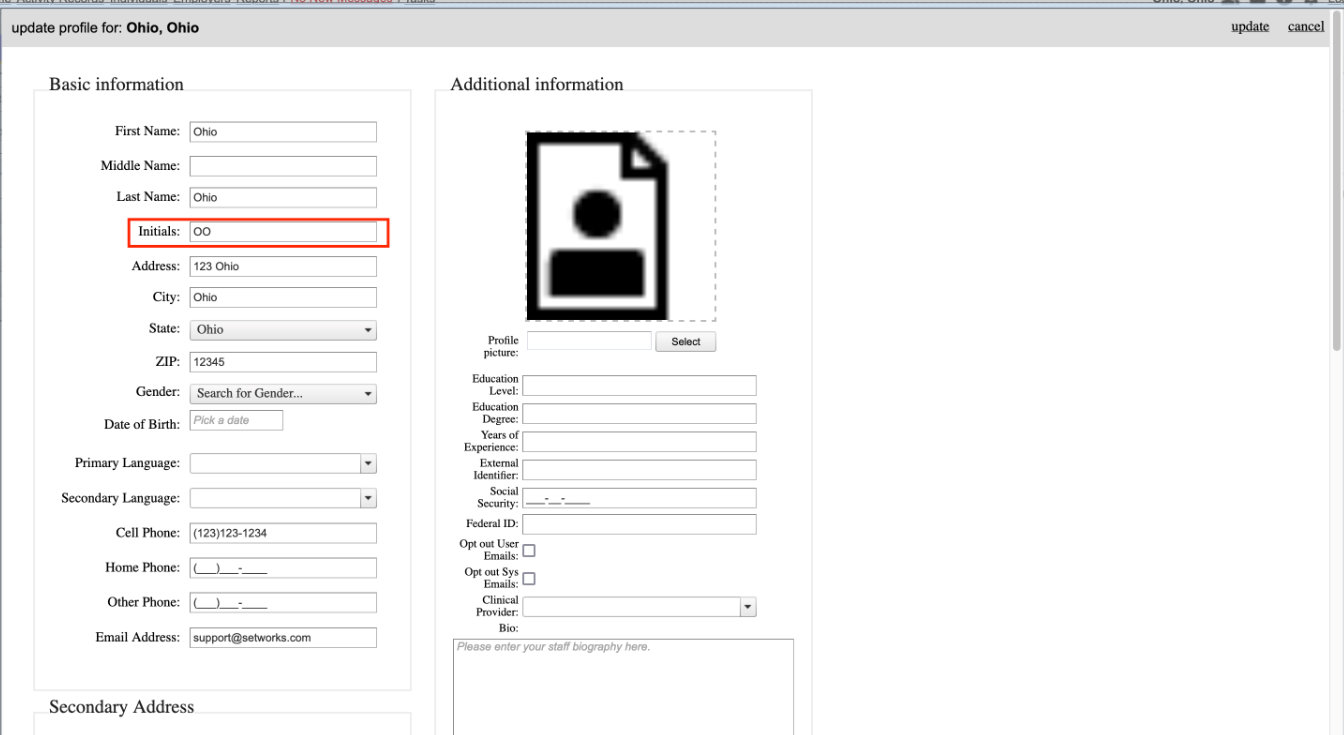
Then configure Staff Initials
User Profile > Initials
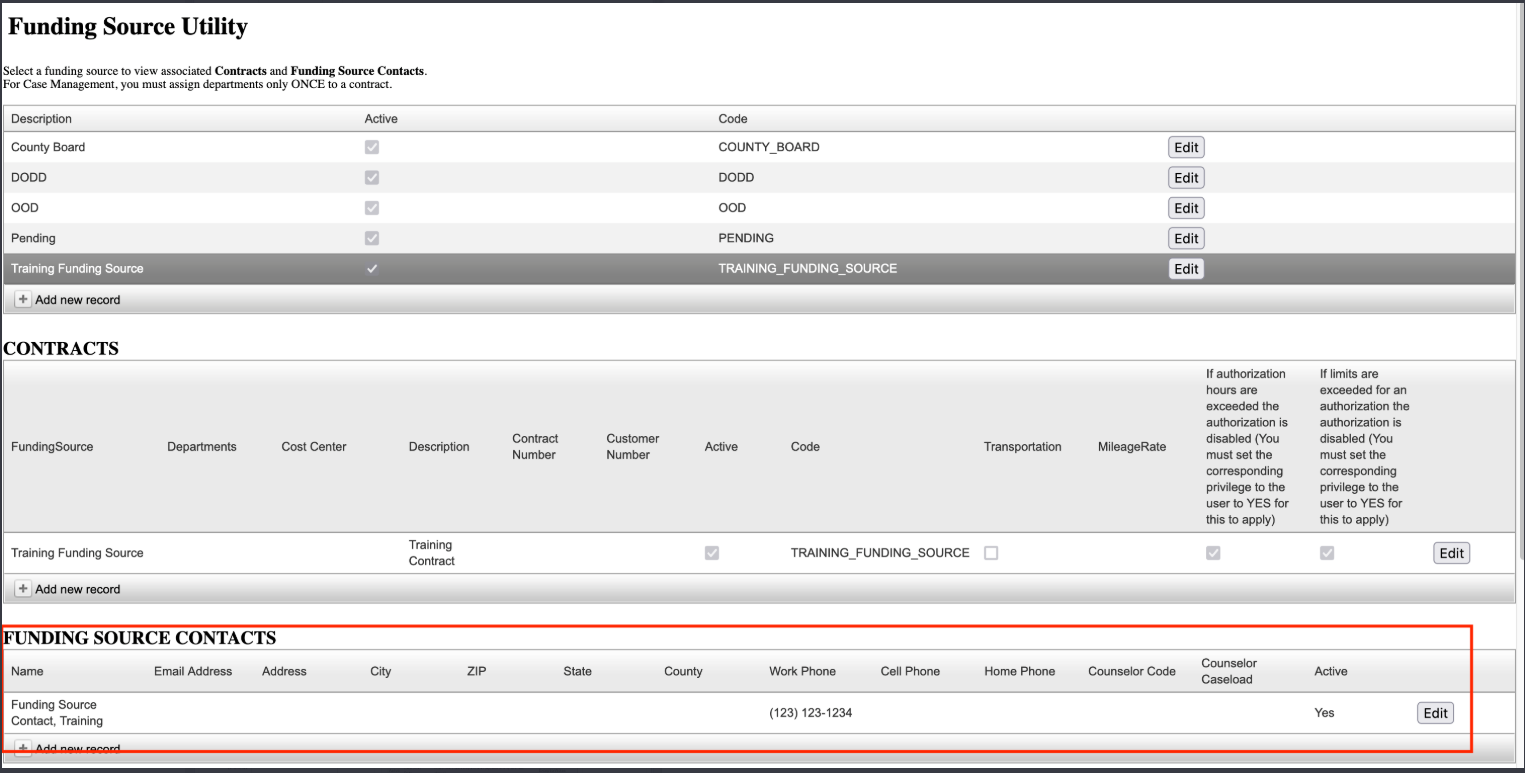
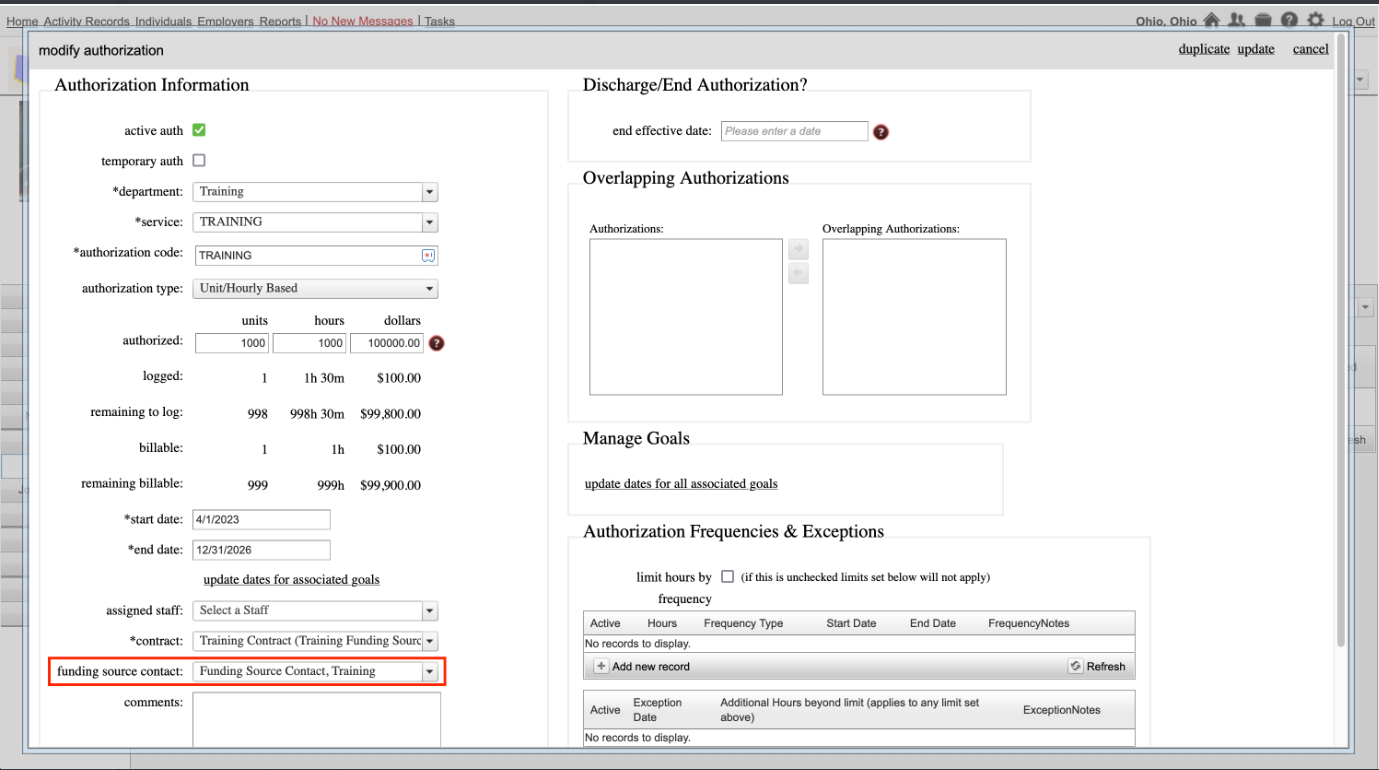
Funding Source Contacts
- OOD Staff or OOD Contractor on the form pulls form the Funding Source Contact associated to the authorization
Place of Service
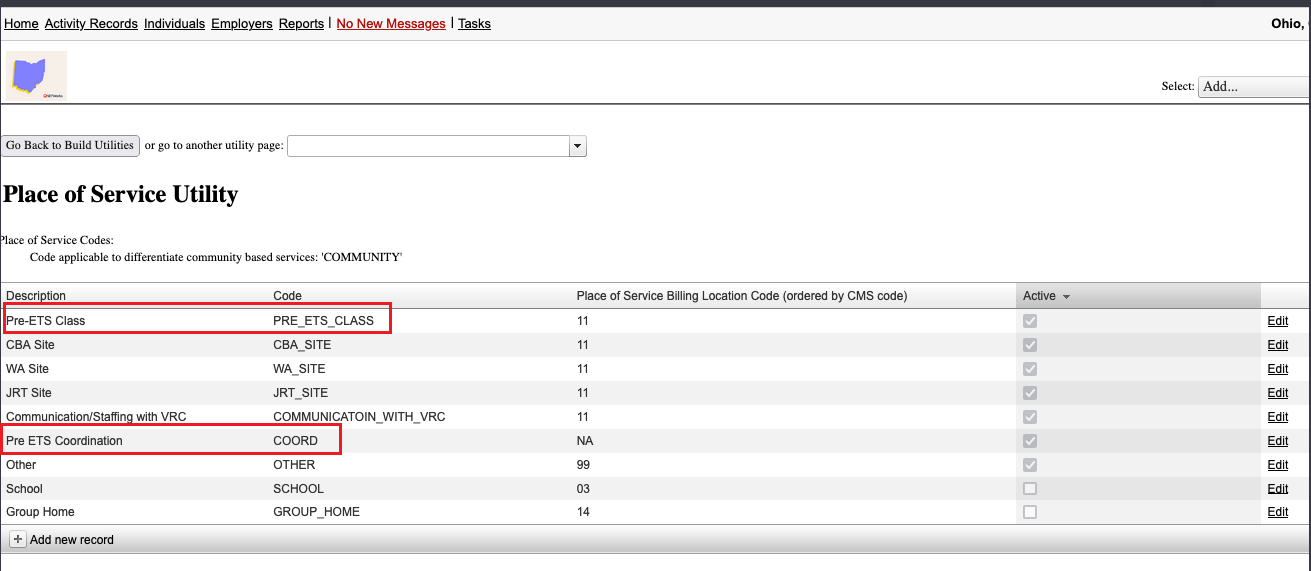
- Can Configure in the Place of Service Utility
*** NOTE: No particular place of service is required for this form.
- Plan Question Utility:
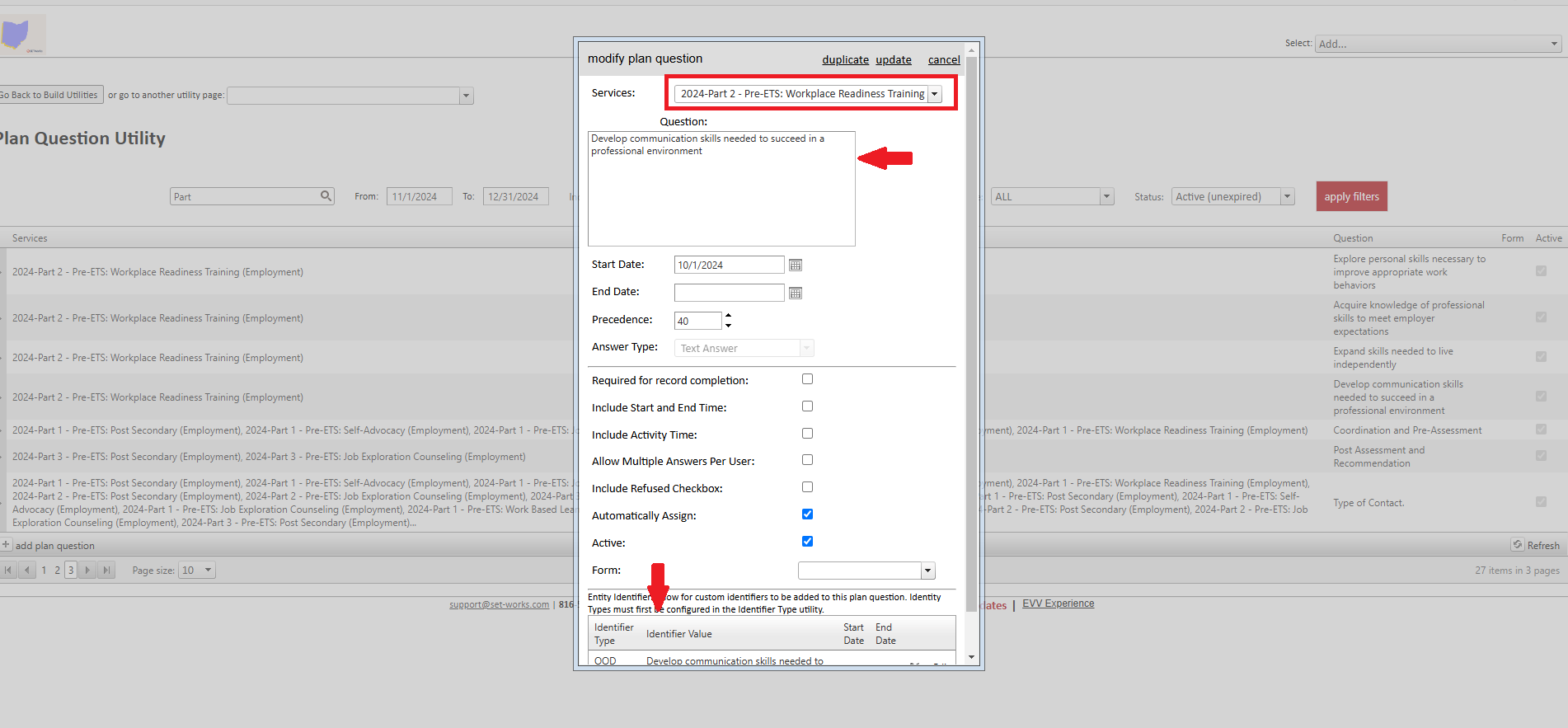
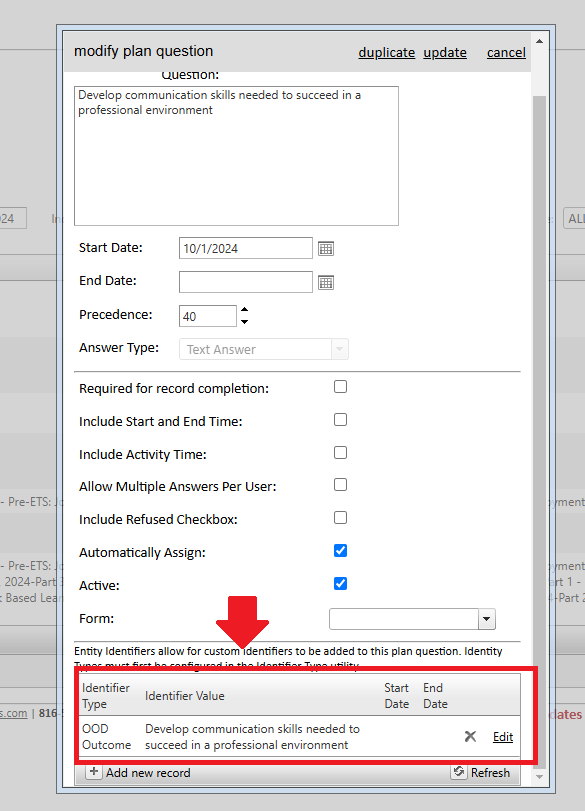
There are plan questions to be configured for each of the different Pre-ETS services as indicated by the dropdown on the original version of the form. Each Pre-ETS Service has a Part 1, Part 2 and Part 3. These are copied into your site connected to the services using the Identifier Type and Value within the Plan Question. The new Pre-ETS Services have been designated with a "2024-" prefix.
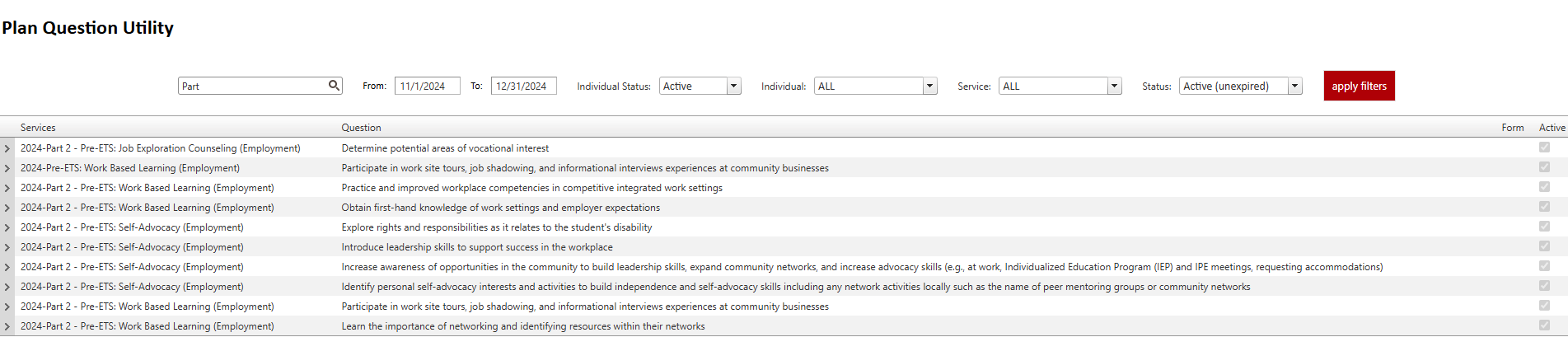
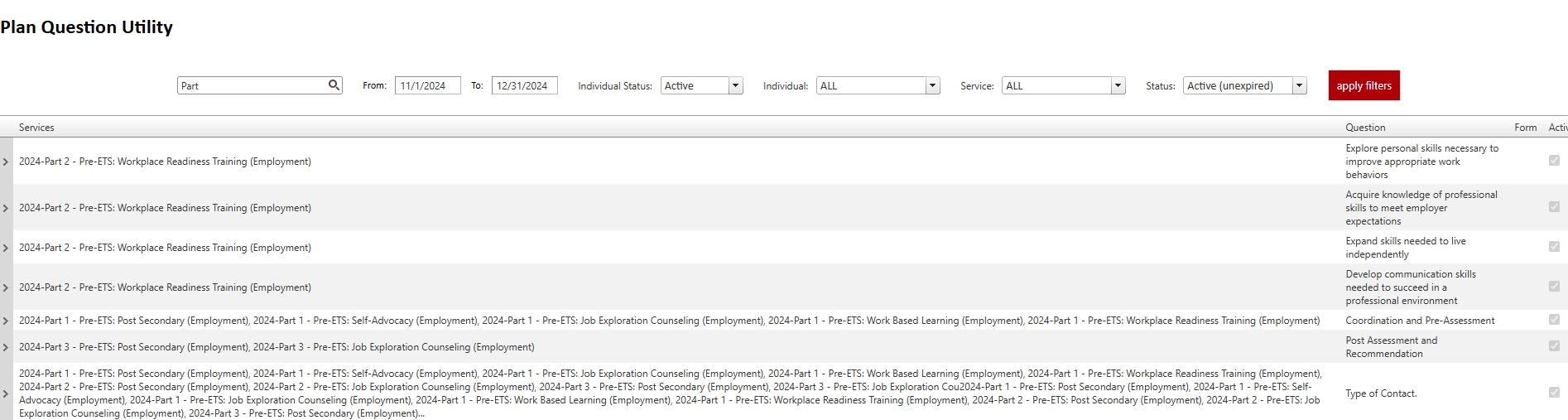
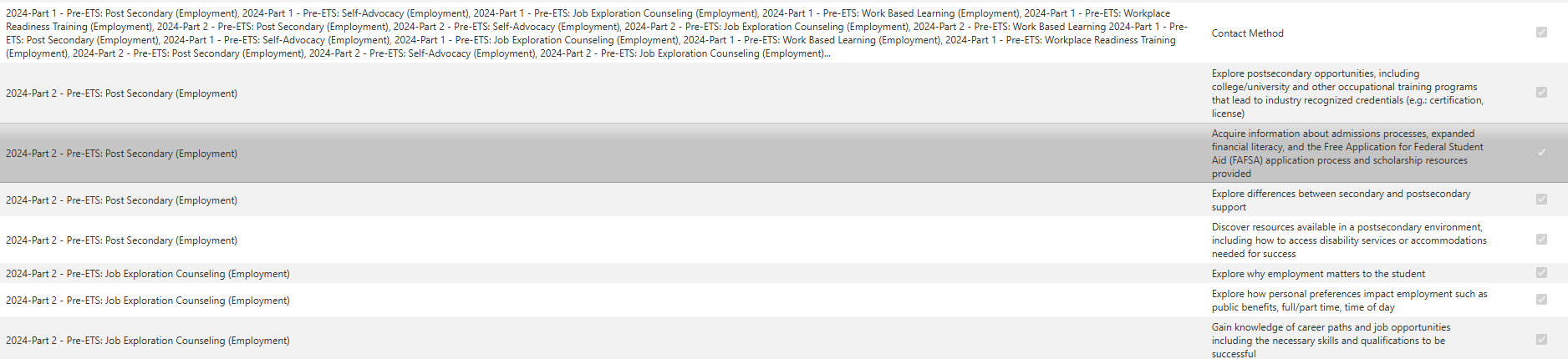
** Important to note that the "OOD Outcome" Identifier Type must be filled out in order for these plan questions to pull into the final Form.
Activity Record Details
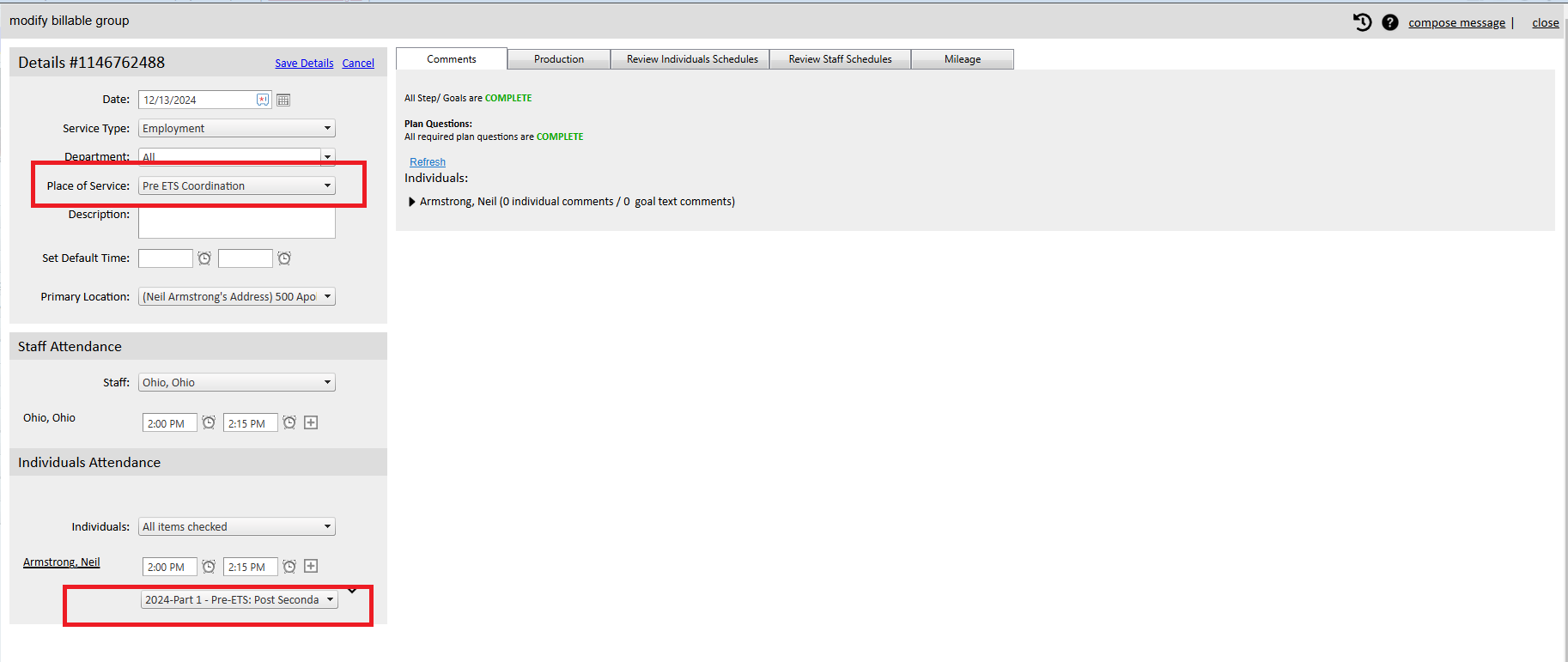
- Create a Group Activity Record - or - convert a Group Appointment to a Group Activity Record
- Select the date
- Select the service
- Select the department (not required)
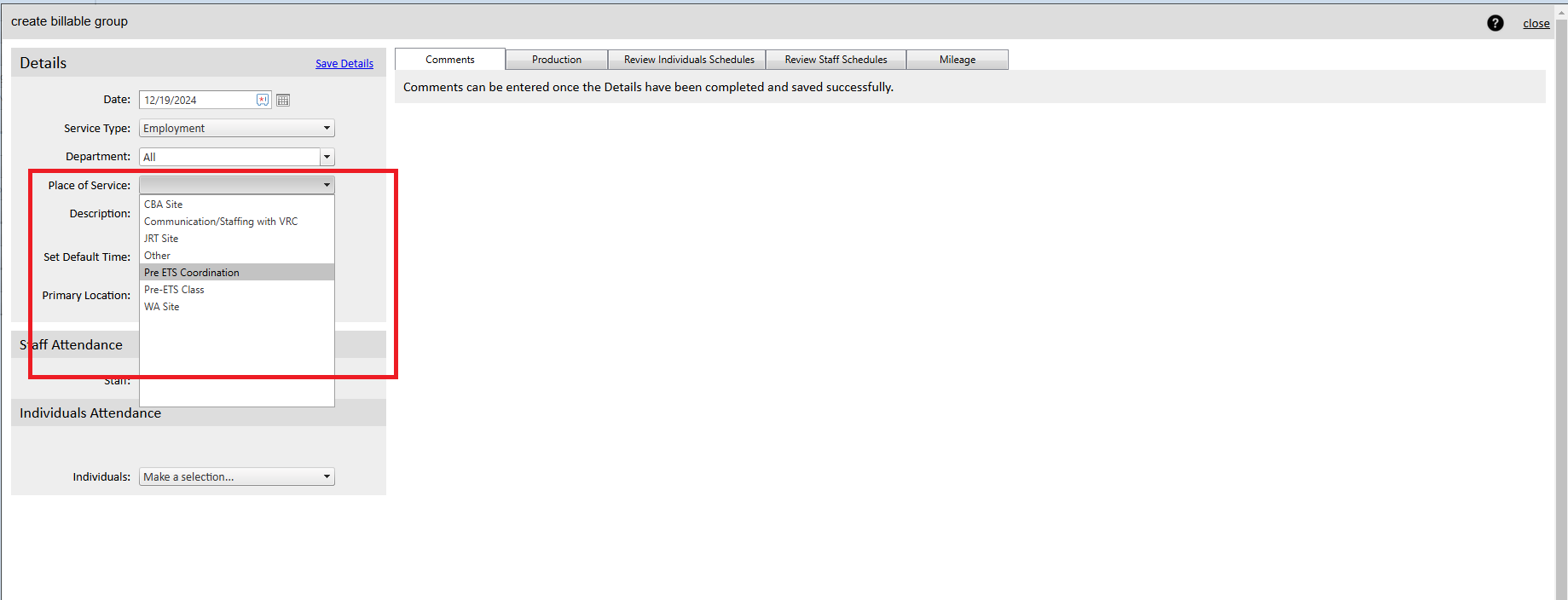
- Select the Place of Service as "Pre-ETS Coordination" - **IMPORTANT** for data to populate in the final form
- Include a description (not required)
- Enter the default time (will apply to all staff and individuals on the record for easier entry)
- Select the staff
- Select the individual(s) served
- Select the appropriate Pre-ETS Part Authorization
- Select "Save Details"
Activity Record Documentation
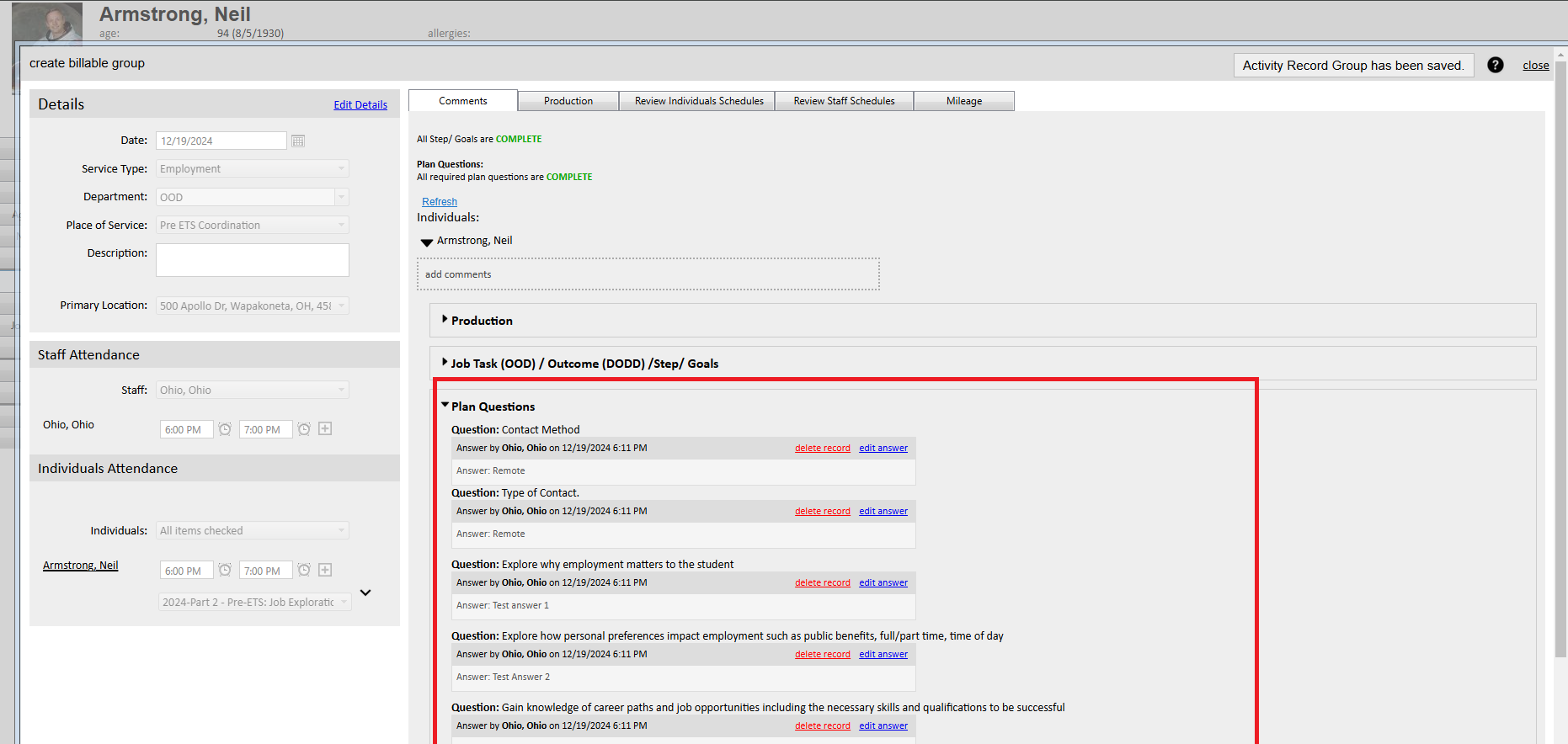
- Select the arrows to expand individual documentation areas
- Under each individual, add an overall comment.
- Complete Plan Questions - **IMPORTANT** - in order for plan questions to populate in the final form, an answer must be provided. If a question is not answered, the question will not appear on the final form
The Final Form:
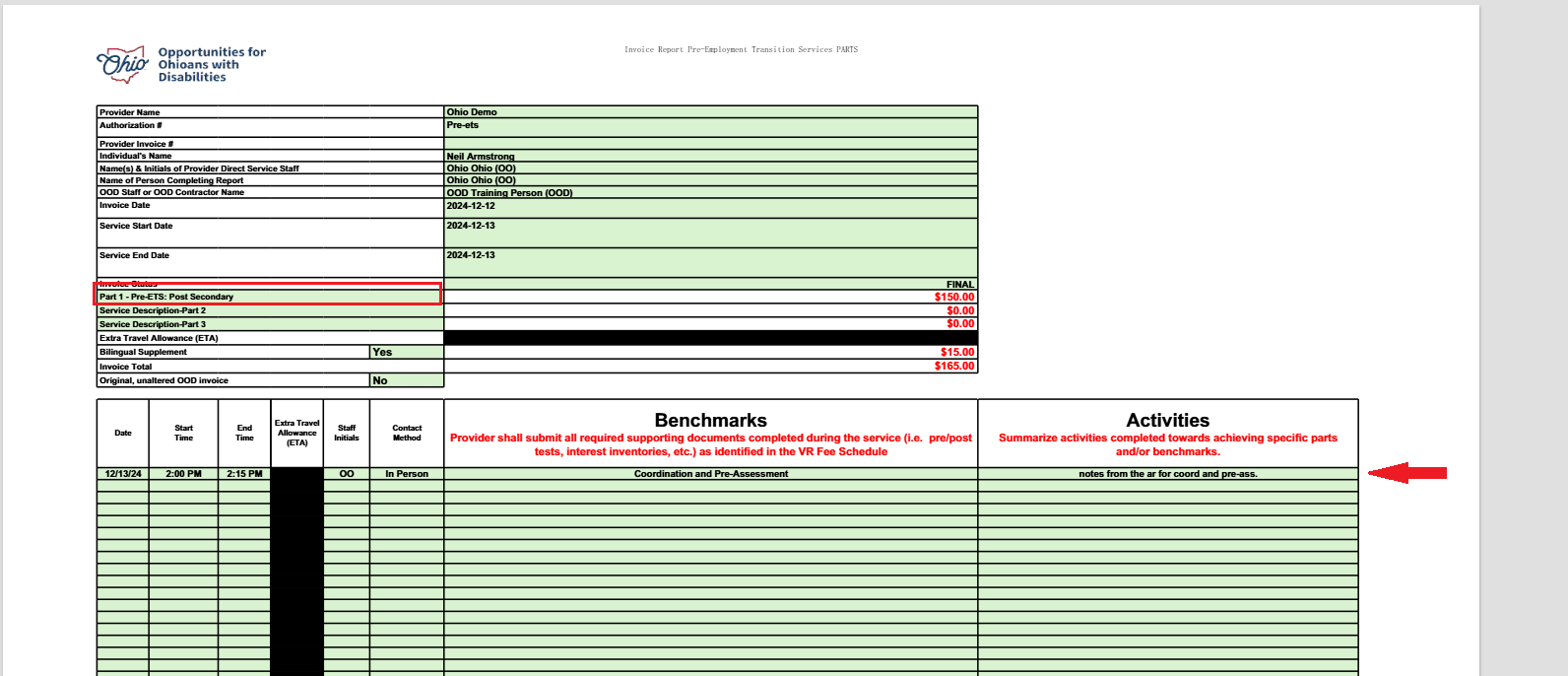
- For any Part 1 Pre-ETS Services, they will appear on Line one of the final Excel sheet.
- "Benchmarks" are the Plan Questions.
- "Activities" are the answers to the plan questions.
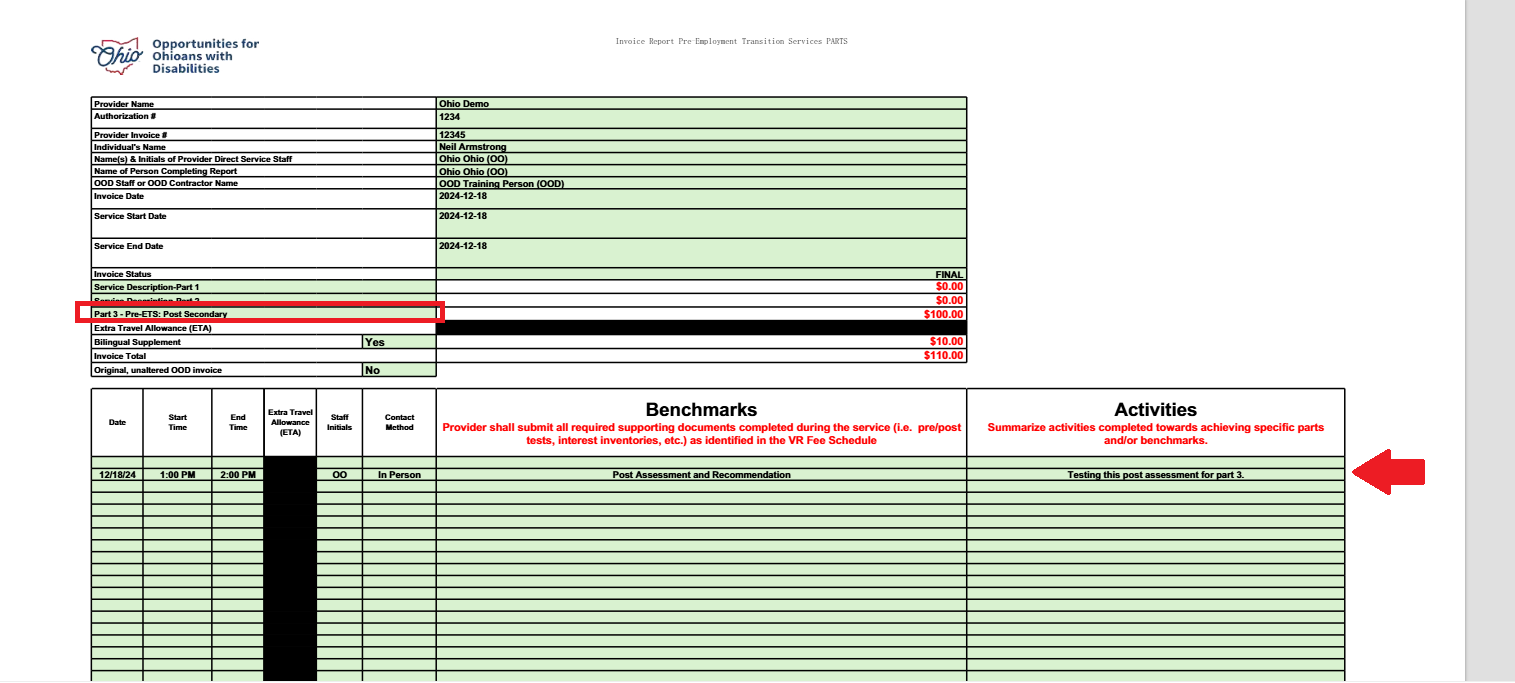
- Part 3 Pre-ETS Services will appear on Line 2
- Part 2 Pre-ETS Services will then appear on Lines 3 and below.