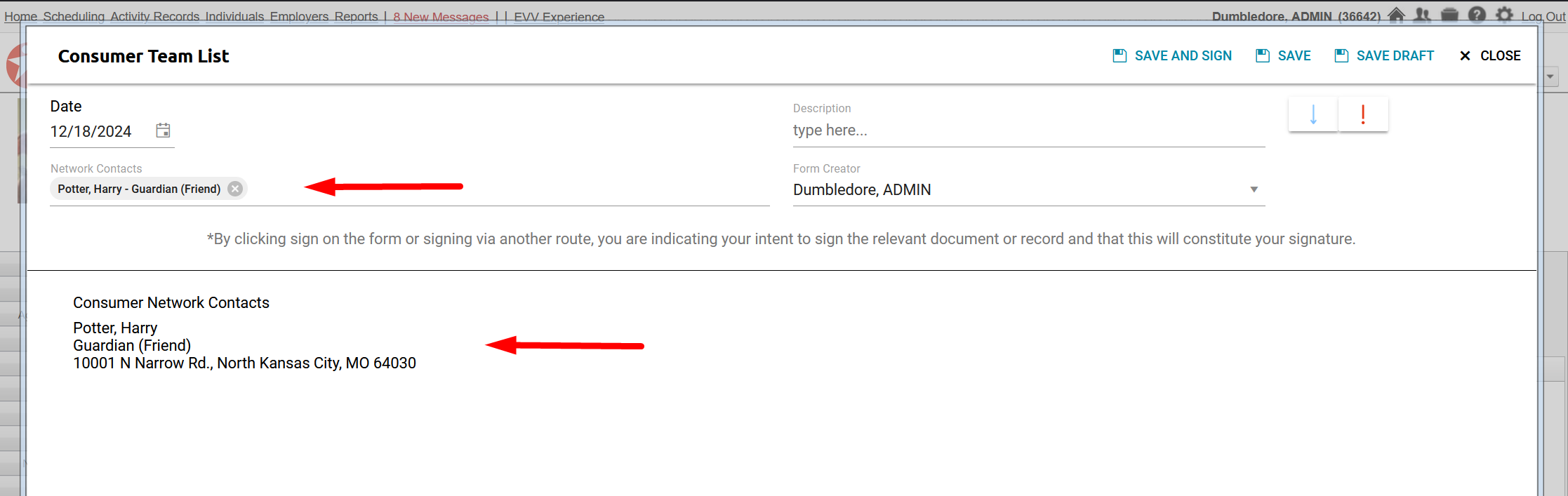
How can I add Specific Network Contacts to a Form Answer?
Manager/Administrator
This configuration allows users to pull specific Network Contacts into a predefined answer within a form.
Note: Terminology can be modified within SETWorks to better fit the needs of your organization. If the terminology in our articles are not the same on your site, talk to your local administrator to assist in translation.
Form Configuration
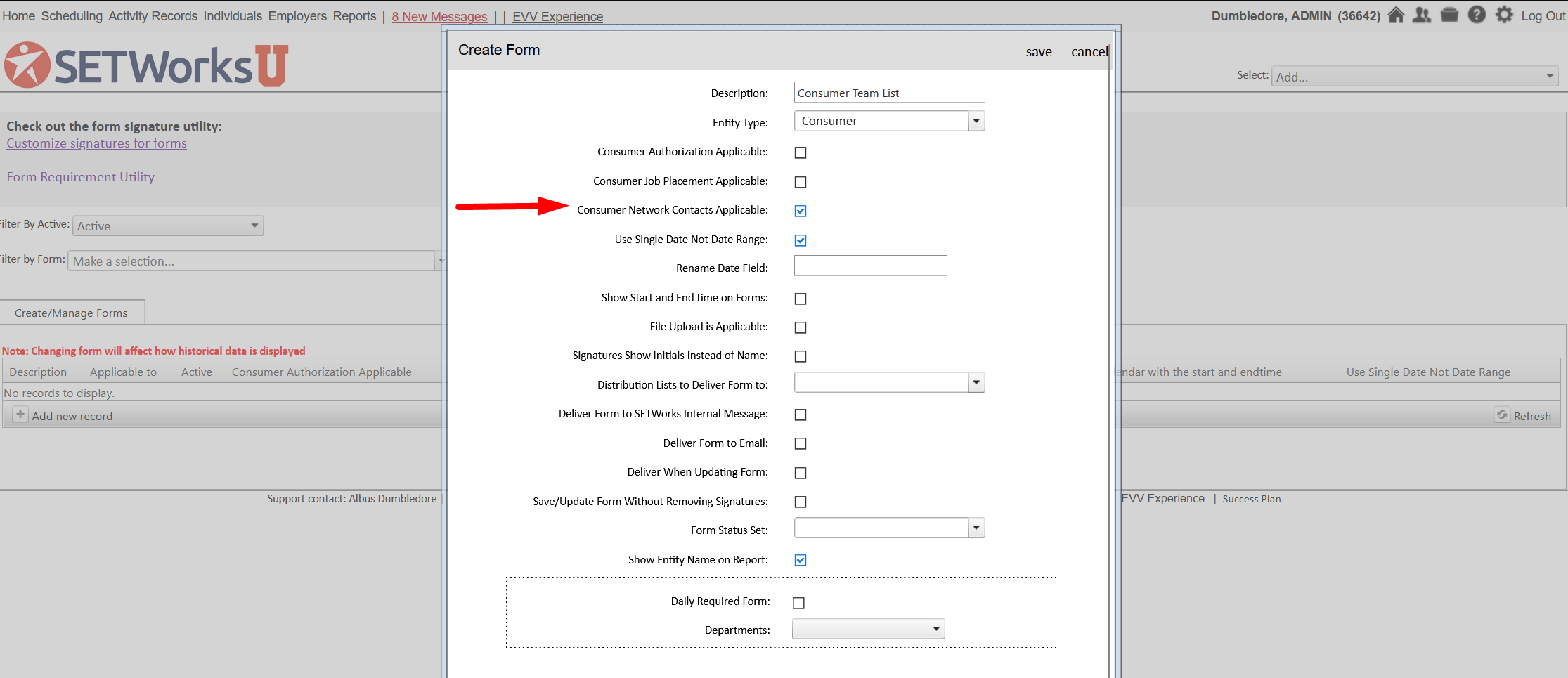
In the form settings, check the box for Consumer Network Contacts Applicable.
Settings > Provider Build > Build Forms
For existing forms, filter for Form and click on the name of the form to open the settings
Question Configuration
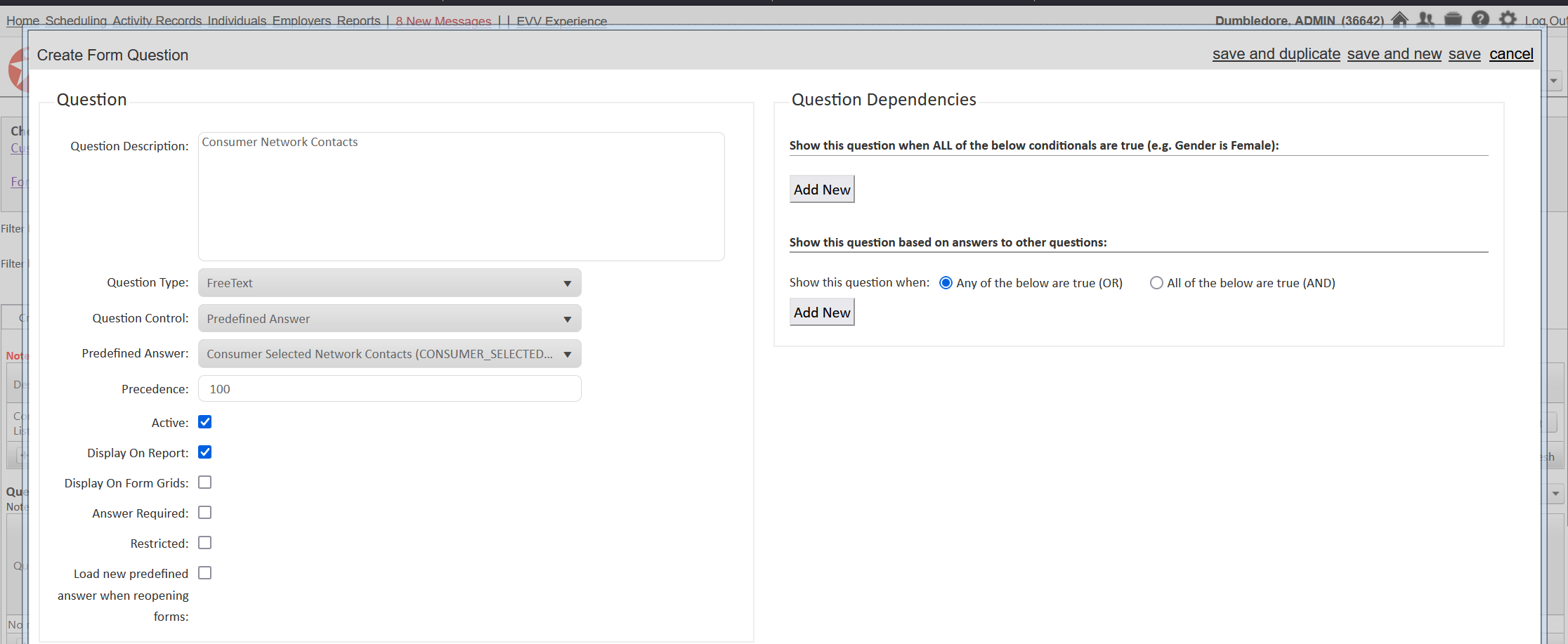
The form must have a question that is configured to use the predefined answer Consumer Selected Network Contacts.
Selecting Contacts
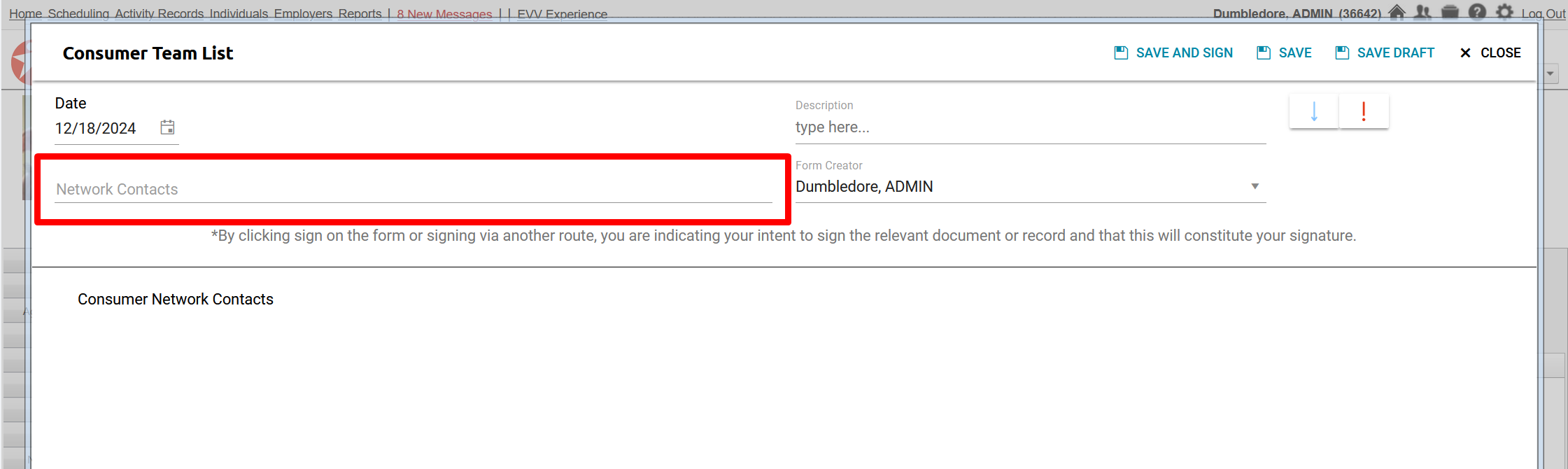
Create a new applicable form for the consumer and select the desired Network Contacts from the drop-down menu at the top of the form. This drop-down menu will display all contacts from all applicable Consumer Network categories (ie: contacts, doctors, hospitals, pharmacies)
Once you make your selection, you will see the answer populate under the corresponding question.