
How to configure and complete the OOD Form 20 - Life Skills Training
Understanding Form 20
Updated Video coming soon!
Configuration
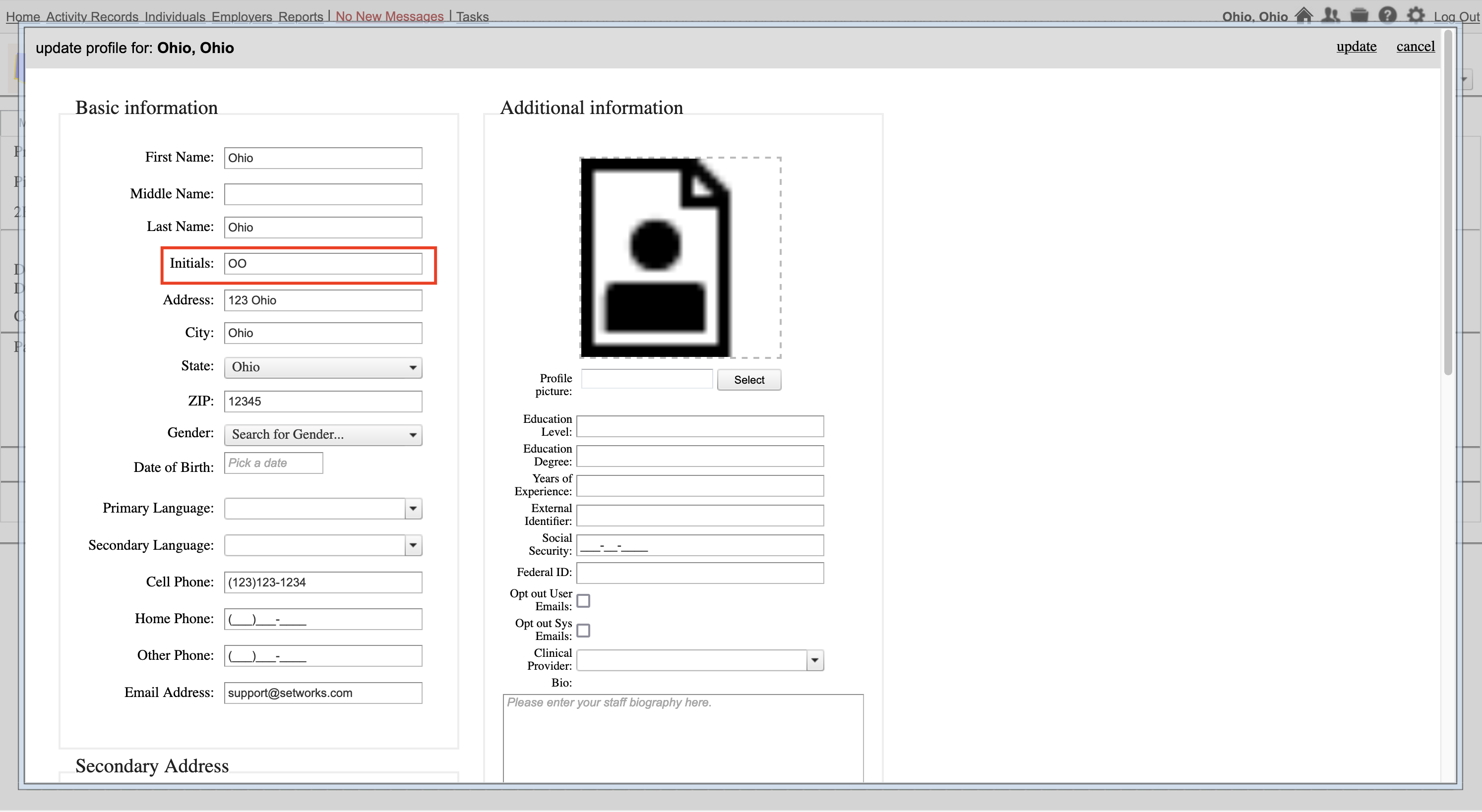
Staff Initials
- User Profile > Initials
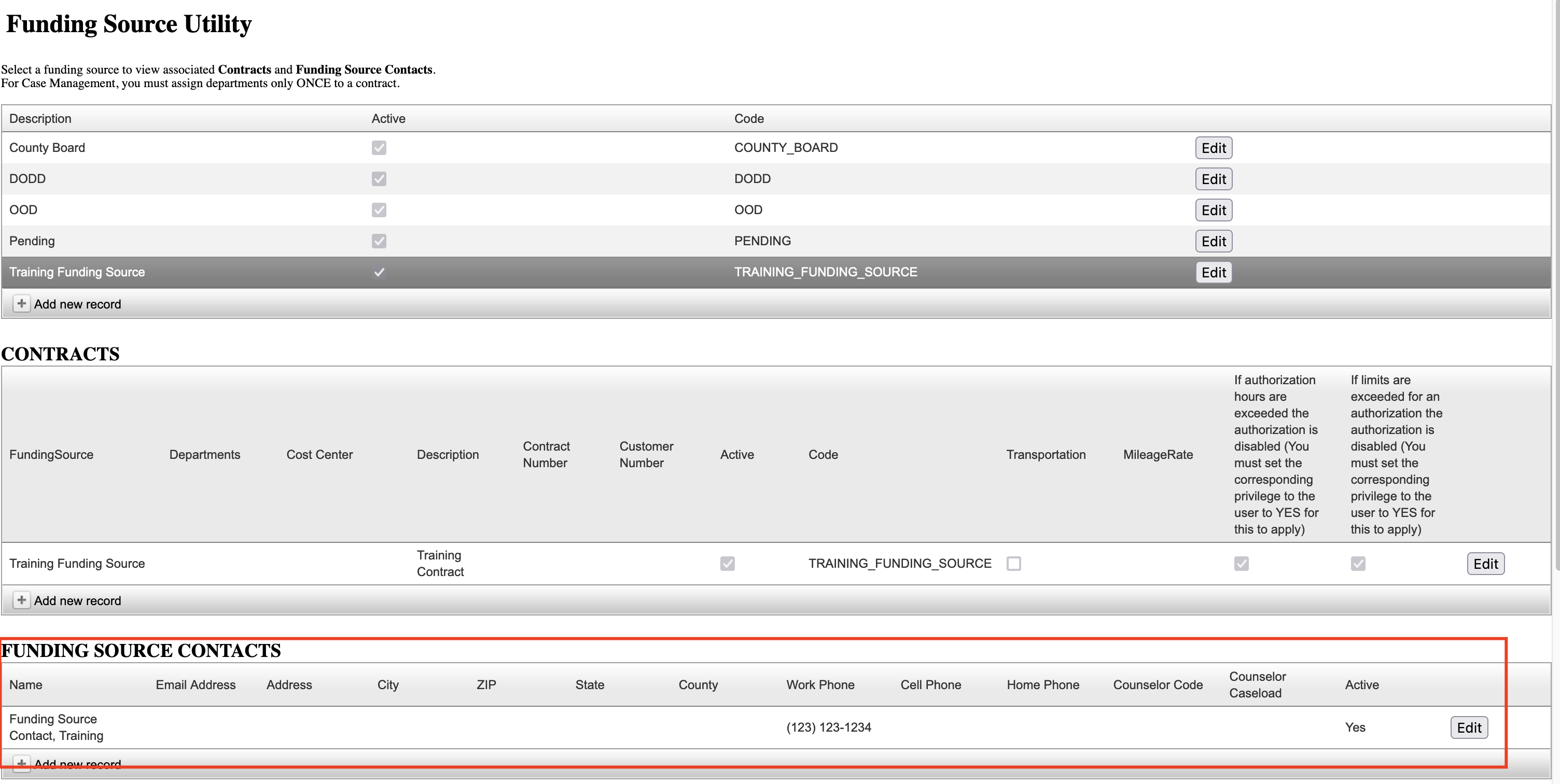
Funding Source Contacts
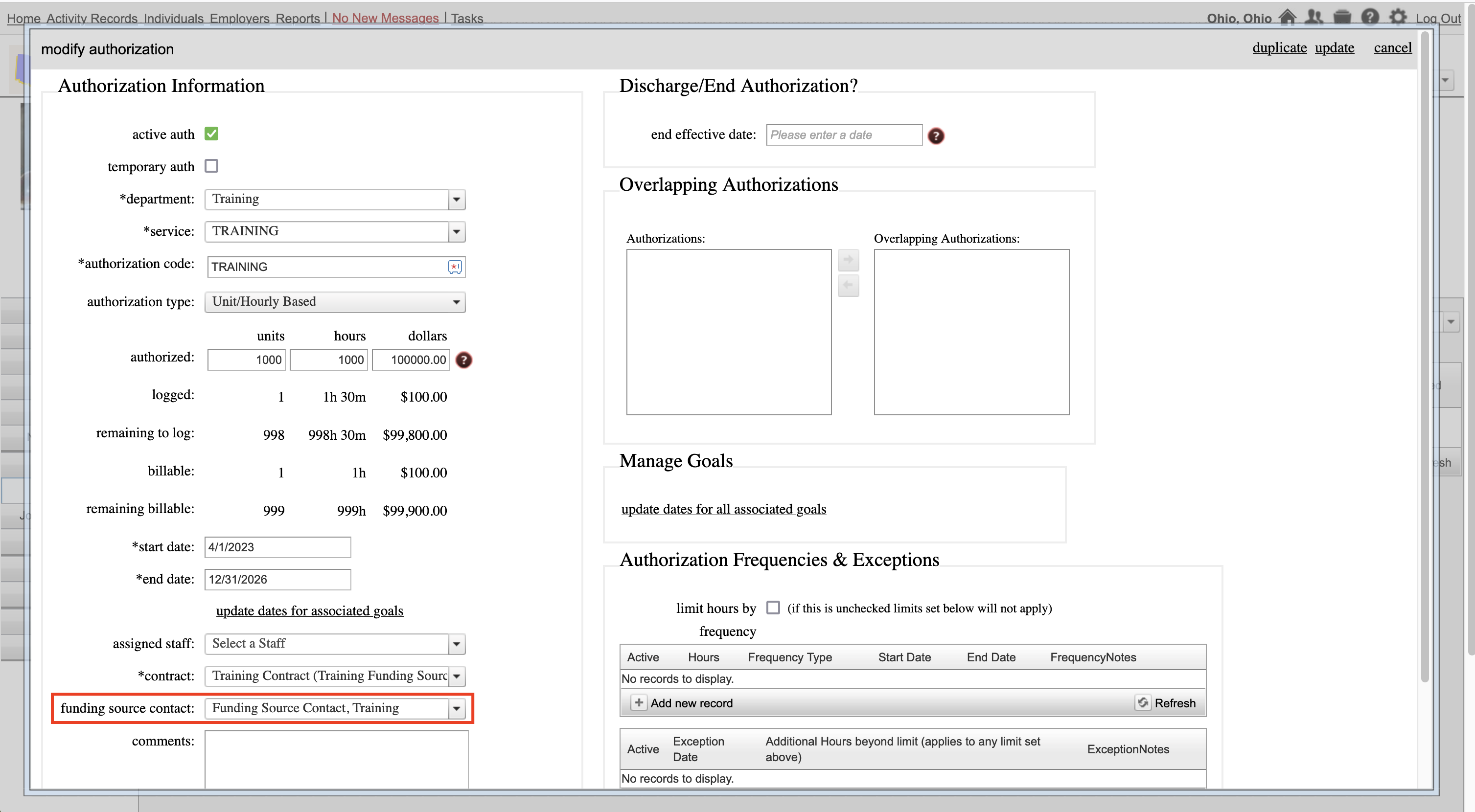
- OOD counselor on the form pulls from the Funding Source Contact associated to the authorization
Communications
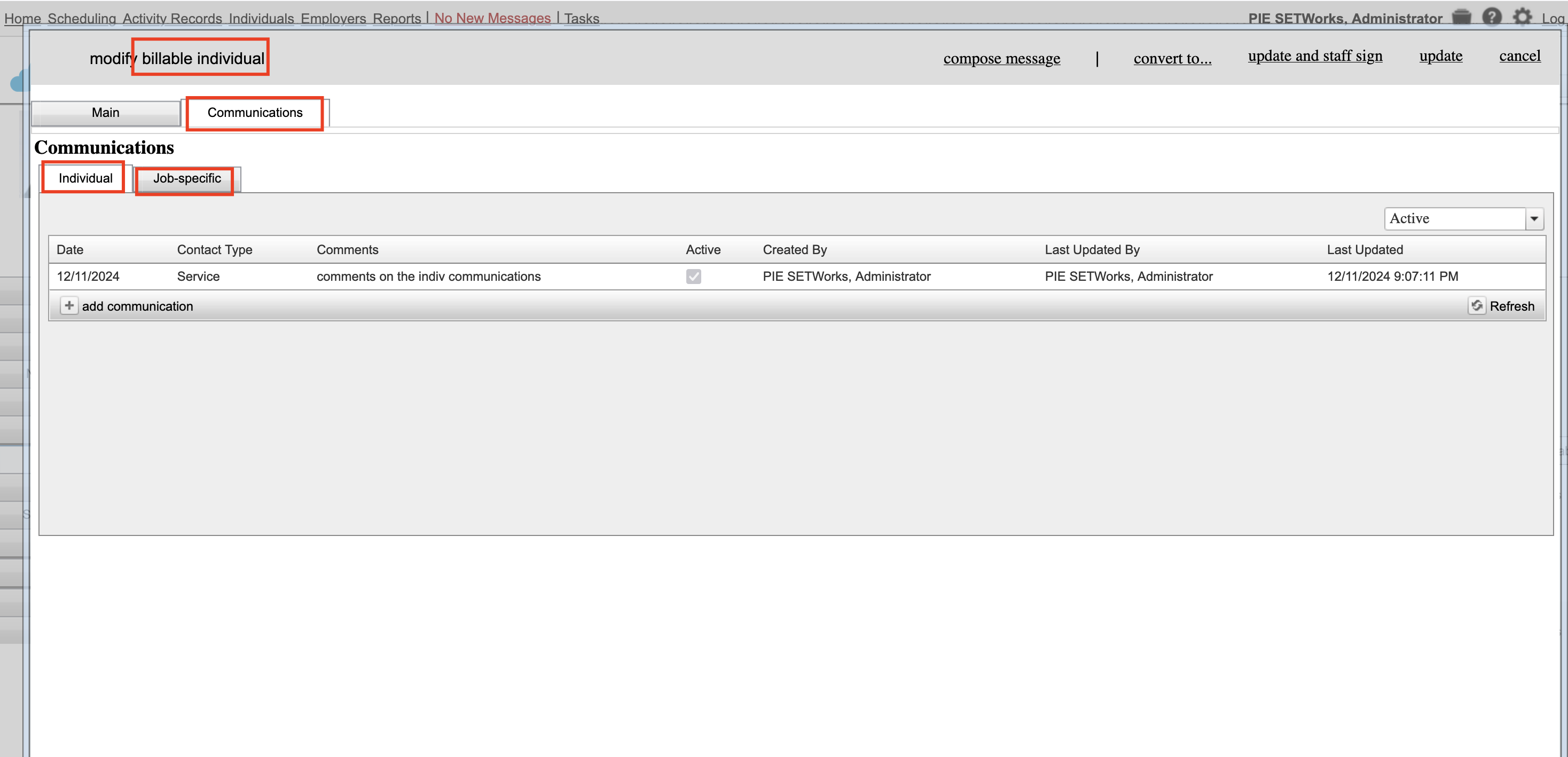
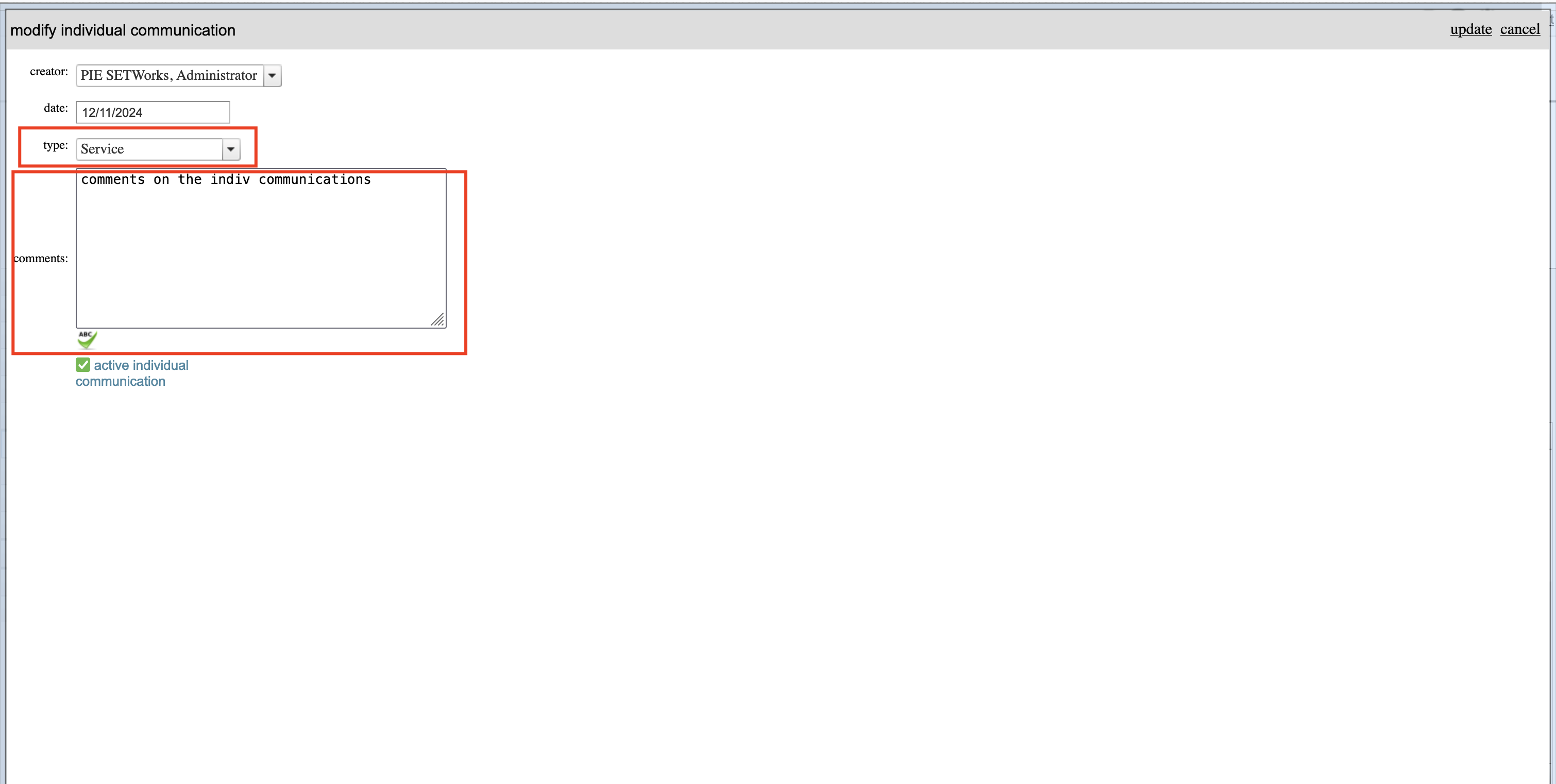
Must be completed within the Activity Record to generate on the form.
- Job Communications > Contact Type (copied)
Activity Record Documentation
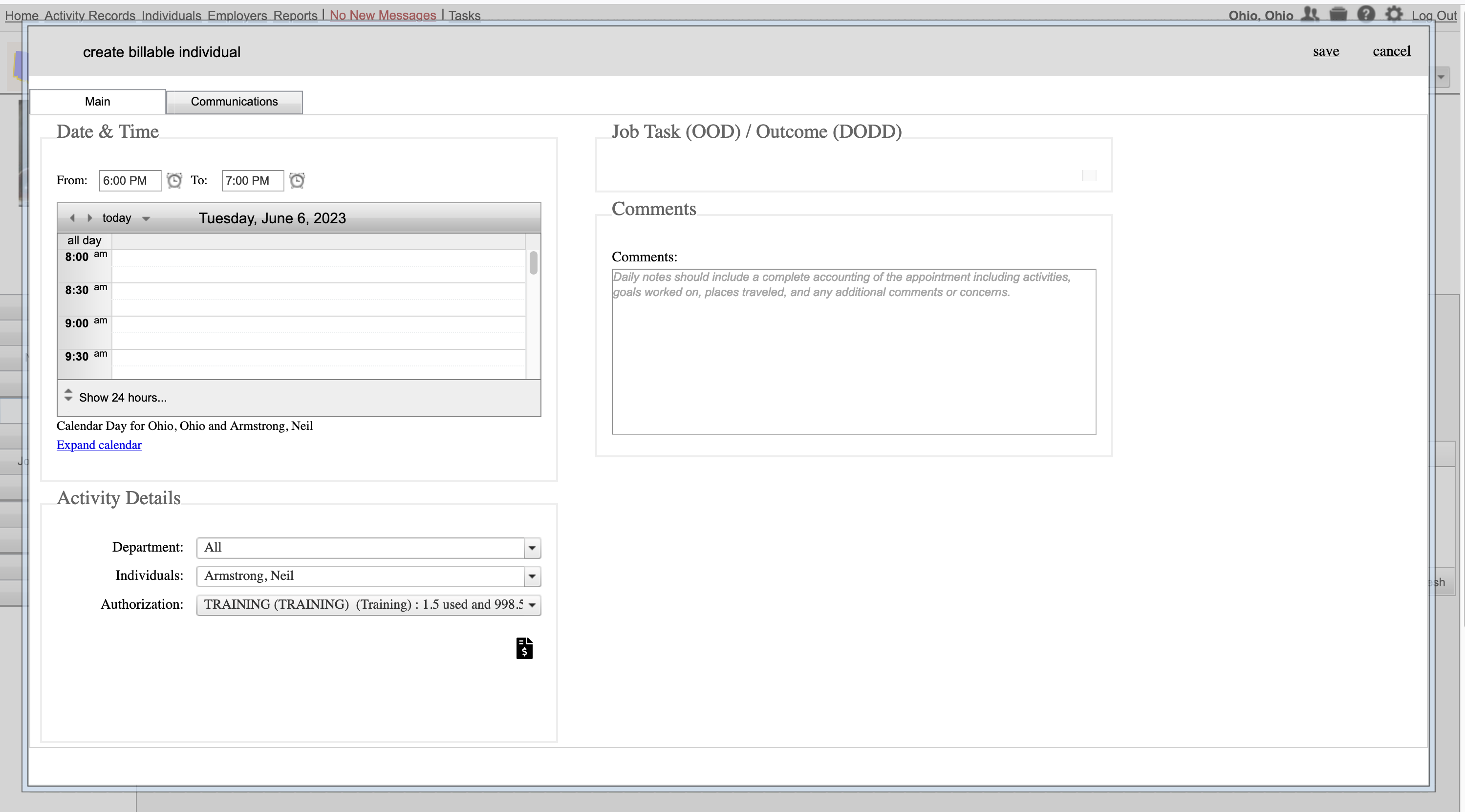
- Create a Billable Individual Activity Record
- Select the date
- Select the time
- Select the department (not required)
- Select the individual served
- Select the authorization
- Include a Comment, as needed
Communication Documentation
- Select the Communications tab
- Document on Individual and Job-specific communications.
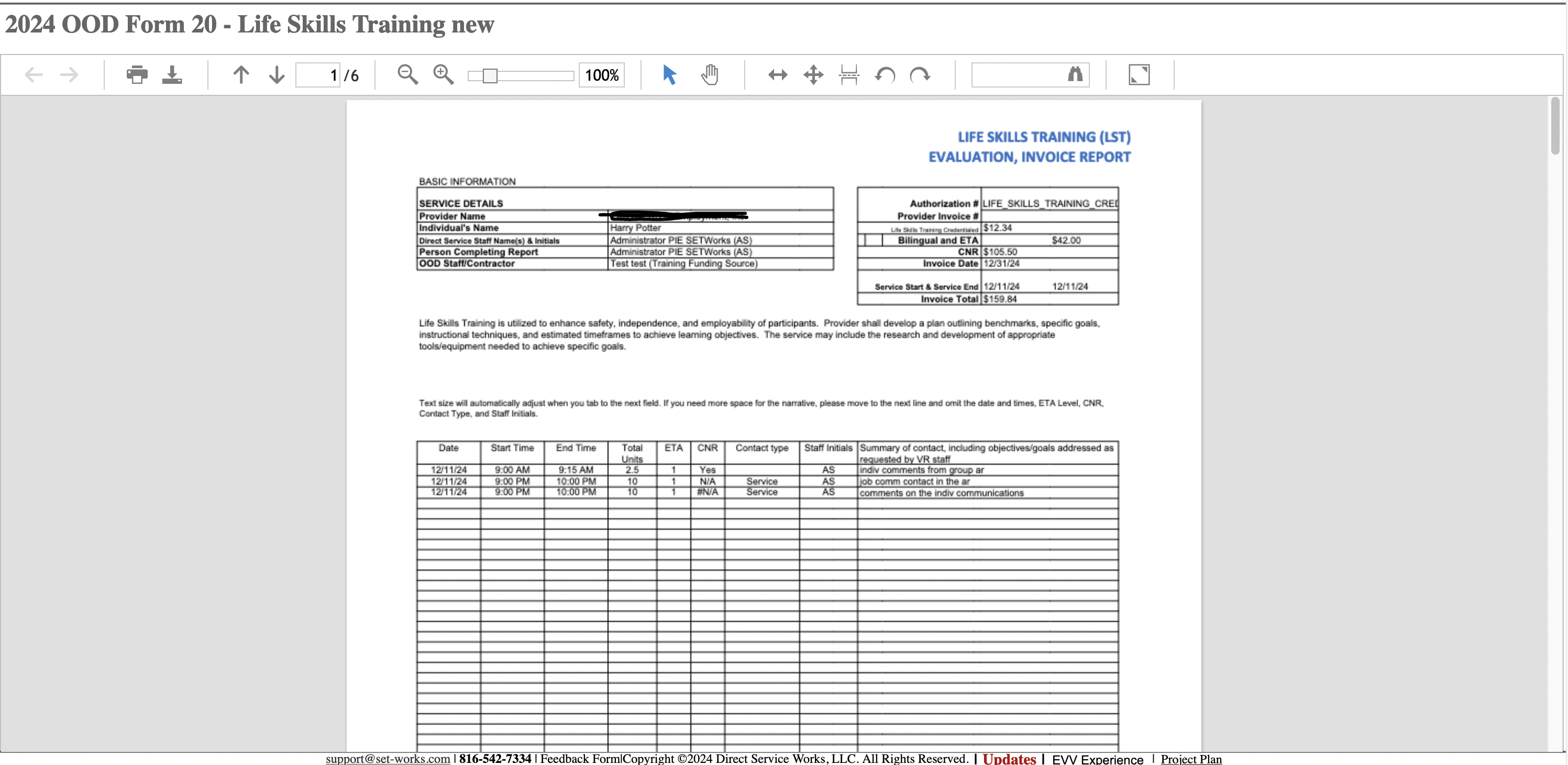
NOTE: Contact type and Comments populate onto Form 20.
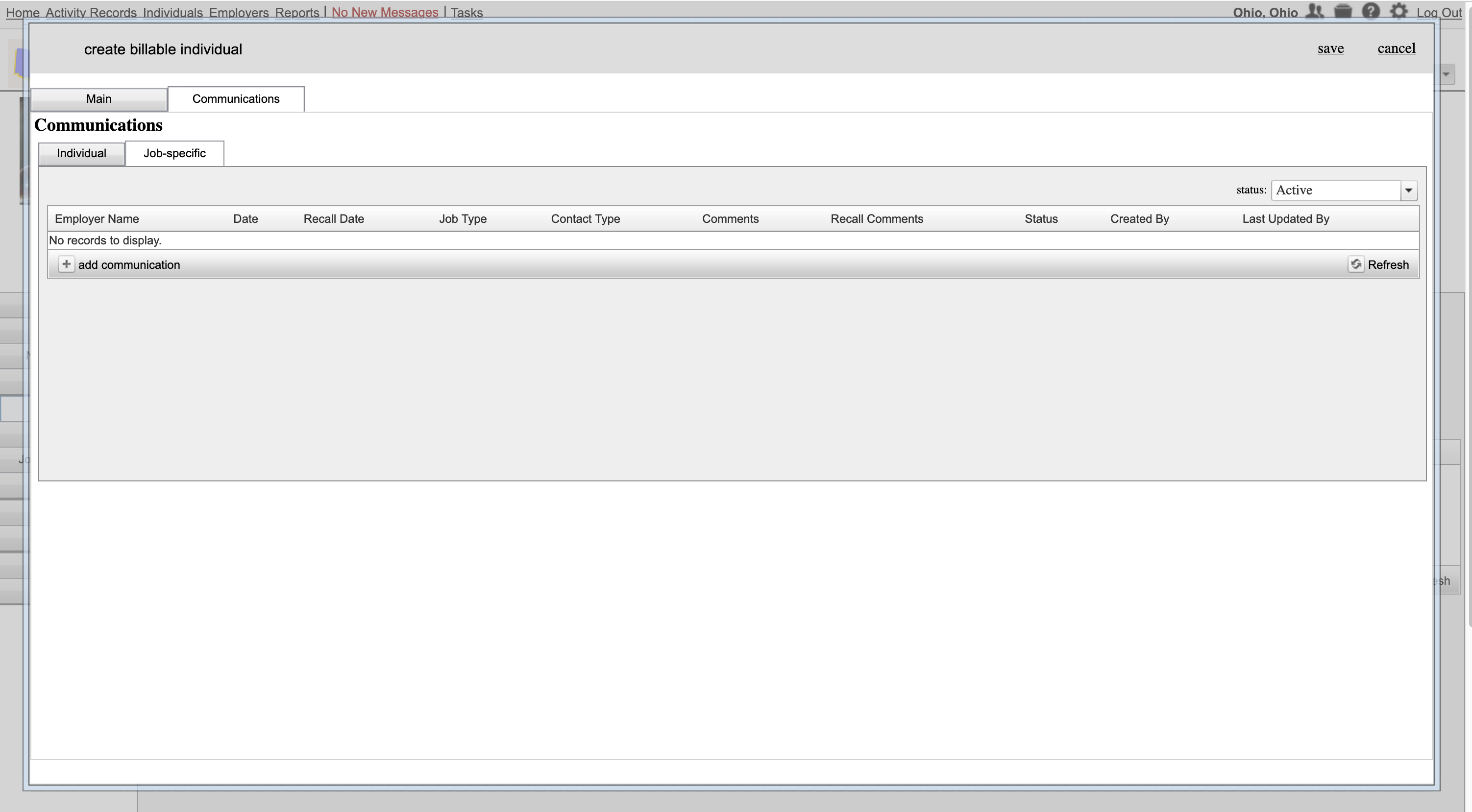
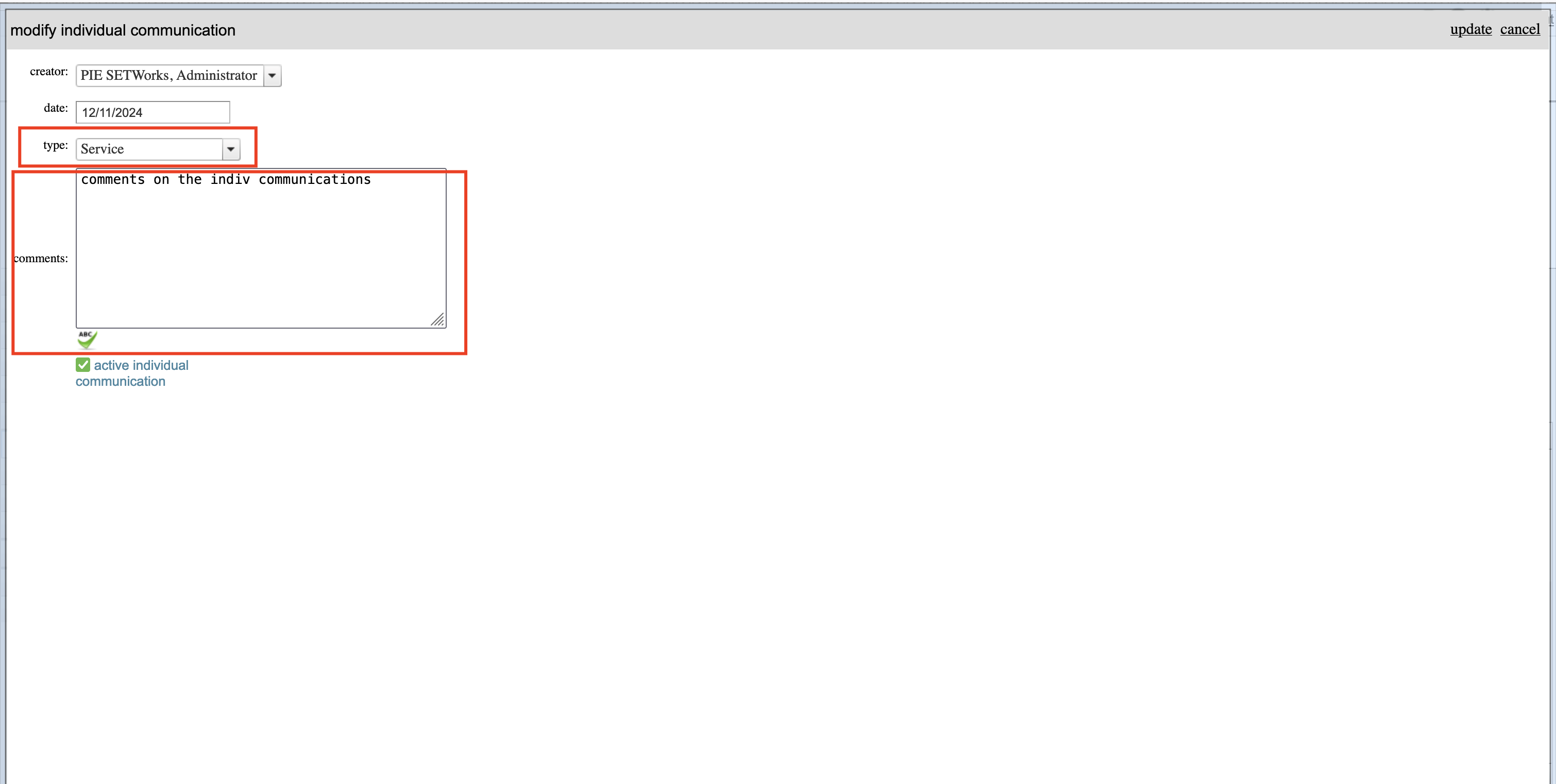
Note: NOTE: Communications must be entered within the Activity Record to be associated to the record on the form. It cannot be entered directly within the Communications tab of the individual's profile.
Form Documentation
- At the end of service, monthly, or as needed, complete the Form in the individual's profile for billing.
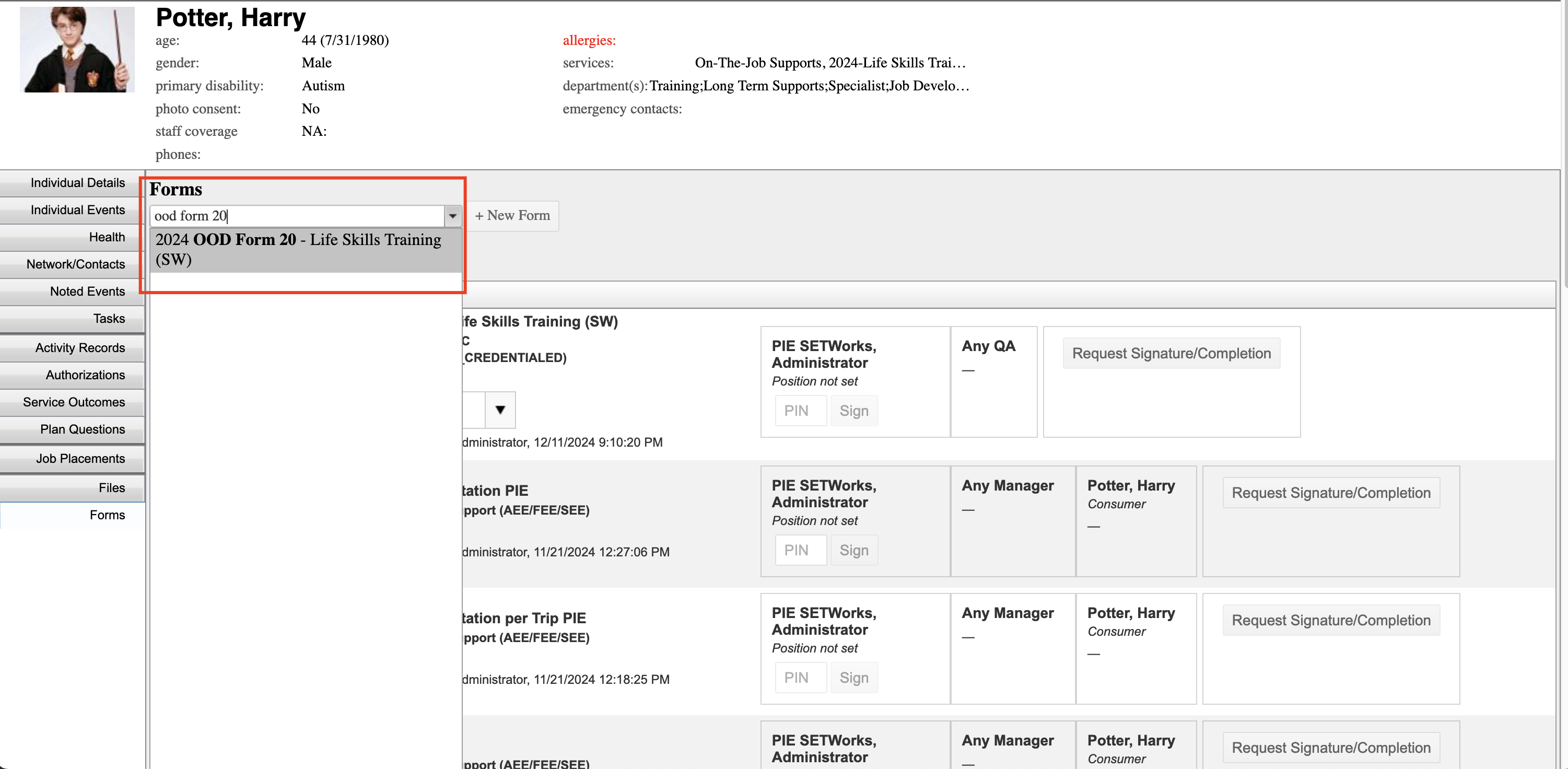
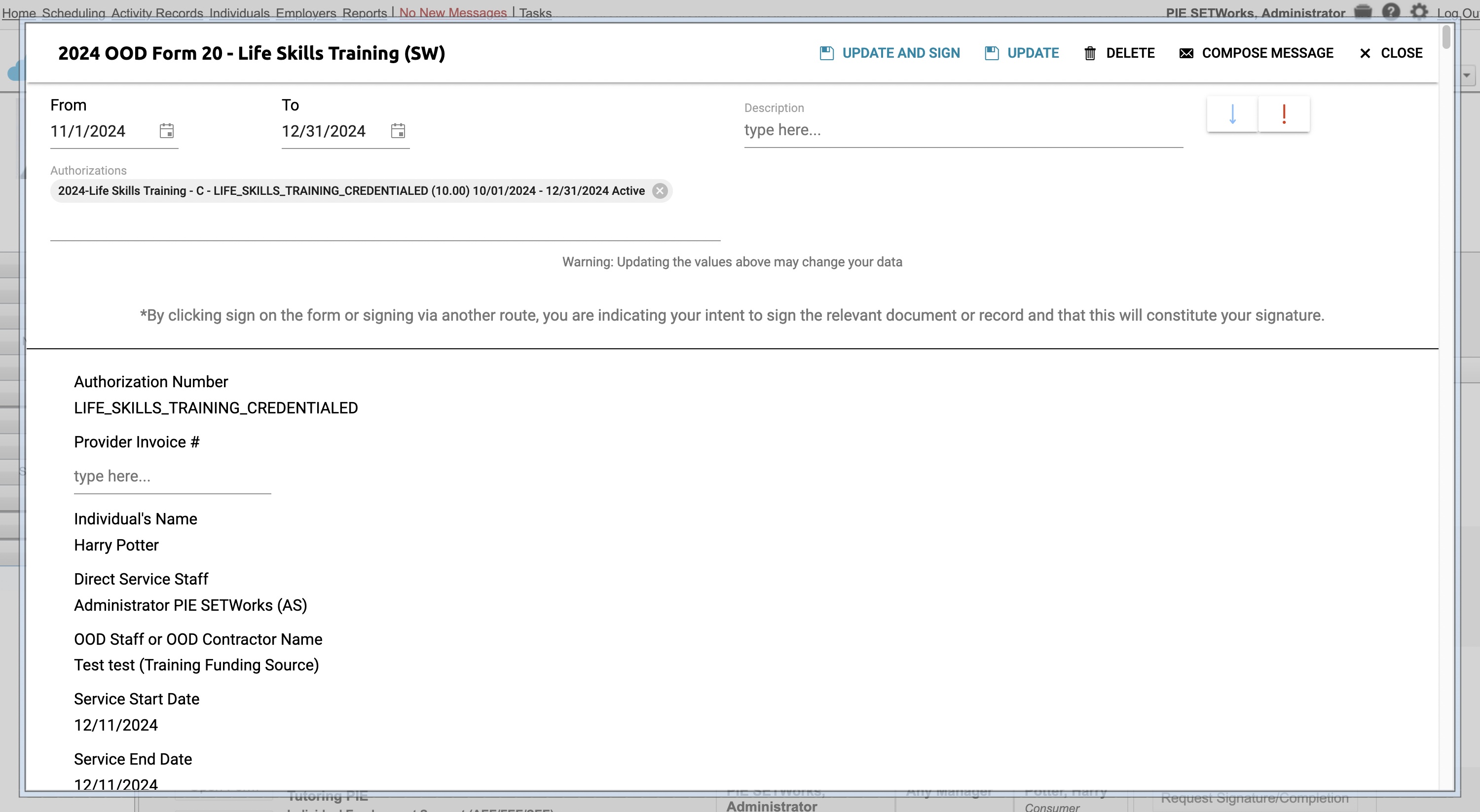
- Select the Date Range
- Select the Authorization
- Complete the form.
NOTE: If predefined answers/fields on the form do not populate, double check configuration recommendations at the top of this document.
Other Notes
- Signatures are not generated on this form; signature configuration is preferential.
Note: NOTE: If information is missing on the report, review the steps above, update, and save the report.
Note: NOTE: If information is in the database or on the form, but does not appear on the report, contact support@setworks.com .