Overnight EVV Services
Tracking services that are delivered overnight and also require Electronic Visit Verification (EVV) can be confusing. This article goes over a special workflow you can use to make this process easier.
Background
Most funders and EVV aggregators require service to be delivered on a single calendar date. As such, delivering an overnight service that crosses over midnight (12 a.m.) requires two distinct records - one to track the hours before midnight and one to track the hours after midnight. This would require staff to check in at the start of their shift, then check out at midnight only to immediately check back in and then check out when their shift ends. This is cumbersome for staff and leads to inaccurate times. Read more to learn about how SETWorks can make this process easier.
Summary
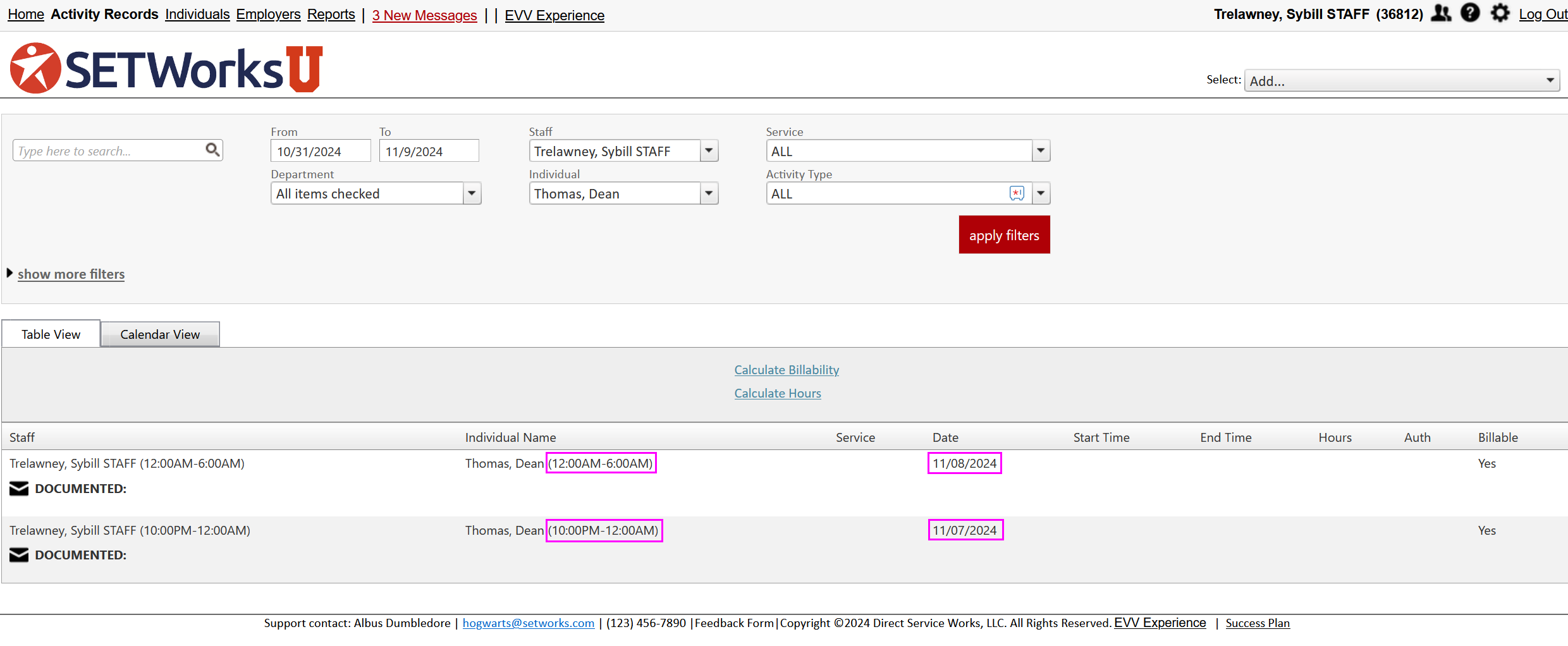
Staff set up two appointments. One on the current day, from the start of their shift until midnight. The second appointment is on the next day, from midnight until the end of their shift. At the start of their shift, staff check in to the first appointment. SETWorks will automatically convert both appointments in to records. At the end of their shift, staff simply check out of the second appointment. SETWorks will automatically insert a check out and check in at midnight. That way, staff do not have to clock out and back in in the middle of their shift.
Detailed Explanation with Examples
Situation: One (1) User (Staff) is providing services to One (1) Client (Consumer) from Monday 10 p.m. until Tuesday at 6 a.m.
Recommendations:
Manager or Staff set up two appointments in the following manner:
Appointment 1:
Monday 10 p.m. - 12 a.m.
Appointment 2:
Tuesday 12 a.m. - 6 a.m.
At 10 p.m. Monday Staff check in to the appointment that starts Monday at 10 p.m.
SETWorks will see this is an overnight shift and automatically convert the next appointment in the series and insert the check in row to the appointment that starts at 12:00 a.m. SETWorks will display the message "We noticed you are working an overnight shift. We've gone ahead and checked you into your next record. Have a good night!"
At 6 a.m. Tuesday Staff check out of the second appointment that started Tuesday at Midnight.
SETWorks will see this is the end of an overnight shift and copy the check out back to the first appointment that ended at Midnight.