
What is Form Status?
Administrators
Form status is used to track the current status of your forms, so you can stay organized and easily see the status of the forms you create. You can customize the status options to fit the use of your forms. This is different than tracking signed status.
Note: Terminology can be modified within SETWorks to better fit the needs of your organization. If the terminology in our articles are not the same on your site, talk to your local administrator to assist in translation.
Video
Where do I start?
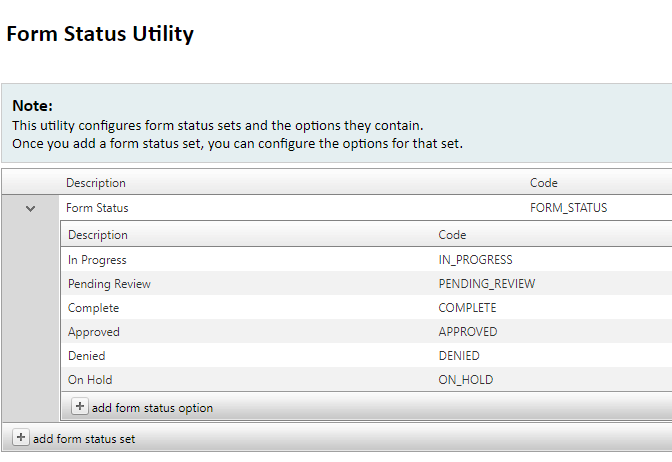
Settings > Provider Build > Form Status Utility
We have provided you with a default set of options. You can inactivate specific options, inactivate the whole set, and/or create your own set(s) of options. Once you have the options in place that you want, you can add a form status set to the form templates you want to track.
Adding a form status set to a form template
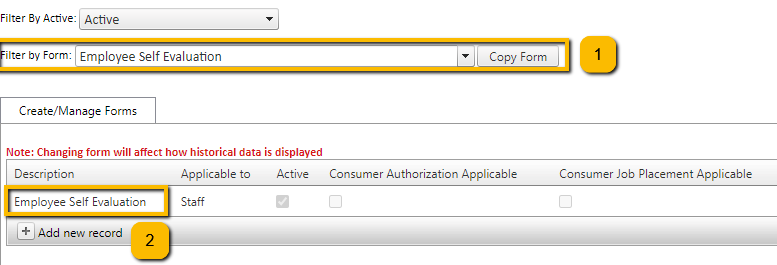
Settings > Provider Build > Build Forms
Select the form template you want to add a form status set to, and then click on the form template once it loads (steps 1 and 2 below).
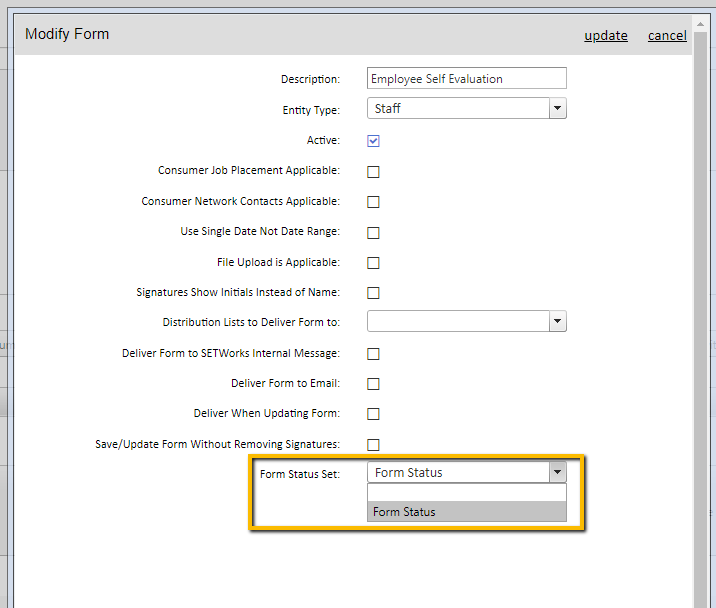
The modify form window will open. Select the form status set you want to use with the form template.
How do I view or change the status on a form?
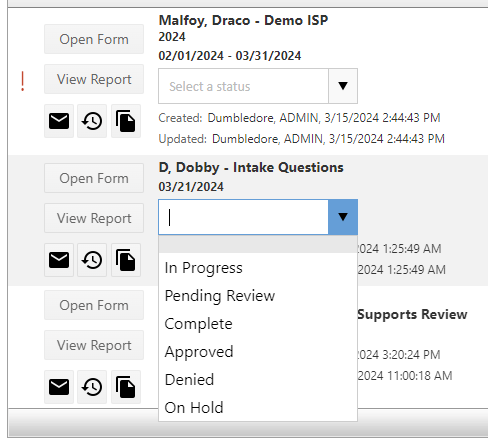
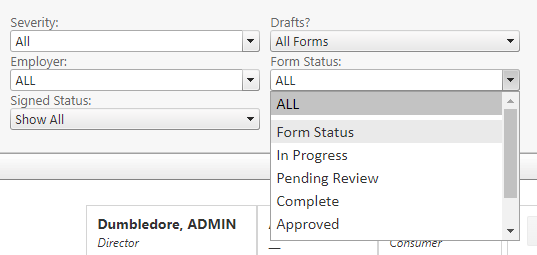
Wherever you are looking at a form index, any form that has a form status set assigned to it will show a form status dropdown. You can select an option to change the status on that form, and filter the forms by different statuses.
How can I control who can edit the status on a form?
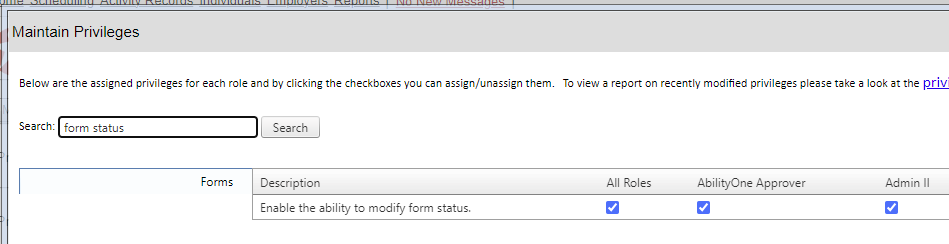
Settings > Provider Build > Maintain Privileges > Forms
Note: Enable the ability to modify form status.
Anyone can see the status on a form, but you can control who has the ability to edit it.
Also check out: Filter Forms