Transforming data refers to modifying the the raw data coming from the different models within SETWorks. For example, renaming columns, combining data, pivoting data, doing math operations/calculations, formatting data, grouping and aggregating data, and so on. Many of these functions can be seen in Excel as well.
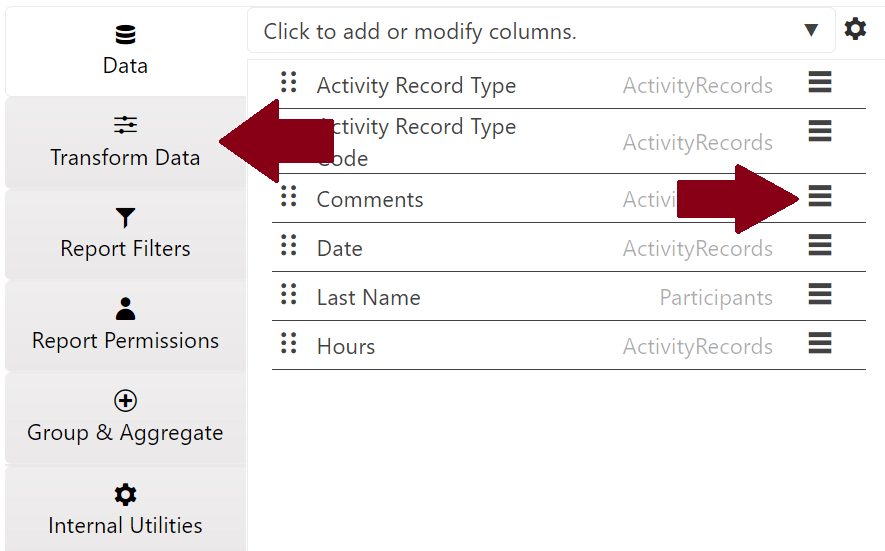
There are two places where you can transform (or take action/modify) data:
1. The Transform Data tab allows you to apply transformations that either apply to a single column or the entire report (e.g. pivoting data).
2. The column hamburger icon (3 horizontal bars icon) allows you quick access to apply column-level transformations.