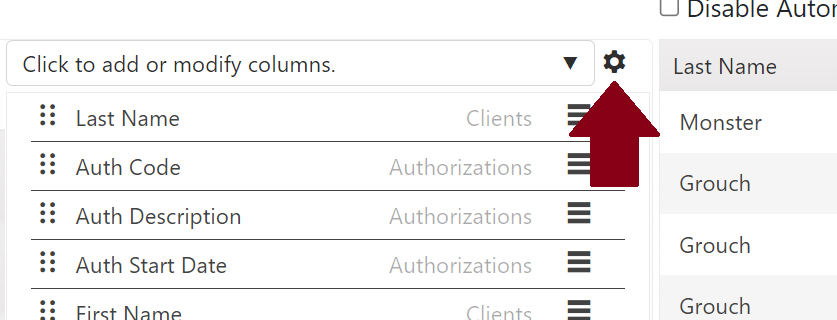
Inside the Report Builder, the gear to the right of the column dropdown let's you control how data is combined:
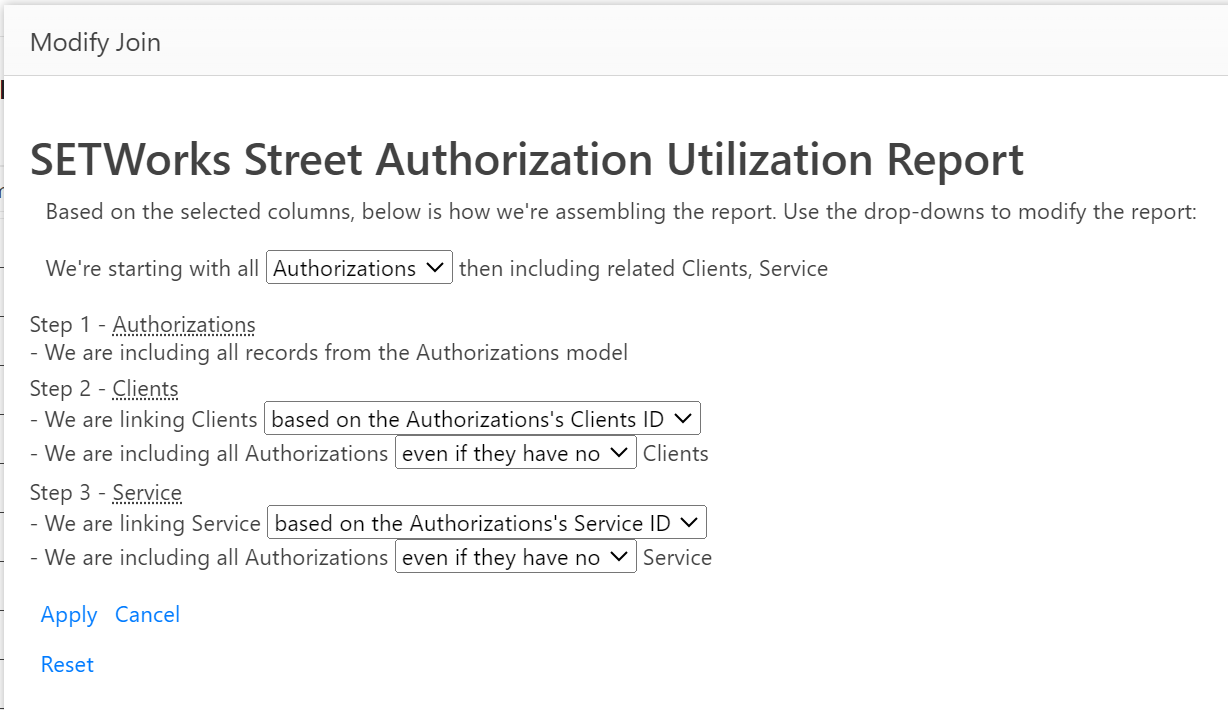
The system automatically tries to guess what the most likely path is for you. Sometimes you will need to adjust the configuration if it does not make the selections appropriate for the report.
The Modify Join window allows you to:
1. Change the main (focus) model (e.g. changing Authorizations to Clients).
2. Change what column to use to link/combine data (e.g. changing whether the Department model should link based on an Activity Record department or the associated Authorization department (technically these can be different)).
3. Changing whether to include all data from a model, where it says "We are including all [model name] even..." (e.g. if you want a client authorization report but only clients that have authorizations, you would select "We are including all Clients [only if they have] Authorizations". If you instead wanted a client authorization report that showed all clients regardless of if they have an authorization, you would select "We are including all Clients [even if they have no] Authorizations.