How can I quickly see if my consumers are successful with their outcomes/goals?
Administrators/Managers
Measuring success with outcomes/goals is a common metric used to determine progress for consumers. The Outcomes/Goals Completion Merge Report determines the percentage of success based on the number of successful attempts compared to the total number of entries for each goal/outcome documented on in a selected time frame.
Note: Please note that this report works only with outcomes/goals documented on in group records and assessment keys must be configured correctly prior to running this report.
Assessment Key Configuration for Success
Access the Activity Record Group Utility
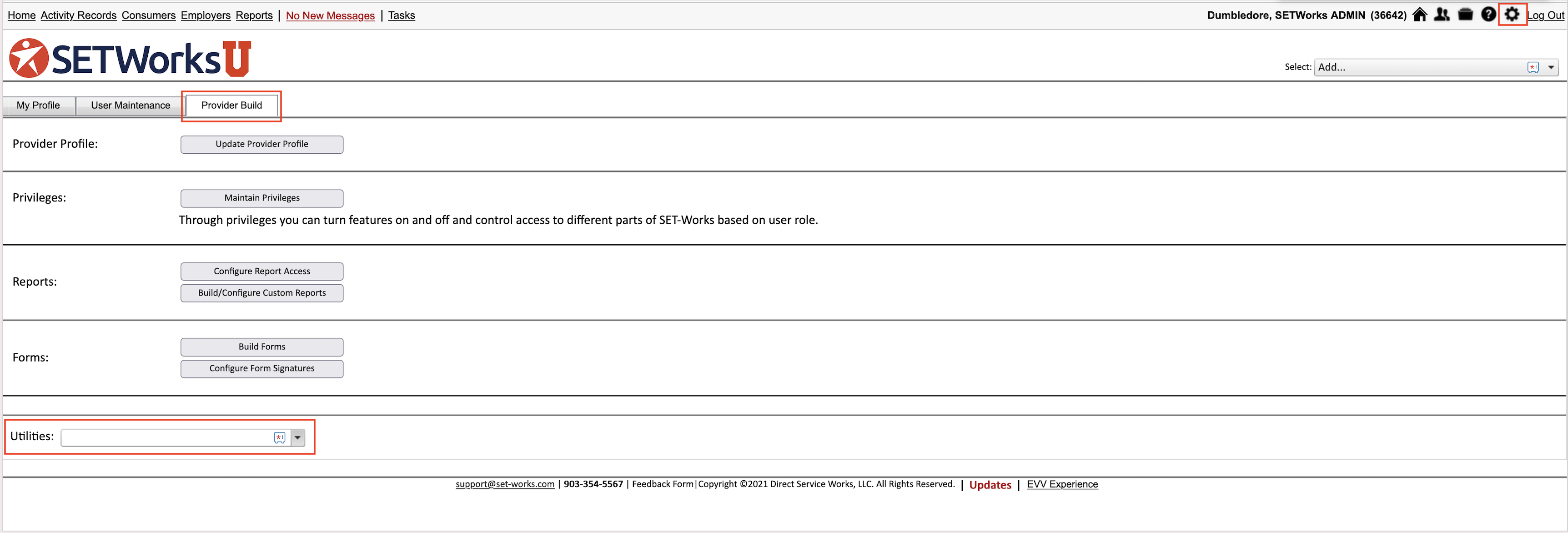
- Click on the Settings
 icon in the top right of the navigation bar.
- Select the Provider Build tab.
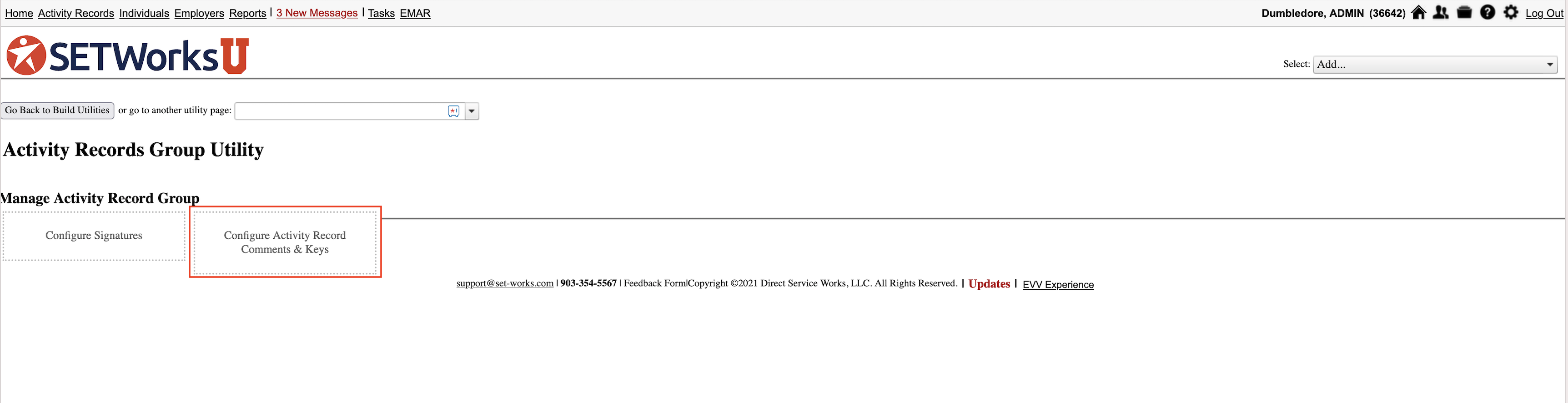
- Expand the Utilities drop-down and search for the "Activity Record Group Utility" utility.
- Select Configure Activity Record Comments & Keys under the Manage Activity Record Group header.