
How to Access the SETWorks Report Builder
The SETWorks Report Builder is designed for users who need greater flexibility in reporting. This tool allows you to create custom reports by combining and transforming data across the system.
With the Report Builder, you can:
Pull data from multiple areas of the system
-
Perform calculations and create custom fields
-
Apply pivots and formatting to suit your reporting needs
All reports built with the Report Builder will appear in the standard Reports tab, alongside existing reports for a seamless experience.
Enabling the Report Builder
The Report Builder can be enabled through a user privilege. A SETWorks Administrator at your organization can activate this feature by navigating to the Reports tab and enabling the privilege with the description of:
“Advanced Report Builder - Enable this feature to access the Advanced Report Builder.”
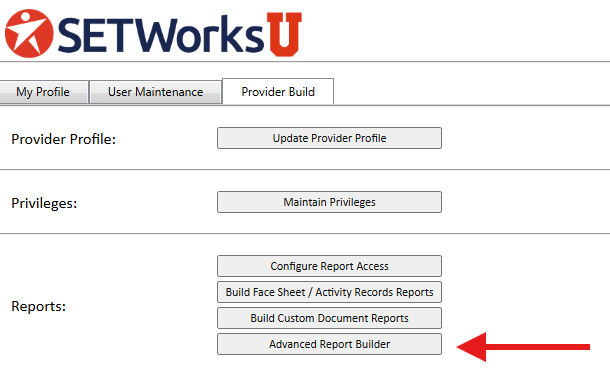
Once enabled, the "Advanced Report Builder" button will appear under Settings → Provider Build.
Resources on using the Report Builder
To help you get started, we’ve compiled a set of articles and videos covering how to use the Advanced Report Builder effectively.