
How do I Request an Authorization as a Payer?
Authorization Request is a payer-focused feature where providers authorized for services can access authorizations and then submit reimbursement for those services provided. Learn more about who benefits from this feature.
Note: Terminology can be modified within SETWorks to better fit the needs of your organization. If the terminology in our articles are not the same on your site, talk to your local administrator to assist in translation.
Add an Authorization Request for an External Provider
- Select Authorization Requests link at the top of SETWorks.
- Select Add new request.
Request Type
Request Type. Select the type of request (list cannot be configured).
Contract Type. Select the funder (configured in the Funding Source Utility).
Unit Type. Select either an Item or a Service.
Authorization Details
Department. Select the department in which this request is associated.
Consumer. Select the individual receiving services.
Plan Year. Plan Year populates from the Consumer Event with an IHP_DATE code.
Authorization Dates. Include the date range for the requested authorization.
"Service in IP". Indicate if the services are listed in the individual's plan.
"No other services available, including state plan services". Indicate if the individual is receiving other funded services.
Plan Year Budget (Report). Shows the breakout of all authorized funds associated with the plan year.
Service Details
If Unit Type selected is a Service:
Service. Select the Provider - Service Type - Service to authorize.
Units. Pulls from the unit rate associated to the service.
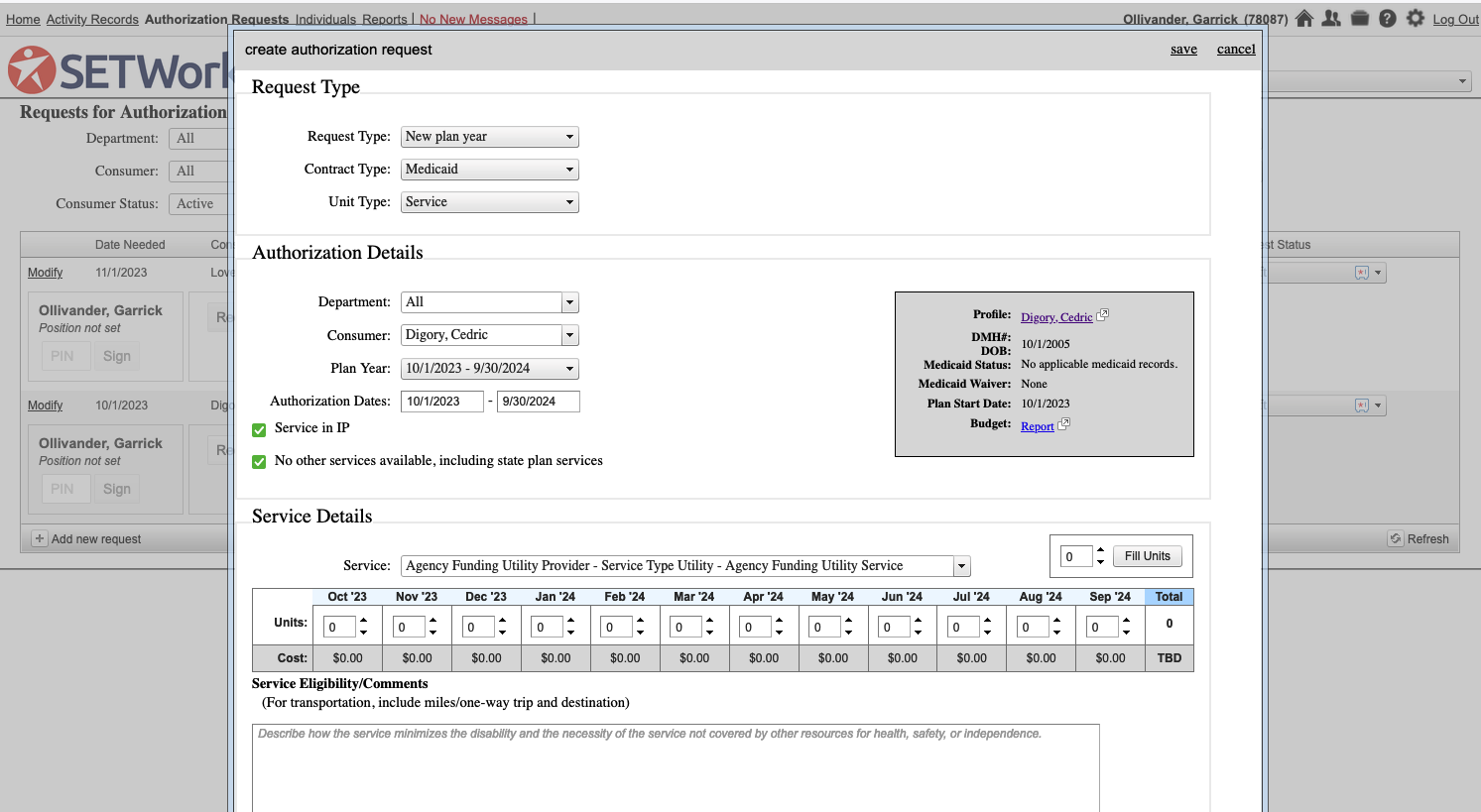
Requesting a Service Authorization
If Unit Type selected above is an Item:
Item Category. Pulls from the Agency Funding Utility > Item Category configuration.
Vendor. Select the vendor, or type the vendor and select Add to add new.
Item Detail. Insert a description or details.
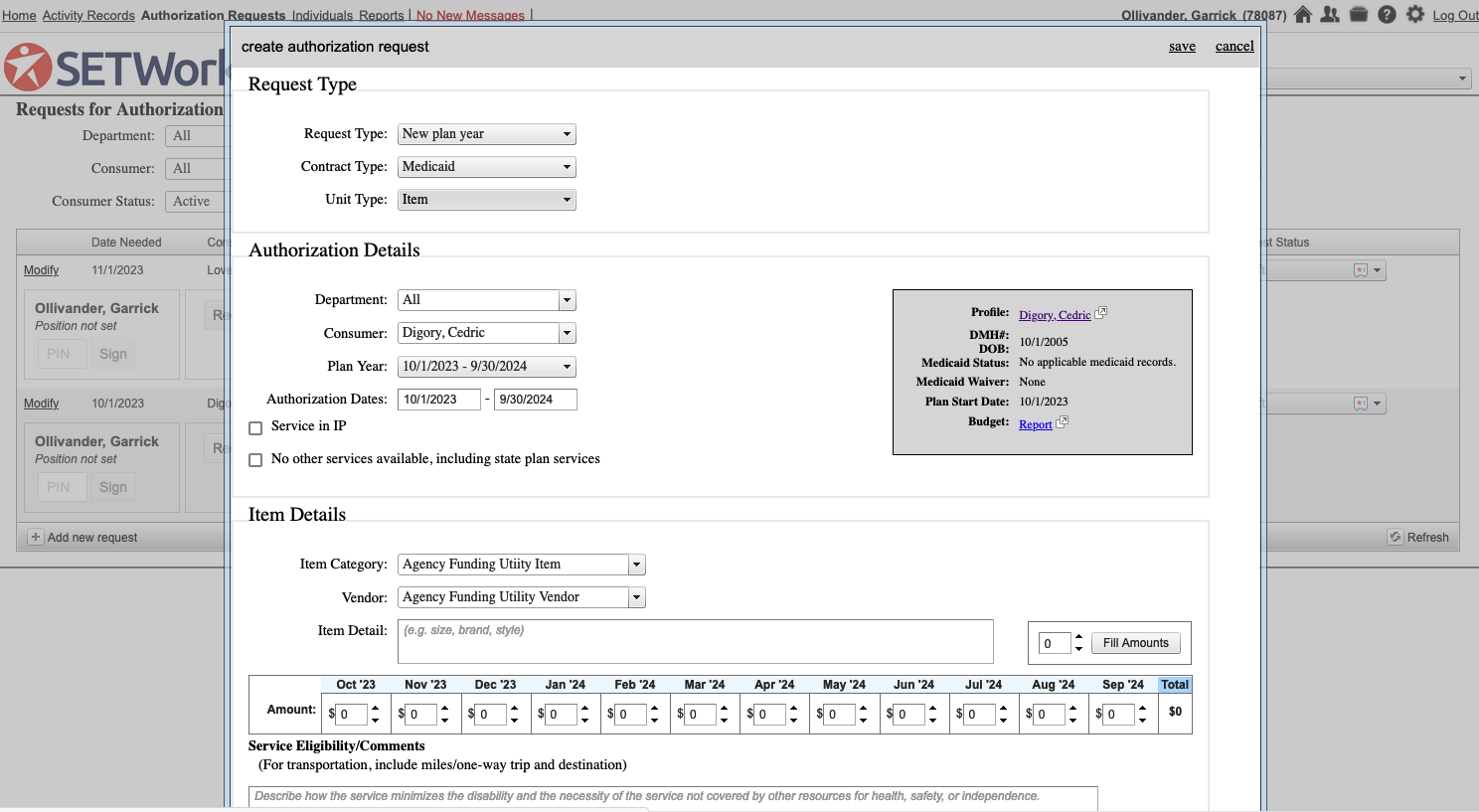
Requesting a Item Authorization
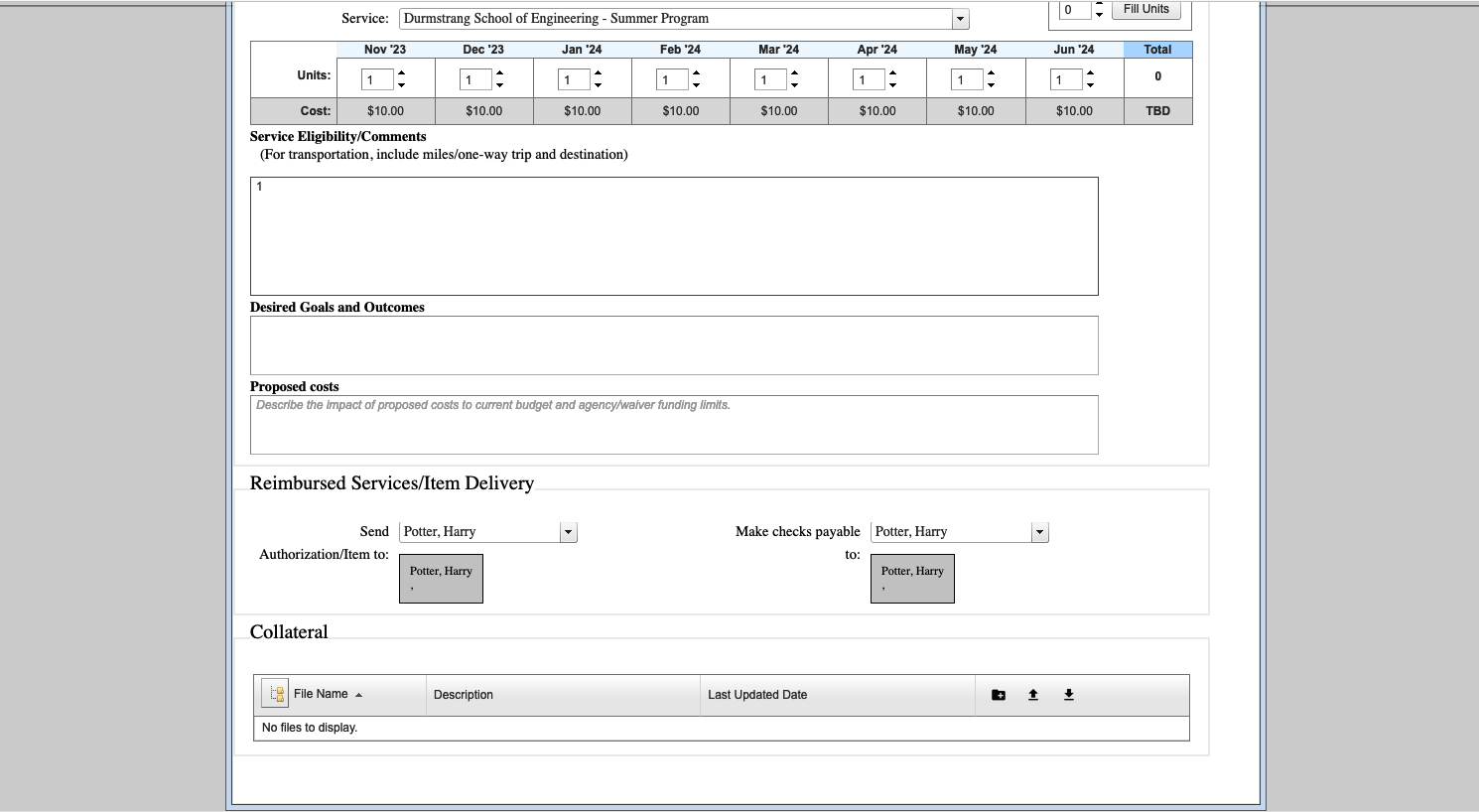
Service Eligibility/Comments. Insert necessary comments.
Desired Goals and Outcomes. List desired goals and outcomes.
Proposed costs. List proposed cost comments.
Reimbursed Services/Items Delivery
Send. Contact is from the client's Network Contacts.
Make checks payable to. Contact is from the client's Network Contacts.
Collateral
File upload option. Learn more about creating files and folders.
View Existing Requests for Authorizations
- Select Authorization Requests link at the top of SETWorks.
- Use the filters to navigate and sort to authorization requests.
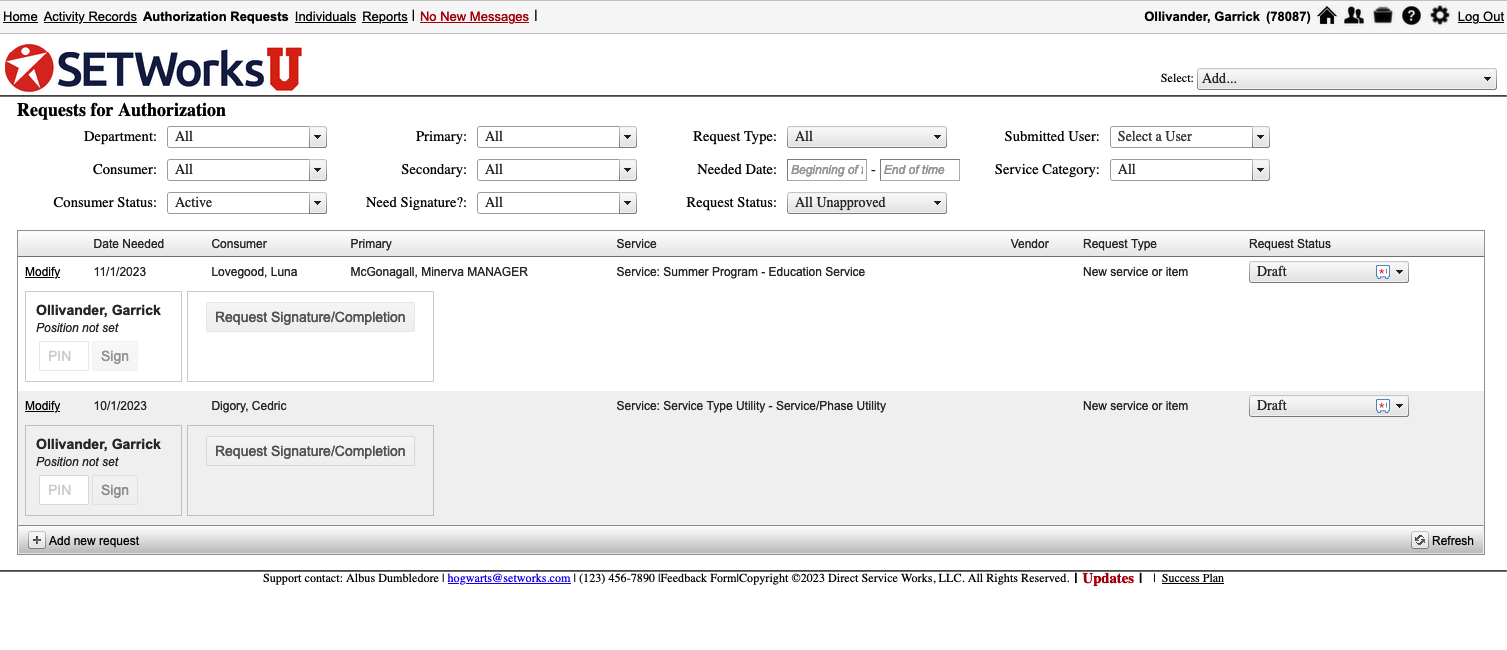
Sign Authorization Requests
NOTE: The user to create the authorization request has the first opportunity to sign. You can request more signatures with permissions. See how to request signatures.
Learn how to configure your system for Authorization Requests
Request Status and Approving Authorizations
Note: An Approved Request Status will send the authorization to the Provider. The Provider will then be able to bill for services provided.
Learn about the Providers SETWorks Experience
Paying a Submitted Service Request
Note: When a Provider has submitted a service/item for reimbursement, the Payer receives that information from their Home screen and can note when they've paid.