Overview
Staff Availability makes it easy to approve or deny a staff's availability for the Scheduling View in SETWorks.
Privileges
Settings > Provider Build > Maintain Privileges:
Note: Enable the Staff Availability tab within Staff Management.
Note: Is able to approve Staff Availability.
Staff Availability Overview
Staff Availability can be found in the Staff Management section of SETWorks under the "Staff Availability" tab
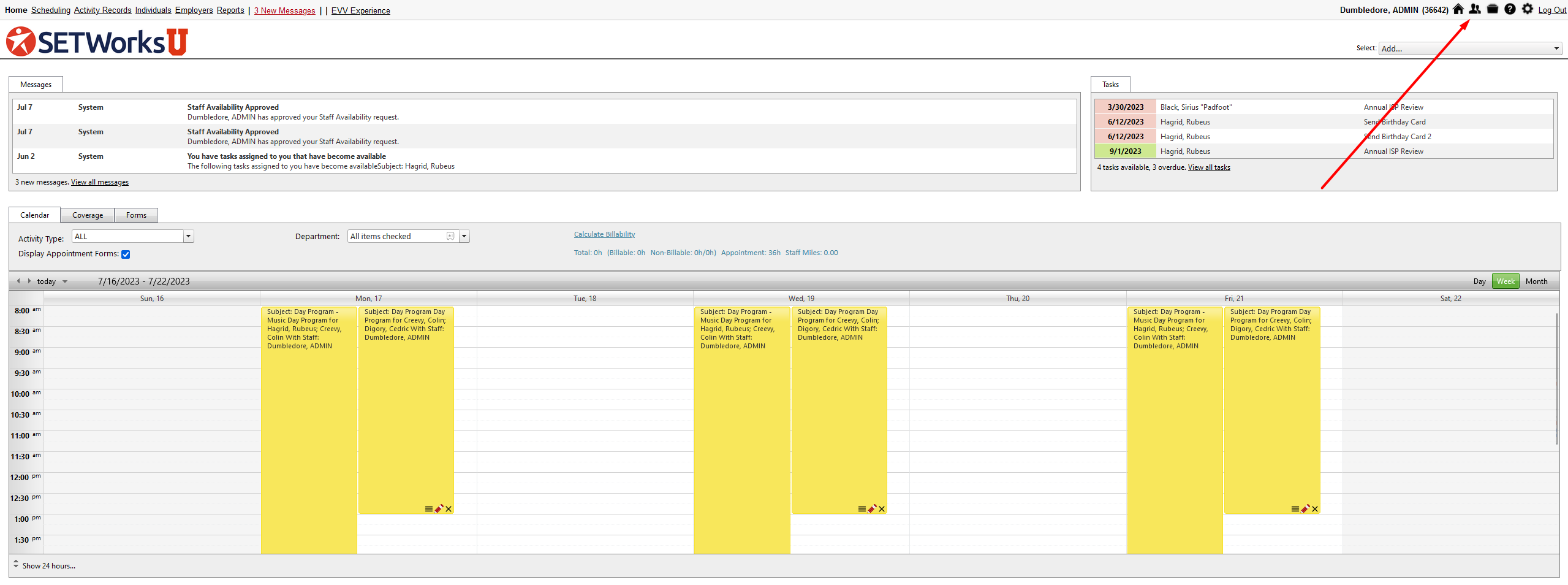
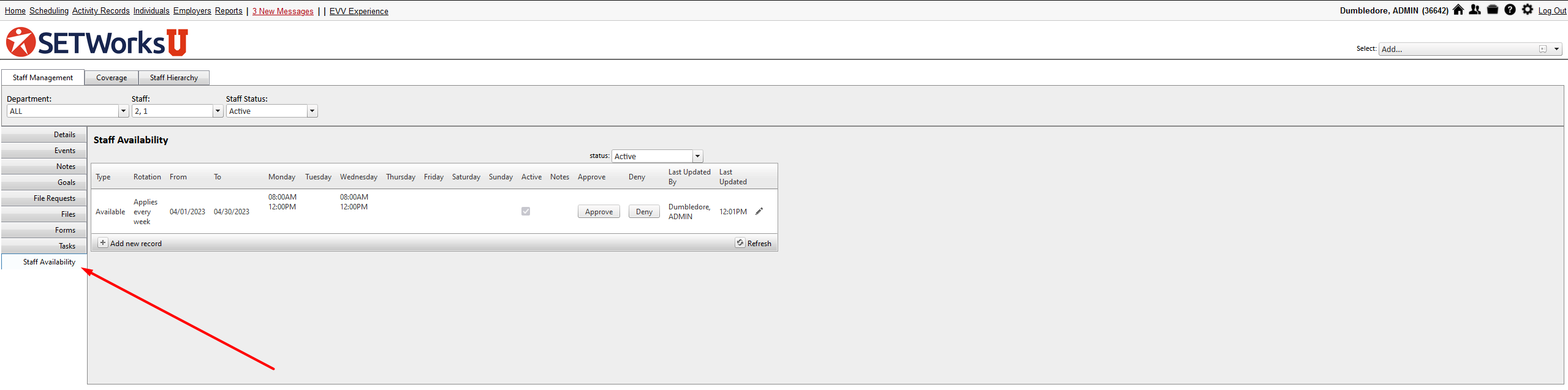
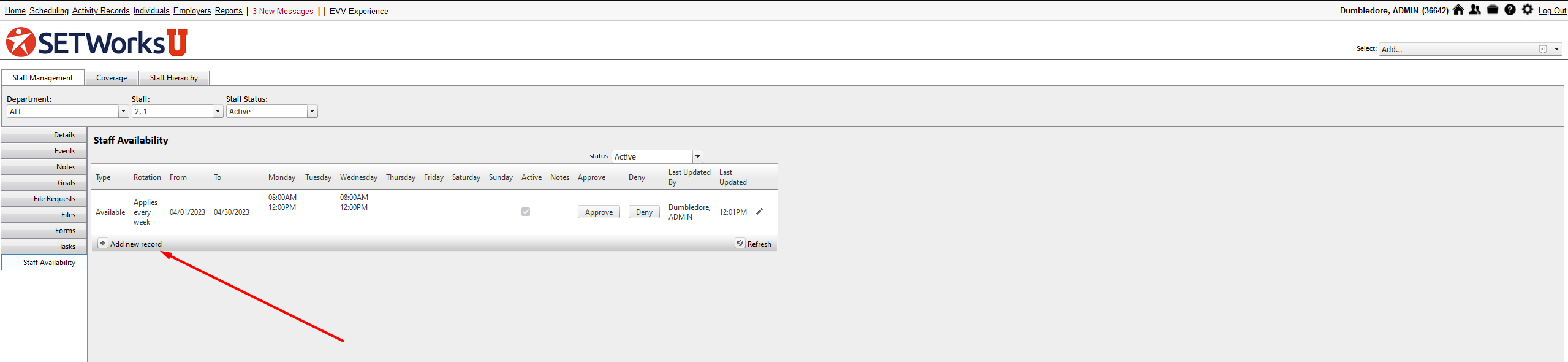
A Staff Member can add their availability by selecting the "Add new record" button
Staff will fill out their Availability select the "Insert" button to save the Record.
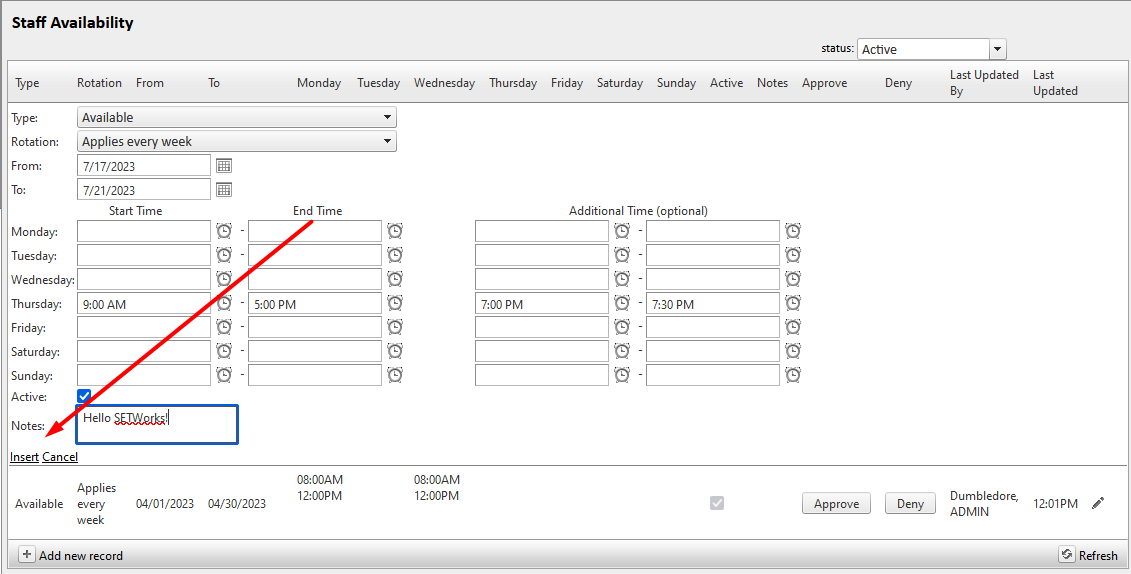
Type: What kind of Availability is this.
Rotation: Weekly or Bi-Weekly
From: Start Time of Availability
To: End Time of Availability
Start/End Time: Your Start and End Time for that Day
Additional Time: Provide any Additional Time Needed (This is a optional section)
Active: Staff Availability Active or Inactive
Notes: Additional Information about the Availability
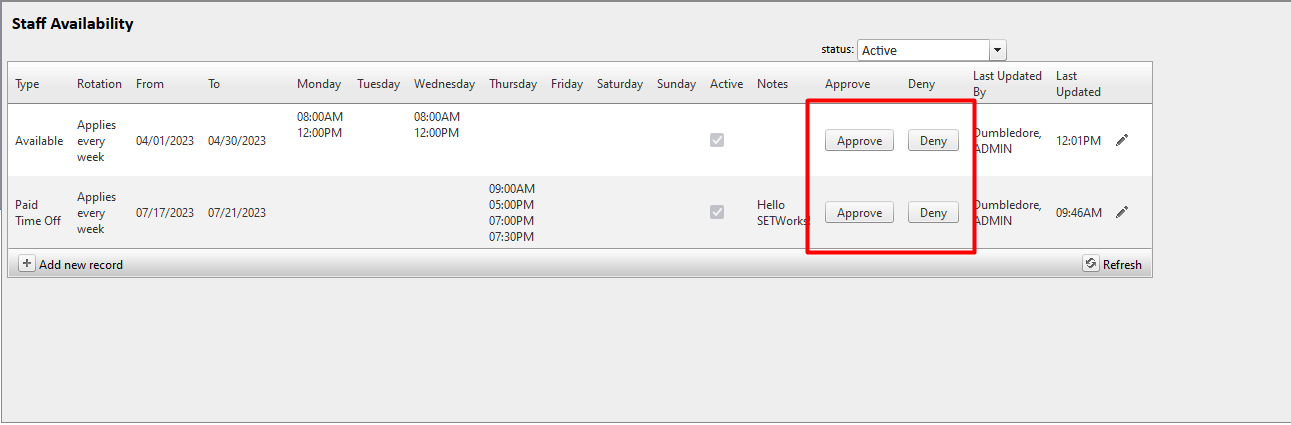
Once a Staff Member has completed their Availability a Supervisor or Manager can select a Staff Member in Staff Management. Select the "Staff Availability" tab and Approve or Deny the Staff Member's Availability.
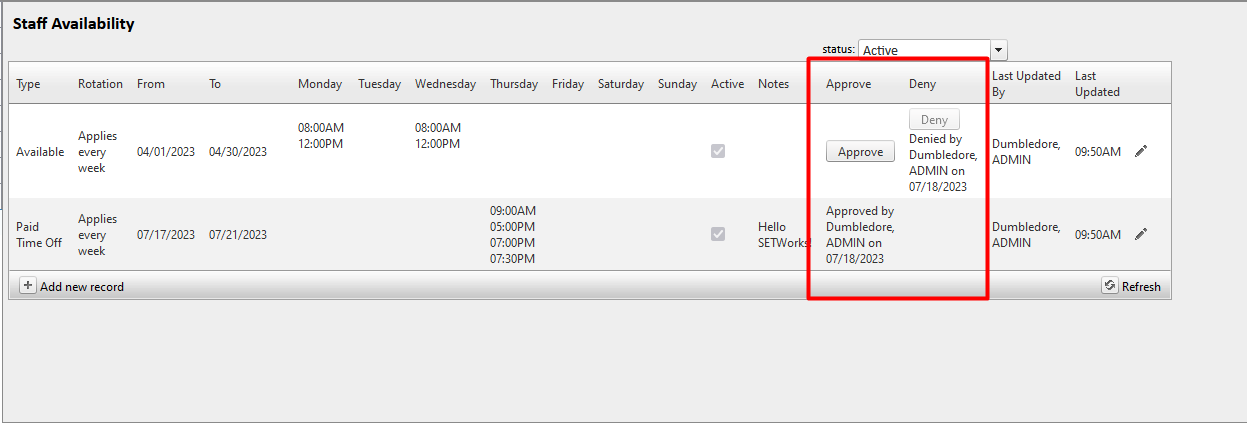
After a Supervisor or Manager selects Approved or Deny it will show the Name of the Person that has selected it and the date it was Approved or Denied.
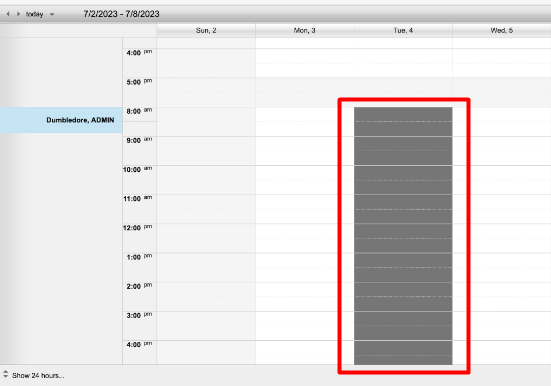
Any staff who have input time as not being available will have a dark grey block on their calendar.
Note: This does not prevent staff/others from creating any type of activity records. It's a visual cue that the staff is not available.