
How to configure and complete the OOD Form 13 - Pre-ETS
Understanding OOD Form 13
Configuration
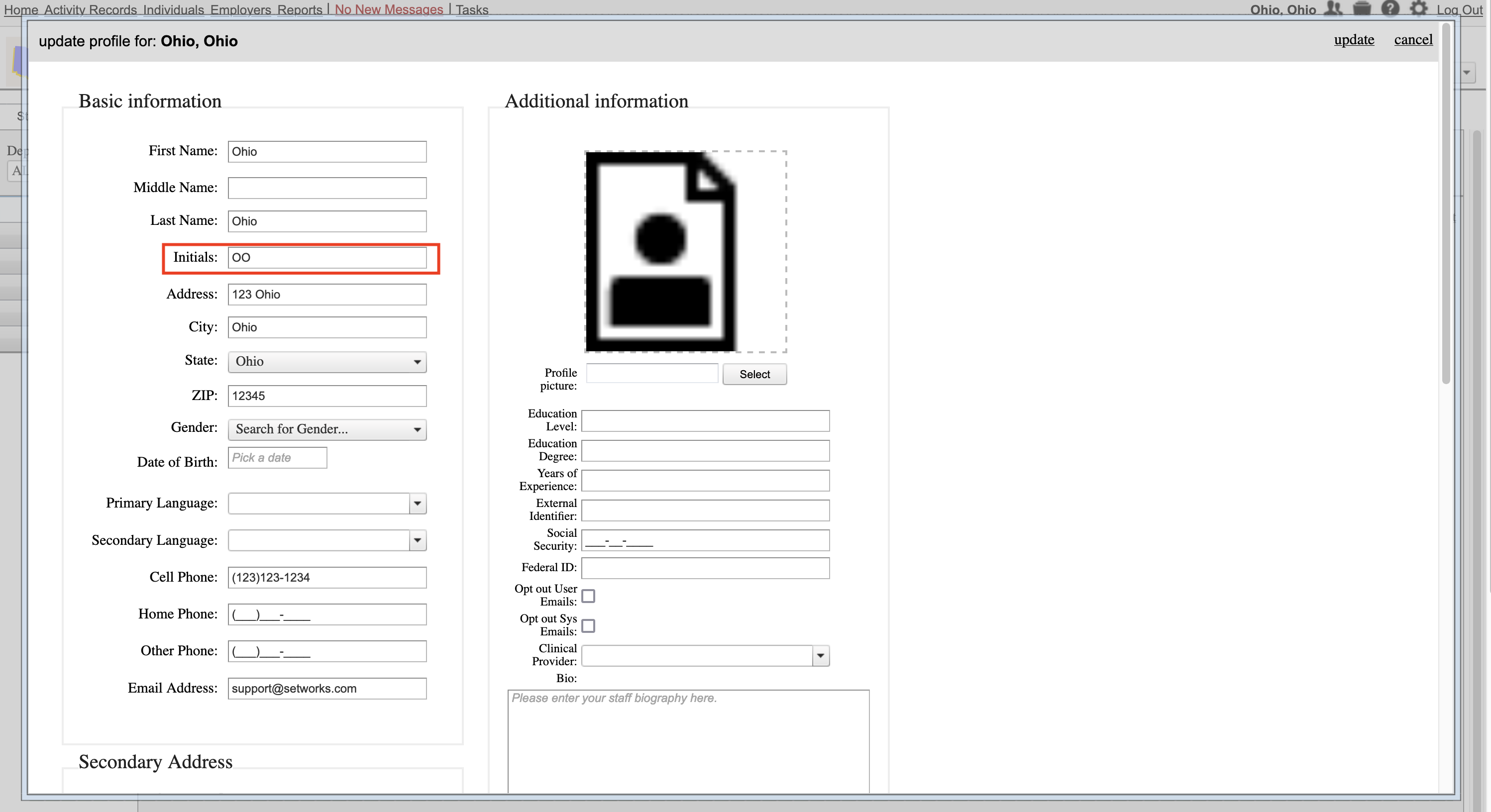
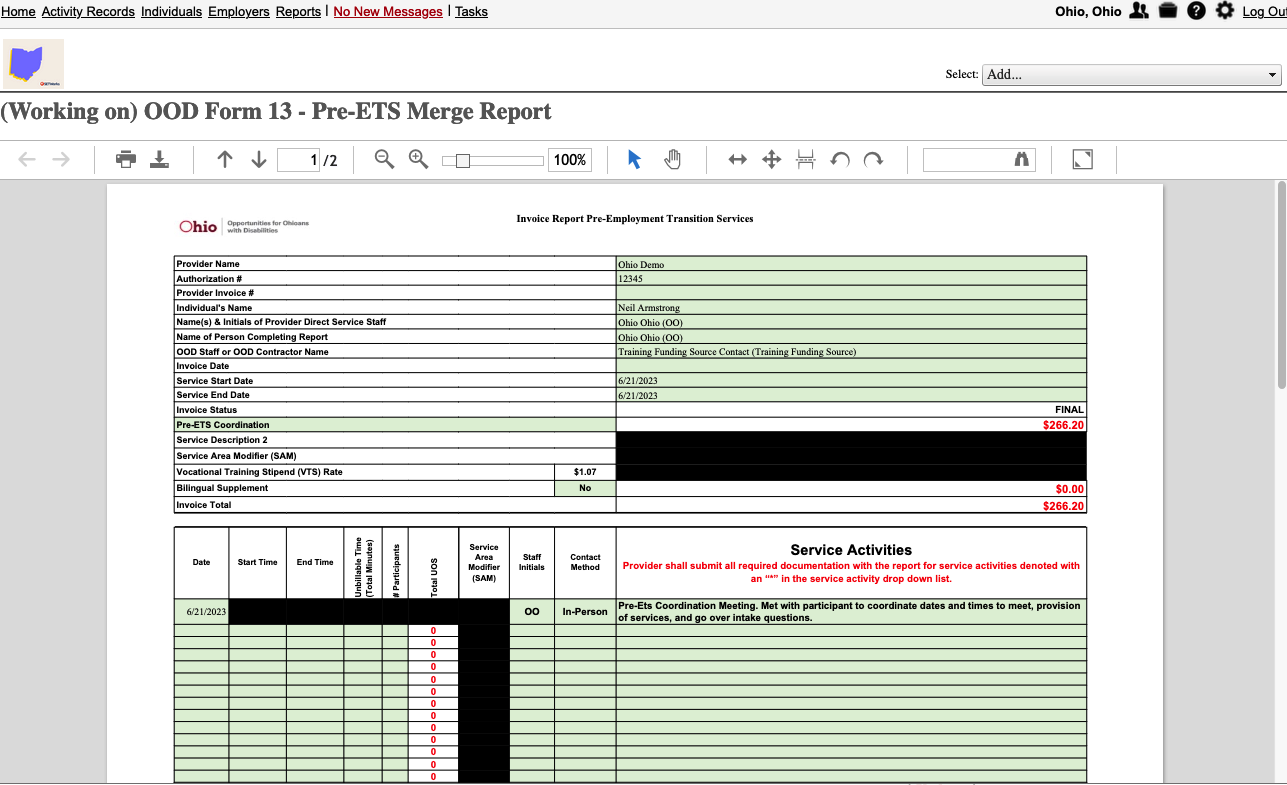
Staff Initials
- User Profile > Initials
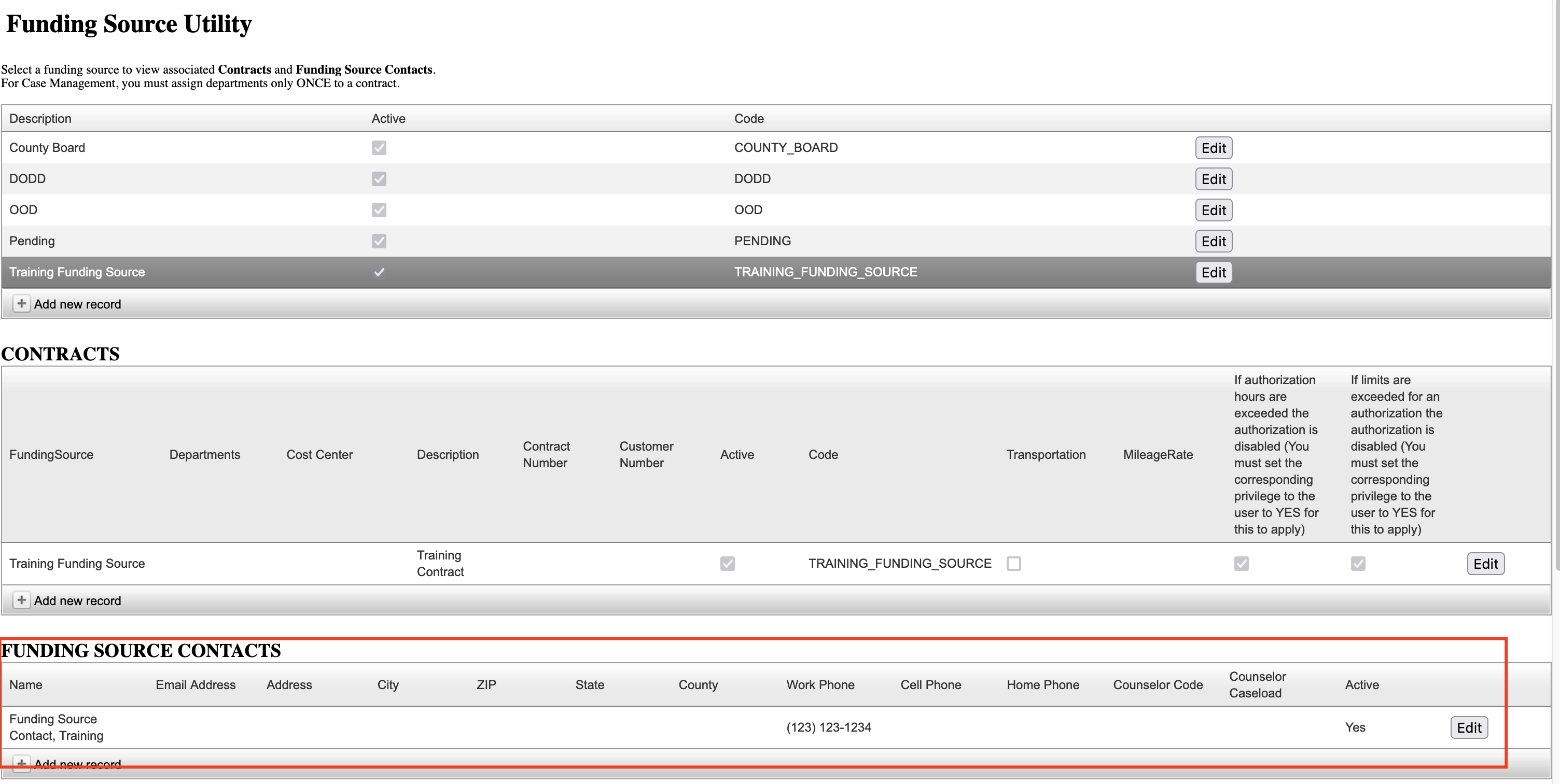
Funding Source Contacts
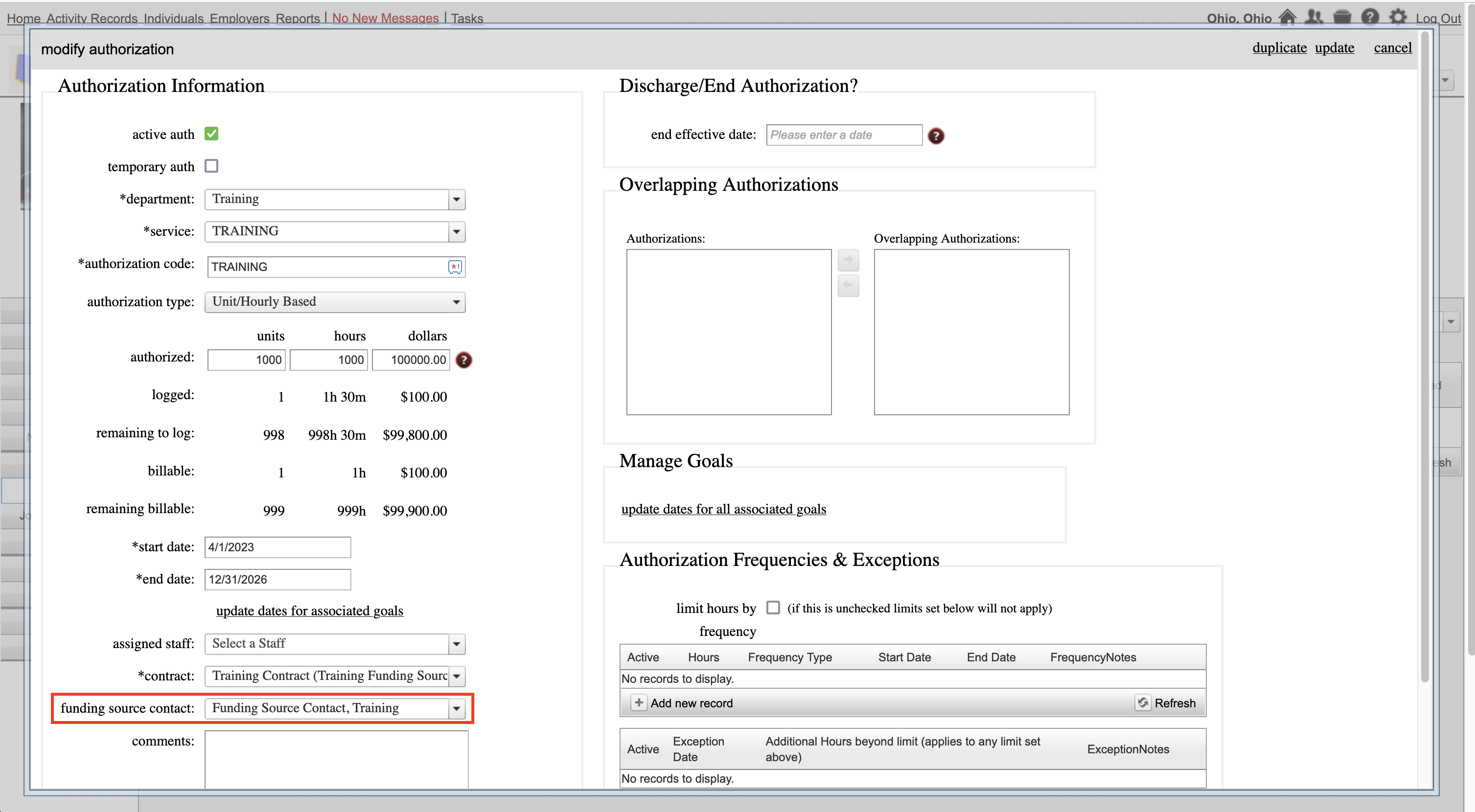
- OOD Staff or OOD Contractor on the form pulls from the Funding Source Contact associated to the authorization
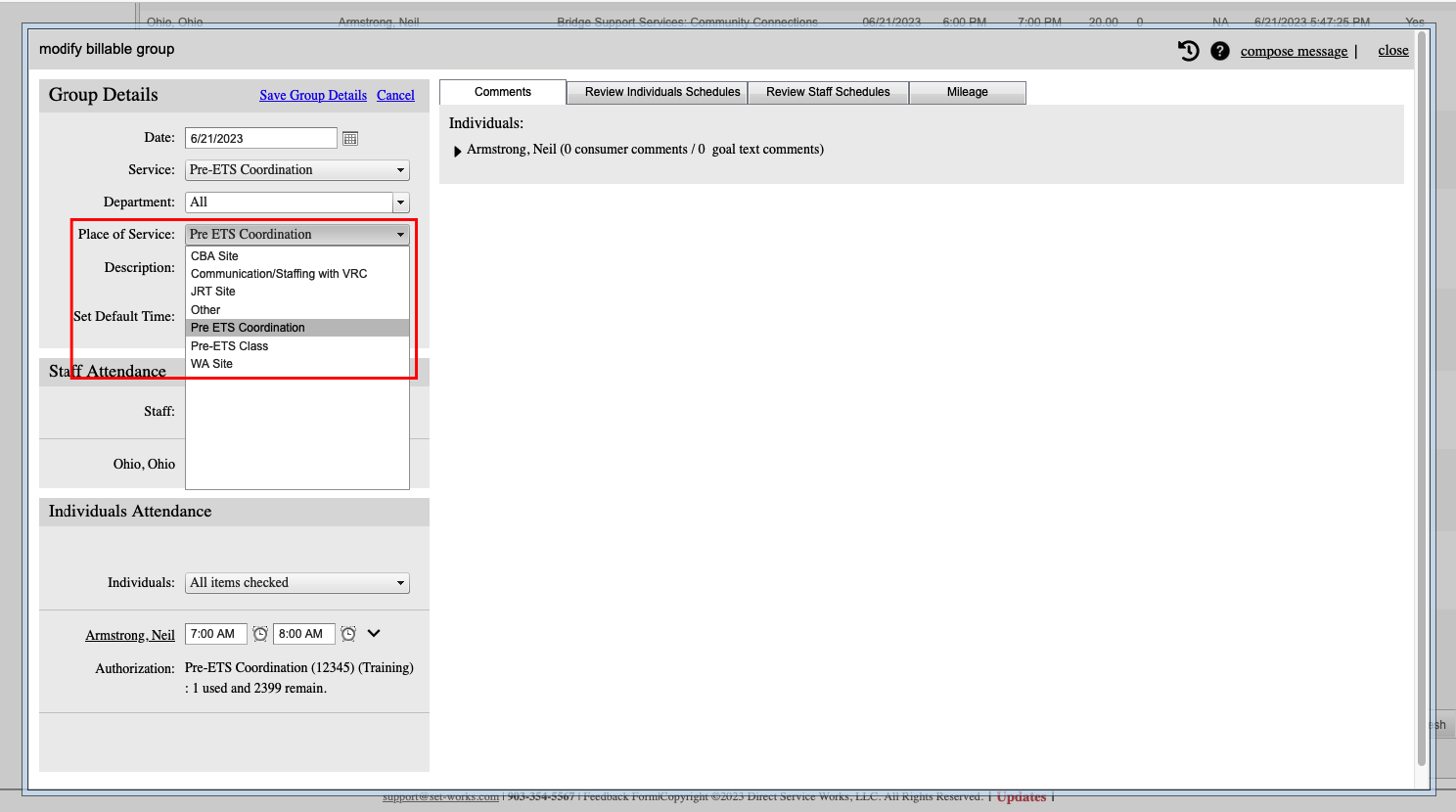
Place of Service
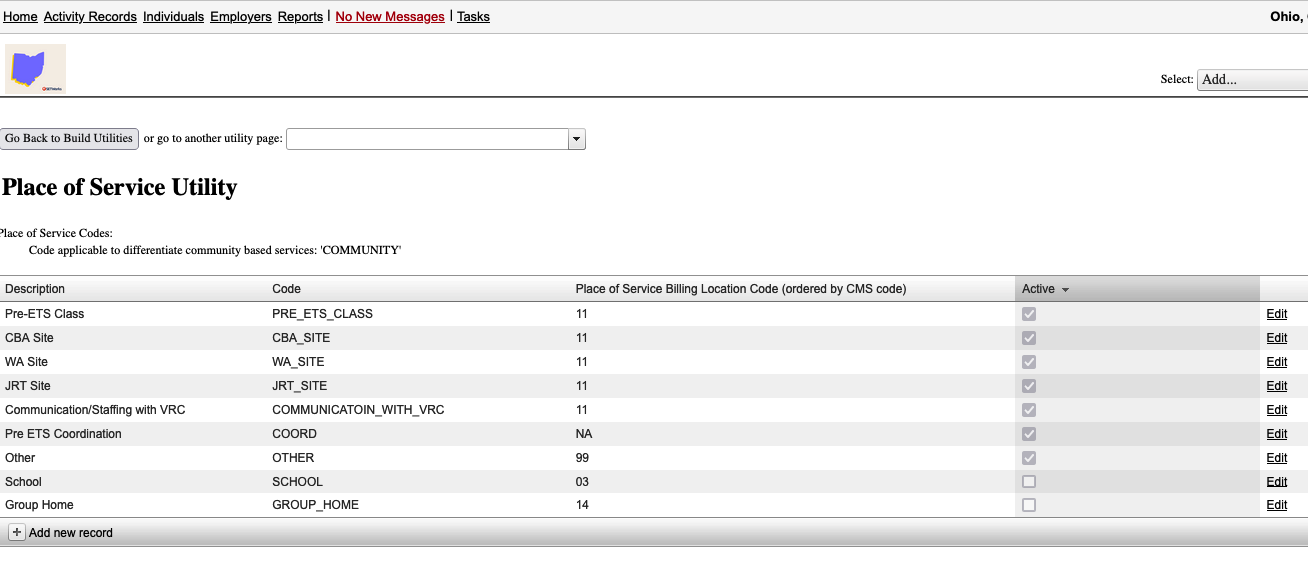
- Configure in the Place of Service utility (copied)
- Pre-ETS Coordination option populates items to the first line of the form.
- Pre-ETS Class option allows the time provided to be billable on the form.
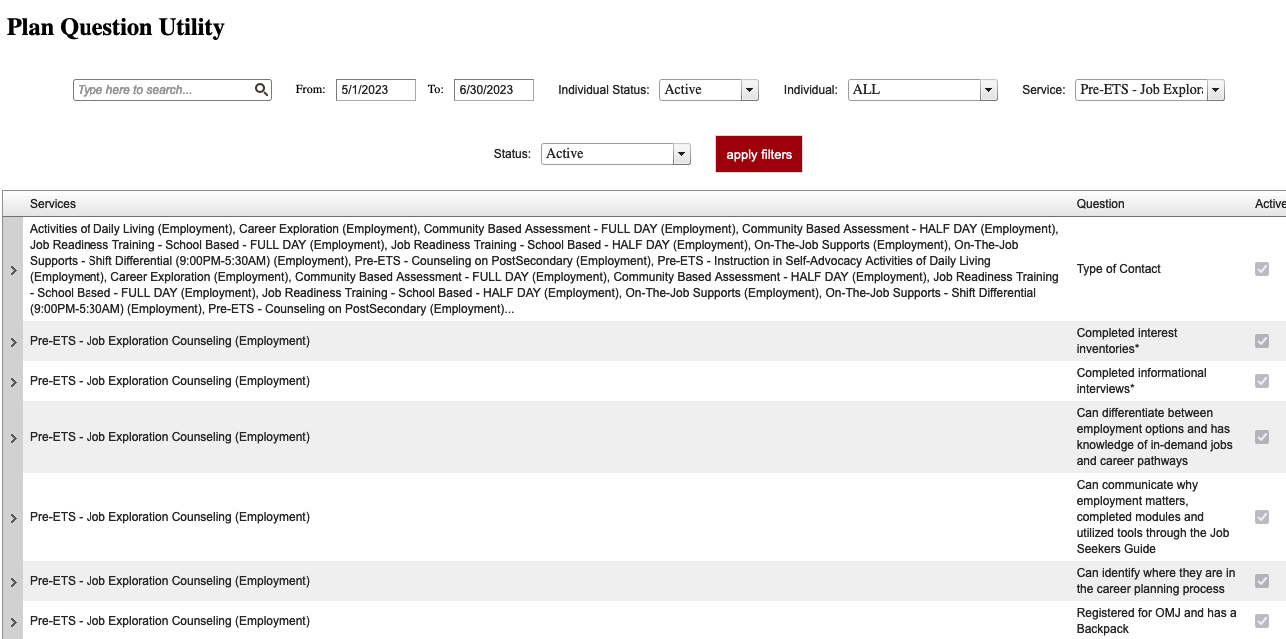
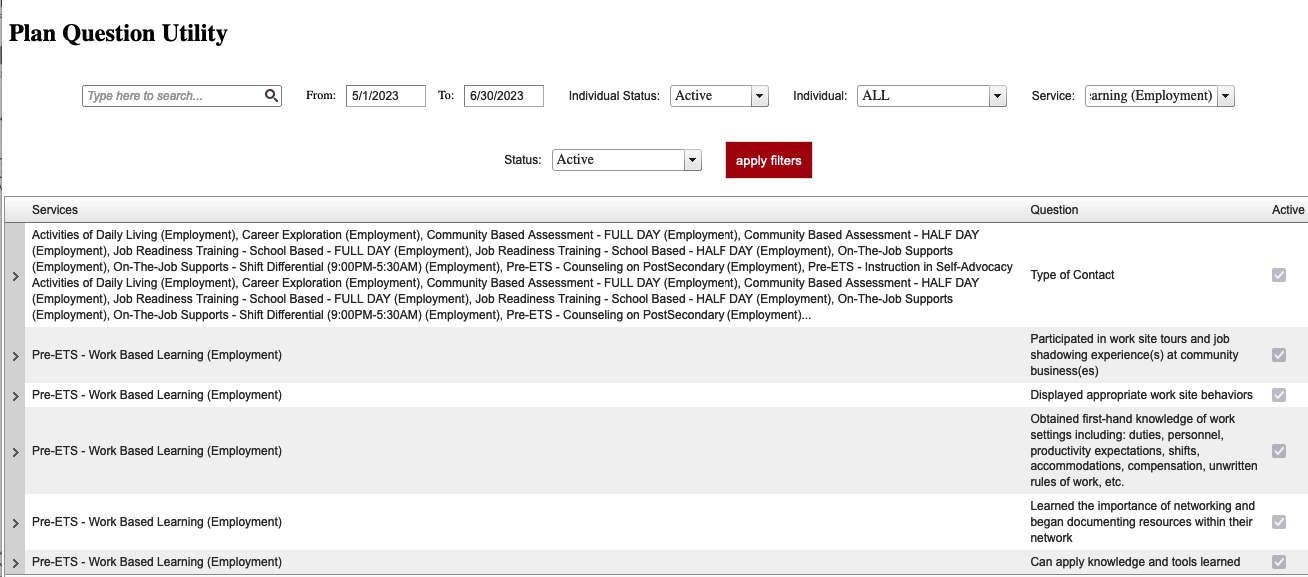
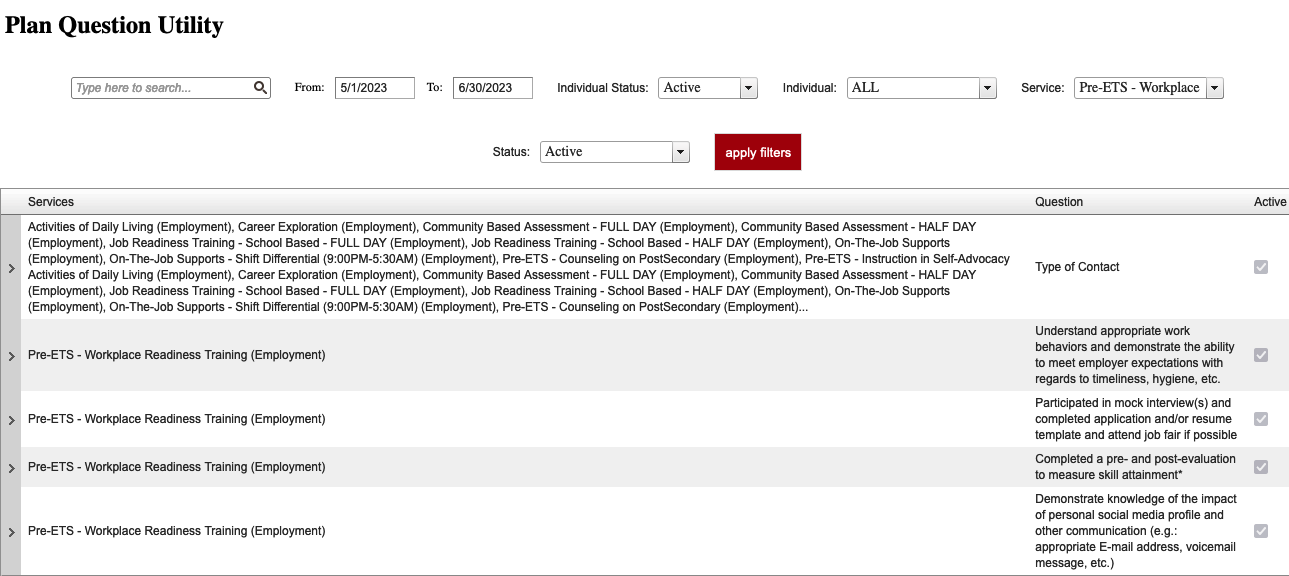
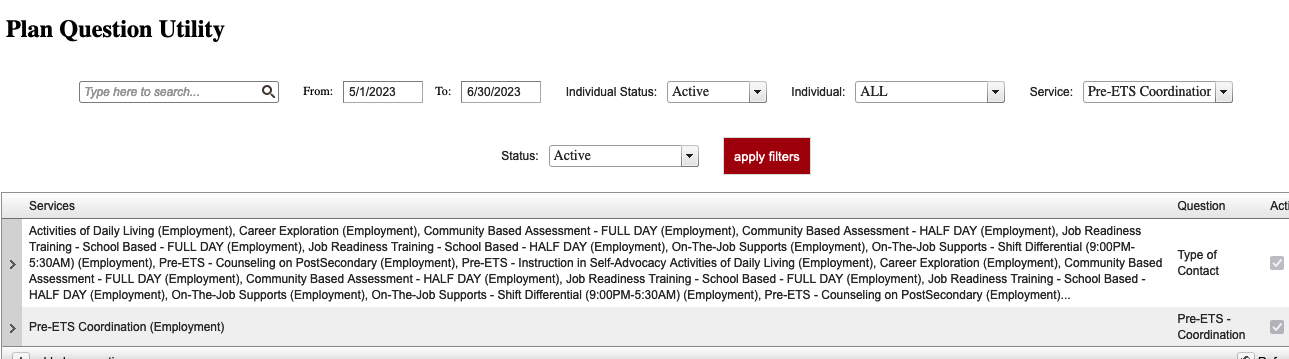
- Plan Question Utility:
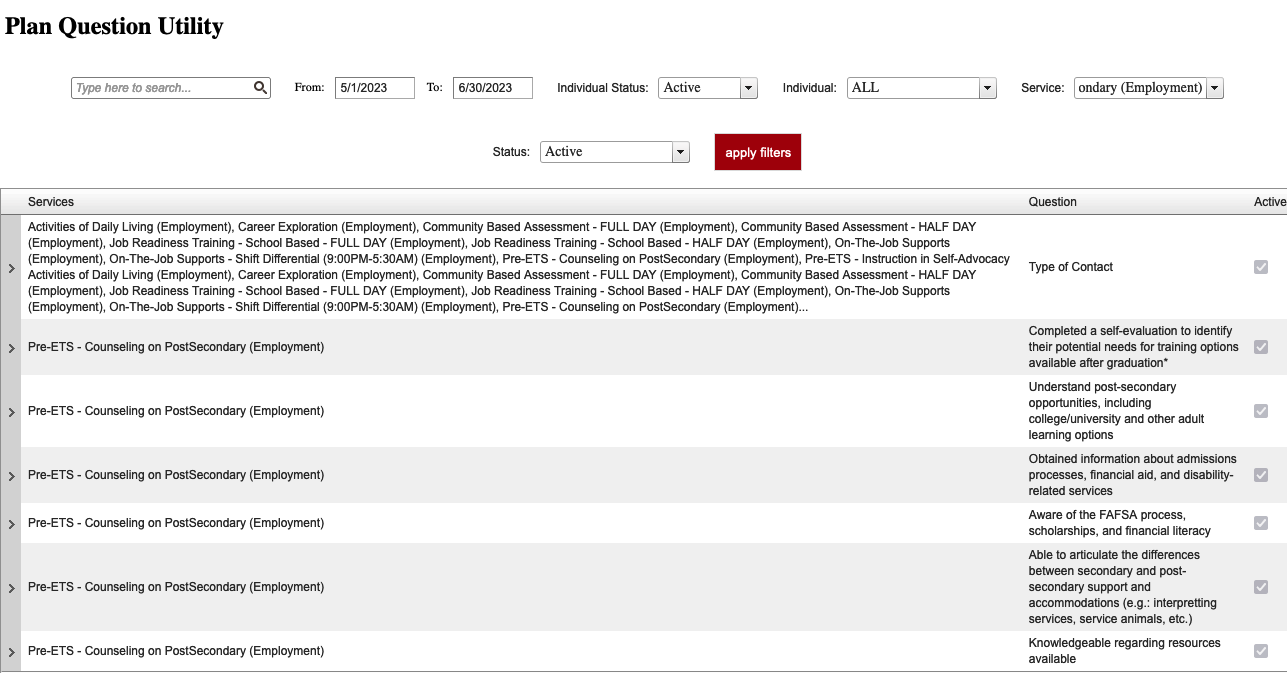
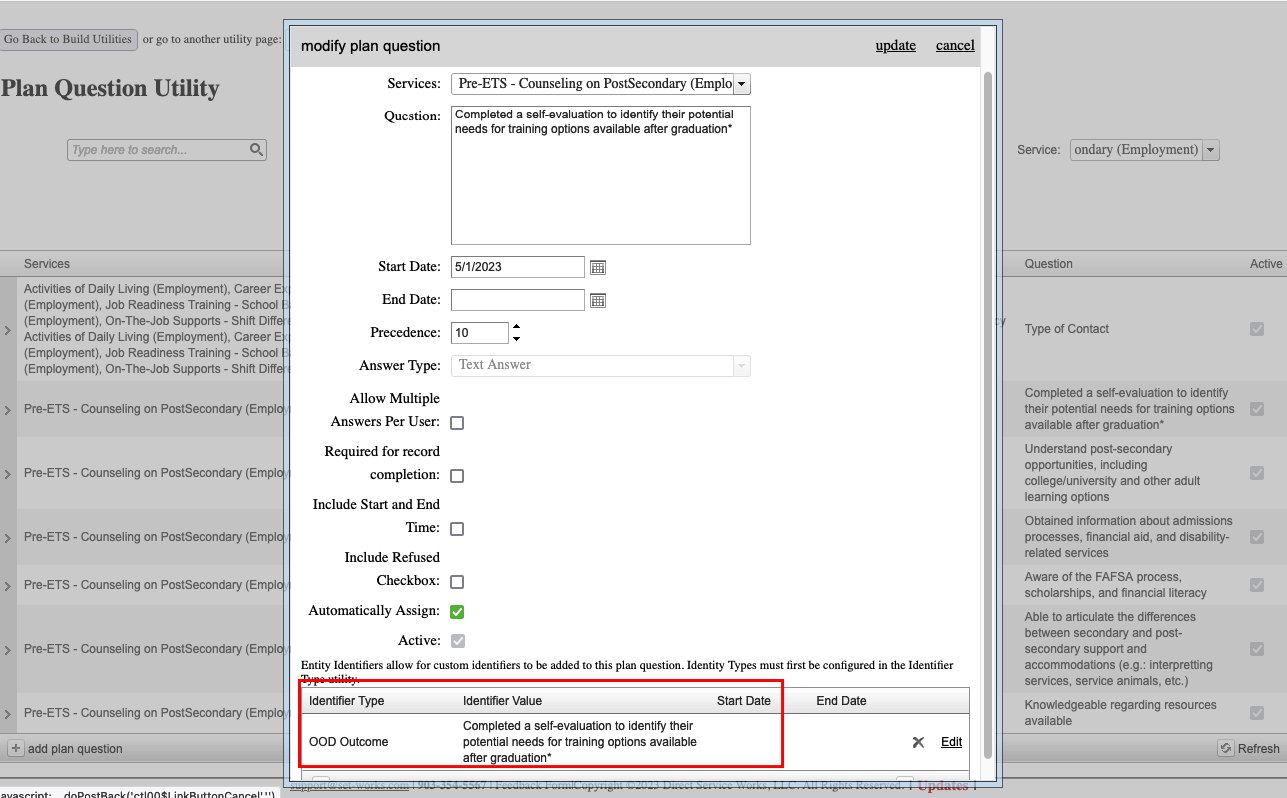
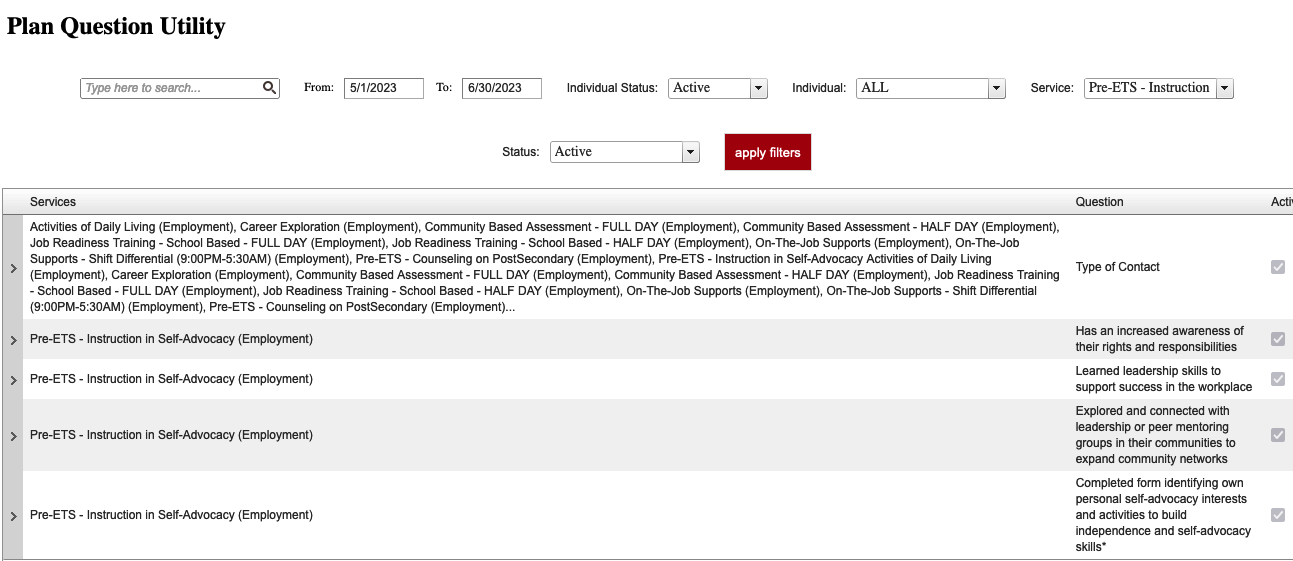
There are plans questions to be configured for each of the different Pre-ETS services as indicated by the dropdown on the original version of the form. These are copied into your site connected to the services using the Identifier Type and Value within the Plan Question.
Pre-ETS - Counseling on PostSecondary (Employment)
Pre-ETS - Instruction in Self-Advocacy (Employment)
Pre-ETS - Job Exploration Counseling (Employment)
Pre-ETS - Work Based Learning (Employment)
Pre-ETS - Workplace Readiness Training (Employment)
Pre-ETS Coordination (Employment)
Pre-ETS Coordination is an outcome based service and therefore only requires a narrative and doesn't require time to be populated onto the form.
Activity Record Details
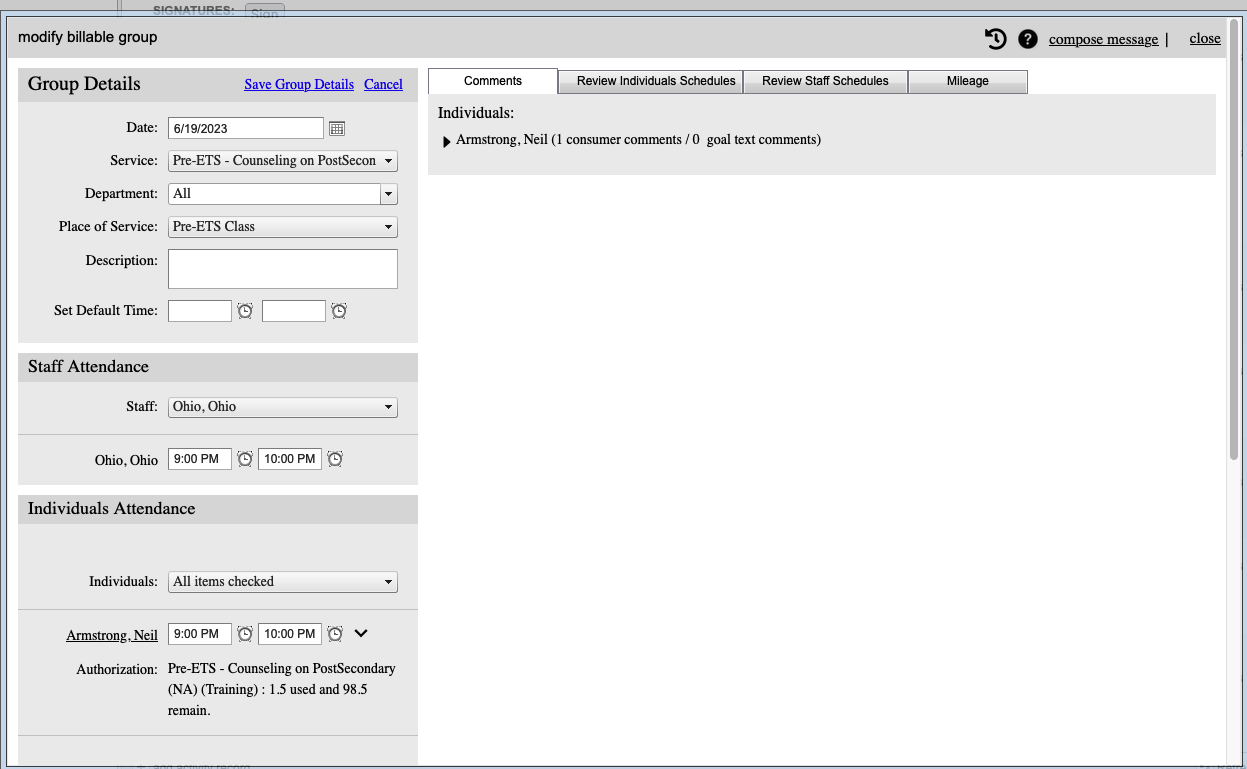
- Create a Group Activity Record - or - convert a Group Appointment to a Group Activity Record
- Select the date
- Select the service
- Select the department (not required)
- Select the Place of Service, as needed for Pre-ETS Coordination or to indicate a Pre-ETS Class was provided
- Include a description (not required)
- Enter the default time (will apply to all staff and individuals on the record for easier entry)
- Select the staff
- Select the individual(s) served
- Select "Save Group Details"
Activity Record Documentation
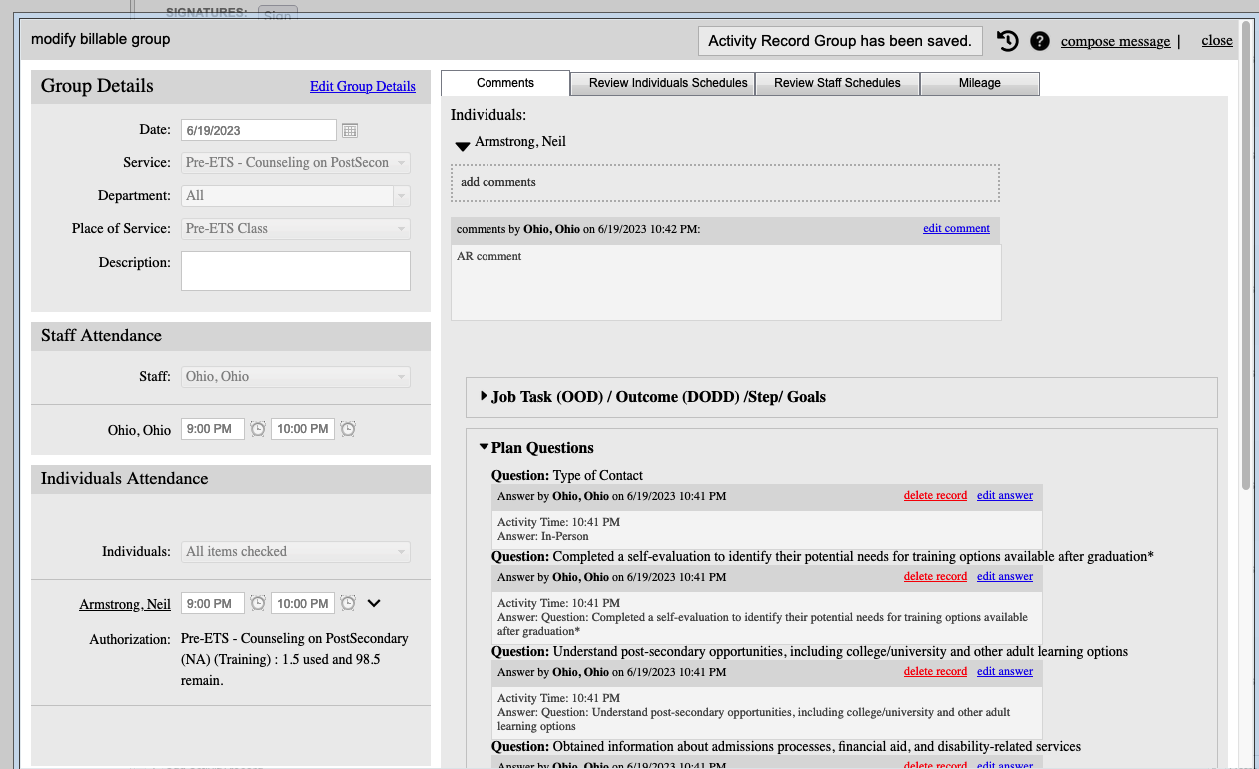
- Select the arrows to expand individual documentation areas
- Under each individual, add an overall comment.
- Complete Plan Questions
Form Documentation
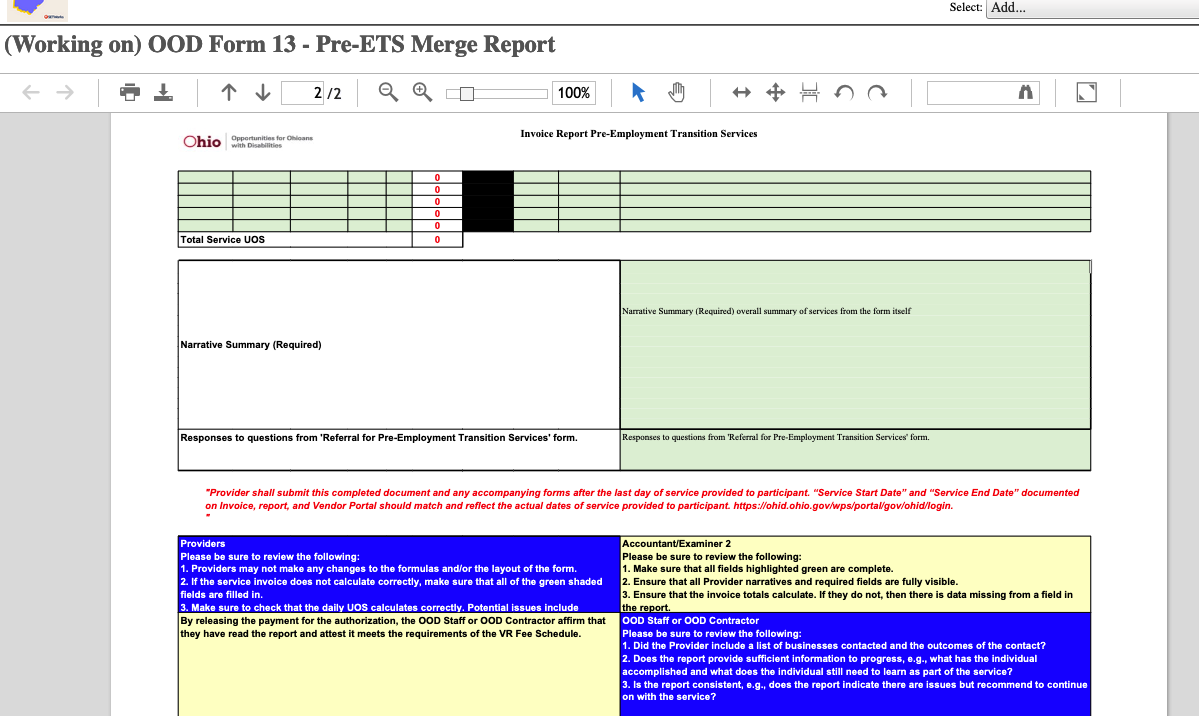
- At the end of service/end, monthly, or as needed, complete the Form in the individual's profile for billing.
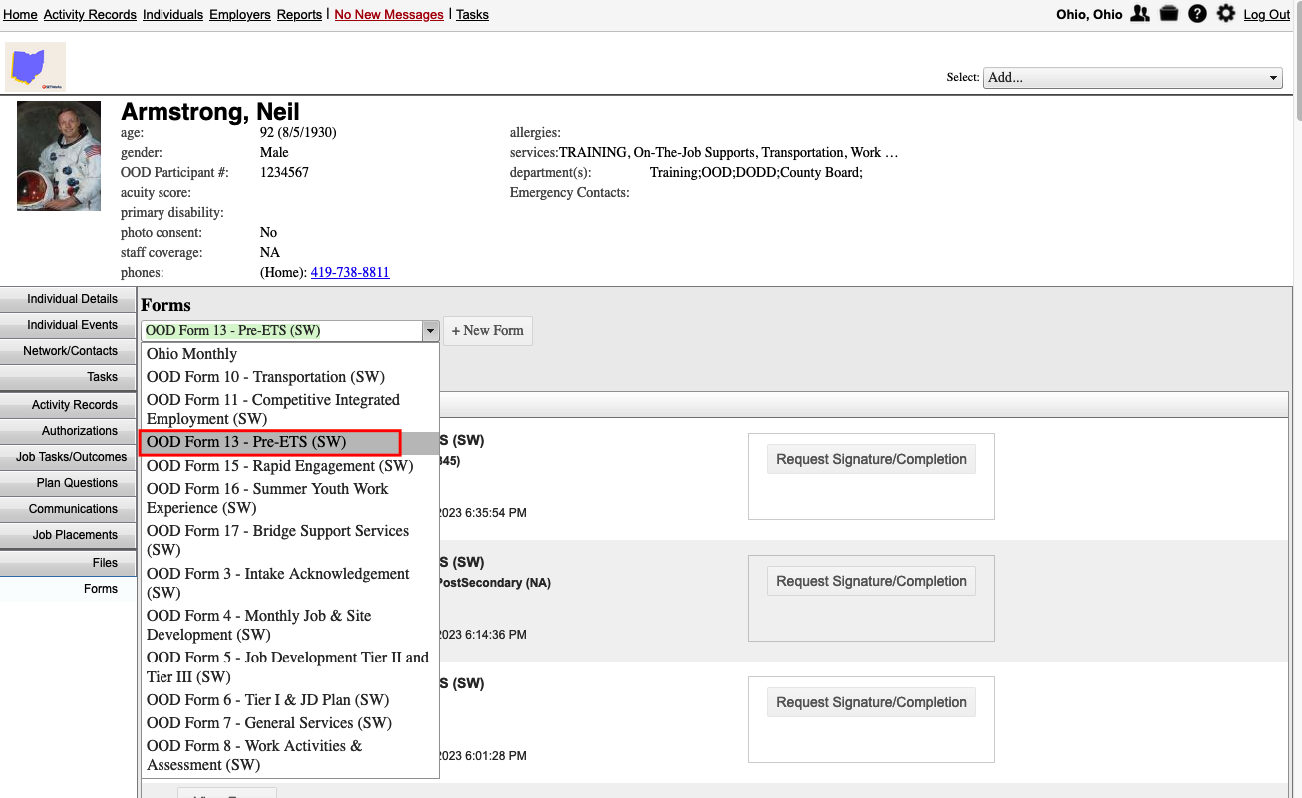
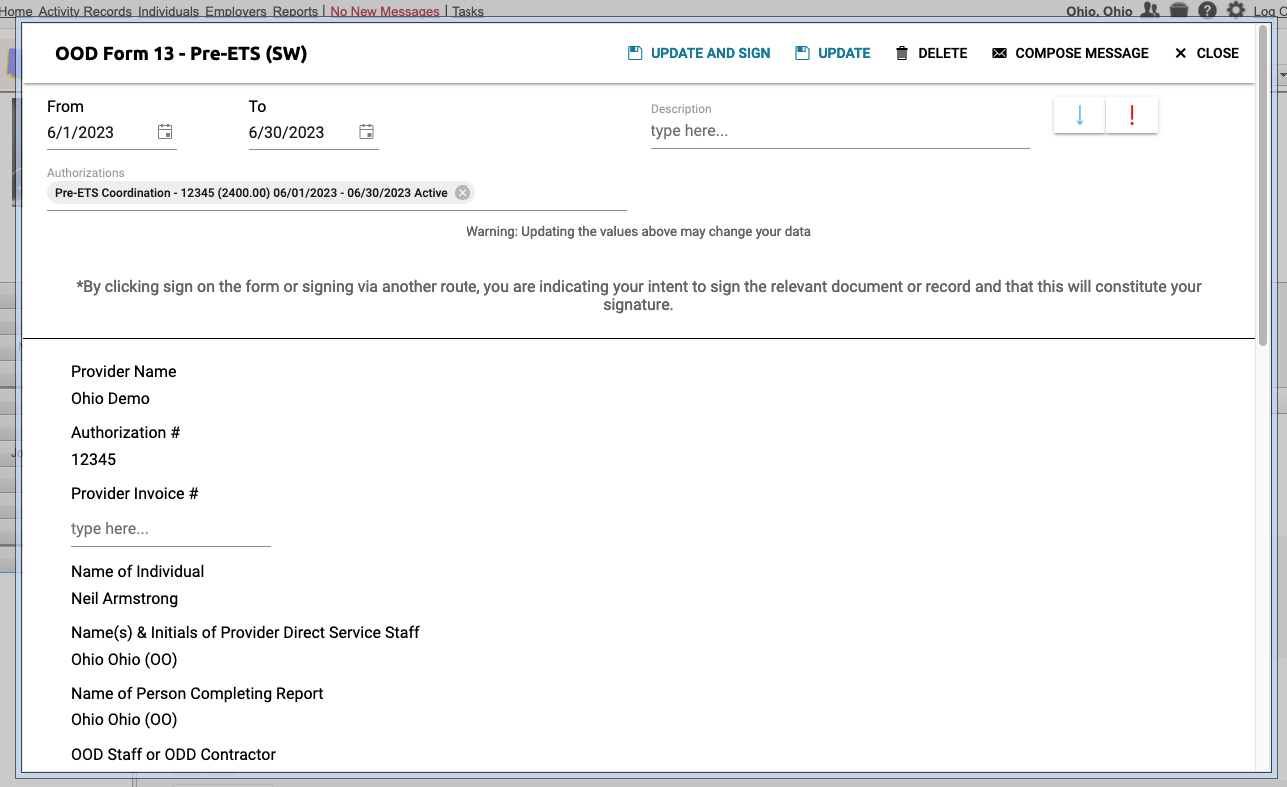
- Select the Date Range
- Select the Authorization
Other Notes
- Depending on the Pre-ETS service, the form will behave differently. It is recommended testing with each service to understand the way in which the form will generate.
- Signatures are not generated on this form; signature configuration is preferential.
Note: NOTE: If information is missing on the report, review the steps above, update, and save the report.
Note: NOTE: If information is in the database or on the form, but does not appear on the report, contact support@setworks.com .