
Overview
SETWorks makes it easy for users to document without needing to know if they should be documenting on an individual's Day Habilitation (Full Day) T2020 or Day Habilitation (Half Day) T2021 authorization.
Services and Billing Codes:
Day Habilitation (Full Day) T2020*
Day Habilitation (Half Day) T2021
*This includes all all tiers/modifiers
Privilege
Settings > Provider Build > Maintain Privileges:
Note: Show re-authorize IA Day Hab button on billing Screen (only applicable in certain states)
Steps
The T2020/T2021 reauthorization process takes place during the electronic billing process in SETWorks. Even if you do not electronically bill using SETWorks, you can still take advantage of the reauthorization process.
Once a batch has been made and records have been added in the Configuration tab, navigate to the Review tab. Select your batch in the Batches for submission dropdown and click the "re-authorize IA Day Hab" button.
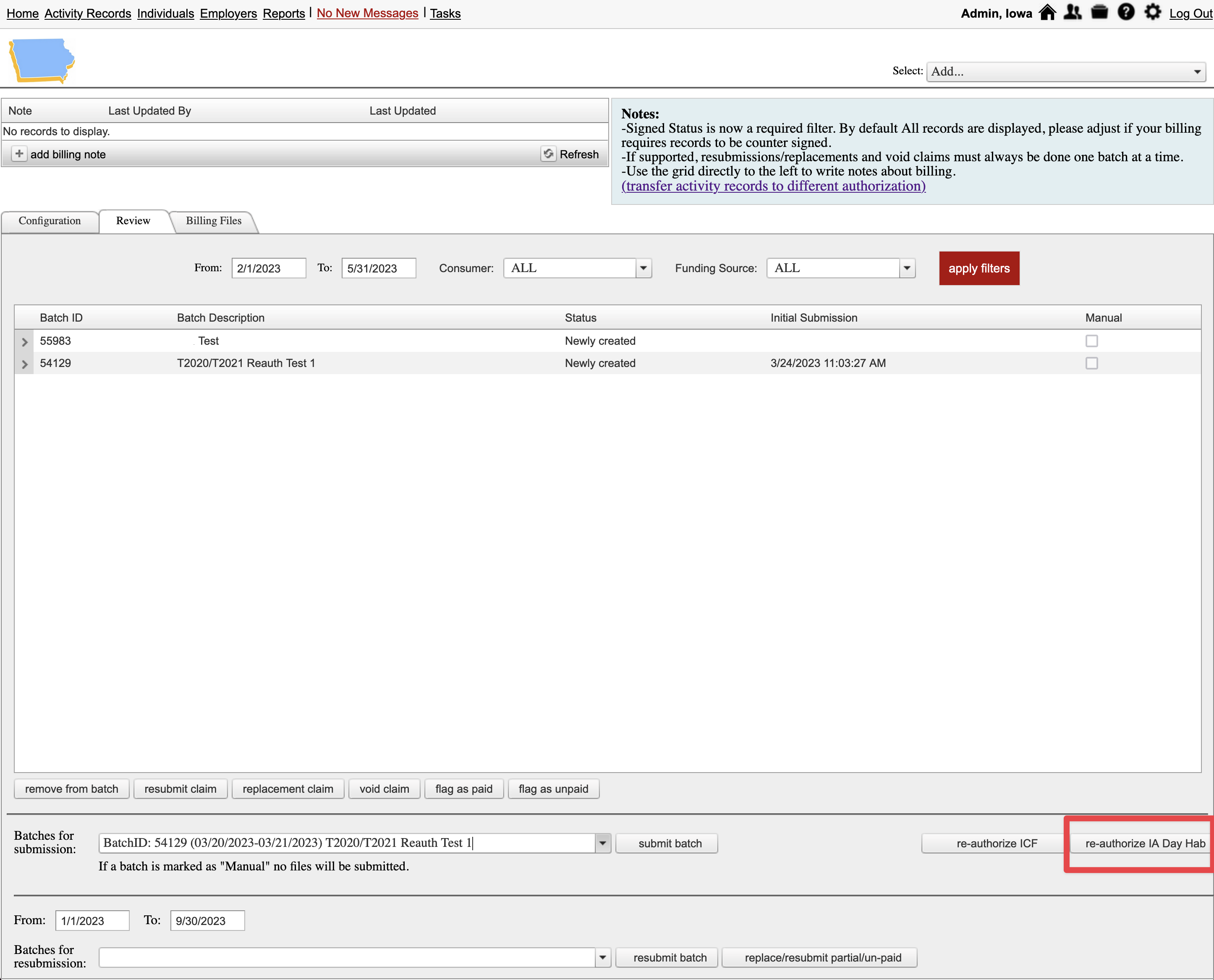
This will begin a backend process that looks through all documentation for Services with the T2020 or T2021 Billing code and move the authorizations for the activity records to the appropriate authorization based on the number of minutes that day.
If the total number of minutes is 247 or fewer, the T2021 authorization is used.
If the total number of minutes is 248 or greater, the T2020 authorization is used.
Once the backed process completes, you will receive a message in SETWorks letting you know which records had their authorizations modified. This message will also let you know if any activity records were not able to have the authorization updated due to any errors.
Note: Any Service Billing Rules should be set approriately in the Service/Phase Utility .