
How do I access my organization's SETWorks Usage Summary?
Your Usage Summary shares statistics on how your organization is using SETWorks. Accessed as a report, the Usage Summary is enabled by default for all Administrator roles.
Access Your SETWorks Usage Summary
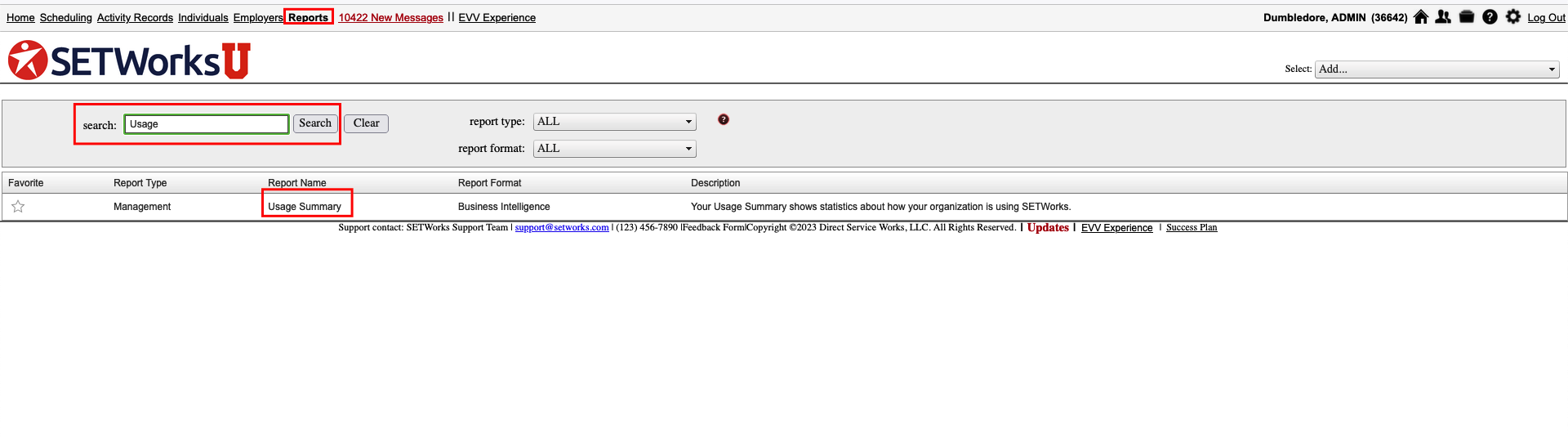
Select Reports.
Search for "Usage". Select Search.
Select the Usage Summary report.
If it's not appearing, enable it for your and other roles using the Reports Utility.
Reports Utility
Access via the Reports Utility
About Your Usage Summary
Need assistance? See resources available to you.