Ohio DODD Flat File Configuration & Remittance Advice
Administrators, Billing Teams
Ohio DODD services are billed using a txt flat file uploaded into the eMBS portal. The flat file handles a lot - pulling from various fields of the system, switching codes based on hours provided, summing dates of services, etc.
Features Required for Flat File Generation
Service/Phase Utility
Consumer Profile
- Medicaid Waiver
- Acuity (Not required for the flat file generation, used as a reference when processing authorizations)
Billable Group Activity Record
- Consumer Mileage
Manage Batches & Submit Billing
Service/Phase Utility
Acuity
If there are services with different rates per acuity, process each acuity as it's own service.
15 Min/Day Units
Some services have a max daily unit rate and if less than that amount has been provided, the service switches to a 15-min unit and rate. To accommodate this complexity, SETWorks offers a re-authorization process. Learn More Here. Process two services for each - one for 15 min unit and one for day unit.
Note: NOTE: Billing codes are essential for the re-auth process. Learn More Here about requirements.
Example:

County
If rates for services are different depending on the county or cost of doing business (CODB), process a service per county.
Non-Medical Transportation Services
Non-Medical Transportation services are either authorized per mile or per trip.
- Per Trip authorizations are a stand-alone service and will often be provided in a group. Rates are determined based on the number of staff and individuals on the record. Per Trip services will be processed as services.
- Per mile transportation services are not required to be processed as services. Per mile services will be provided simultaneously as other services (i.e., Adult Day Support services). See Activity Record below to learn more about documentation. The appropriate rate based on consumer count in the activity record is calculate when the flat file is generated. NOTE: Since an authorization is not applicable for mileage logged in this way, that utilization tracking is unavailable for per mile services.
Consumer Profile
Indicate the following per individual by selecting within the individual profile. It is recommended these fields are imported with consumer information.
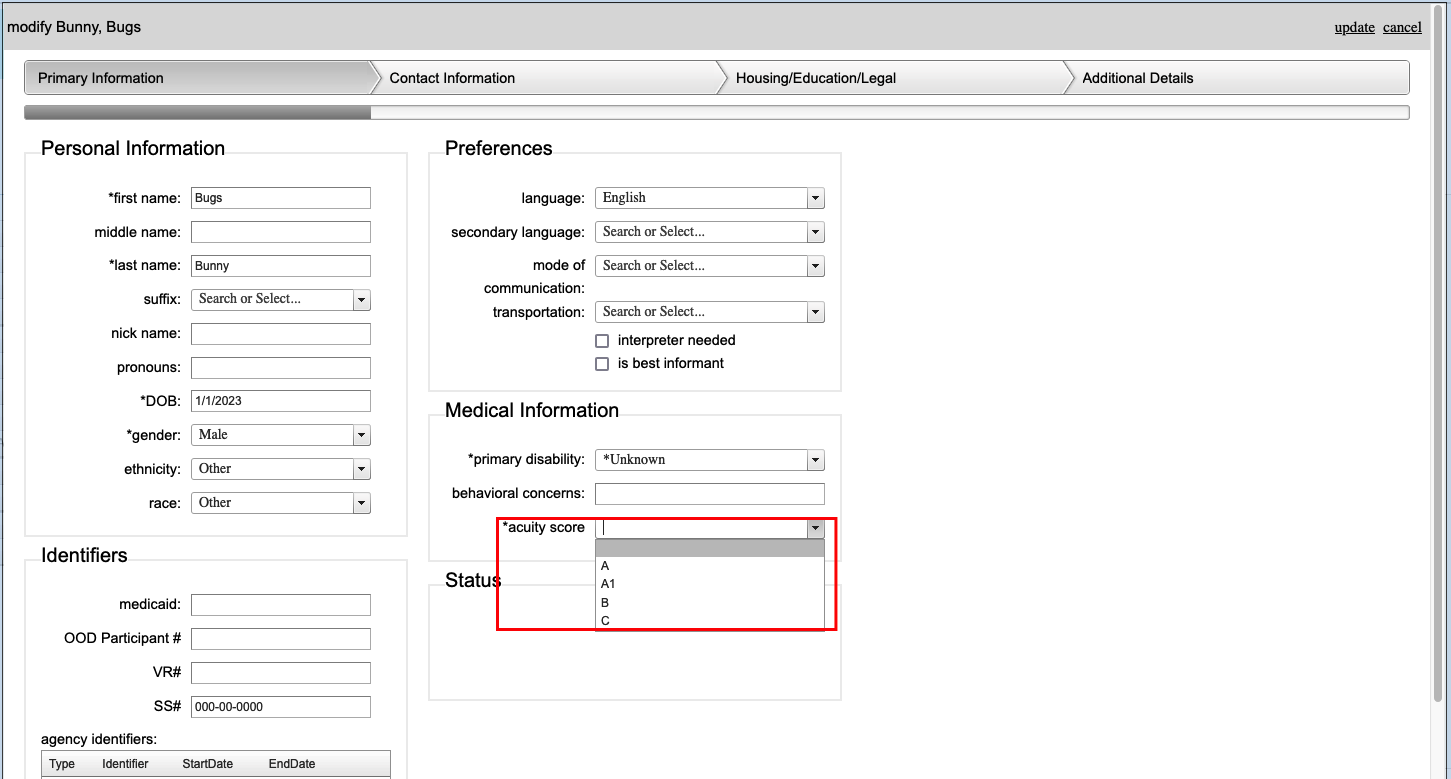
Acuity Score
- Configure A, A1, B, C options within the Consumer Acuity Score Utility
- Assign to each individual funded by DODD.
NOTE: Processing acuity in the individual's profile is a guide to those processing authorizations so they know which acuity service to select. It is not required for the flat file to generate.
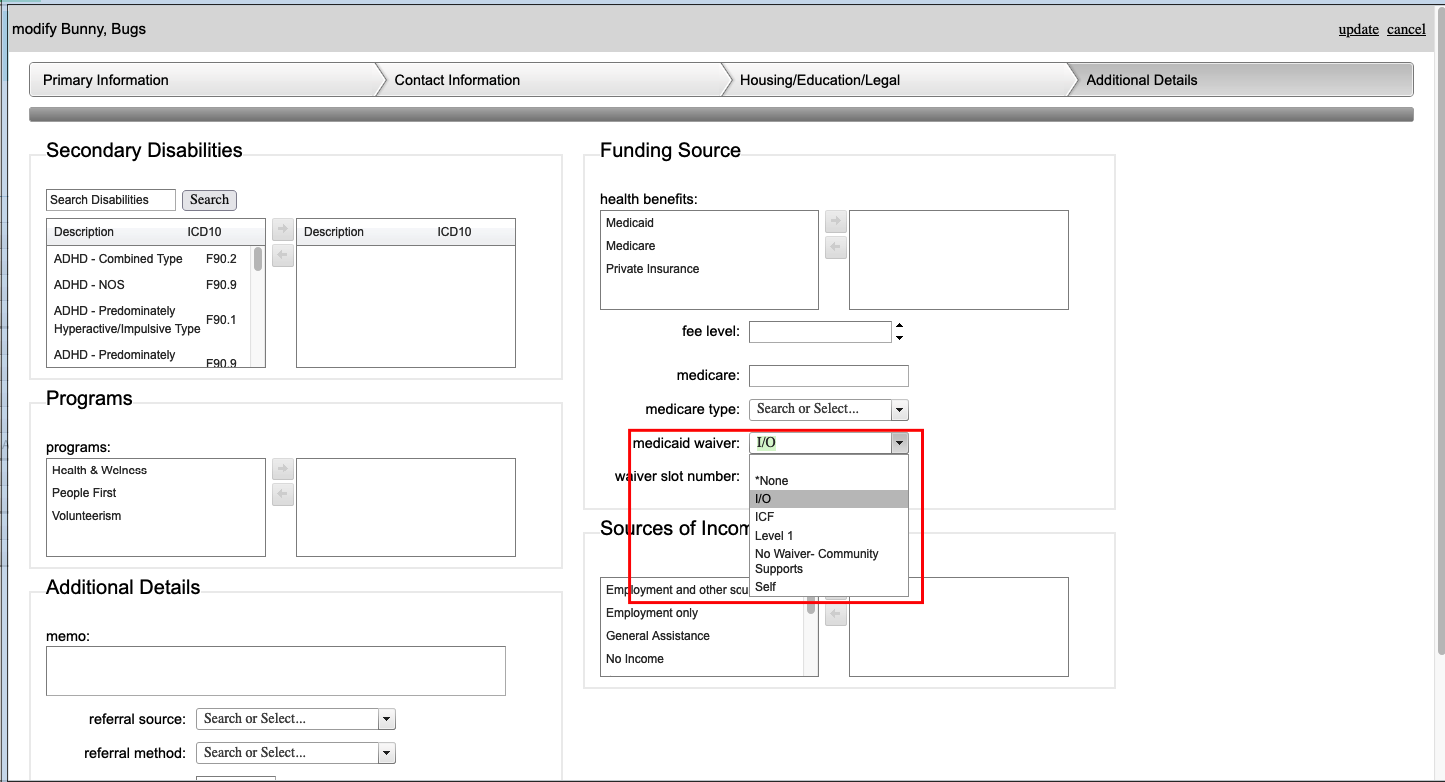
Medicaid Waiver
- Configure I/O, Level 1, Self options within the Medicaid Waiver Utility
- Assign to each individual funded by DODD.
Note: Are there individual's missing acuity scores or waivers? Run the Acuity per Individual report.
Activity Record
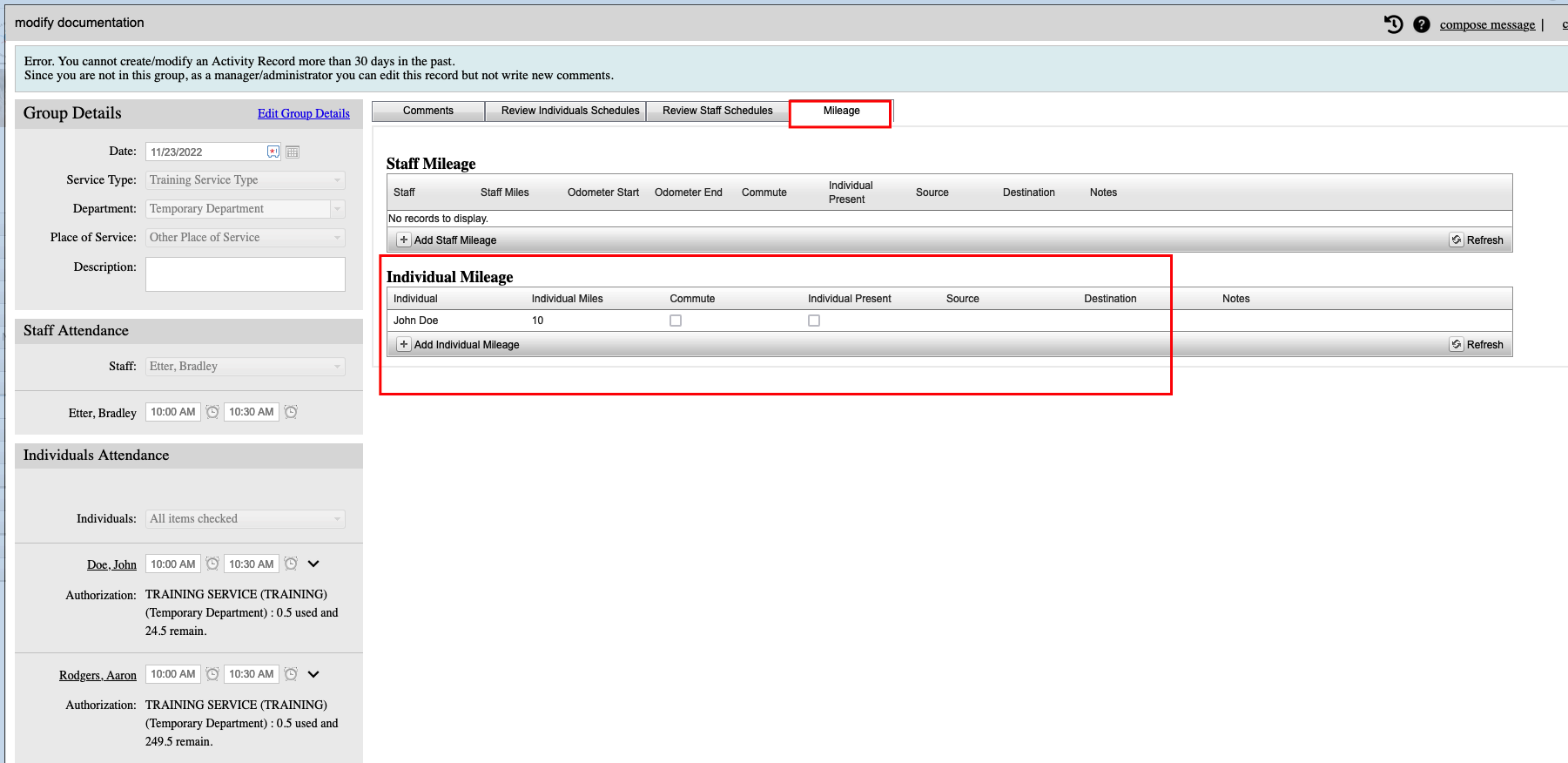
Non-Medical Transportation services are either authorized per mile or per trip. Per Mile services are provided simultaneously as other services (i.e., Adult Day Support services) and thus will be documented within the Mileage tab of the Group Activity Record.
The flat file will recognize that individual mileage has been documented under another service, and will add a line item on the file to bill for per mile services.
Manage Batches & Submit Billing
To pull the flat file, navigate to the Manage Batches & Submit Billing feature in SETWorks.
Follow the process here to create a batch and submit billing.
Upon selection of Submit Billing, the flat file creation will be initiated.
Notification will occur in your SETWorks message center when it is ready.
You can access the file within the Billing Files tab.
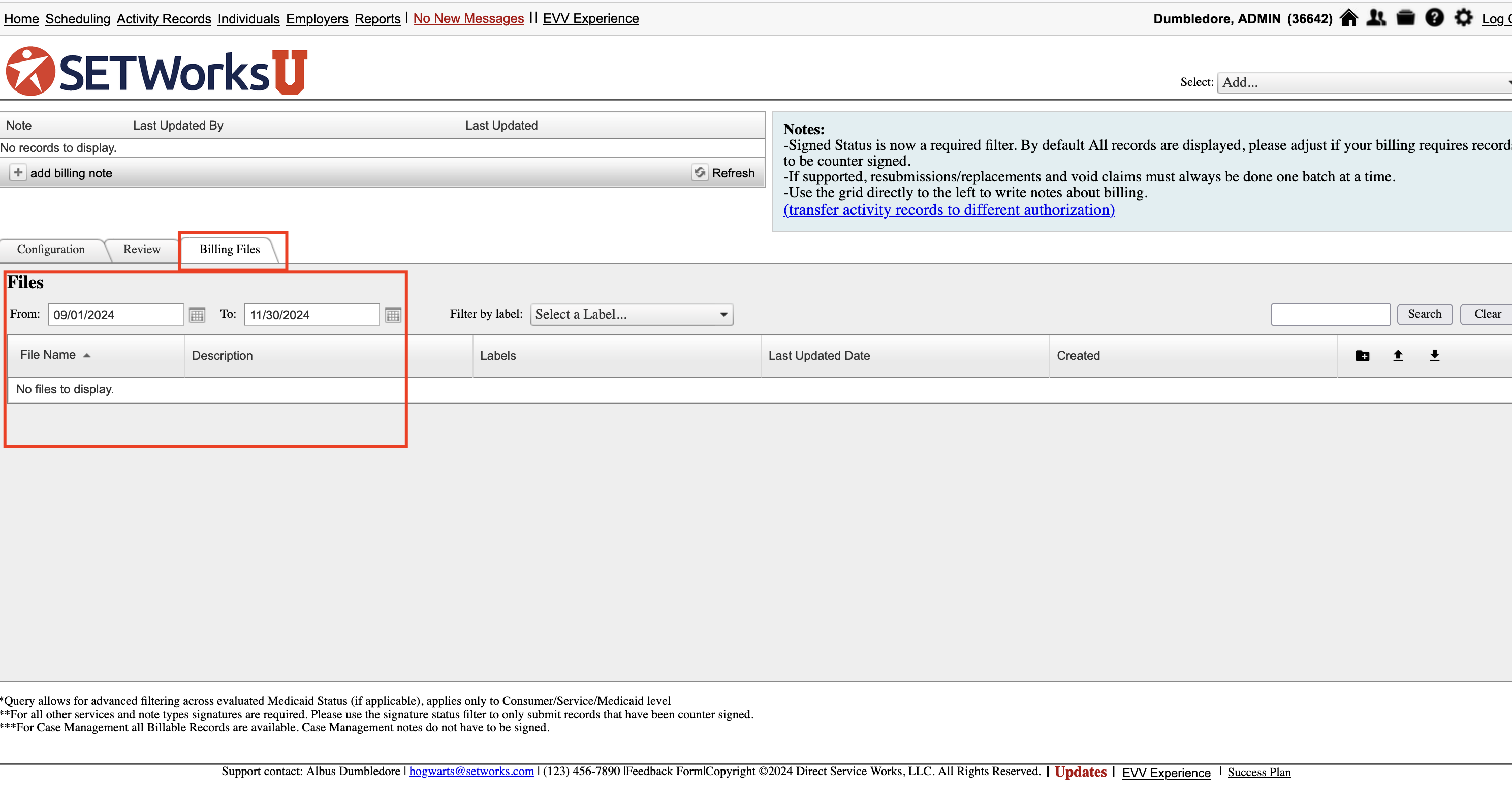
Learn more about Billing in SETWorks
What now?
Hear tips & tricks of how Capabilities manages their DODD flat file billing - from report generation to resolving errors.
Understanding the DODD Flat File
Flat File
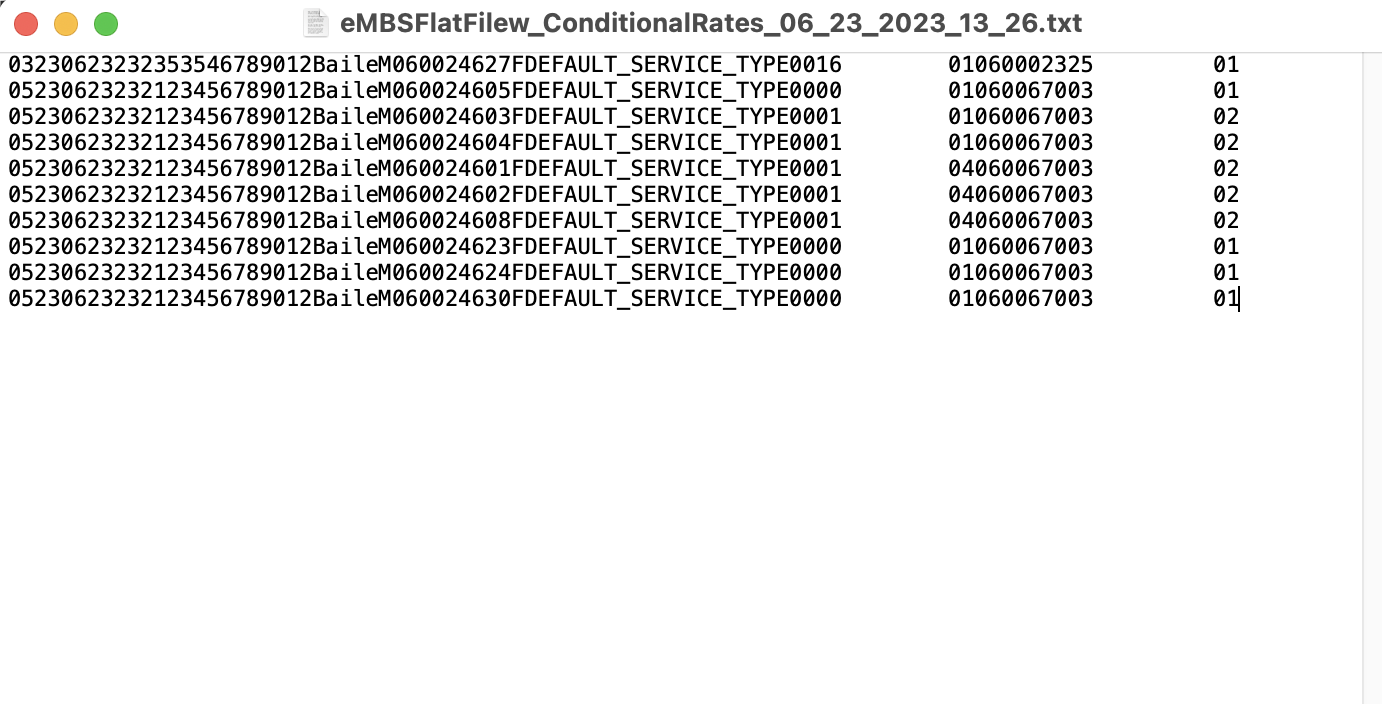
Coding Line Breakdown
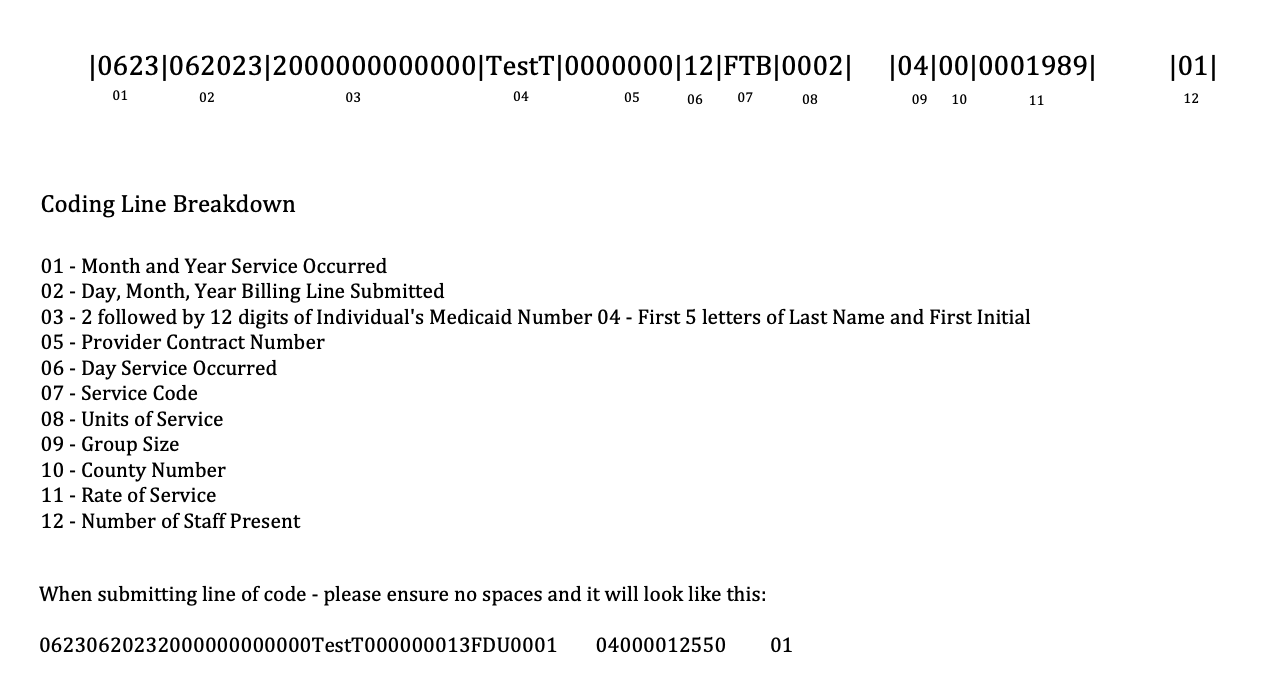
NOTE: Number of Staff Present is not required for all DODD services and will likely generate as '0' unless otherwise required (i.e., HPC services).
Remittance Advice
A DODD billing file can be uploaded back into SETWorks for the purpose to reconcile payments for the submitted claims.
The filename from DODD should contain "INVCFLAT_", which is important as this is the way the file is routed correctly in processing.
NOTE: SETWorks does not support the upload of the "ERROR_FLAT_" file.
To Upload the INVCFLAT file
- Navigate to Provider Files
- Select the 835 Upload tab
- Select Upload, and search for the file
- Select Submit
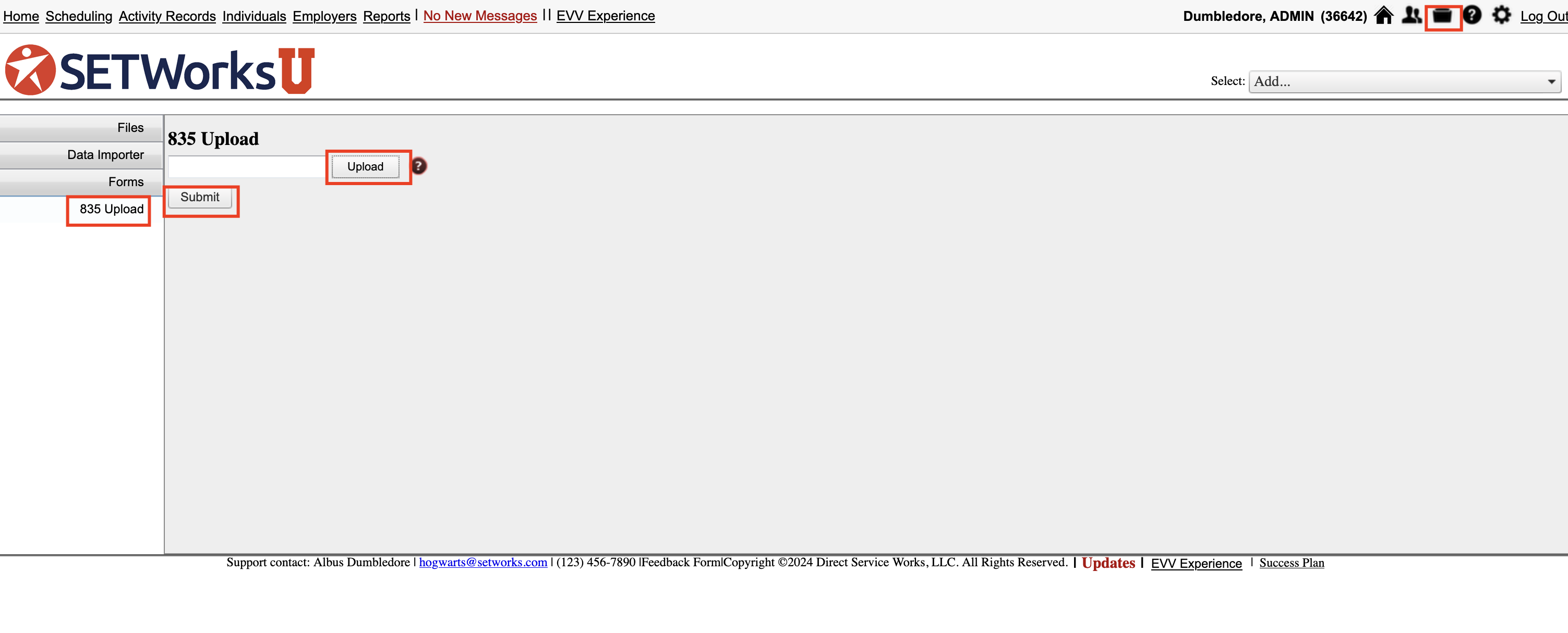
Once uploaded, claims are processed by the Billing FTP service which runs once per day.
Once the payment data is read and imported, and it can be reported on using billing reports in SETWorks.
NOTE: No notification will occur upon completion due to the nature of the delayed run, but will likely be available the next day.
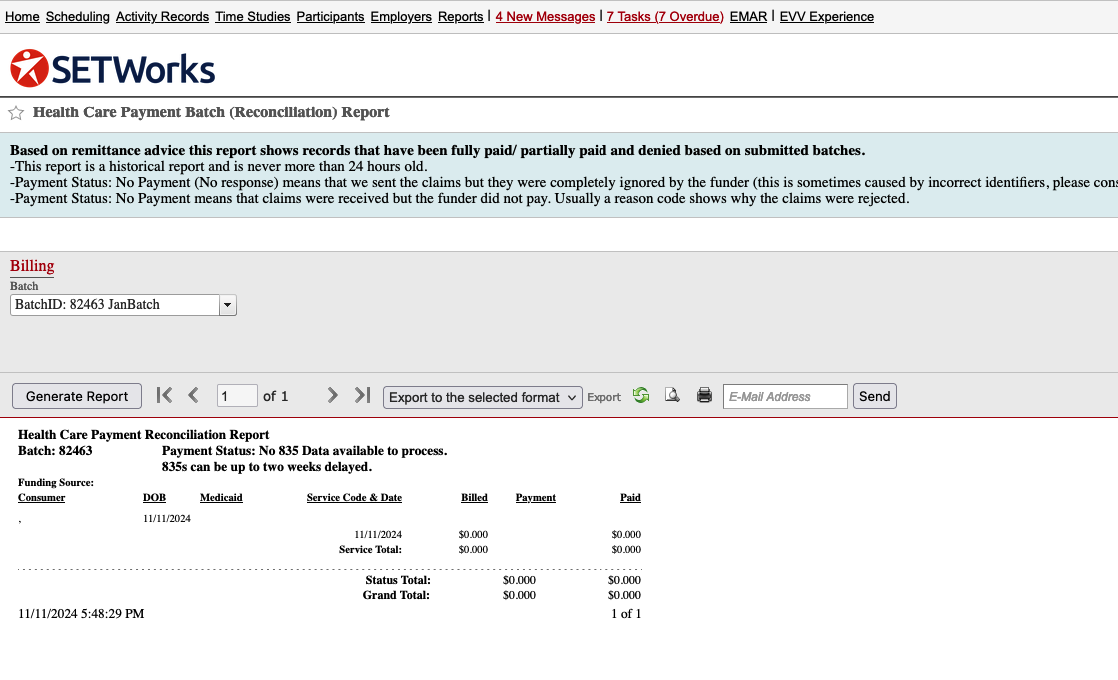
- Health Care Payment Aging Report
- Health Care Payment Aging Report Totals Only
- Health Care Payment Batch (Reconciliation) Report
- Health Care Payment Batch (Reconciliation) Report for Excel