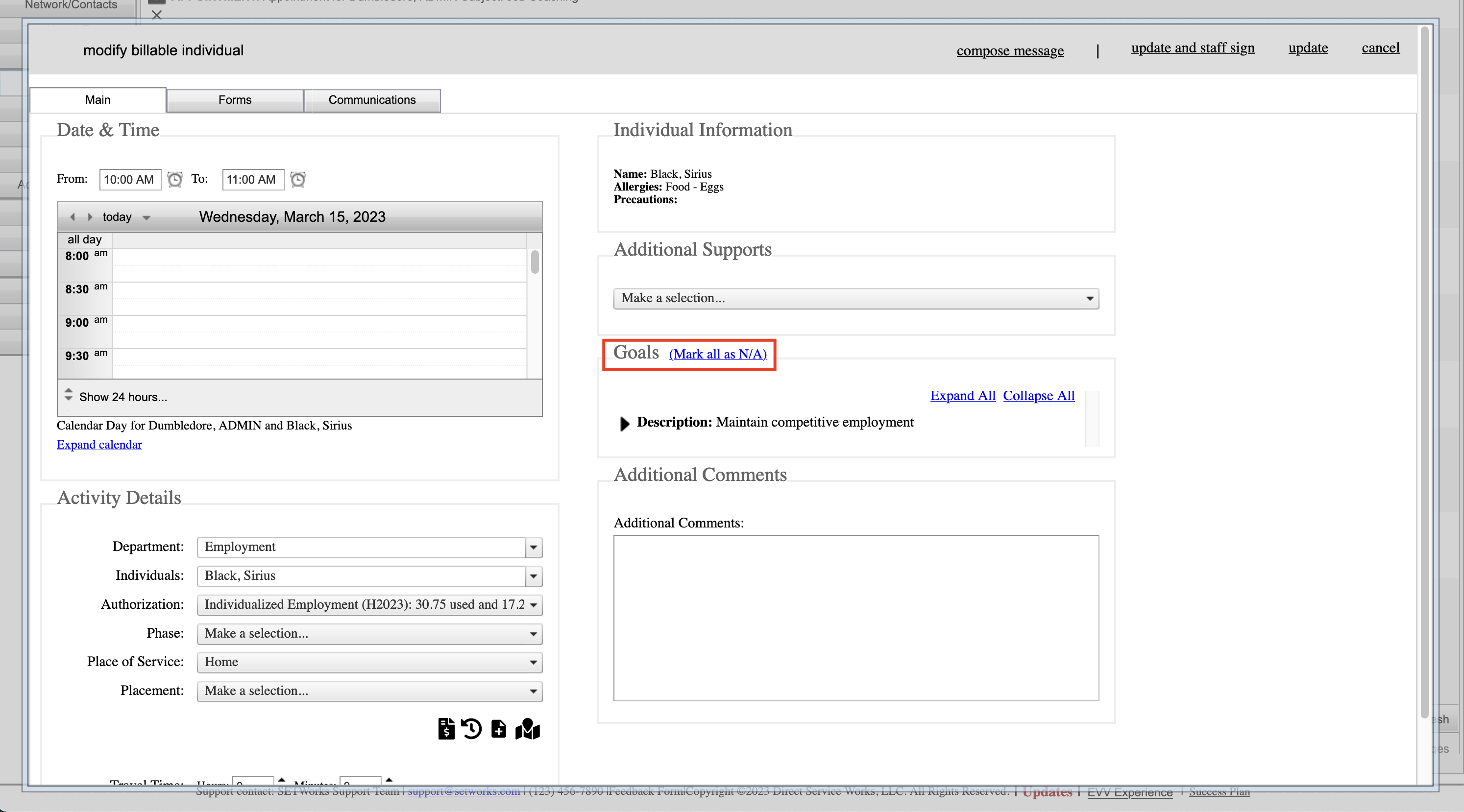
How do I enable 'Mark All Goals as N/A' in the Billable Activity Record?
In the case that an individual leaves service and comes back to service in the same day, it is common for the goal documentation to be completed just once that day. To make things easier for documentation, you are able to mark all goals as N/A with a single click.
To Enable "Mark All Goals as N/A"
Within the Authorization, select "enable button to select N/A for all goals."
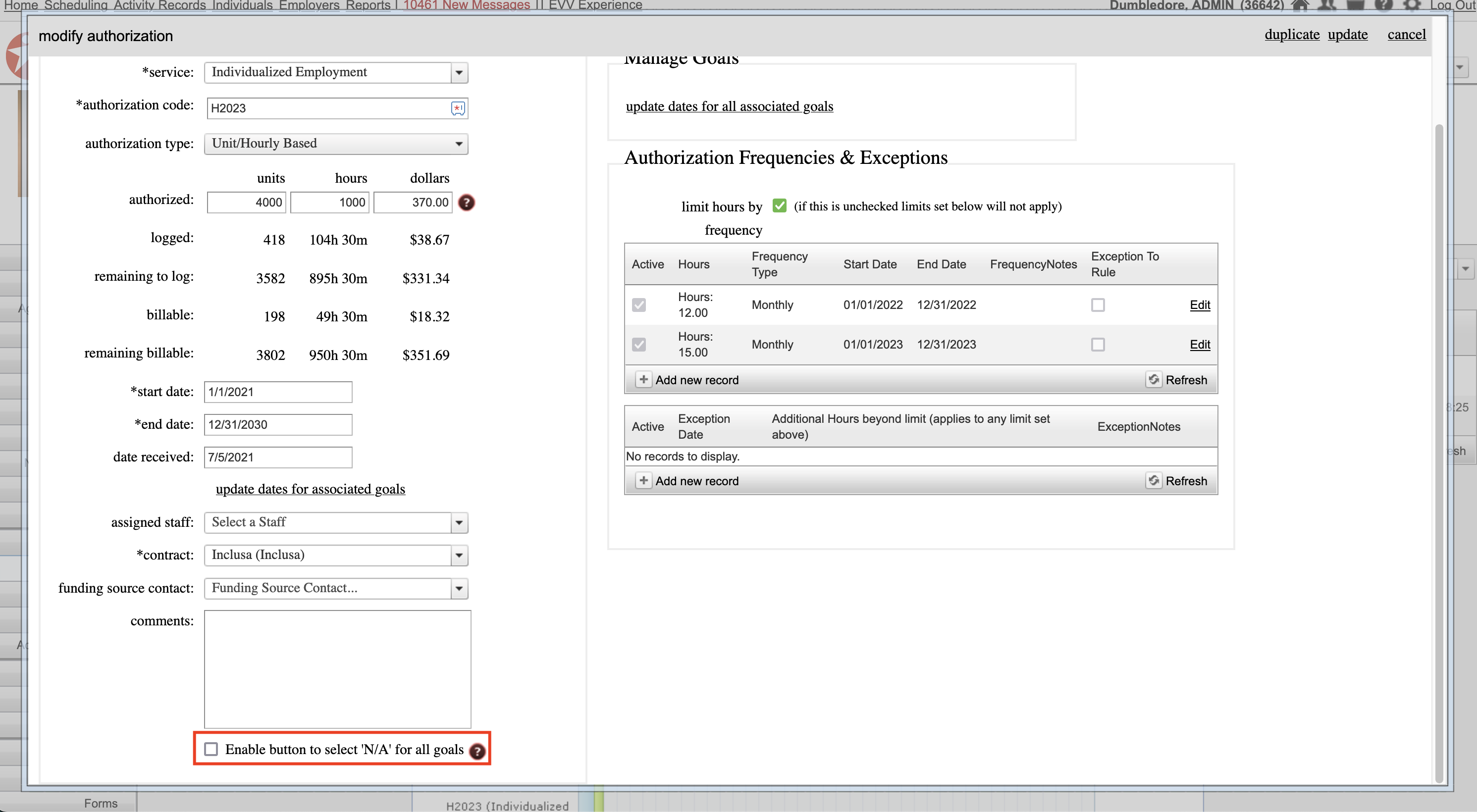
This enables the "Mark all as N/A" within the Activity Record.