
What is Mileage in SETWorks?
Administrator
Mileage is intended for recording travel details and miles toward staff or individuals served. Mileage recording is recommended for activities such as staff travel reimbursement, when individuals have been issued transportation authorizations, and other travel activities.
Mileage Options
Mileage (1.0): Allocates mileage toward staff. Works with Individual Activity Records and NonBillable Activity Records.
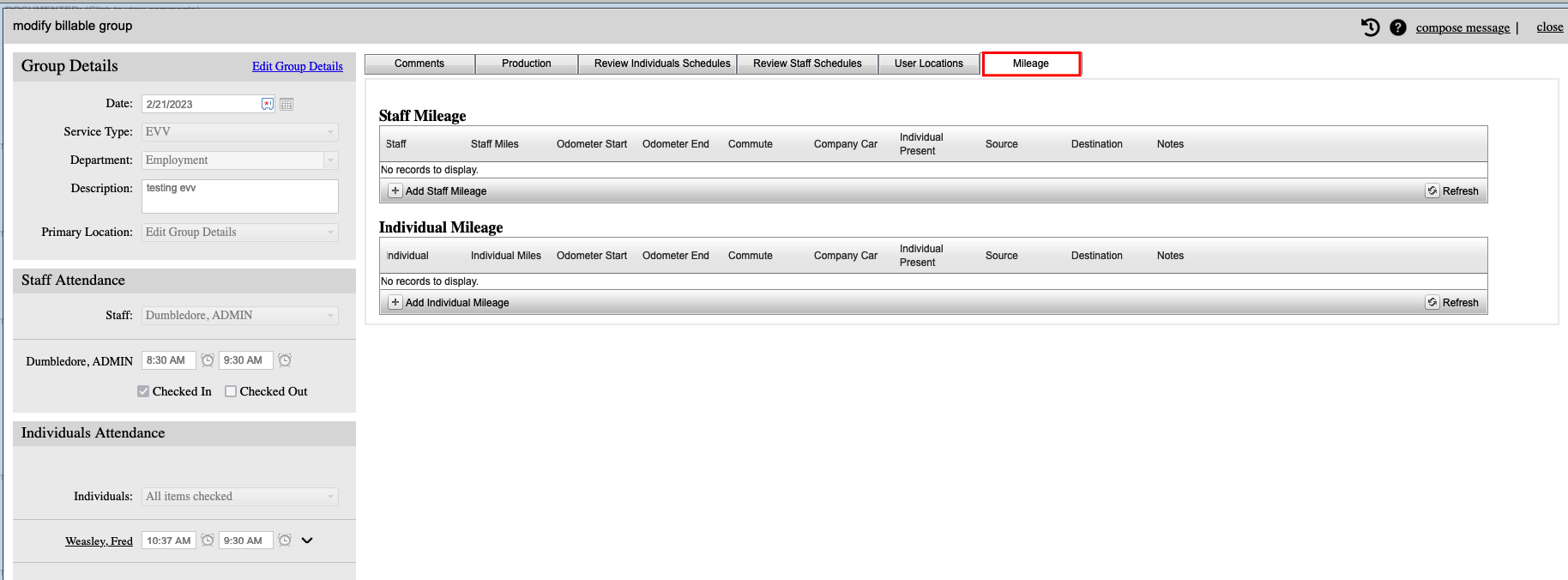
Mileage (2.0): Allows for mileage allocation toward staff or individuals, one or many. Works with Group, Individual, or NonBillable Activity Records.
Note: Mileage (2.0) is the recommended option by SETWorks and will be available with updated SETWorks functionality.
Image 1. Mileage (1.0):
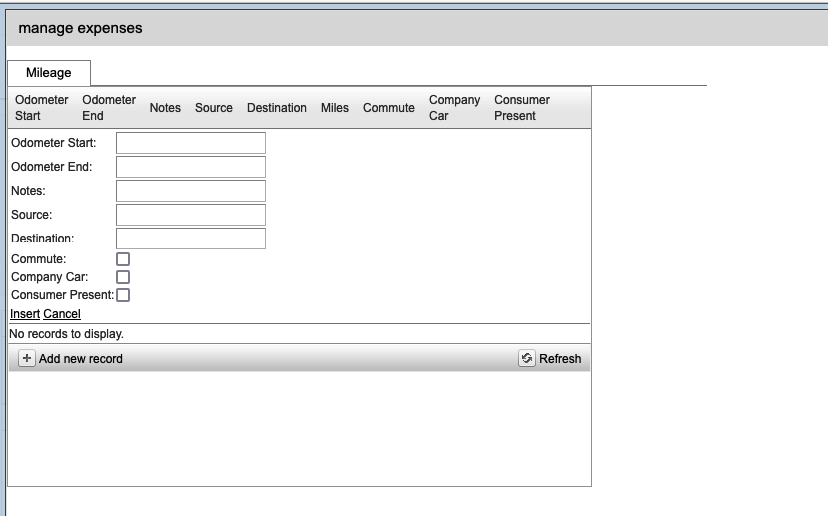
Image 2. Mileage (2.0):
Privileges Required to enable Mileage (2.0)
SETWorks > Provider Build > Expenses:
Note: Use the updated Mileage window. (Mileage 2.0) (Recommended if using the Billable Group record.)
SETWorks > Provider Build > Activity Records Group:
Note: Display the Mileage tab on Billable Group Activity Records.
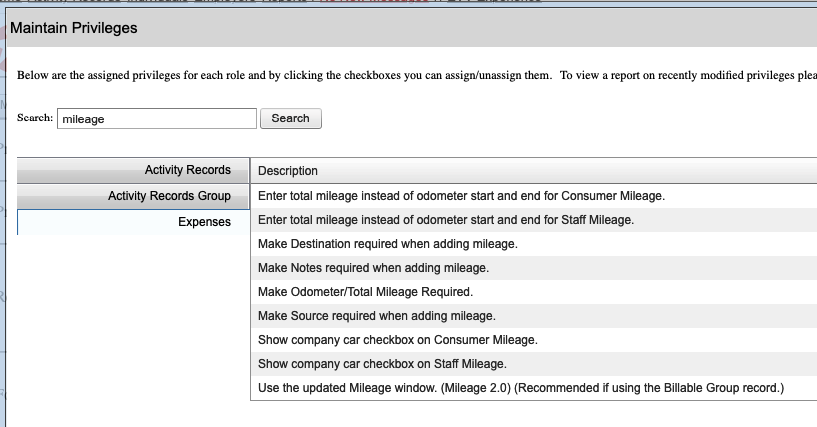
Other Mileage Privileges
SETWorks > Provider Build > Expenses:
Mileage Reports
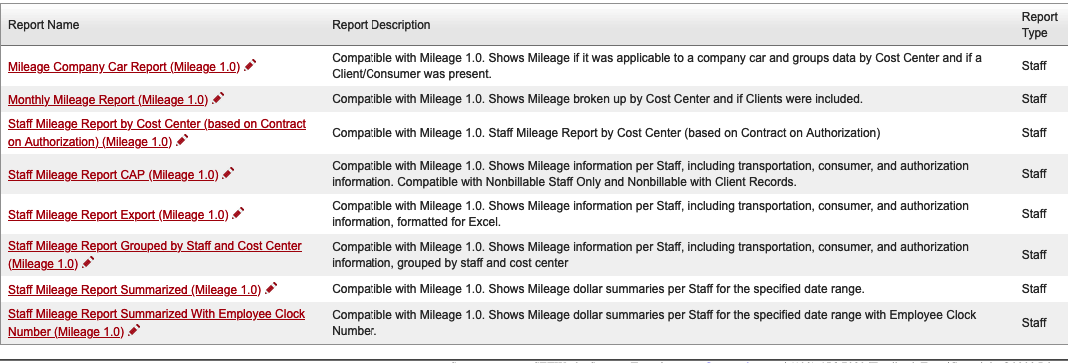
Mileage (1.0)
Mileage Company Car Report (Mileage 1.0)
Monthly Mileage Report (Mileage 1.0)
Staff Mileage Report by Cost Center (based on Contract on Authorization) (Mileage 1.0)
Staff Mileage Report CAP (Mileage 1.0)
Staff Mileage Report Export (Mileage 1.0)
Staff Mileage Report Grouped by Staff and Cost Center (Mileage 1.0)
Staff Mileage Report Summarized (Mileage 1.0)
Staff Mileage Report Summarized With Employee Clock Number (Mileage 1.0)
Mileage (2.0)
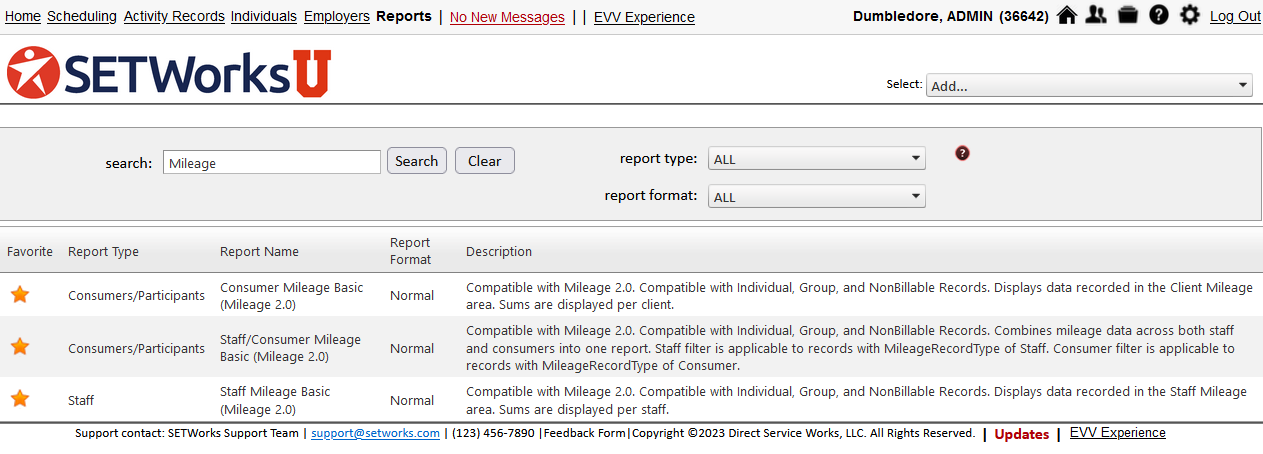
Staff Mileage Basic (Mileage 2.0)
Consumer Mileage Basic (Mileage 2.0)
Staff/Consumer Mileage Basic (Mileage 2.0)
Resources:
Mileage - NonBillable Activity Records
Mileage - Billable Individual Activity Records
Mileage - Billable Group Activity Records
SETWorks Webinar - March 2023 - Mileage