
What are essential answers on forms?
Administrators
Essential answers is a feature in SETWorks that allows you to make certain form questions and their responses visible from the forms grid. No more opening the form and scrolling, information will be directly in your line of sight.
Note: Only 3 questions/answers will display on the forms grid.
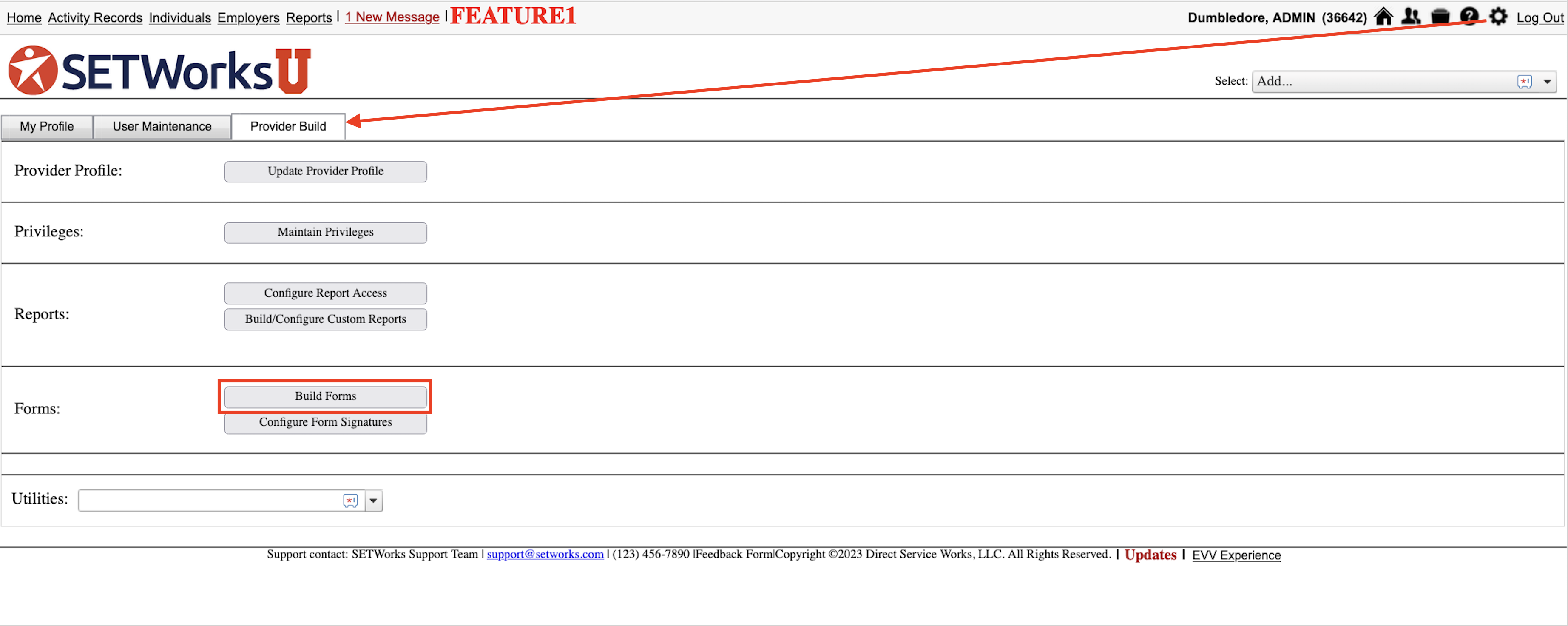
Access the Form Builder Utility
- Click on the Settings
 icon in the top right of the navigation bar.
- Select the Provider Build tab.
- Select Build Forms.
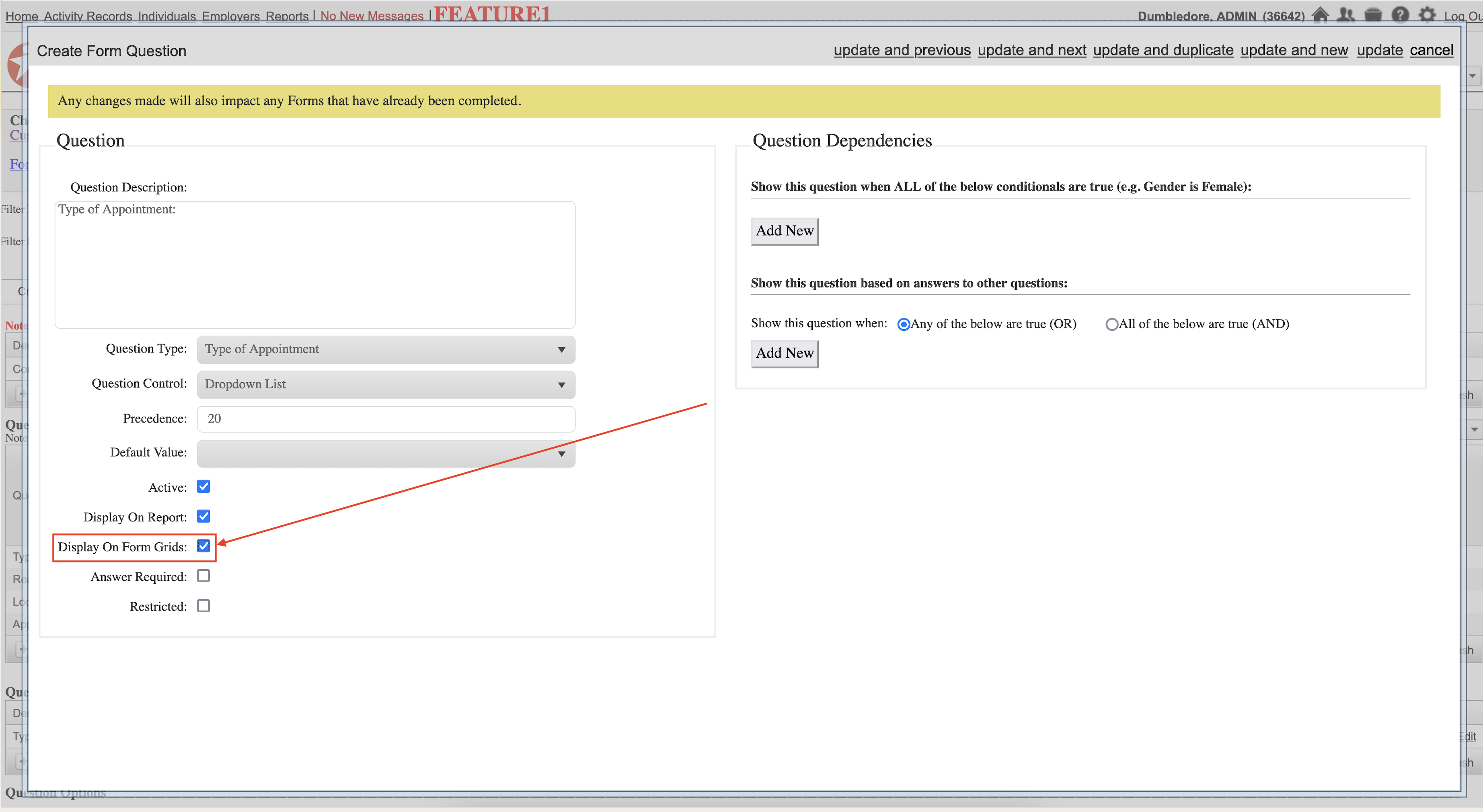
Configuring form questions to be essential answers
- Open the form you wish to configure.
- Open the question you wish to configure to display on the forms grid.
- Select Display on Forms Grid.
- Select Update or Save.
Viewing essential answers
Note: The essential answer will now display on all form grids (Review Forms, Review and Sign Forms, Consumer Forms, etc.)
- Document the form as you normally would.
- Within the Forms Grid the Essential Answers now display face up.
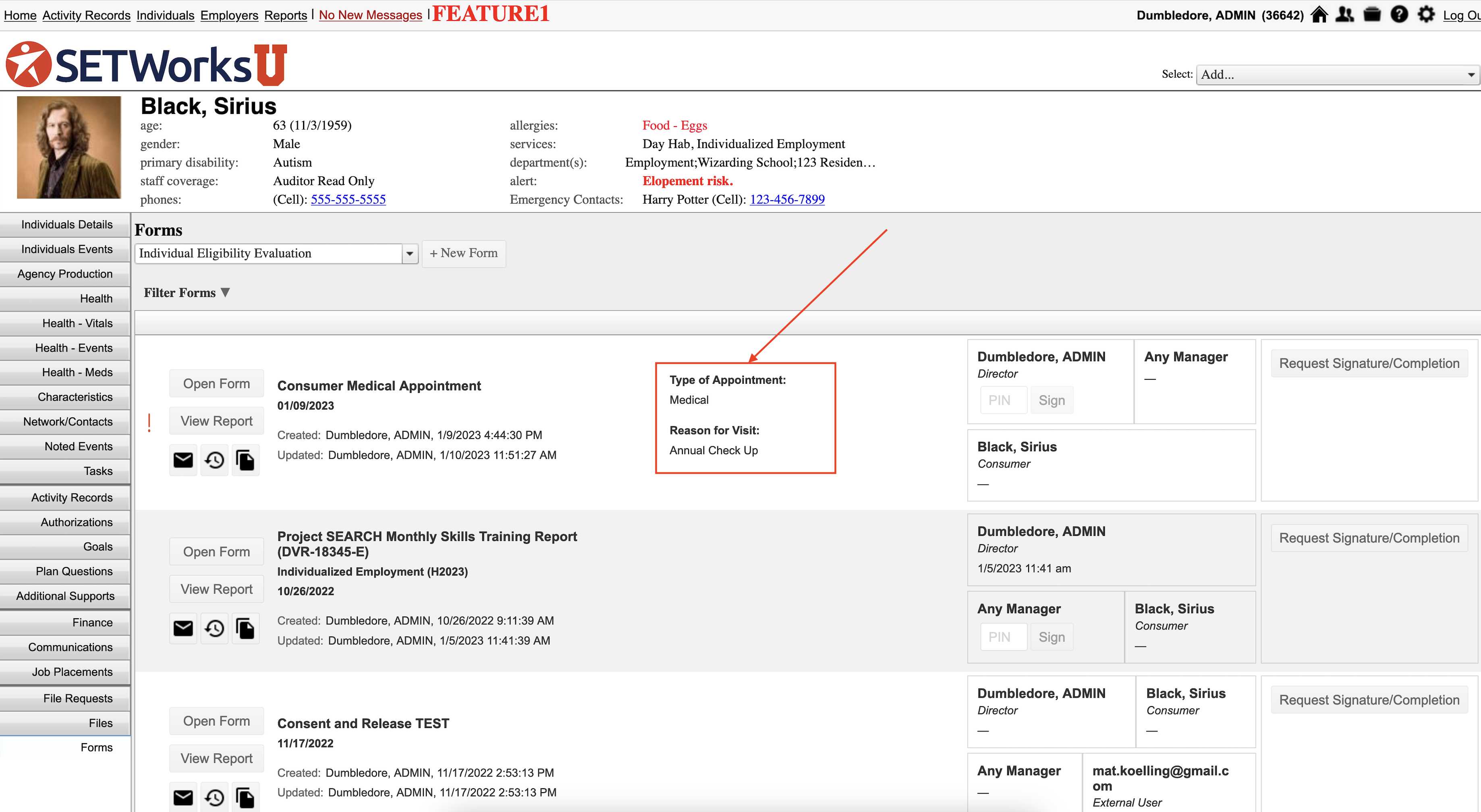
Note: If a question is configured as an essential answer and a response is not documented, the question will still display on the forms grid with a blank answer.