How do I change the severity level of a form?
Form Severity
All forms now have the ability to be marked as High Severity or Low Severity upon creation.
Note: All forms are a Normal Severity by default.
Changing the Severity of a Form
- Navigate to the Consumer's Profile.
- Select the Forms tab.
- Find the applicable form within the Forms drop-down.
- Select + New Form.
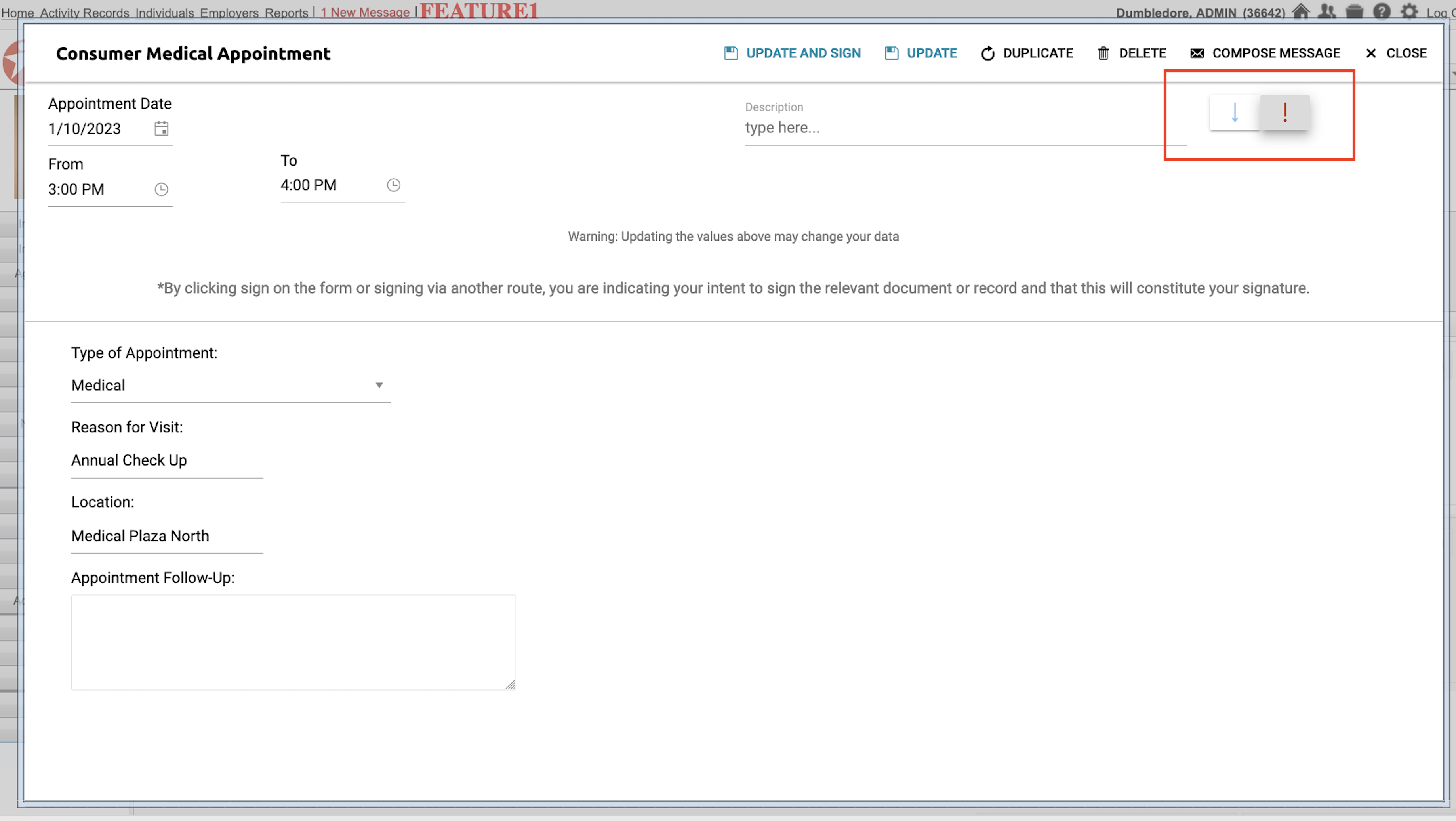
- If applicable, select either the blue down arrow (low severity) or the red exclamation point (high severity) to indicate the severity level.
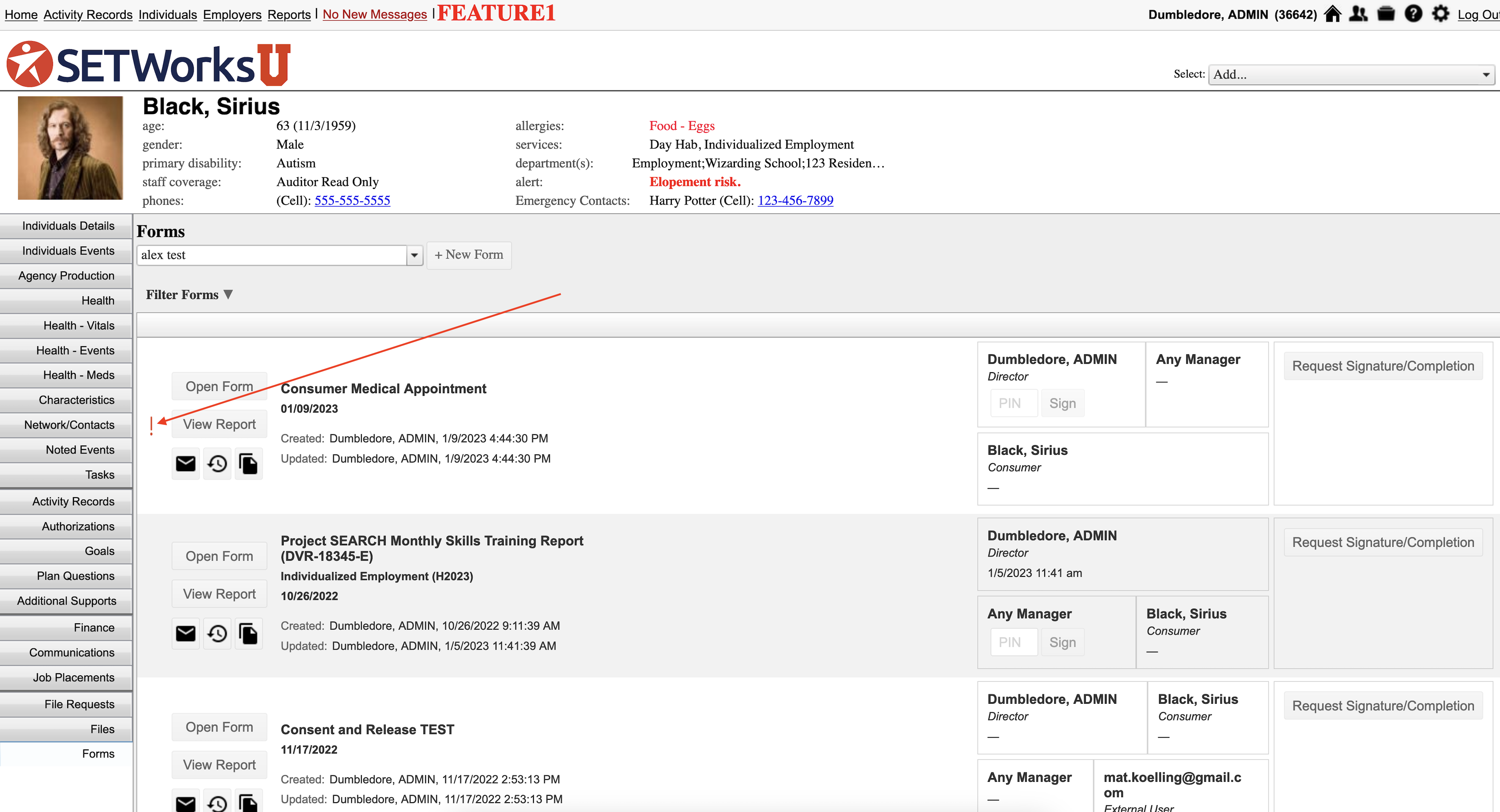
The severity icon will be displayed next to the form within the Forms Index once the form is saved.
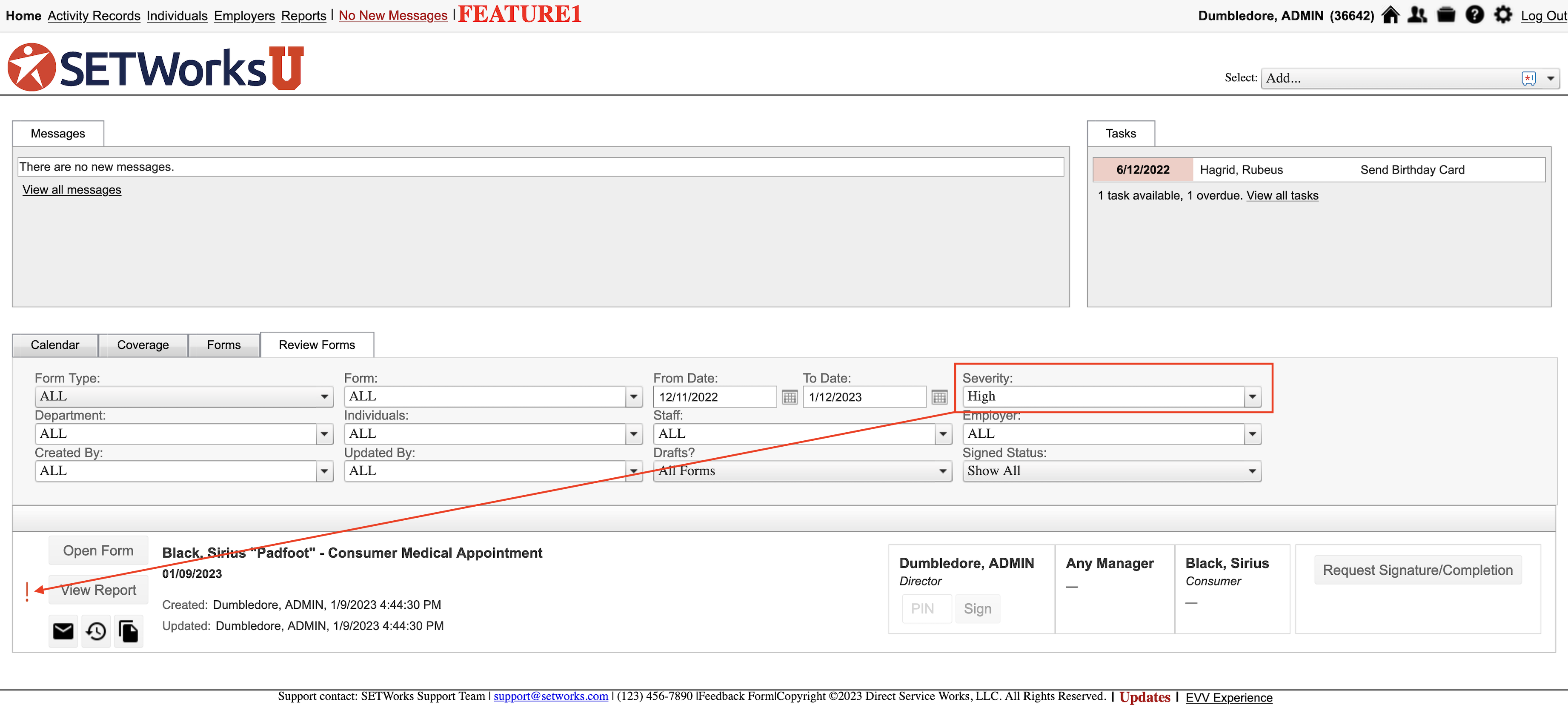
Instantly Access High Severity Forms
Managers can have access to high severity forms directly upon login.
Review Form Tab Privileges
Settings > Provider Build > Maintain Privileges > Forms:
Note: Enable the Review Forms tab on the home page.