How do I update the Provider Profile?
Administrators
The provider profile in SETWorks is used in various ways depending on which state your organization is located or the features purchased (e.g., electronic billing). Keeping this information up to date is essential to ensuring electronic data is passed without issues or that your staff know who to contact in the case of a SETWorks question.
Accessing the Provider Profile
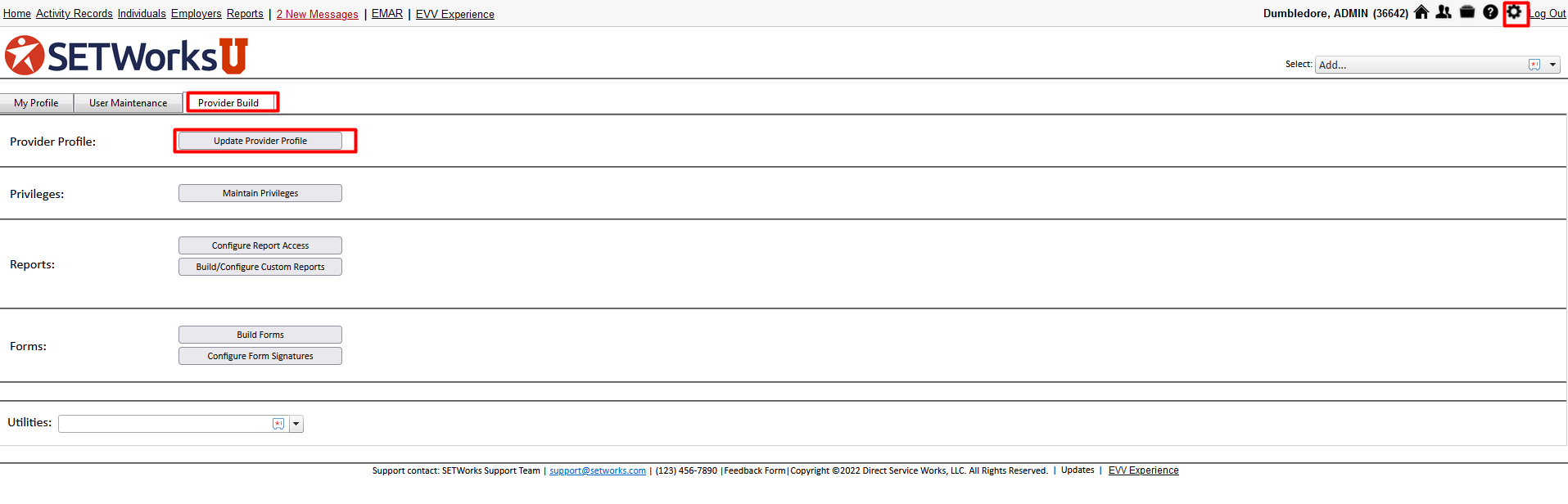
Navigate to Settings > Provider Build > Update Provider Profile
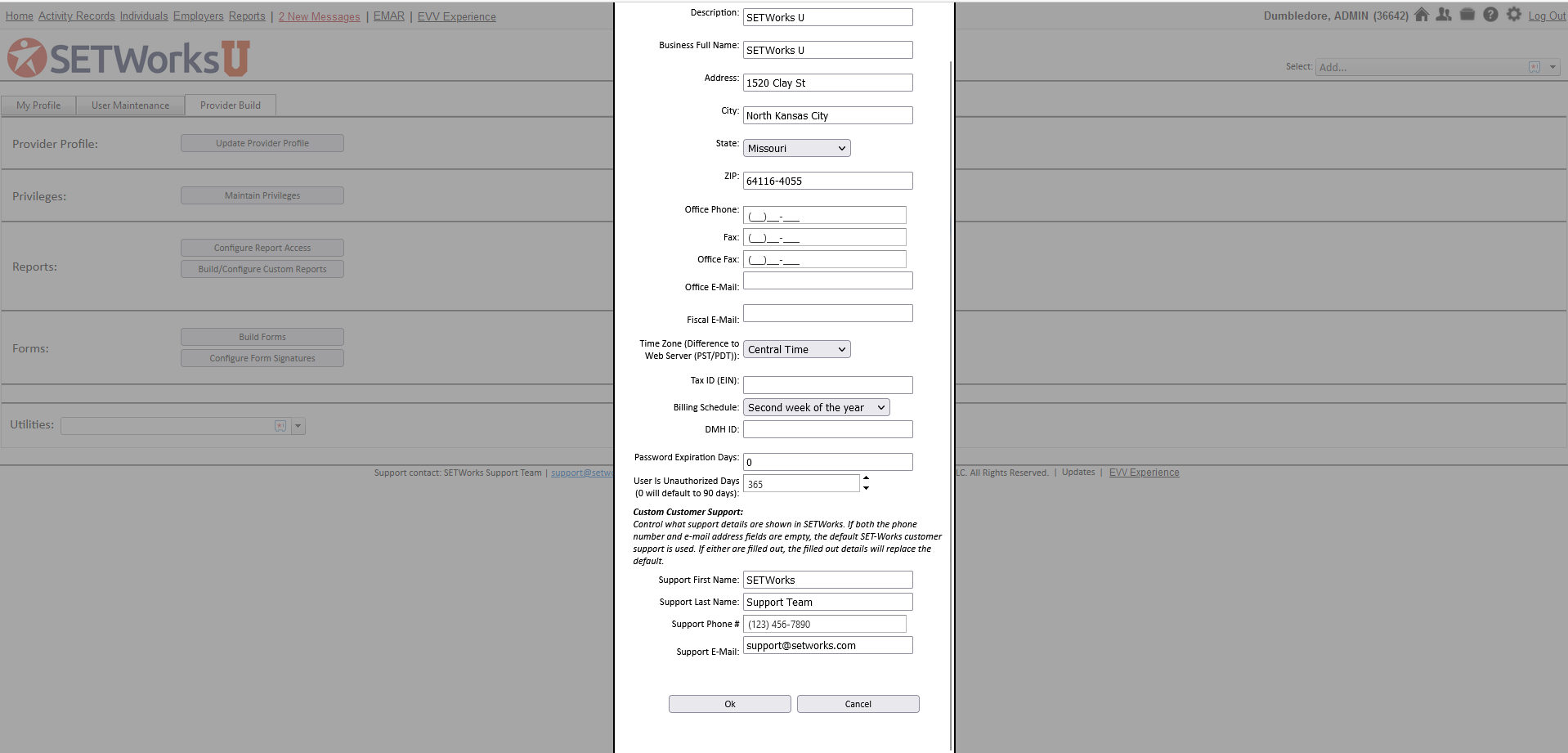
Update Provider Profile
Description: Name of your organization
Business Full Name: Full Name of the organization
DMH ID: Used for electronic billing
Password Expiration Days: Can force users to reset their passwords routinely
User Is Unauthorized Days: When a user does not log into the system, designate the number of days until their account is disabled.
Select OK to save.
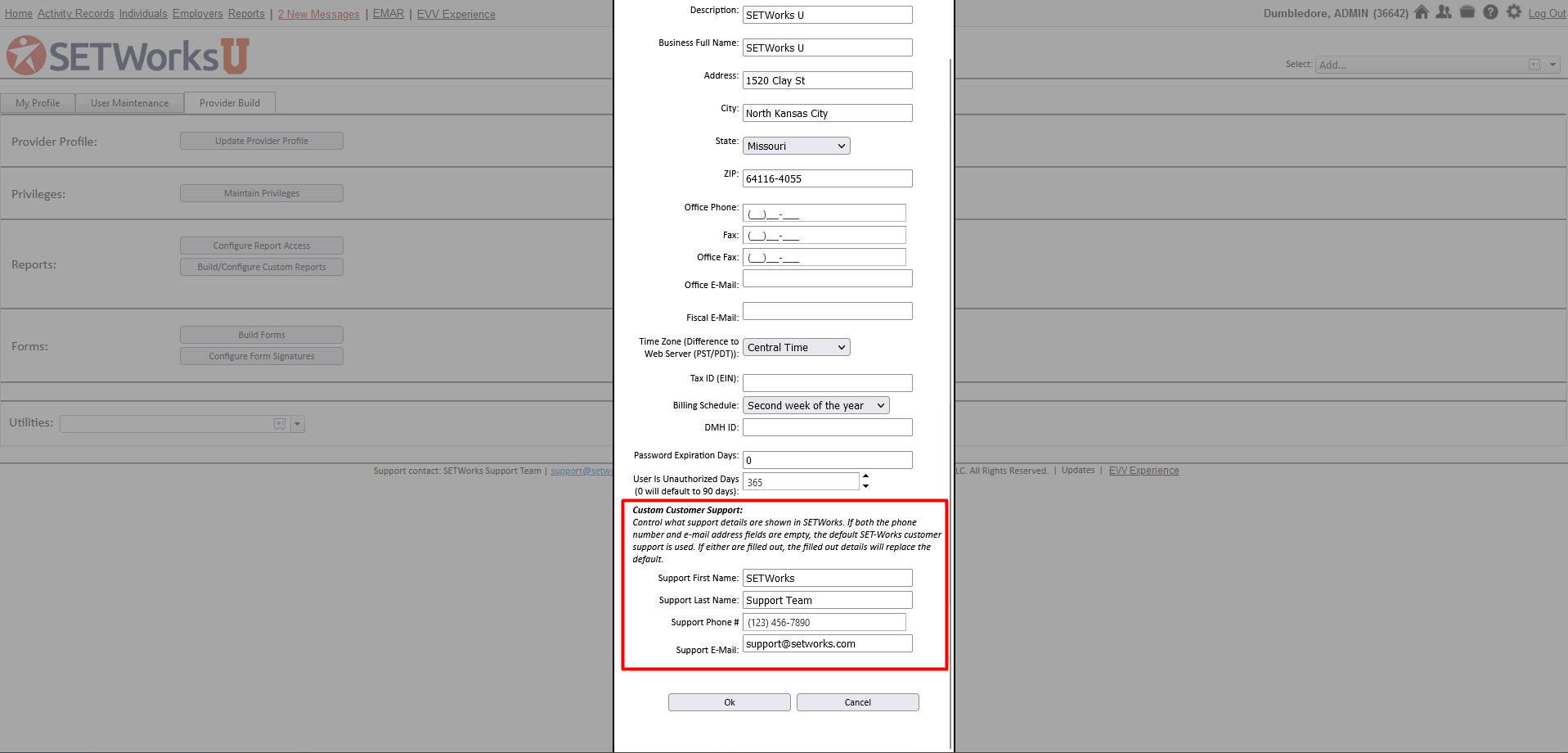
Custom Customer Support
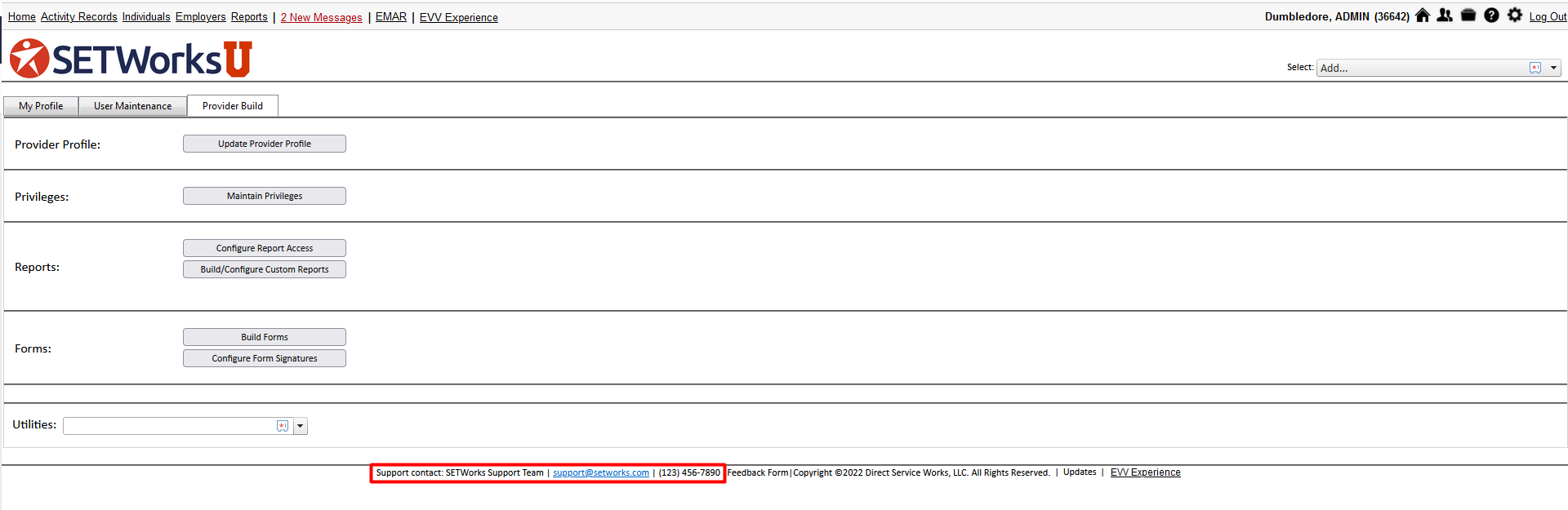
We do recommend your organization has 2-3 administrator roles running and overseeing SETWorks for your organization. When staff has a question about functionality or recommendations for using SETWorks, we recommend using the Custom Customer Support section to designate an internal contact for your users to contact. The information inputted here replaces SETWorks general support team information and appears at the bottom of SETWorks.