
How do I add a Consumer Event to an individual?
Administrators
Consumer Events are important dates and events tracked on behalf of individuals. Examples include: Intake Date, Dates of Hospitalization, Date Started x Service, Hire Date, Annual Review Date, etc. If you're interested in triggering Tasks based on a certain date, it is recommended tracking that date as a Consumer Event.
Note: NOTE: The Consumer Event tab in the individual's profile will be renamed in SETWorks to match your organization's language (e.g., Participant Event, Client Event, Person Served Event, Individual Events, etc.)
Consumer Event Privileges
Settings > Provider Build > Maintain Privileges > Consumer Profile:
Note: Enable the Consumer Events tab.
Note: Is able to edit Consumer Events.
Note: Is able to add and edit Consumer Events that are flagged as Read-Only within the Consumer Events Utility.
Add a Consumer Event
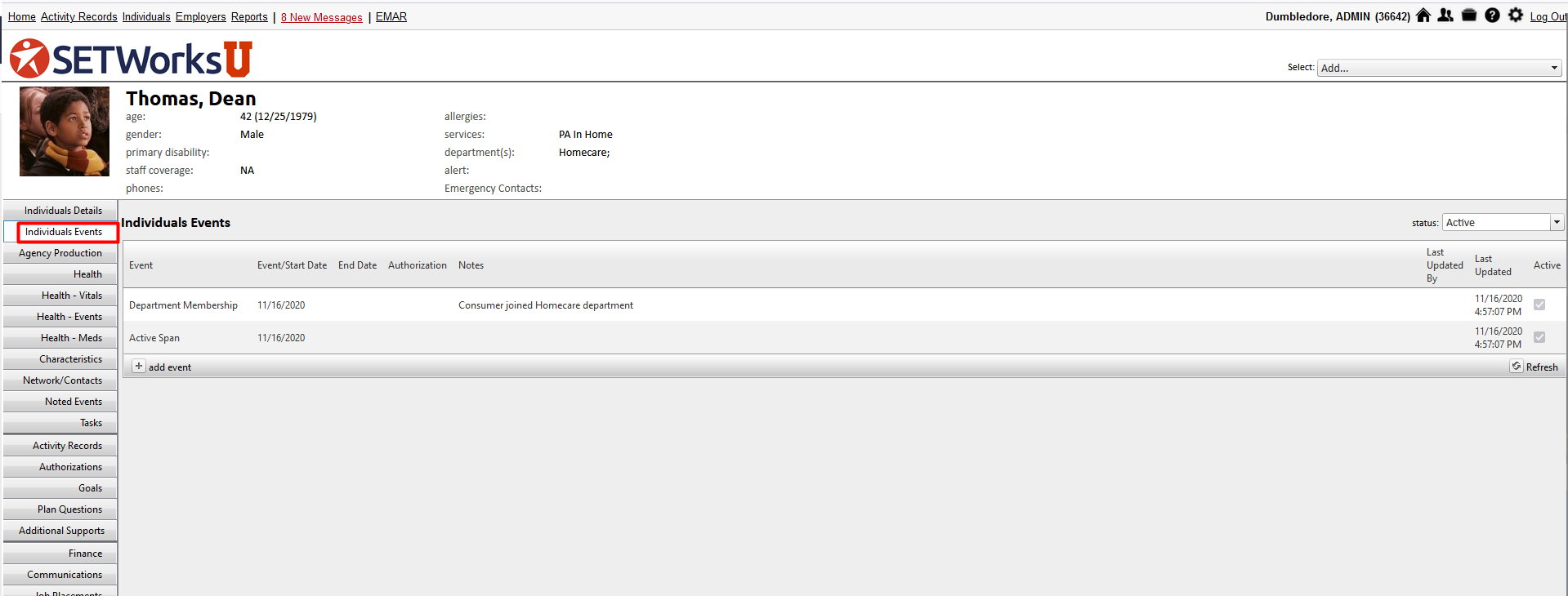
- Navigate to a consumer profile
- Select the Consumer Event tab
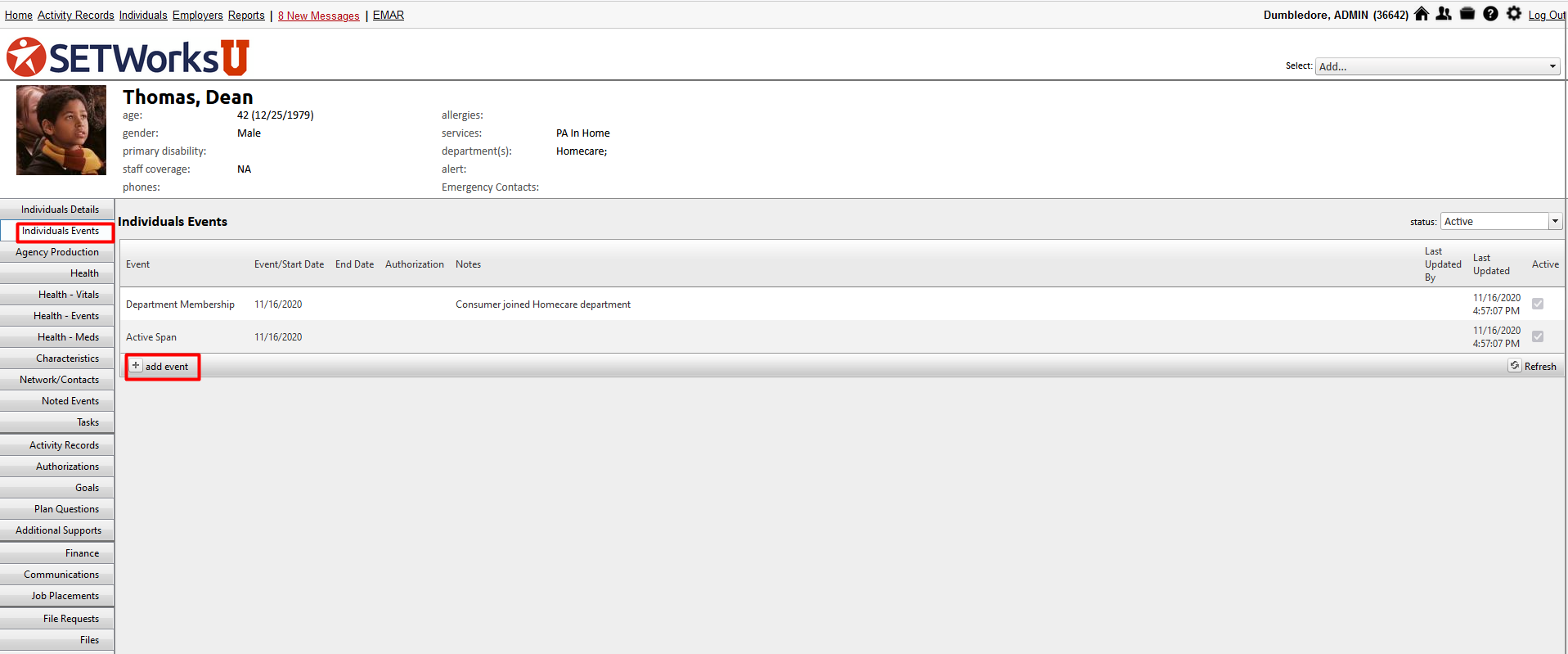
- Add event
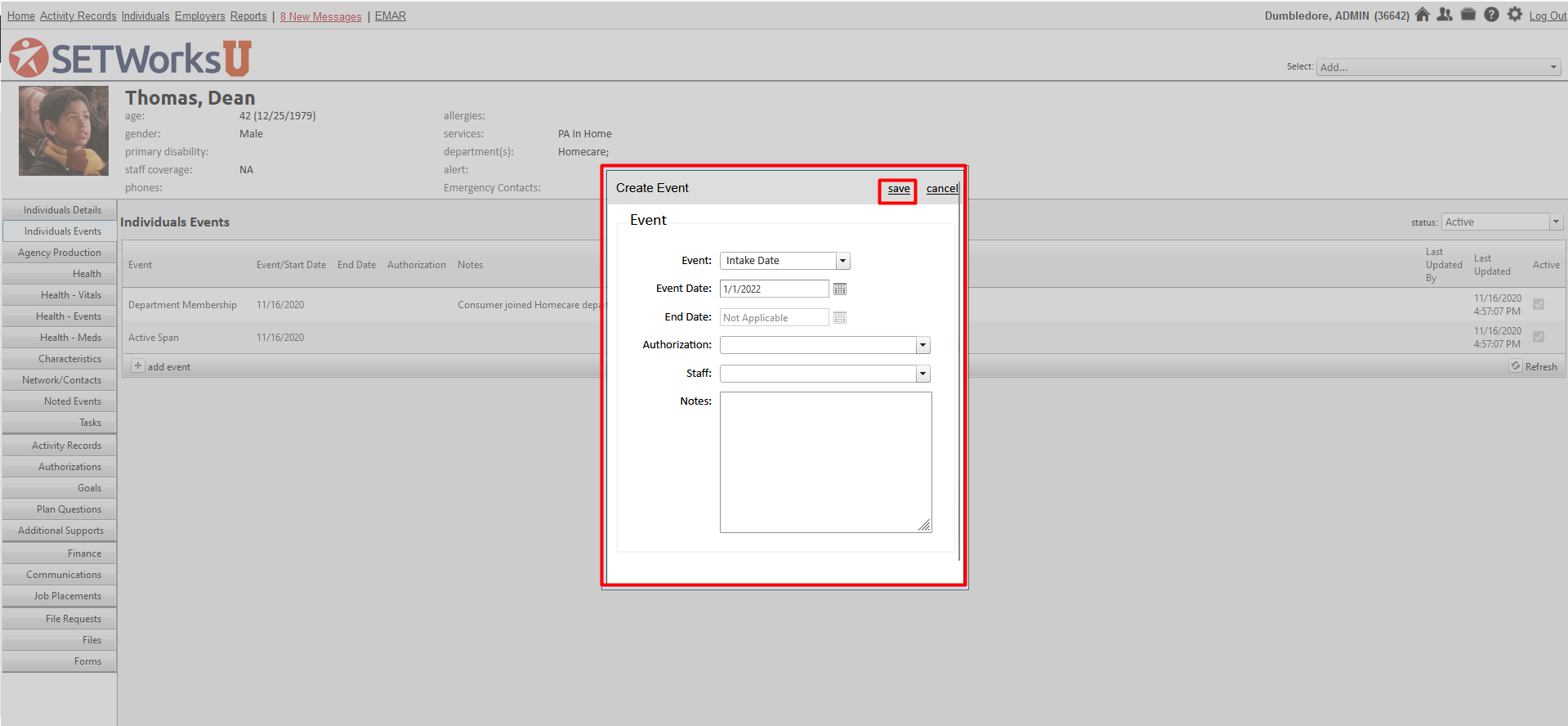
- Select an Event (e.g., Intake Date)
- Insert an Event Date (e.g., Jan 1, 2022)
- Optional: Select an Authorization
- Optional: Select a Staff
- Optional: Insert Notes
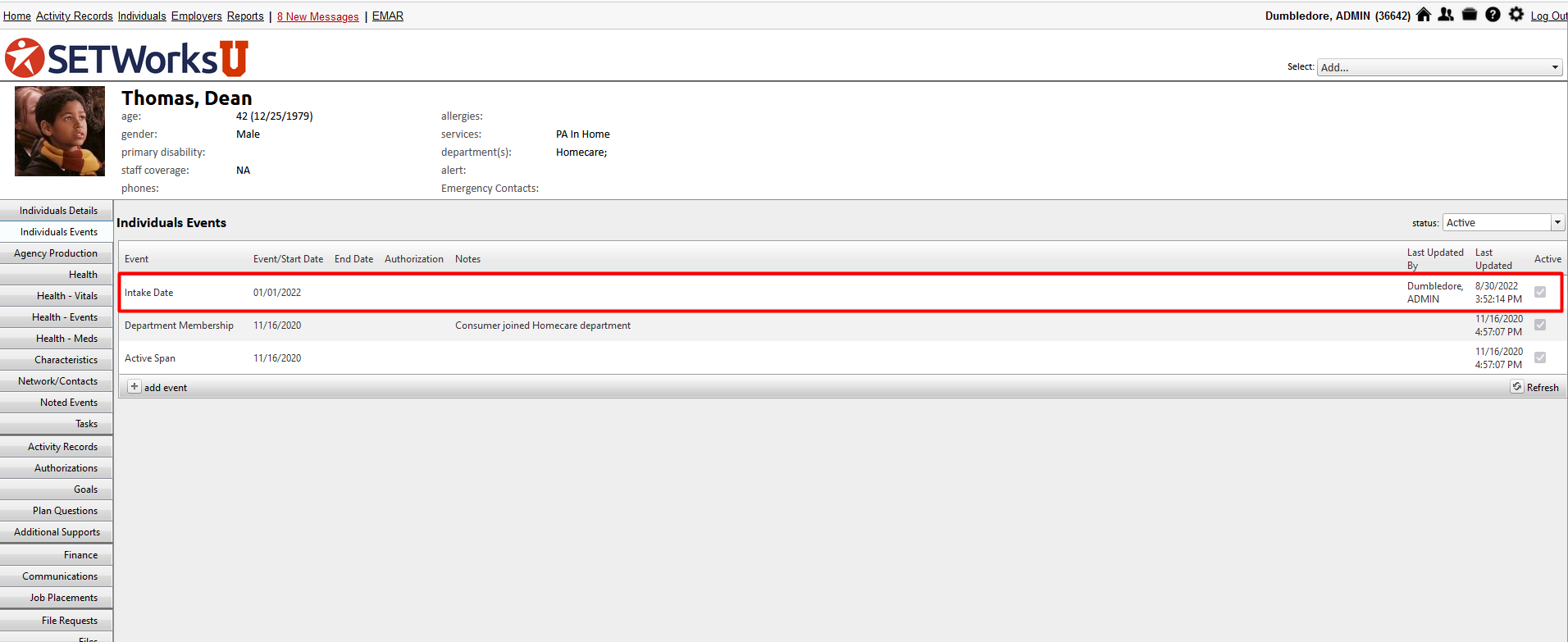
- Select Save
Configuring Consumer Events
Navigate to the Consumer Event Type Utility.
Reporting
The following Report may be helpful in gathering information on Consumer Events
- Consumer Events Dashboard
- Consumer Events Reports
- Consumer Events Report 2.0