
How to complete the NEW OOD Form 10 - Transportation
Entering Consumer Mileage
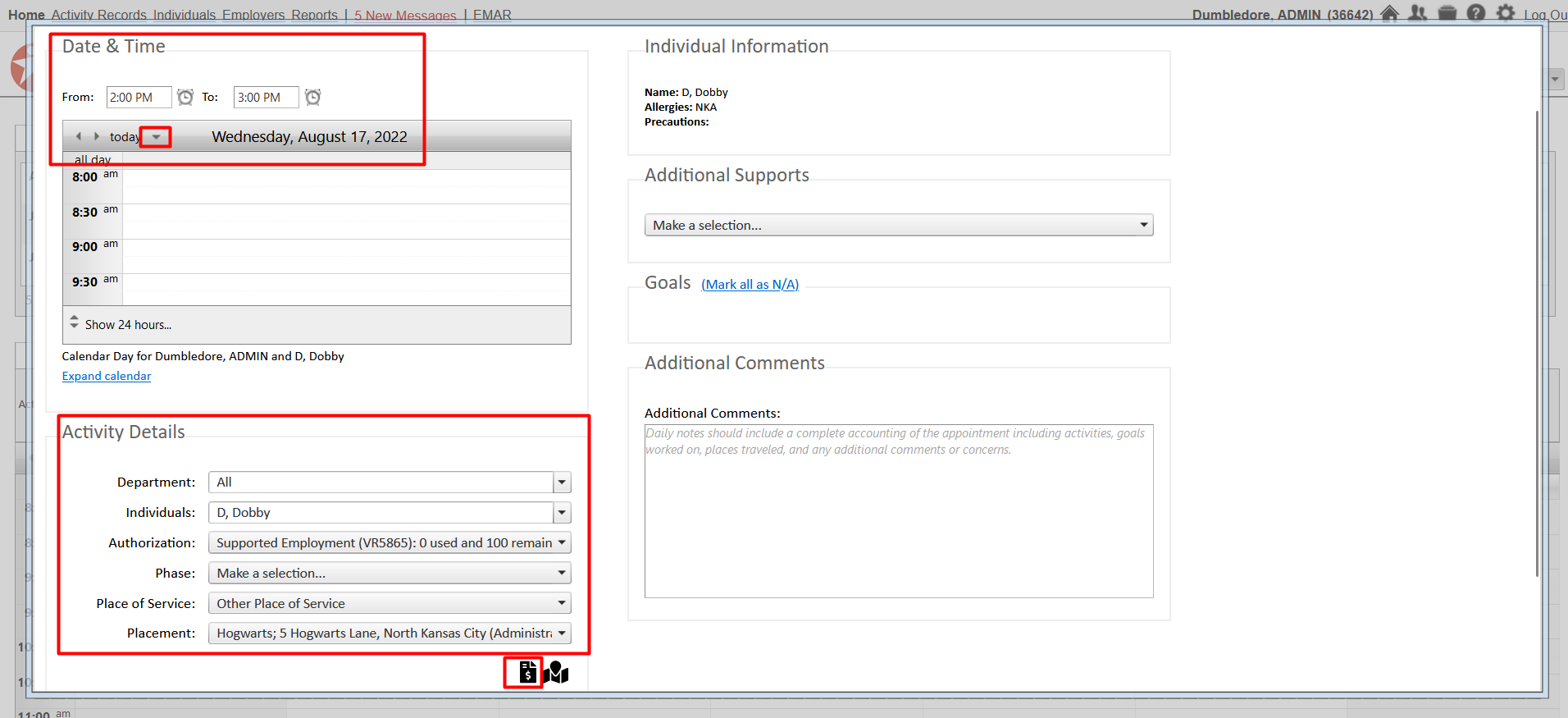
1. Create a Billable Individual Activity Record.
2. Fill out the date and time.
3. Select the Consumer.
4. Select the Authorization.
5. Select the Mileage icon.
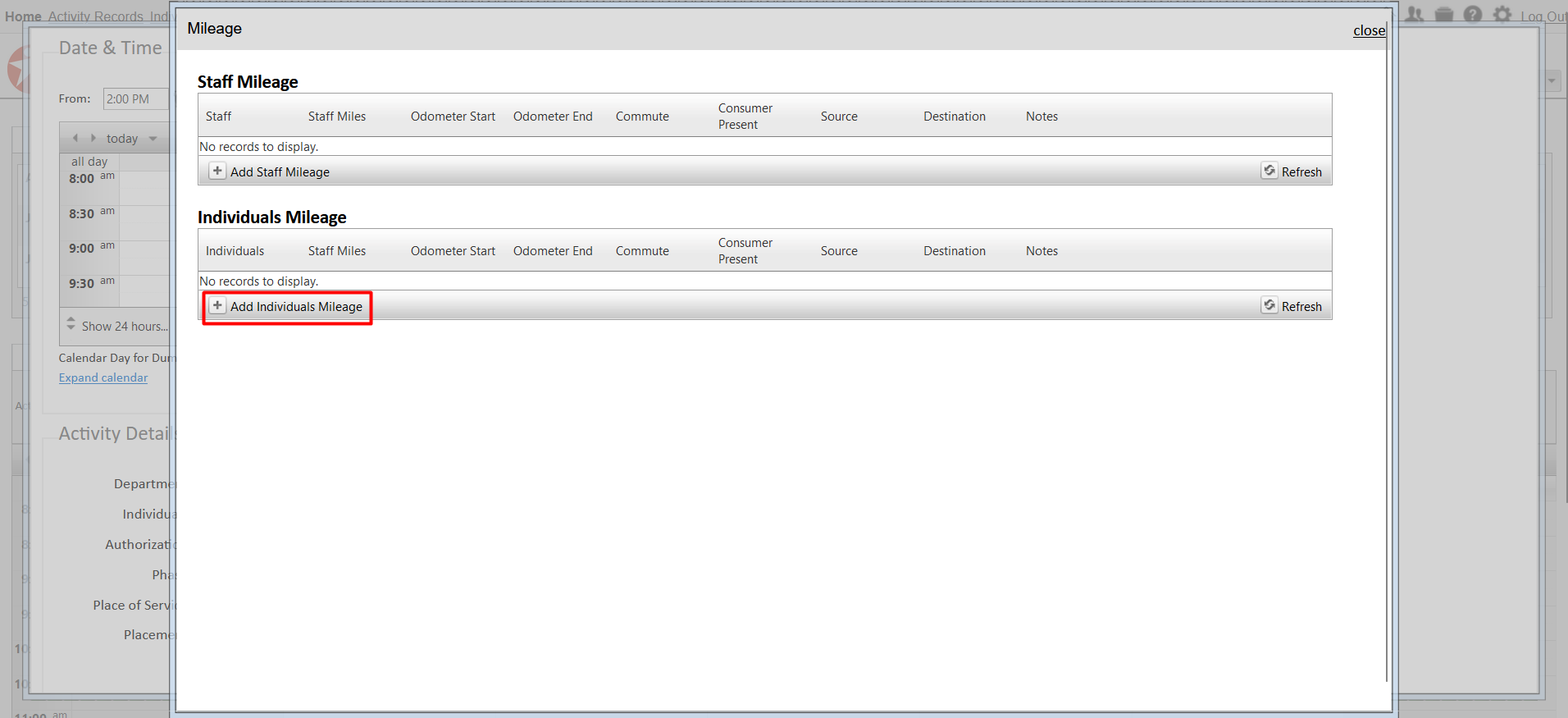
6. Select +Add Consumers Mileage. NOTE: This will pull the mileage on OOD FORM 15; this may not be the method your organization uses to reimburse staff for mileage.
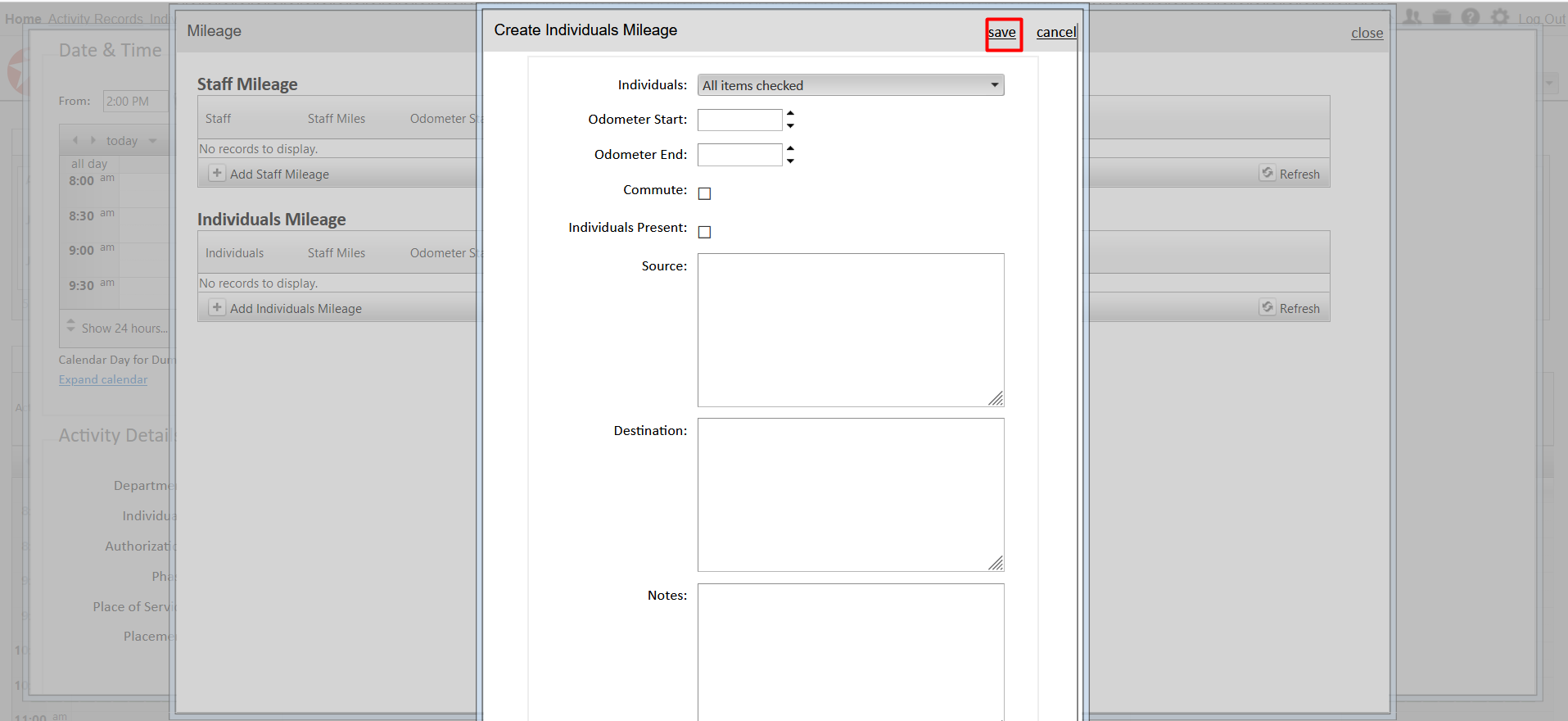
7. Complete the details of the drive including mileage, odometer start/end, source, destination, notes, etc.
8. Save the consumer mileage. Close the mileage window. Save the activity record.
Complete Form 10
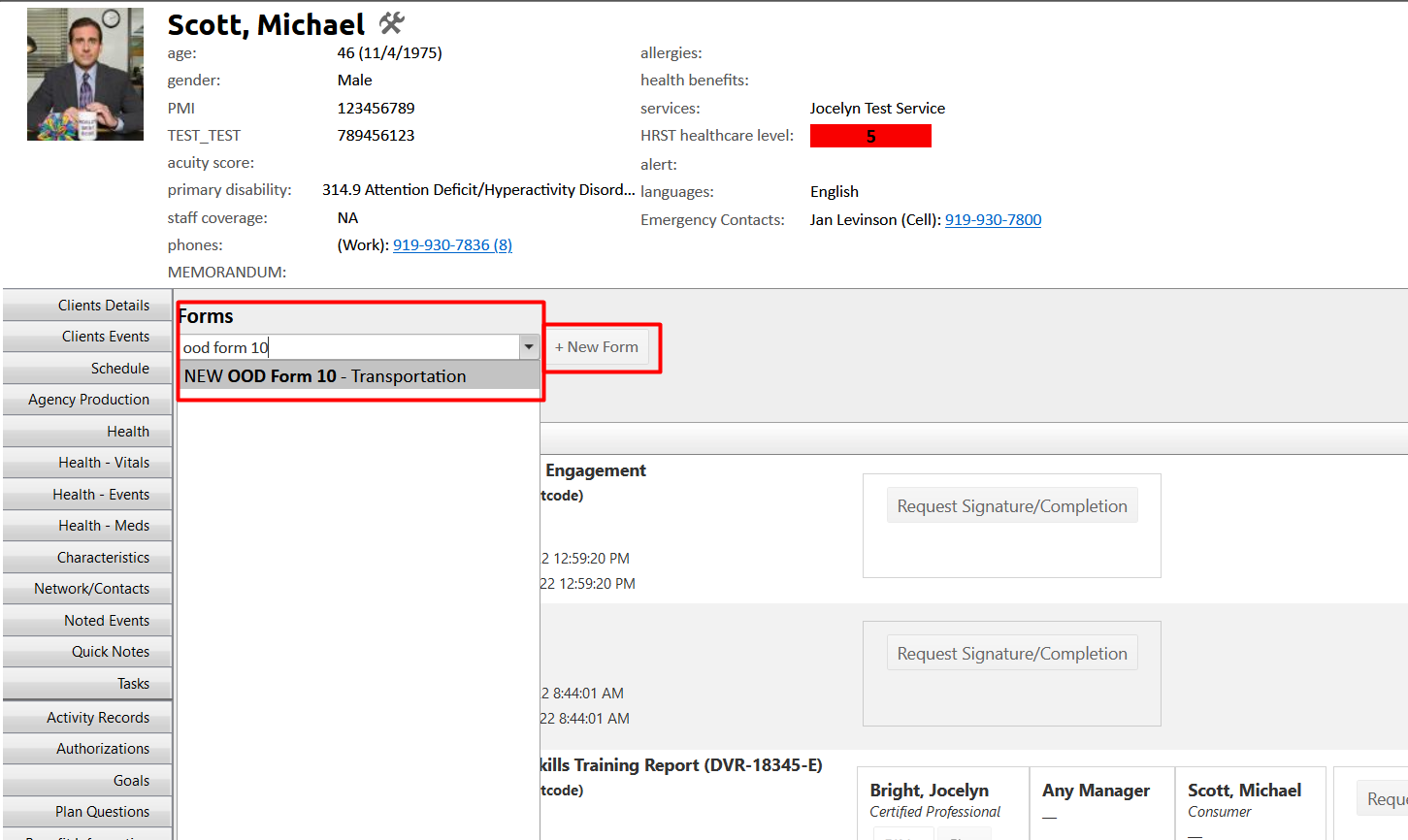
1. Navigate to Consumers. Select a consumer profile.
2. Select the Forms tab.
3. Create a new OOD Form 10 - Transportation form. Select +new form.
4. Complete the form - enter the date range, select the authorization, complete additional fields.
6. Select Save.
7. View Report. NOTE: Confirm all mileage details are present.
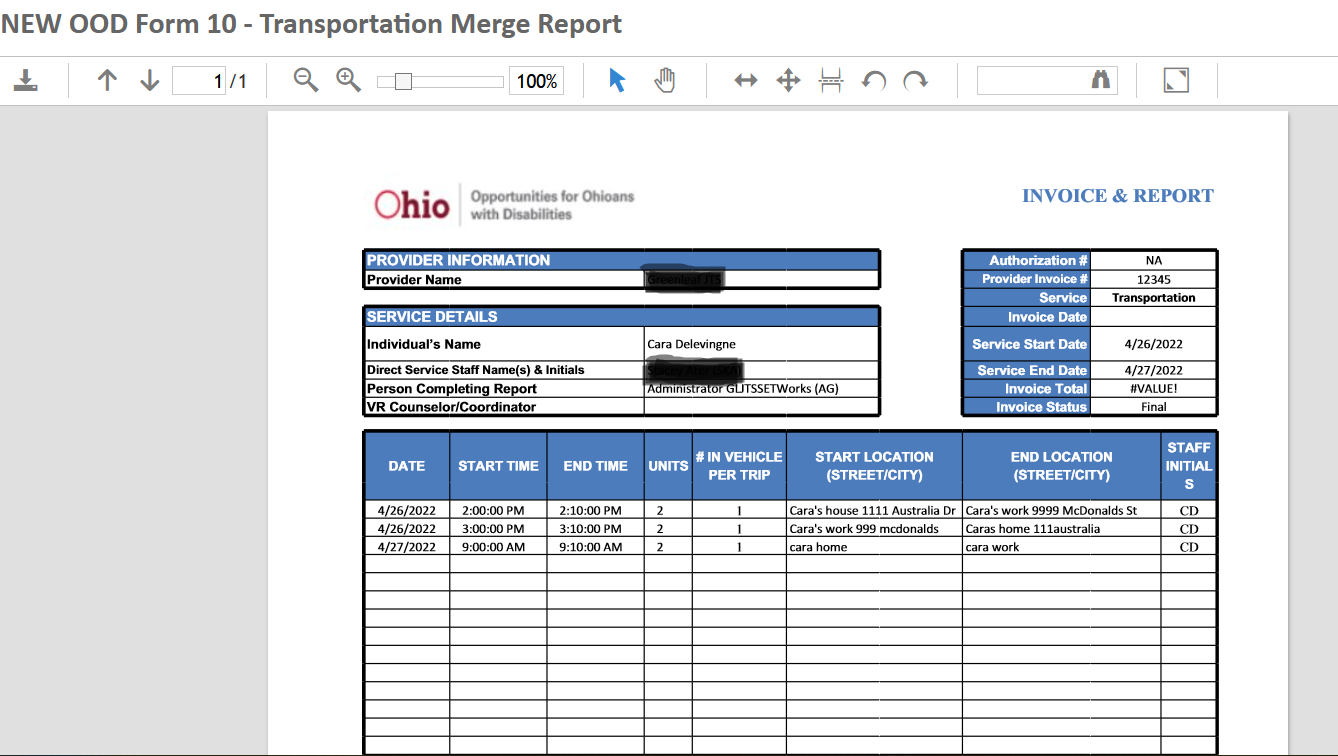
Note: NOTE: If information is missing on the report, review the steps above, update, and save the report.
Note: NOTE: If information is in the database or on the form, but does not appear on the report, contact support@setworks.com .