
How to complete the NEW OOD Form 15 - Rapid Engagement
1. Navigate to Consumers. Select a consumer profile.
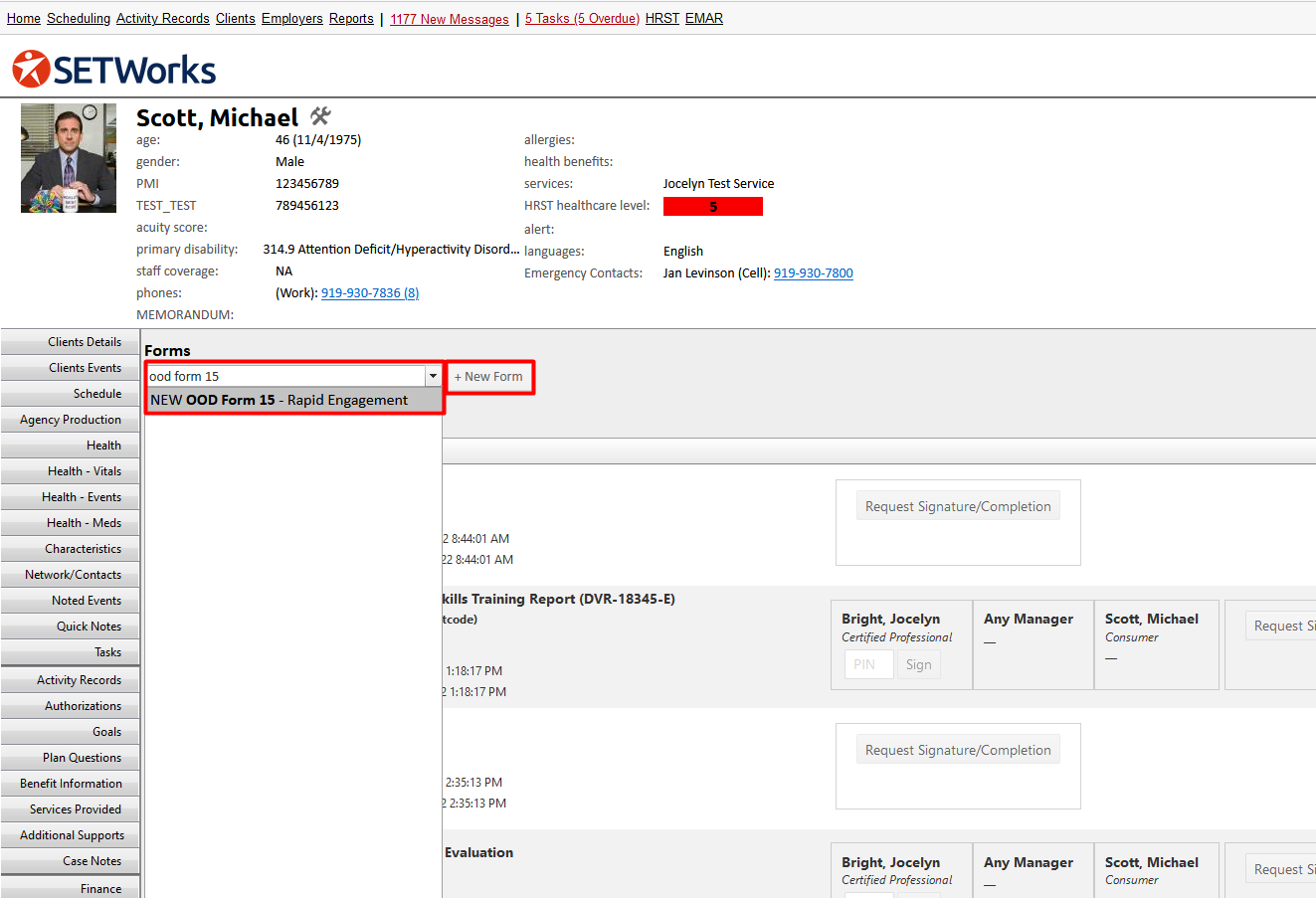
2. Select the Forms tab.
3. Create a new OOD Form 15 - Rapid Engagement form. Select +new form.
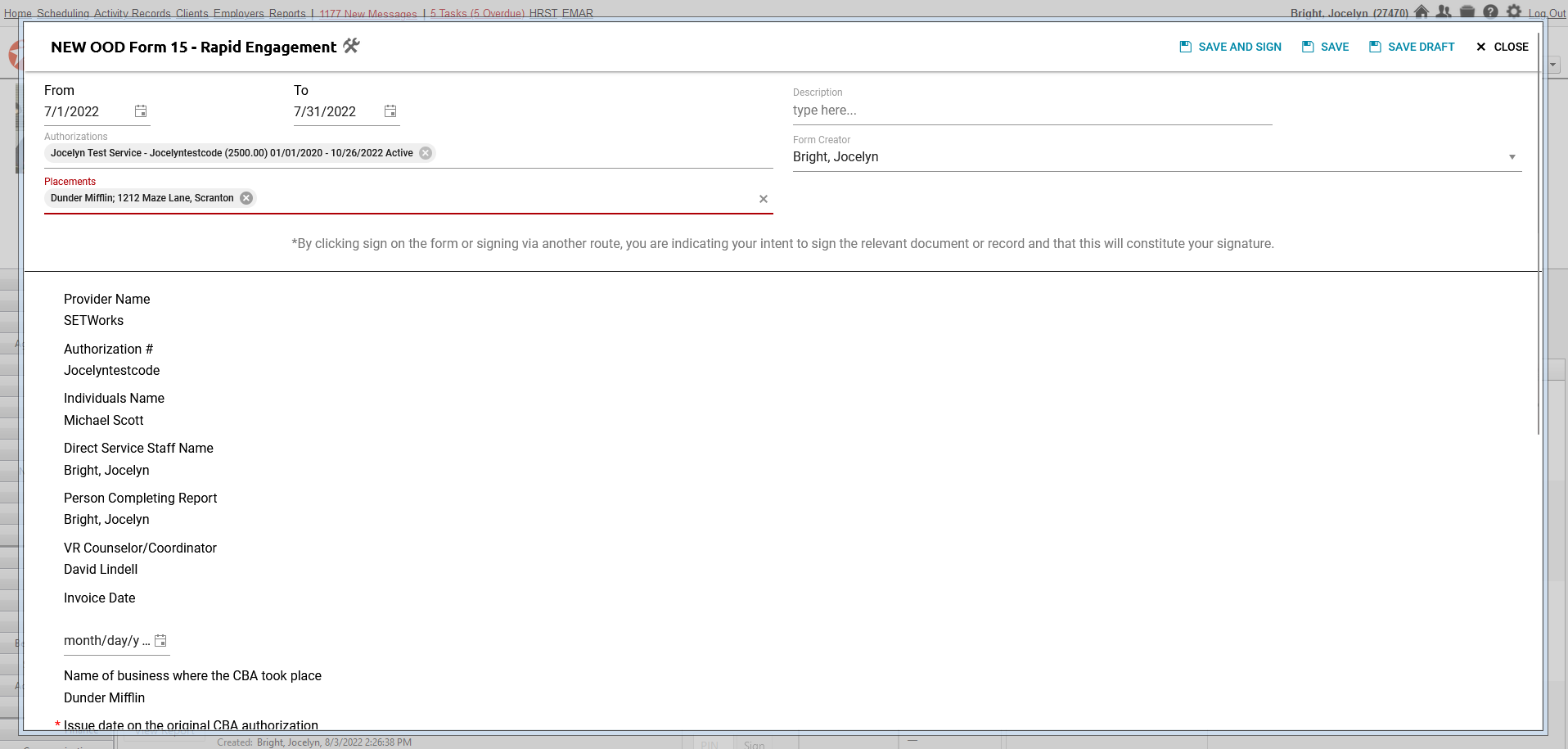
4. Set the date range of the form, select the authorization (Rapid Engagement Authorization) and a placement (where CBA occurred) from the dropdown.
5. Complete the required fields on the form including the CBA authorization issue date and authorization number.
6. Select Save.
7. View Report.
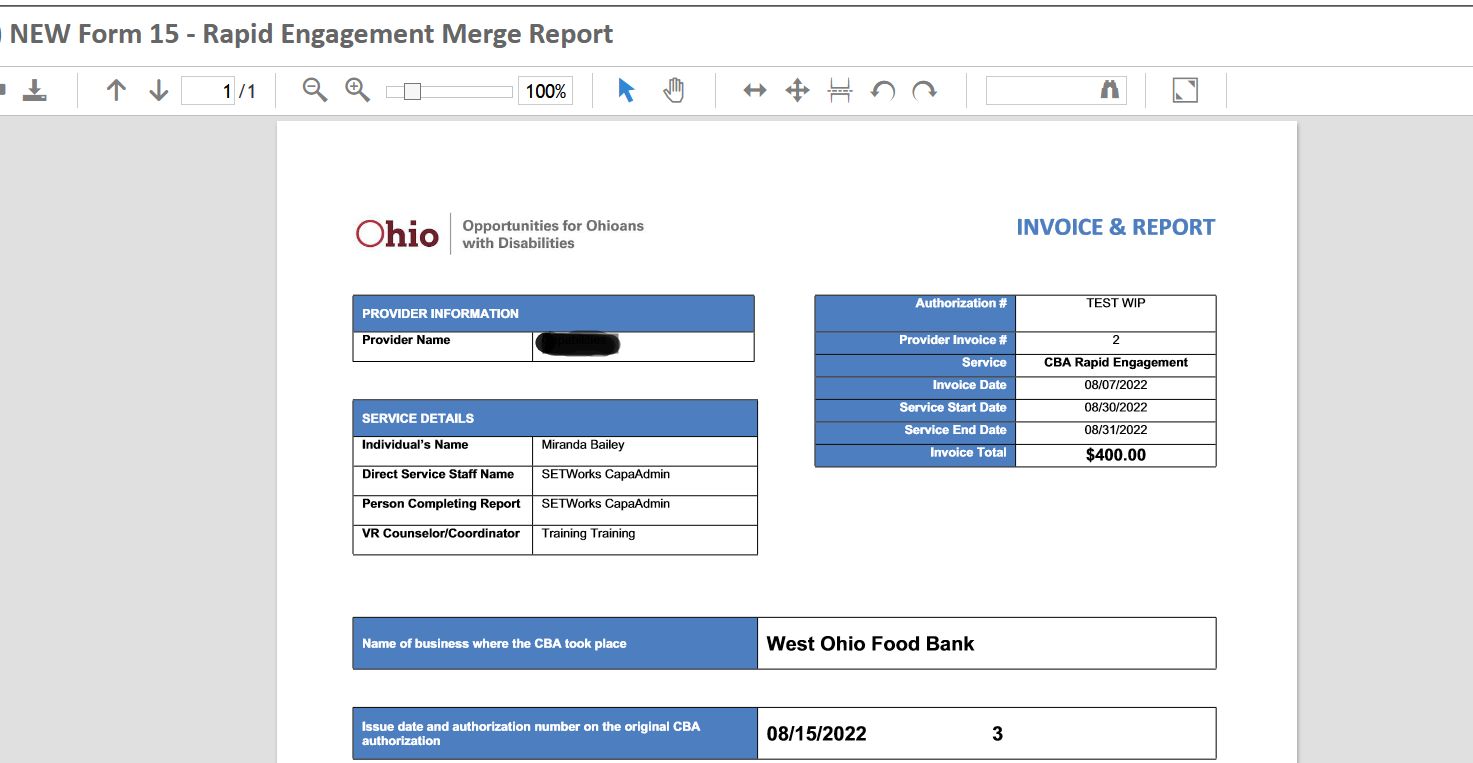
Note: NOTE: If information is missing on the report, review the steps above, update, and save the report.
Note: NOTE: If information is in the database or on the form, but does not appear on the report, contact support@setworks.com .