How do I manage Doctors, Hospitals, Pharmacies, and Insurance Providers in Network/Contacts?
Staff, Managers, Administrators
The Network/Contacts tab on the Consumer's Profile is where contact information is stored for emergency contacts, parents, guardians, family members, etc. It also provides a place for managing doctors, hospitals, pharmacies, and insurance providers associated with a consumer.
Networks/Contact Privileges
Settings > Provider Build > Maintain Privileges > Consumer Profile - Health:
Note: Is able to manage doctors.
Note: Is able to manage hospitals.
Note: Is able to manage pharmacies.
Note: Is able to manage insurance providers.
Managing a Doctor, Hospital, Pharmacy, or Insurance Provider
Each of these network/contact tabs function similarly. For example:
Doctors
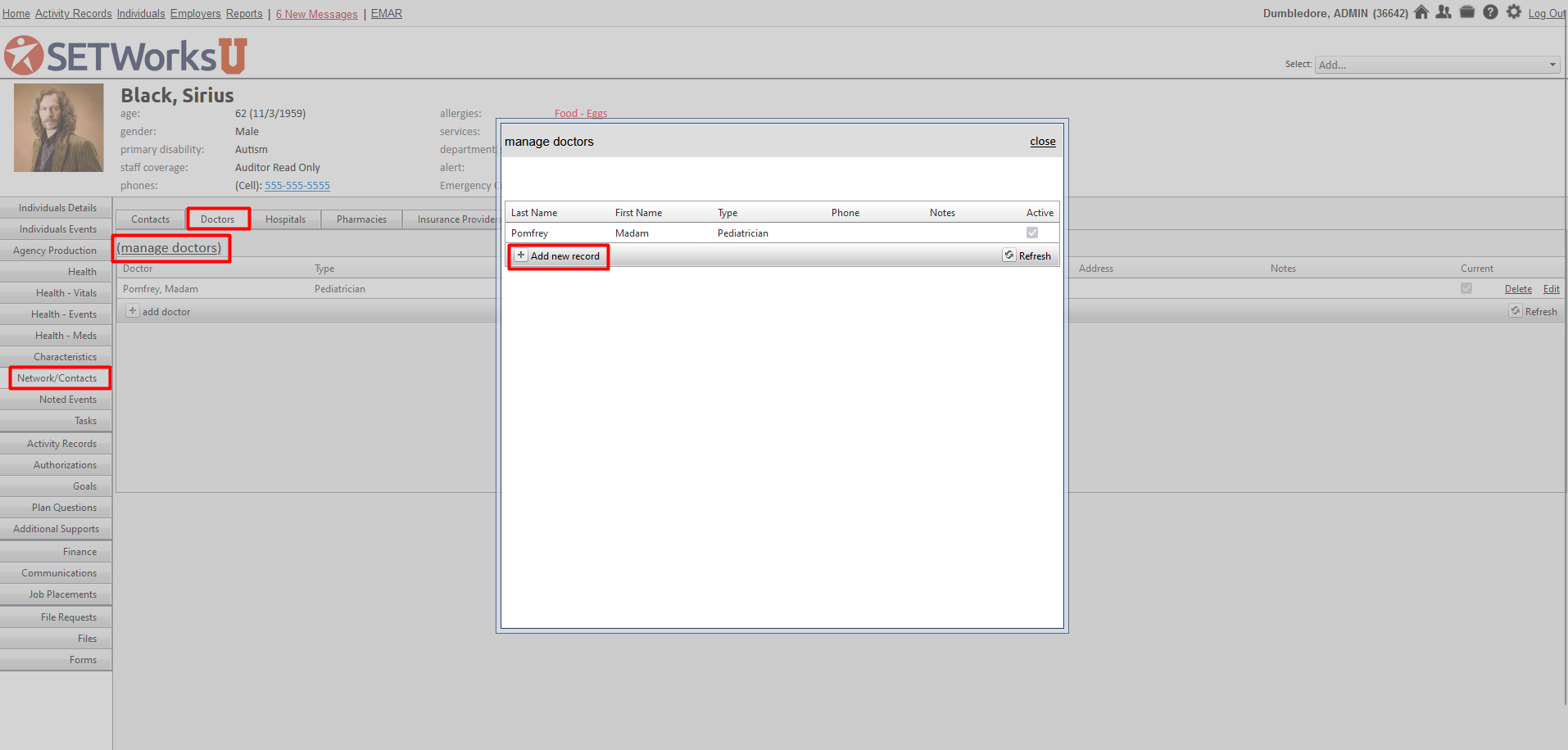
- Navigate to the Network/Contacts tab of the Consumer's Profile.
- Select the Doctors tab.
- Select manage doctors.
- Select Add new record to add a new doctor to the list of doctors available to all consumers.
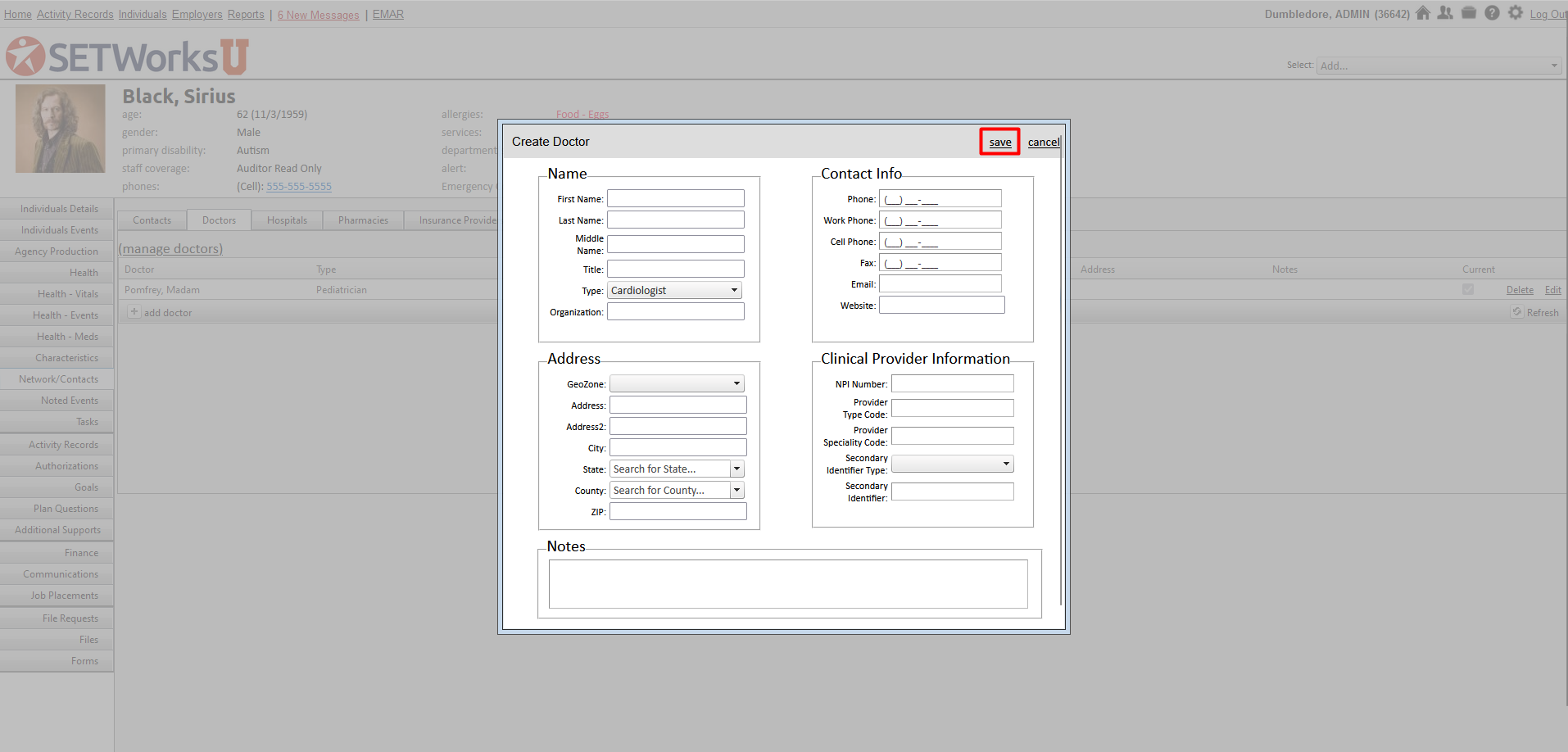
- Create a doctor.
- Save.
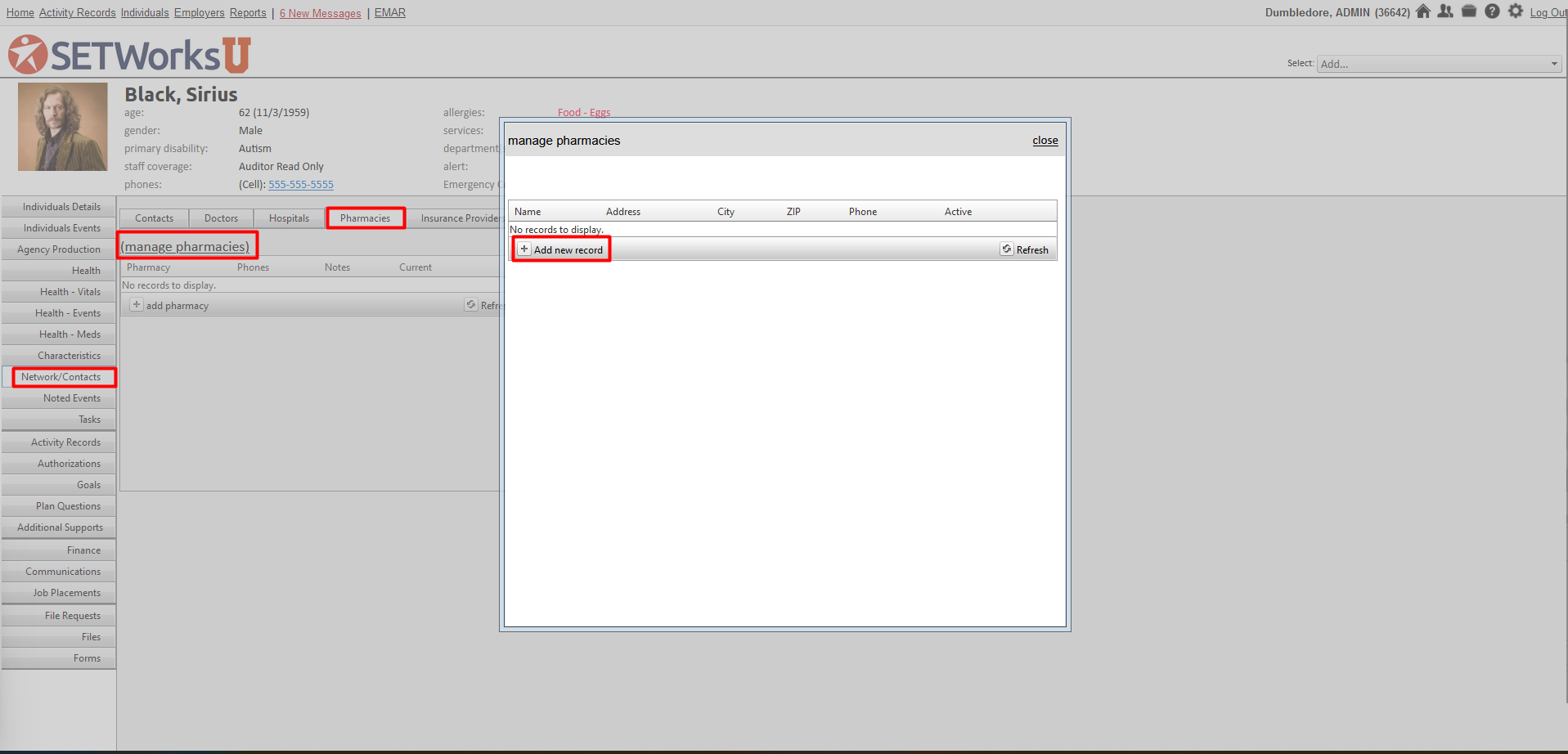
Pharmacies
- Select the Pharmacies tab.
- Select manage pharmacies.
- Select Add new record to add a new pharmacy to the list of pharmacies available to all consumers.
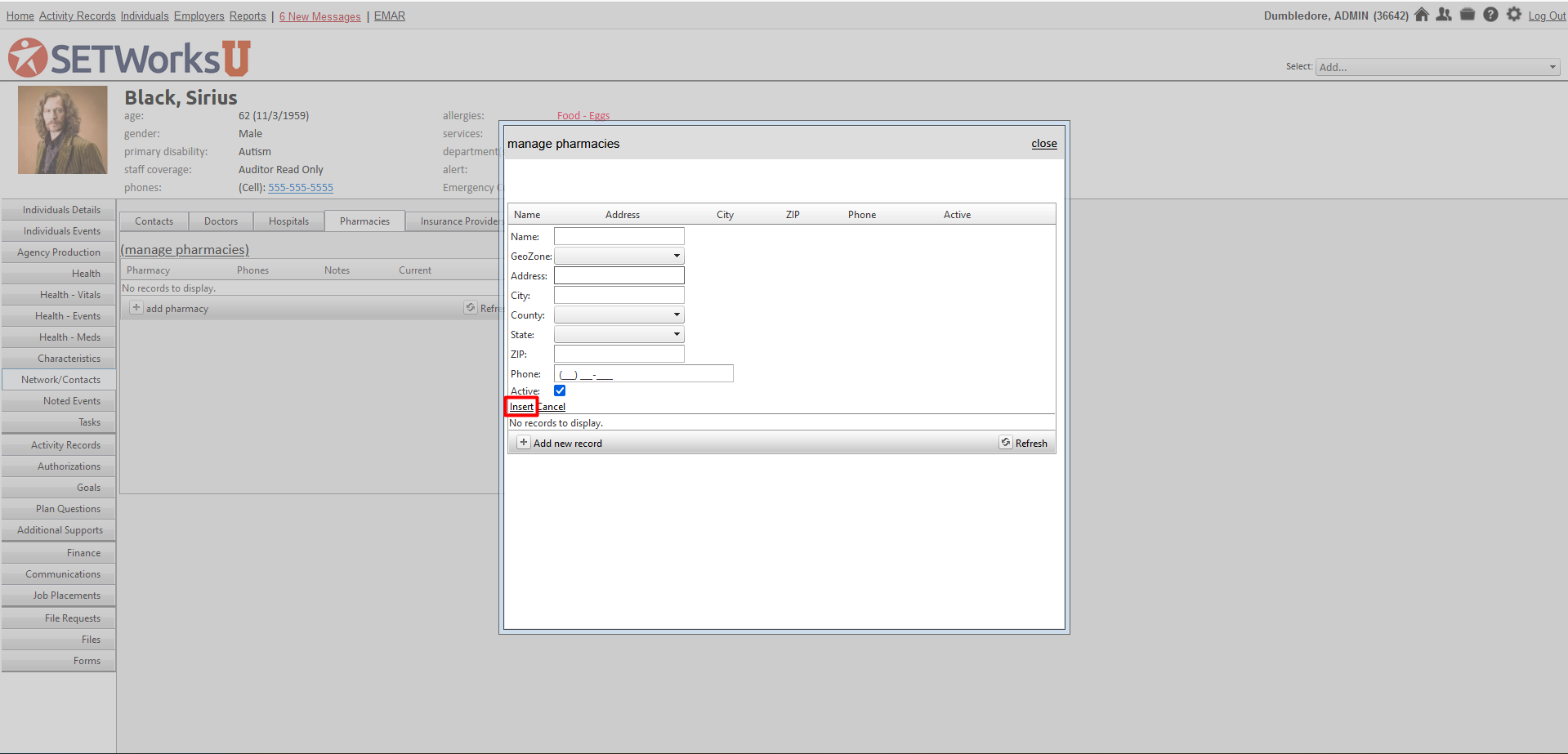
- Create a pharmacy.
- Insert
- Close