
I tried to sign a form but received a message that said "signing failed". What do I need to do to sign the form?
All users, external users
Note: The signing failed message appears when you select sign before completing all required fields. Check to make sure you've signed the form before selecting the "Sign" button.
Signing Failed
If you receive the signing failed message it means that one of the required fields wasn't completed.
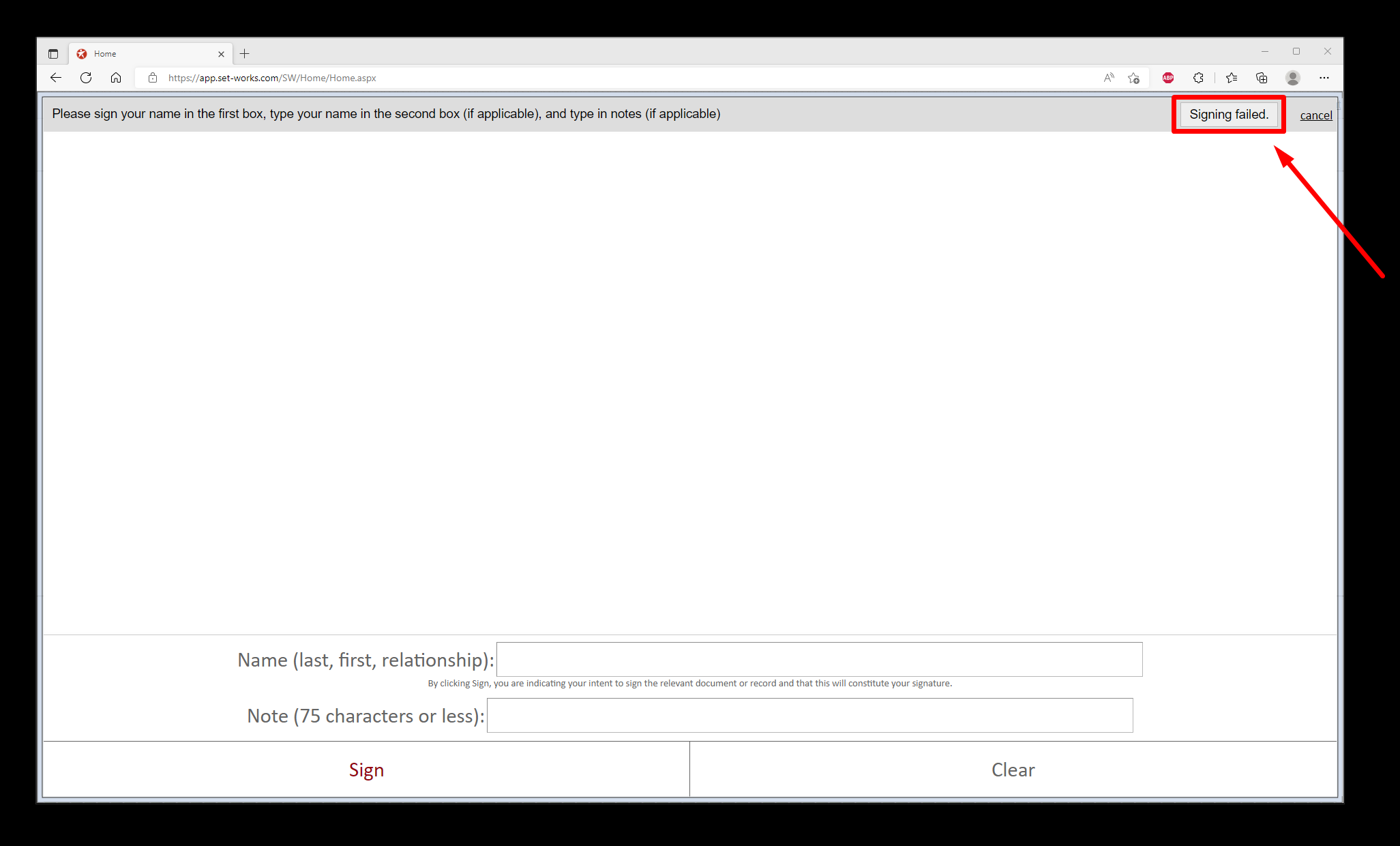
Check to make sure that you've drawn (signed) your name in the signature pad as well as typed your name in the "Name (last, first, relationship)" field. If applicable, you may need to enter a note as well.
How To Sign a Form
Once you are ready to sign, select Sign.
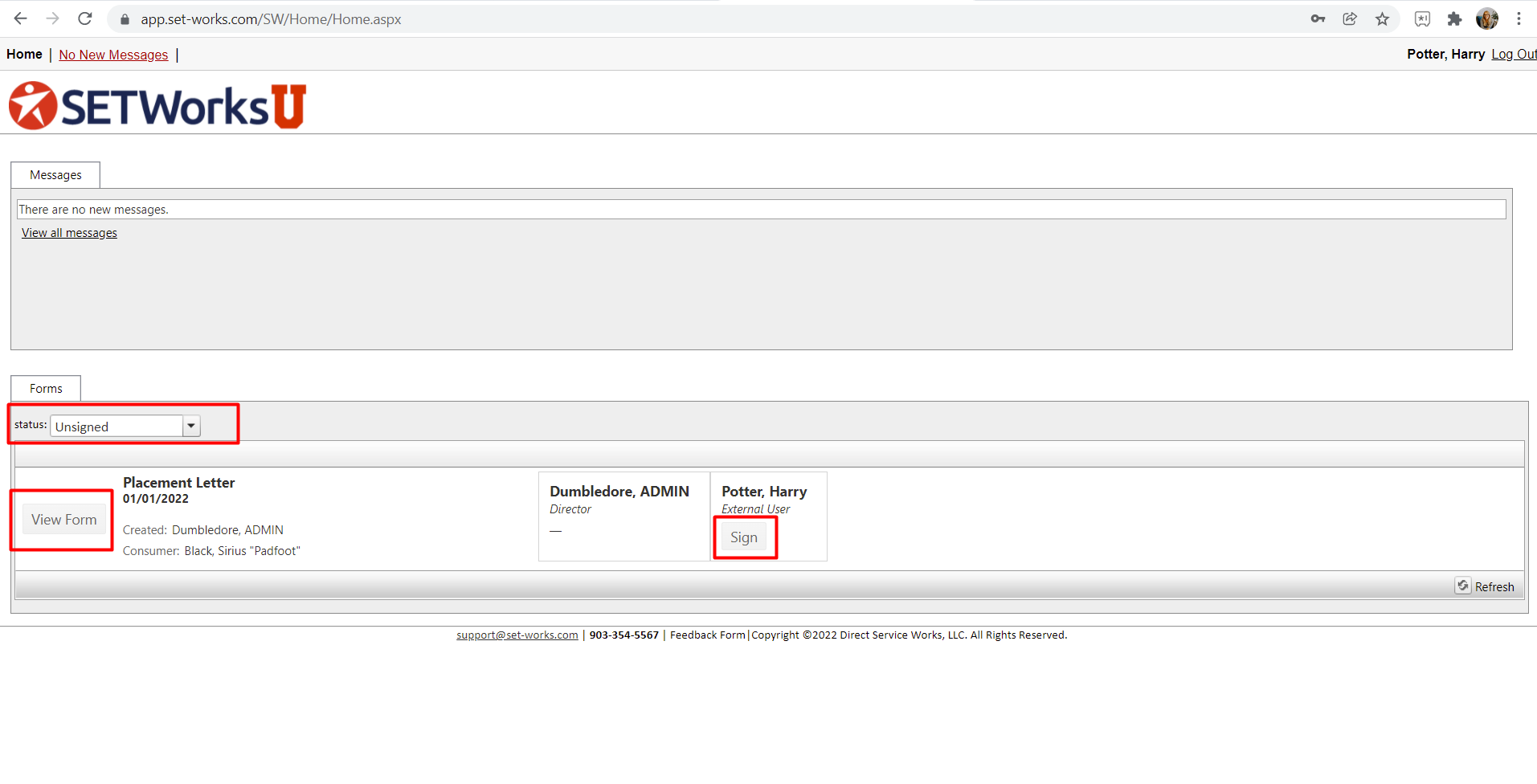
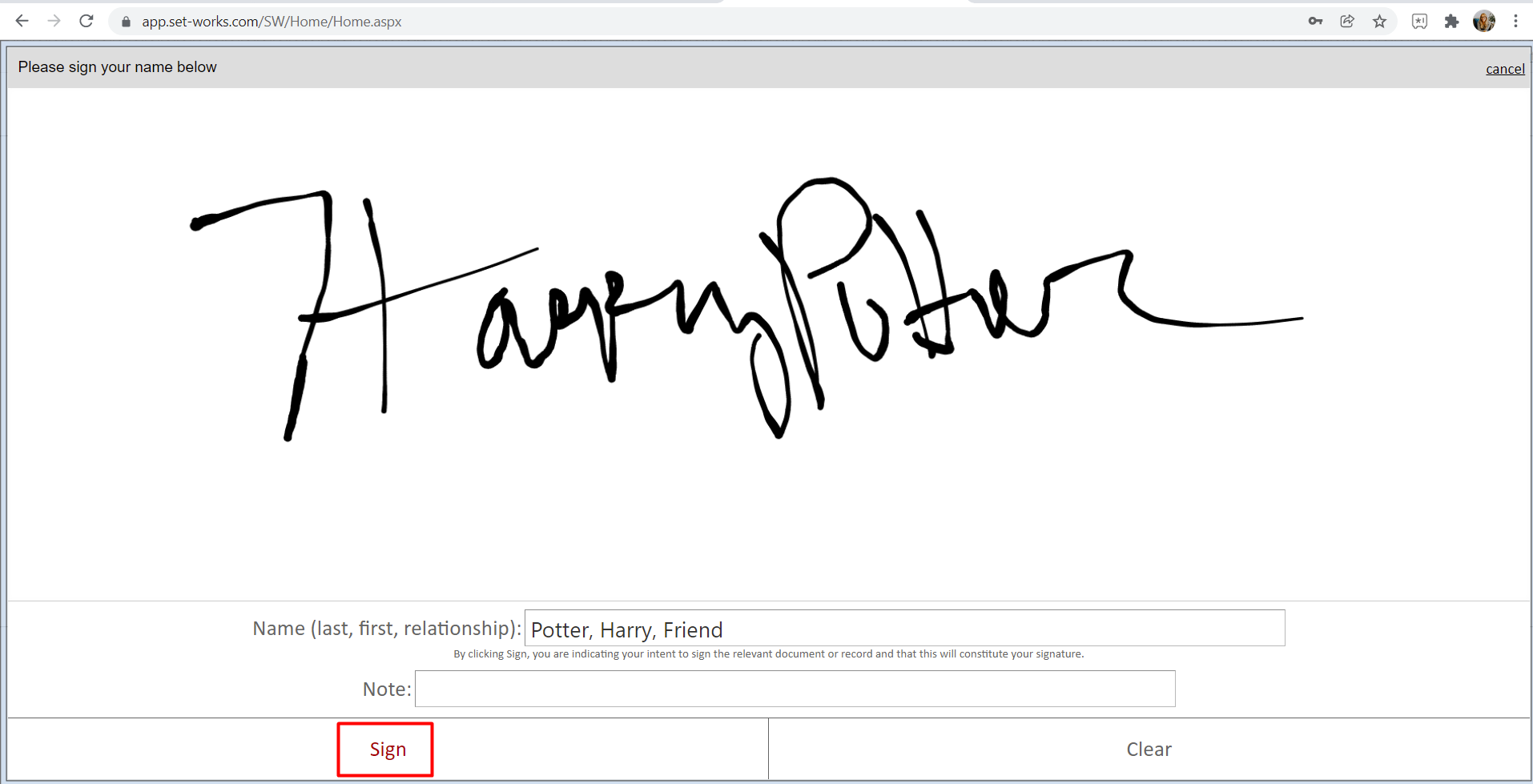
A window appears that allows you to draw your name, type your name, and write a note (if applicable).
Select Sign to save.
Requesting External User Signatures: Start Here