
How do I Configure Place of Service?
Administrators
Accessing Place of Service Configuration
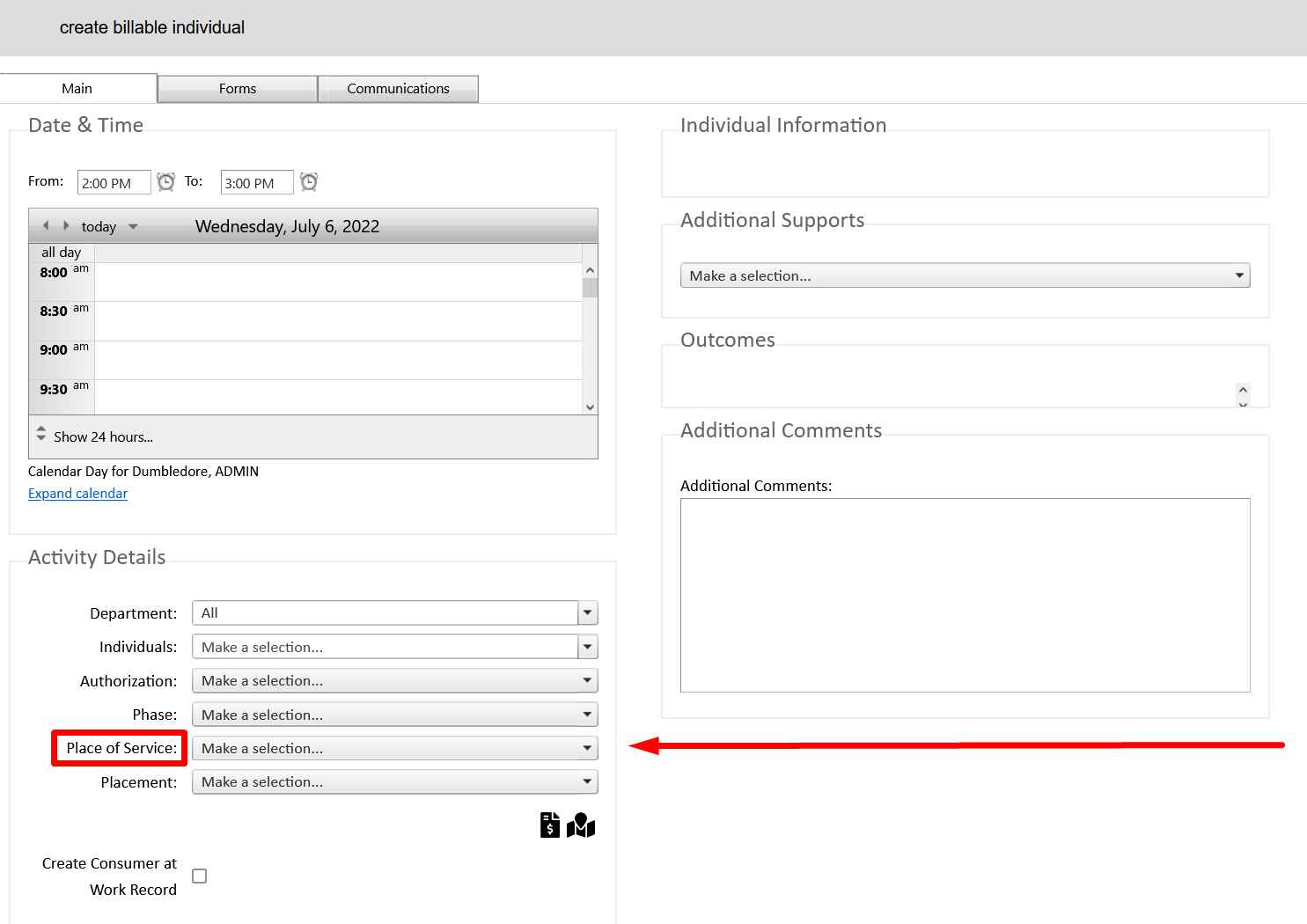
The Place of Service field appears as a dropdown in the billable individual and billable group record as well as case management notes.
Privileges
Settings > Provider Build > Manage Privileges > Activity Records:
Note: Enable Place of Service on Billable Individual Activity Records.
Note: Make Place of Service required in Billable Individual Activity Records.
Settings > Provider Build > Manage Privileges > Activity Records Group
Note: Enable Place of Service on Billable Group Activity Records and make it required.
Settings > Provider Build > Manage Privileges > Case Management
Note: Make Place of Service required on Case Management Notes.
Configuring the Place of Service Utility
The Place of Service Utility can be used to configure codes associated with each Place of Service.
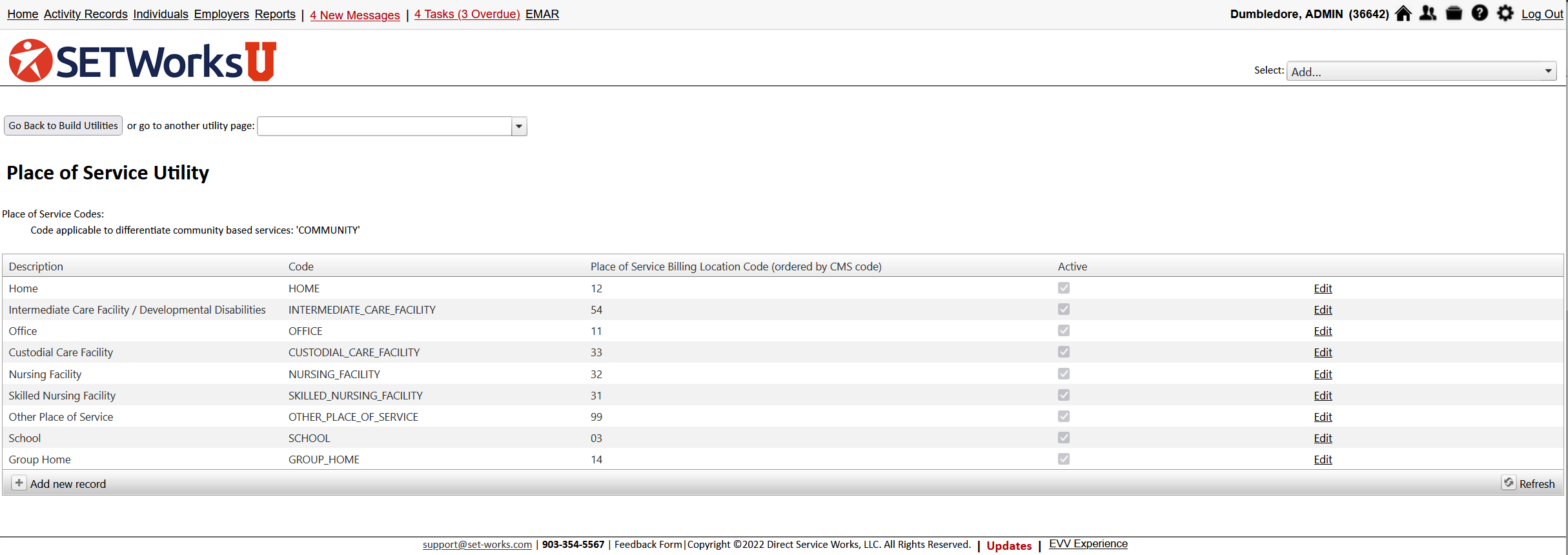
Note: Priority (If multiple place of service codes are configured) If the place of service code is configured in multiple places SETWorks will prioritize place of service codes configured in the following order: Activity Record Service Department If Nothing is set, place of service code will default to 12 (Home)