
How do I configure and use Employment Goals?
Administrators
When individuals have goals specific to their current employment or when looking for new employment, SETWorks tracks those as Employment Goals.
Employment Goal Privileges
Start by Navigating to the Maintain Privileges window:
Settings > Provider Build > Maintain Privileges > Placements:
Note: Enable the Employment Goal tab.
Note: User can create new 'Employment Goal(s)' for Job Placement.
Note: User can edit existing 'Employment Goal(s)' for Job Placement.
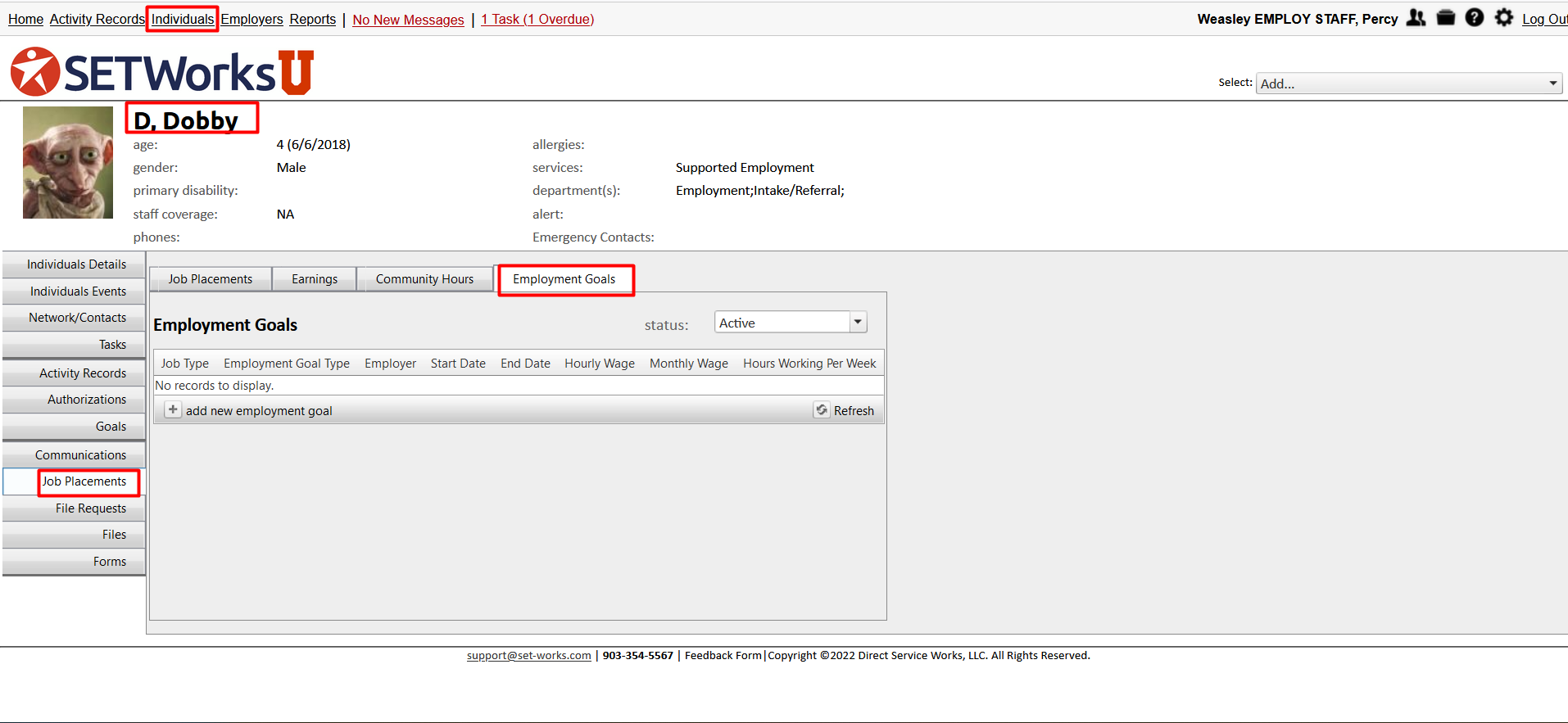
Accessing Employment Goals
- Navigate to the consumer's profile.
- Select Job Placements
- Select Employment Goals
Configuring Employment Goals
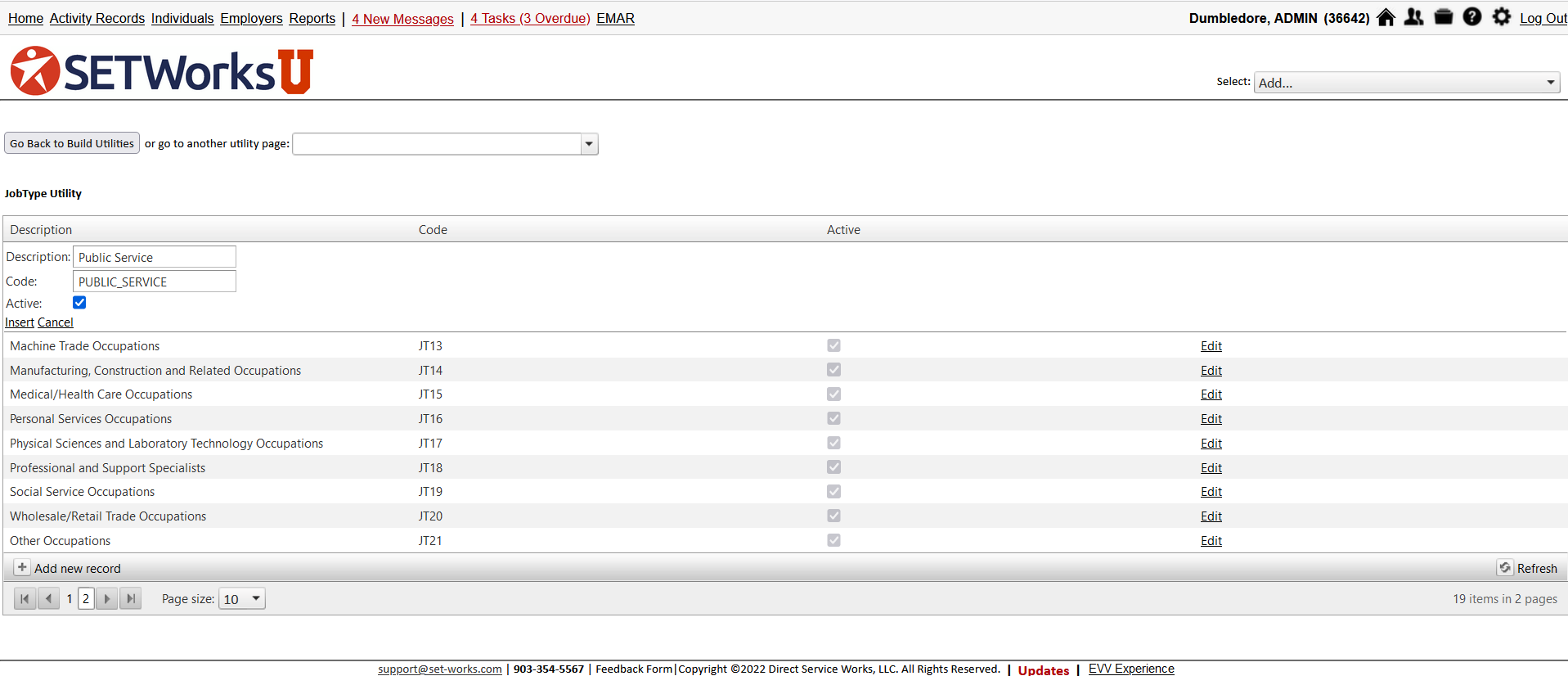
Job Type Utility
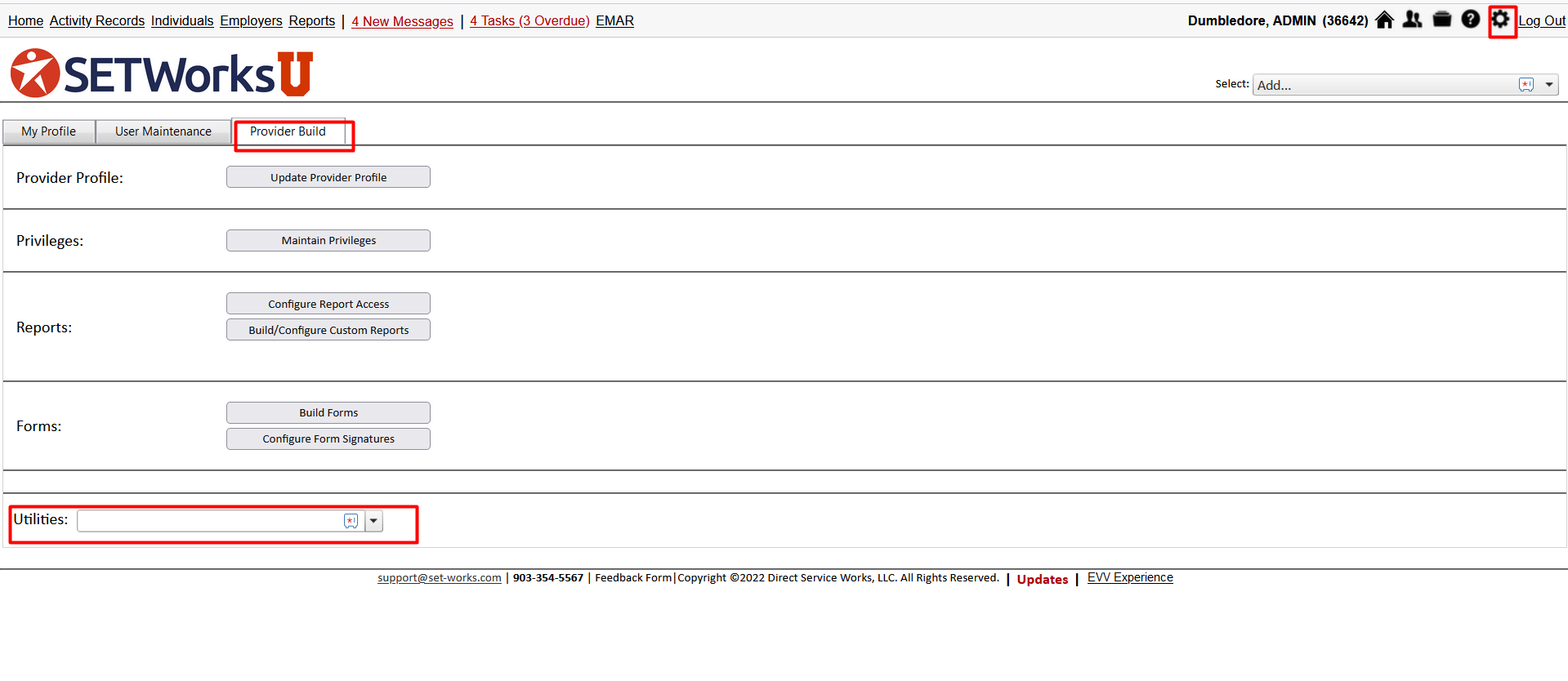
- Navigate to Settings > Provider Build > Utilities: Job Type
- There are job types turned on by default. To inactivate those, Edit the line item, select the Active checkbox to remove the check.
- To add new, Add new record.
- Insert the Job Type description or name. e.g., Administrative, Public Service
- Insert the Code by repeating the description in all caps. e.g., ADMINISTRATIVE, PUBLIC_SERVICE
- Select the Active checkbox for the item to appear in the dropdown list.
- Insert.
Employment Goal Type Utility
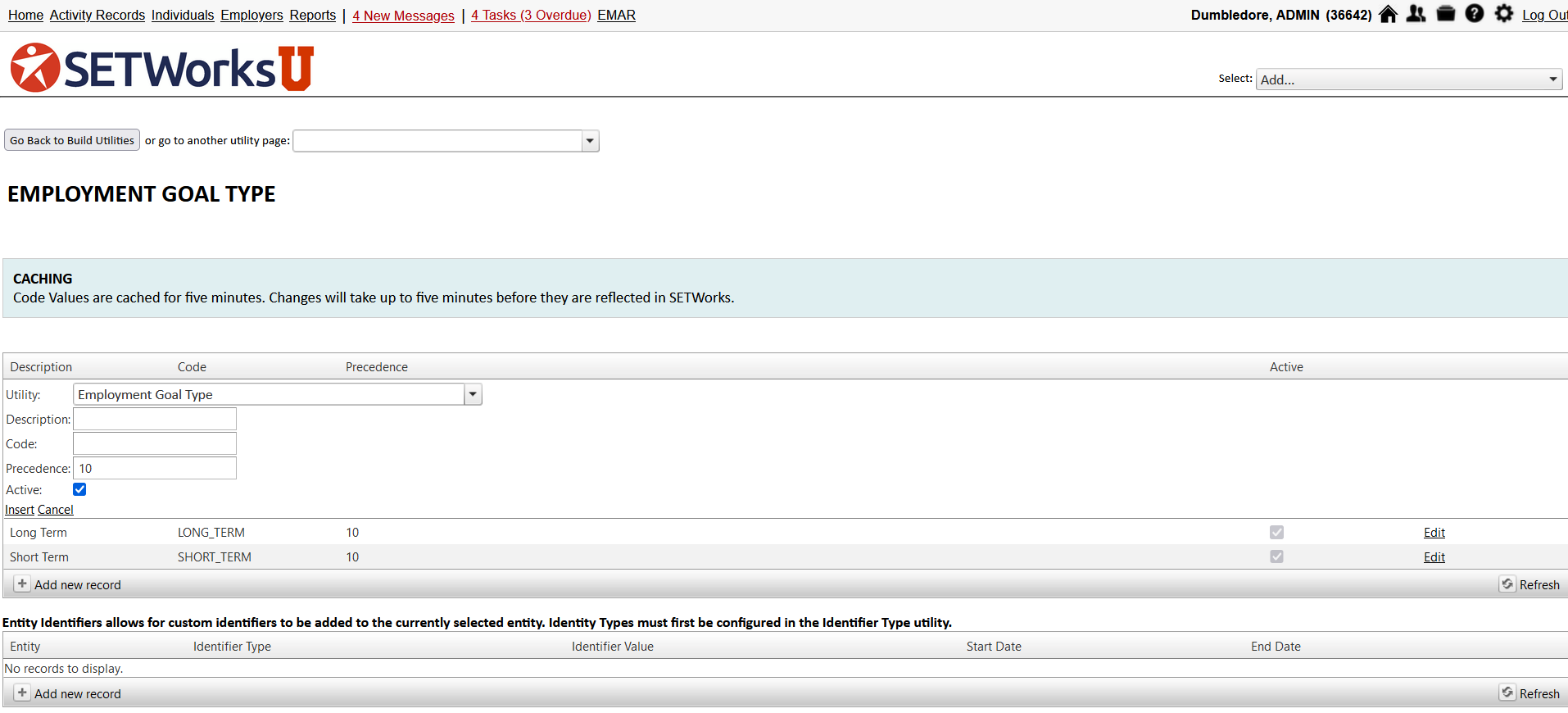
- Navigate to Settings > Provider Build > Utilities: Employment Goal Type
- Add new record.
- Insert the Description or name. e.g., Long Term
- Insert the Code by repeating the description in all caps. e.g., LONG_TERM
- Insert the Precedence or the order in which the item is to appear on the dropdown list.
- Select the Active checkbox for the item to appear in the dropdown list.
- Insert.
Processing an Employment Goal
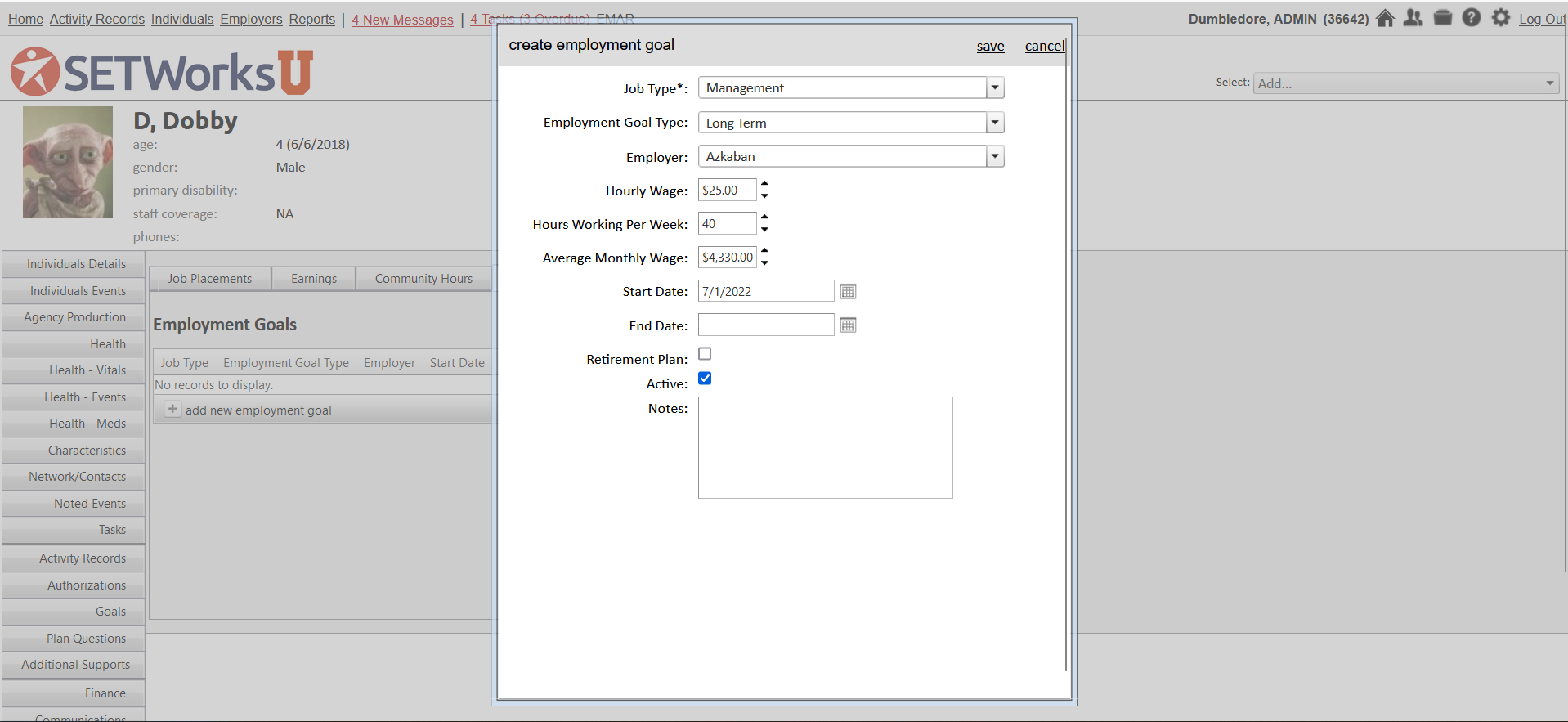
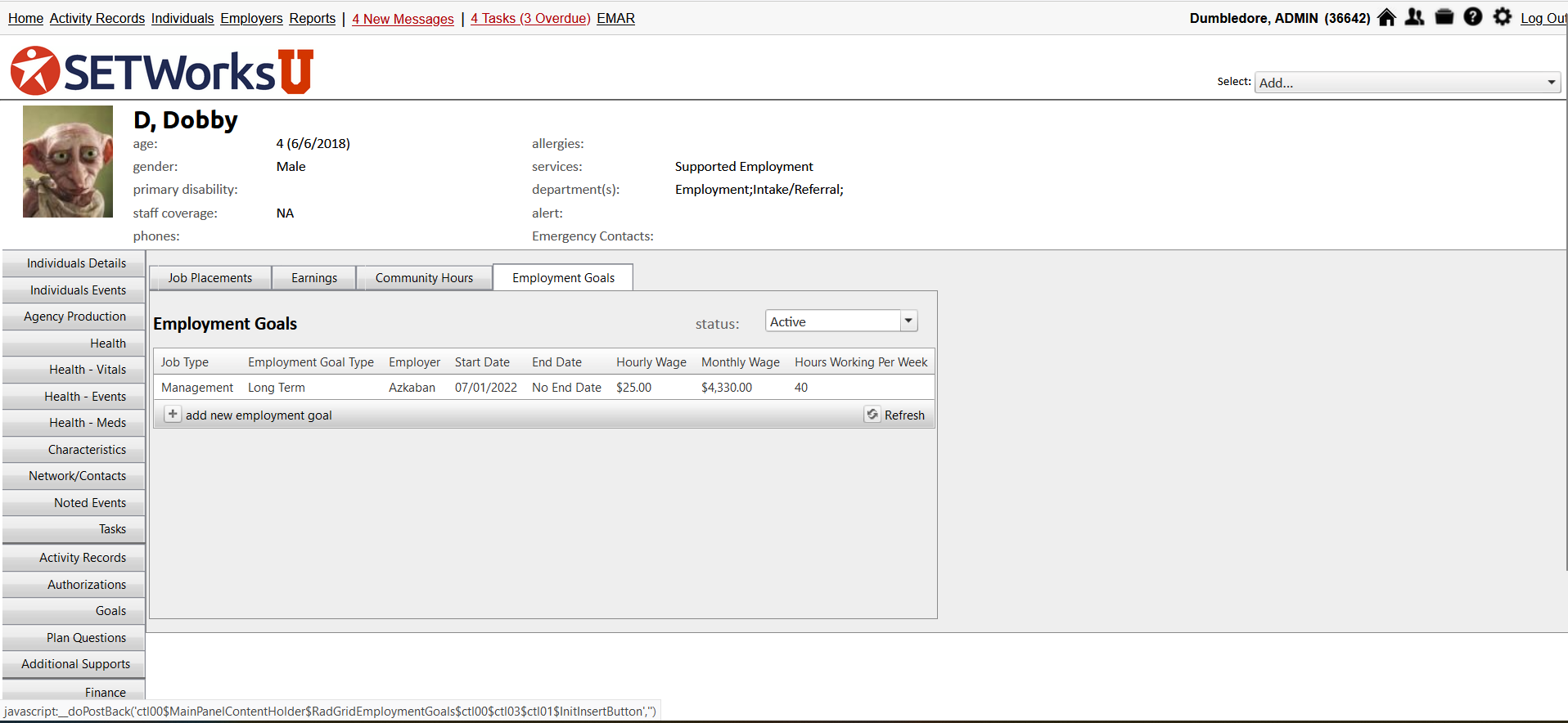
Navigate to the individual's profile > Job Placement tab > Employment Goals tab.
- Add new employment goal.
- Insert Job Type.
- Insert other items relevant to the individual's goal.
- Save.
Reporting on Employment Goals
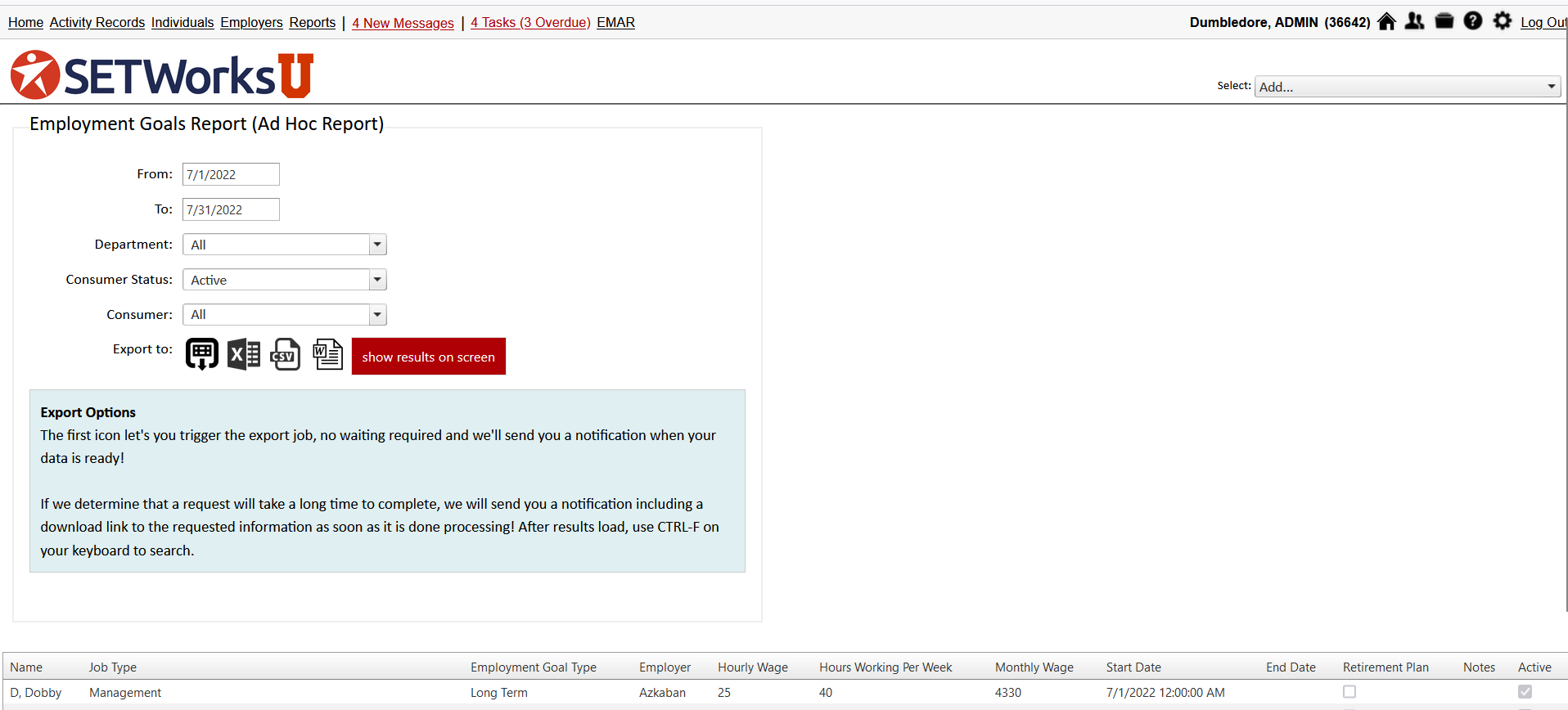
Employment Goals report (Ad Hoc Report)
Note: Many predefined answers are available as well for Employment Goal data to populate on forms. Access those within the Form Builder. Learn more about the Form Builder.