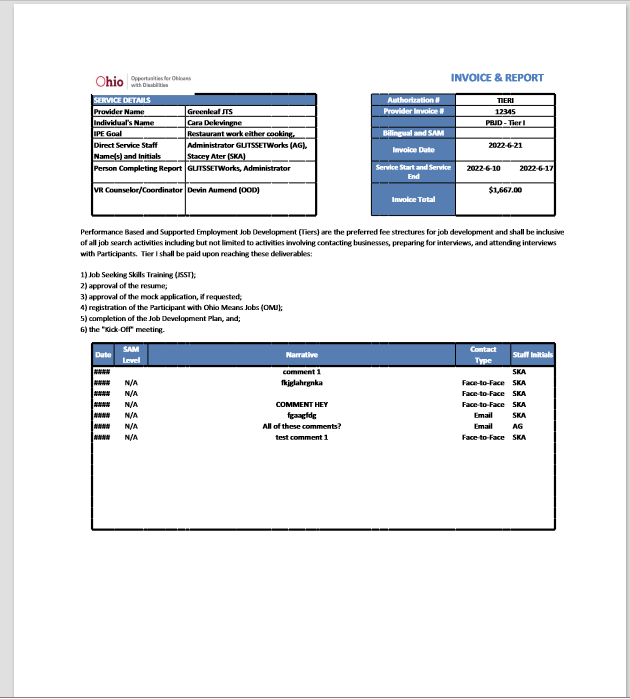
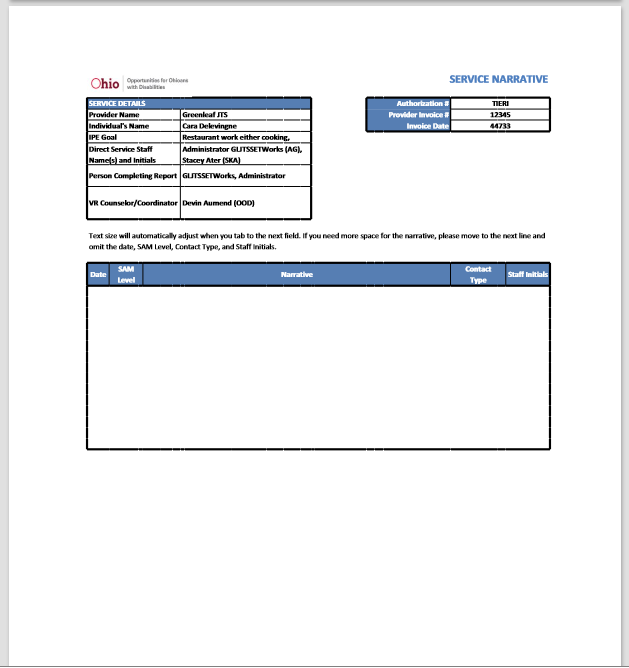
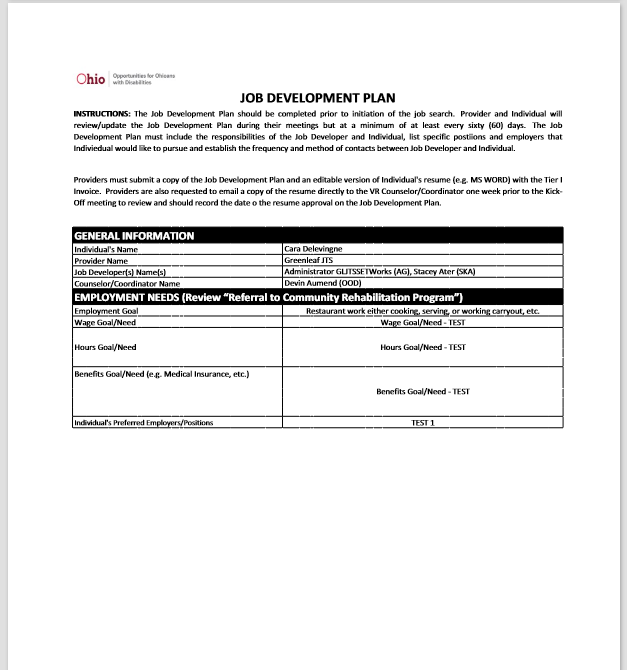
How to complete the NEW OOD Form 06 - Tier 1 & Job Development Plan
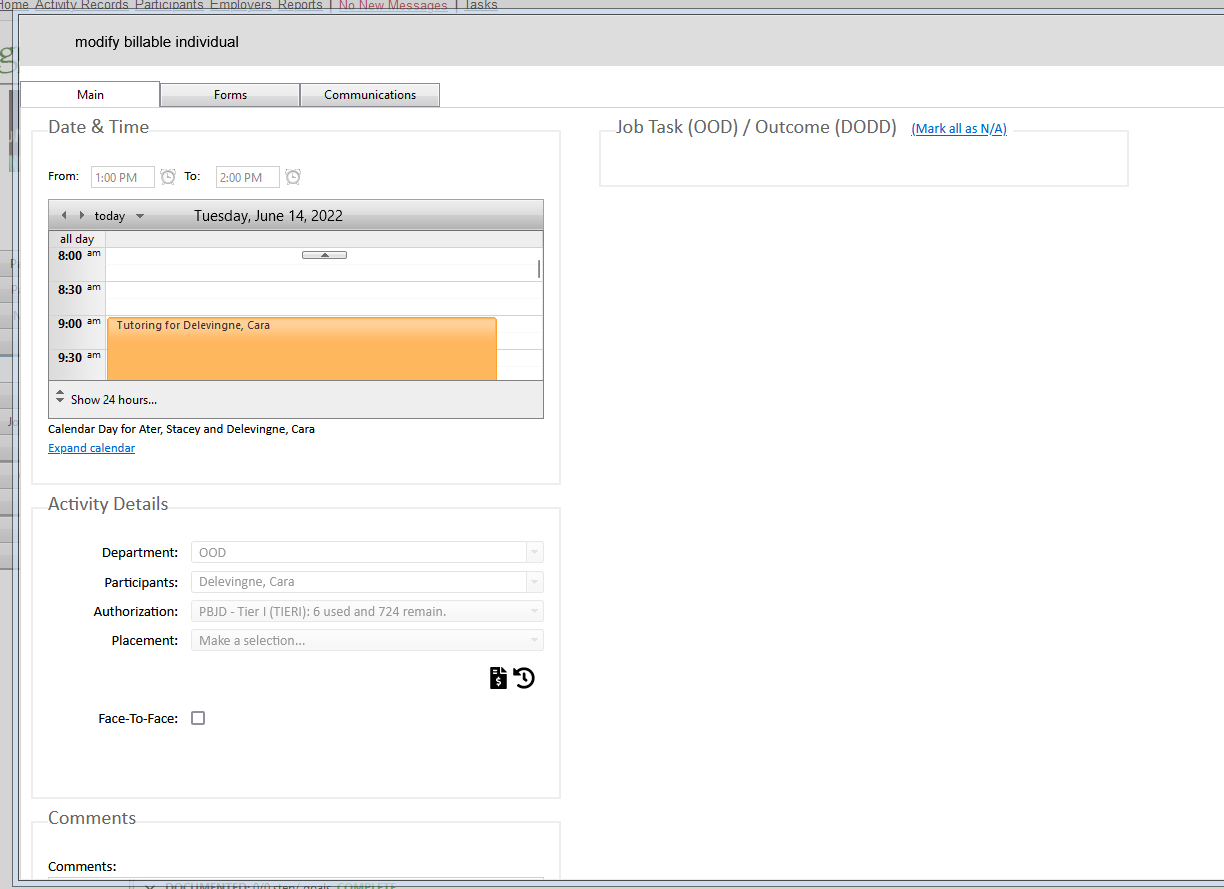
1. Create a Billable Individual Activity Record
- Select the date, time, consumer, authorization, and comments.
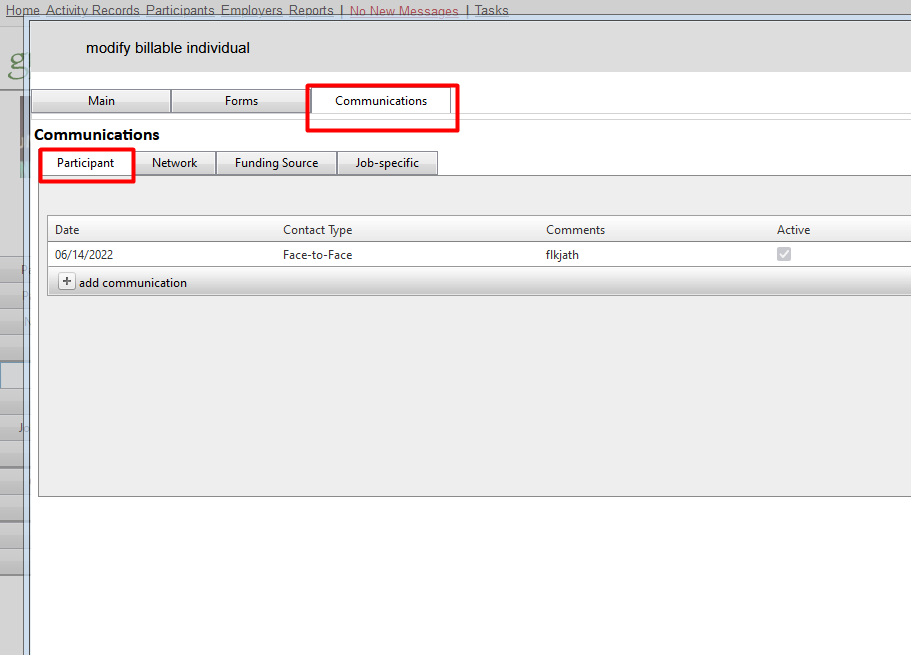
- Navigate to the Communications tab within the AR
- Use the Consumer tab to track consumer communications using the Type. Save.
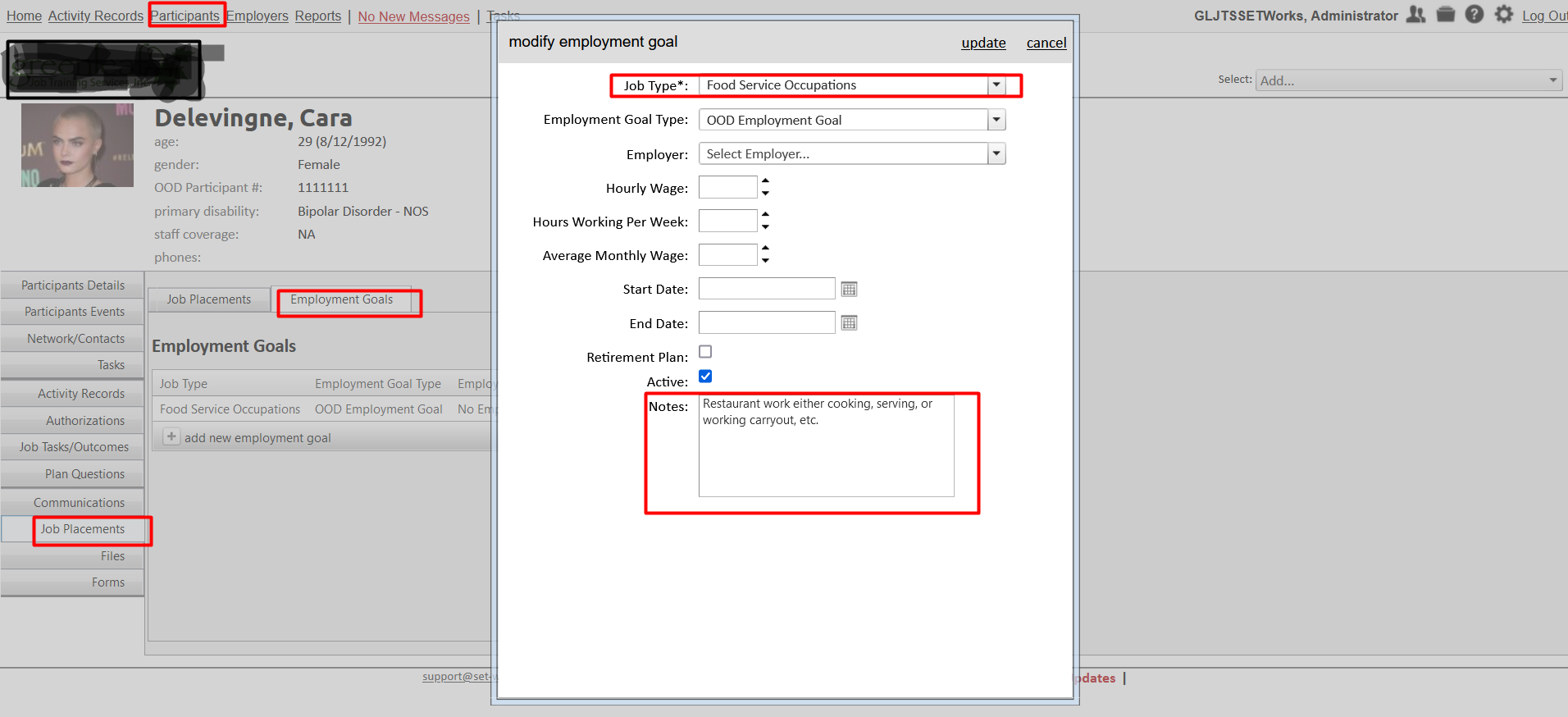
2. Navigate to the consumer profile > Job Placements > Employment Goals.
- Add an employment goal.
- Insert the Job Type
- Insert details in the Notes.
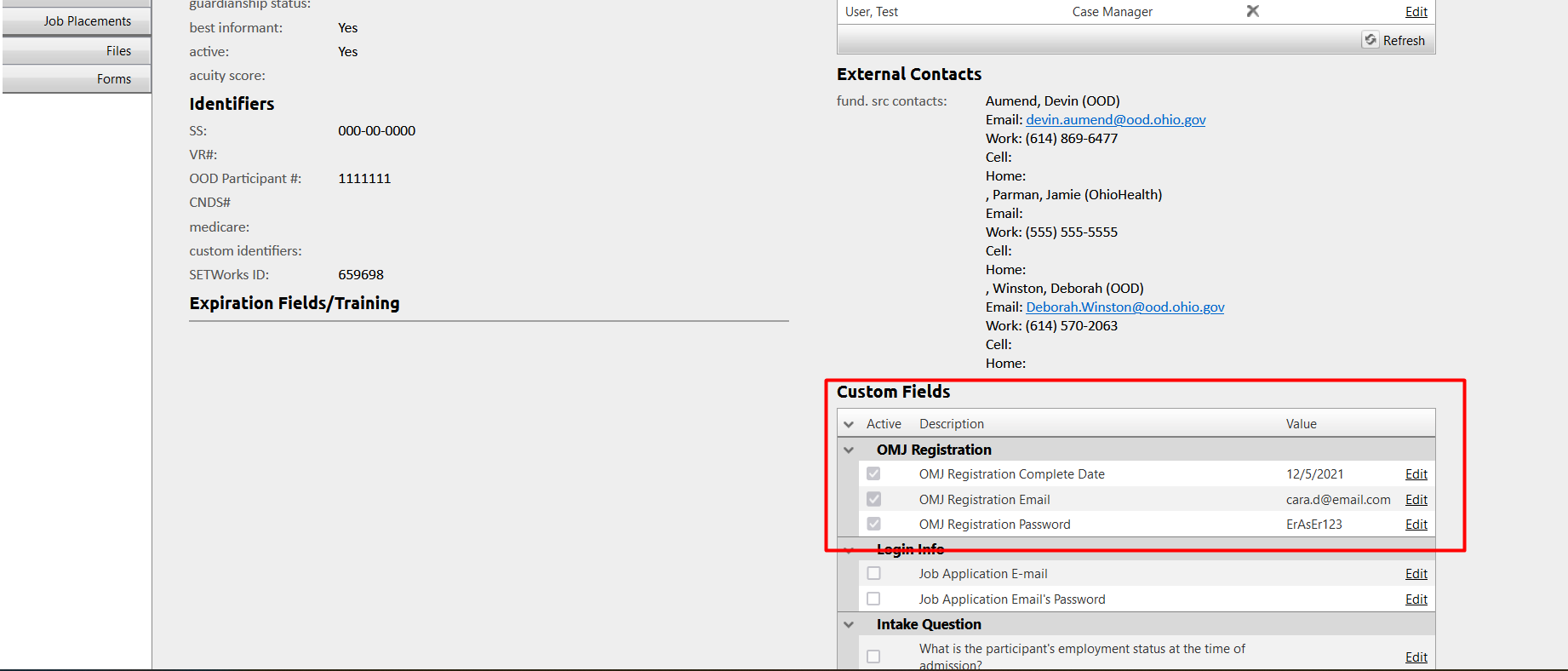
3. Navigate to the consumer profile > Consumer Details
- In Custom Fields, edit and add OMJ Registration information.
4. Navigate to the consumer profile > Forms
- Create a new OOD Form 6 - Tier I & JD Plan
- Complete the form information. Save.
- View Report and double check information.
Note: NOTE: If information is missing on the report, review the steps above, update, and save the report.
Note: NOTE: If information is in the database or on the form, but does not appear on the report, contact support@setworks.com .