What is the recommended way to Review and Sign activity records?
Administrators, Directors, Managers
SETWorks Review & Sign (Activity Records) allows for a quicker way to audit record documentation and sign records in bulk. For Billable Individual Records specifically, a 'display all AR info' button allows you to expand the record within this window and see the comments as well as the intervention and assessment keys.
Note: Terminology can be modified within SETWorks to better fit the needs of your organization. If the terminology in our articles are not the same on your site, talk to your local administrator to assist in translation or contact us at support@setworks.com
.Review & Sign (Activity Records)
Review & Sign (Activity Records) Privileges
Settings > Provider Build > Maintain Privileges > Activity Records:
Note: Enable the Review & Sign Activity Records link in the Global Action Menu
How to Review Activity Records
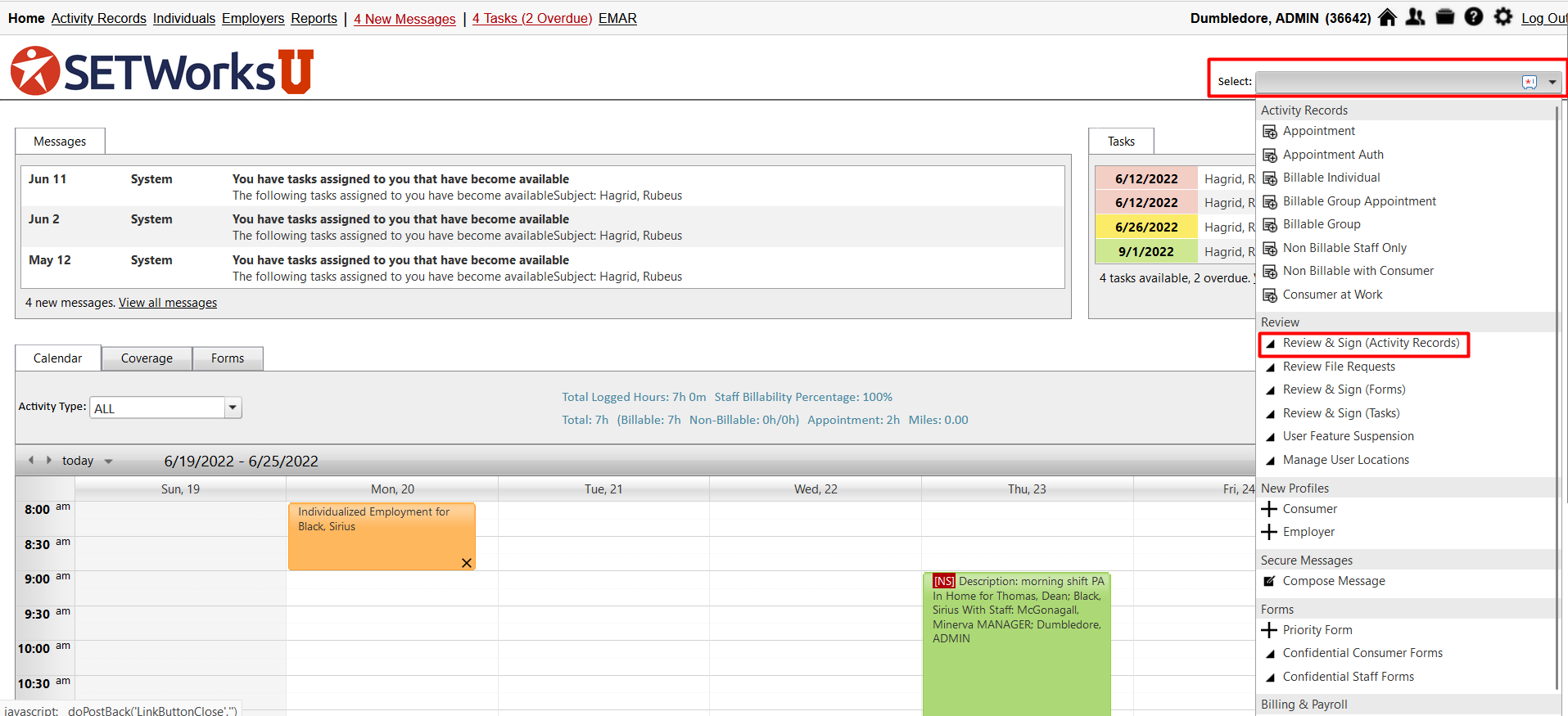
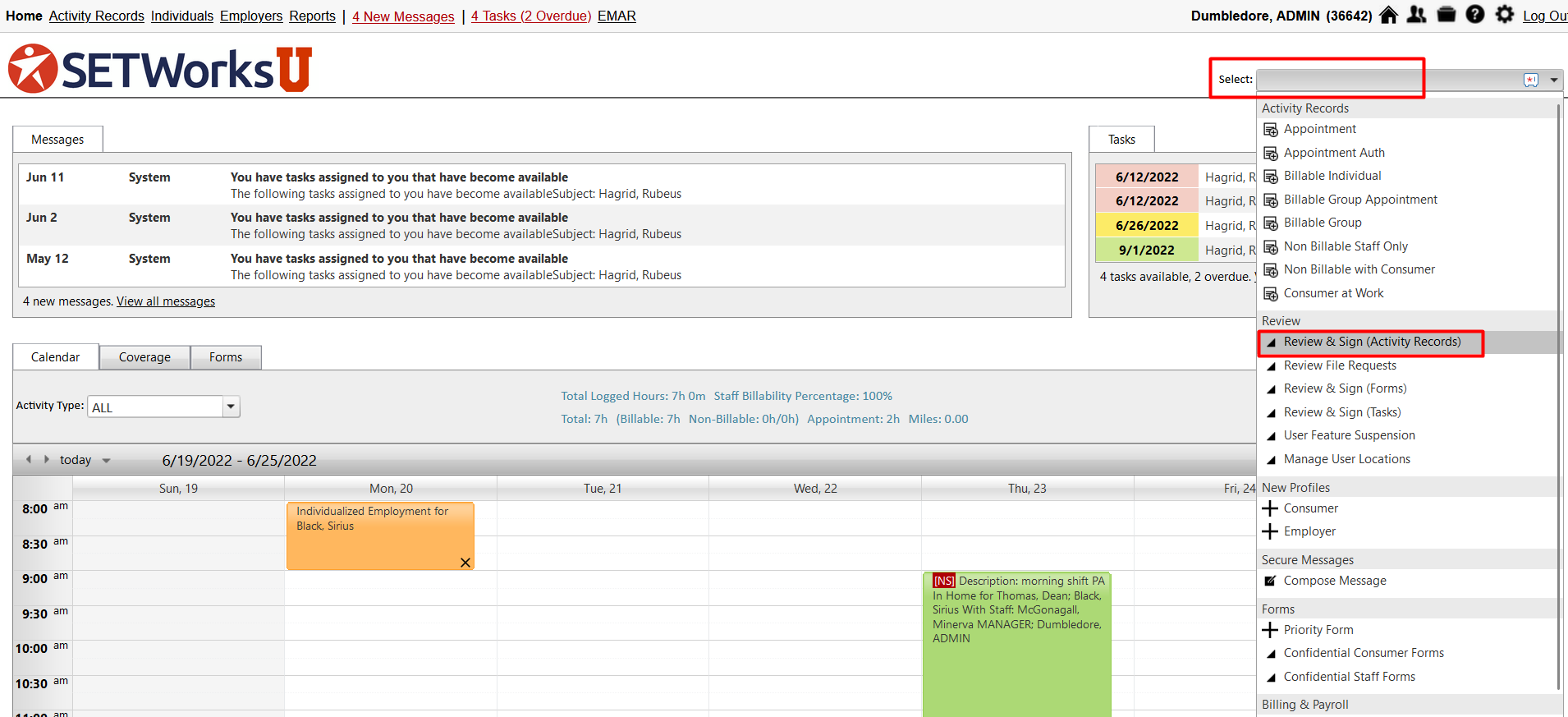
1. Navigate to the Select Add... dropdown menu.
2. Select Review & Sign (Activity Records).
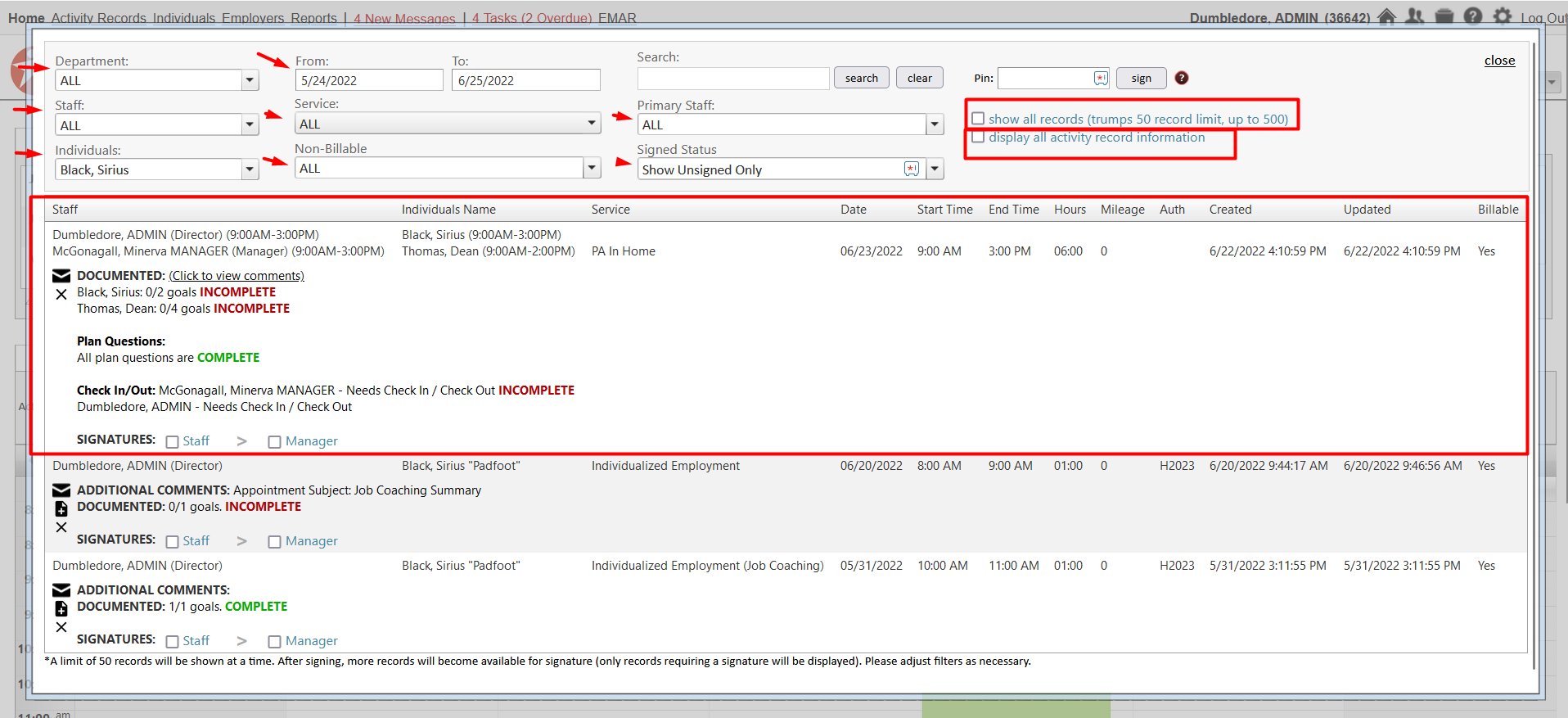
3. Filter as desired for Departments, Staff, Individuals, Dates, Services, Non-Billable activities, Primary Staff, or by Signed Status
Note: NOTE: "Show all records (trumps 50 record limit, up to 500)" allows for more than 50 records to appear on the page at once. This may slow down performance of this page.
Note: NOTE: "Display all activity record information" allows for more information to be displayed on this page. This extends the space each records takes up on this page and works well for Billable Individual Activity Records.
How to Sign Activity Records in Bulk
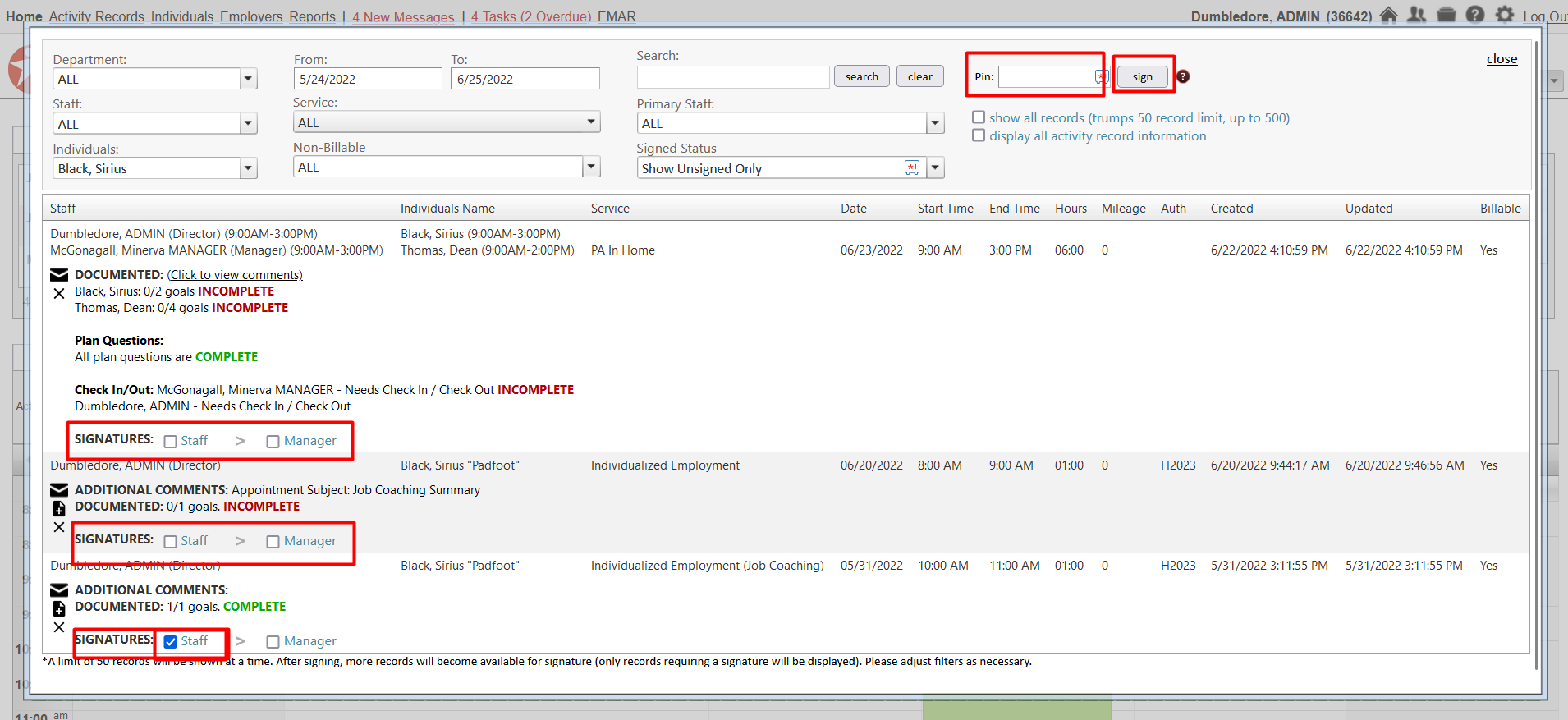
1. Once records have been reviewed, sign the record by selecting the Signatures: (Role) checkbox on each record.
2. Navigate to the top of the page, type your PIN.
3. Select Sign.