
Pre-Placement Progress Report & Service Log
This form only works for DVRS Services
The Form has multiple sources of data: Form (predefined/query answers, manual entry), Data Extractor (Billable Individual Activity Records).
Note: Throughout this document, "Merge Report" is used to refer to the NJ DVRS Supported Employment Initial Placement Information Report output. "Form" is used to refer to form creation within SETWorks.
As a General Rule:
If the data on the form is correct and is not appearing on merge reports - this is an engineering problem. Please contact Support.
If the data on the form matches the merge report but the content is wrong - this is a data entry problem. Please refer to the Form.
Below will show you where each section pulls its information from.
Consumer Information
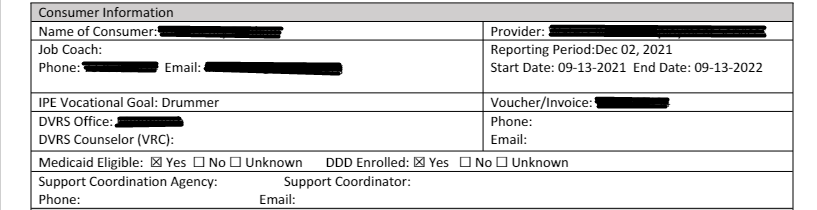
Name of Consumer: Populates from the Consumer Name.
Provider: Populates from your Provider Name.
Job Coach: Manual Entry of the name of the Job Coach.
Phone: Manual Entry of the Phone Number of the Job Coach.
Email: Manual Entry of the Phone Number of the Job Coach.
Reporting Period: Populates from the Date selected on the Form.
Start Date: Populates from the Authorization Start Date.
End Date: Populates from the Authorization End Date.
IPE Vocational Goal: Populates from the Job Goal Custom Field.
Voucher/Invoice: Populates from the Authorization Code.
DVRS Office: Populates from the Consumer County.
DVRS Counselor (VRC): Populates from the Funding Source Contact Name.
Phone: Populates from the Funding Source Contact Phone Number.
Email: Populates from the Funding Source Contact Email.
Medicaid Eligible: Manual Entry through Checkboxes on the Form.
DDD Enrolled: Manual Entry through Checkboxes on the Form.
Support Coordination Agency: Manual Entry of the Support Coordination Agency.
Support Coordinator: Manual Entry of the Support Coordinator.
Phone: Manual Entry of the Support Coordinators Phone Number.
Email: Manual Entry of the Support Coordinators Email.
Employment Plan Service Steps

The Employment Plan Service Steps section does not have any Predefined Answers or Data Extractors setup. This is all Manual Entry and will put whatever is entered from the Form into the Merge Report.
Support Information
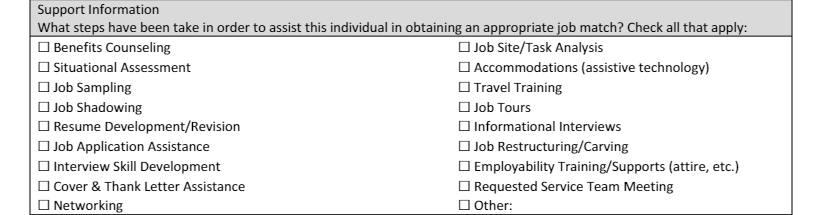
The Support Information section does not have any Predefined Answers or Data Extractors setup. This is all Manual Entry and will put whatever is entered from the Form into the Merge Report.
Consumer Engagement
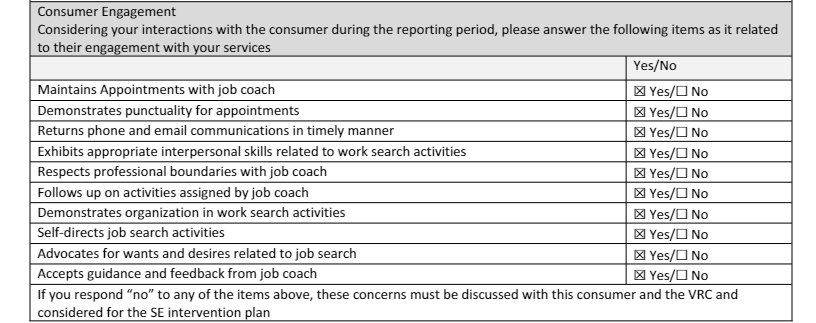
The Consumer Engagement section does not have any Predefined Answers or Data Extractors setup. This is all Manual Entry and will put whatever is entered from the Form into the Merge Report. By Default all Questions are Marked as "Yes" in the first section.
Signature

Signatures are pulled from the First, Second, and Third signature boxes on the Form Grid
First Box: Job Coach
Second: Supervisor 1
Third: Supervisor 2
Logs
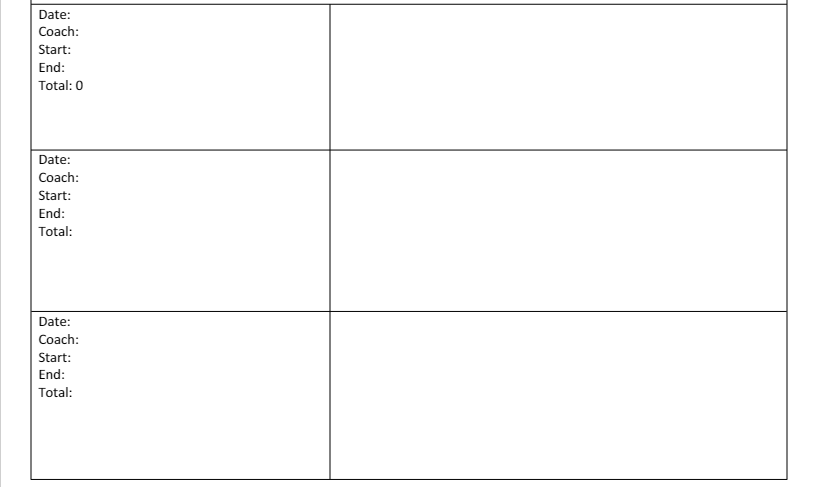
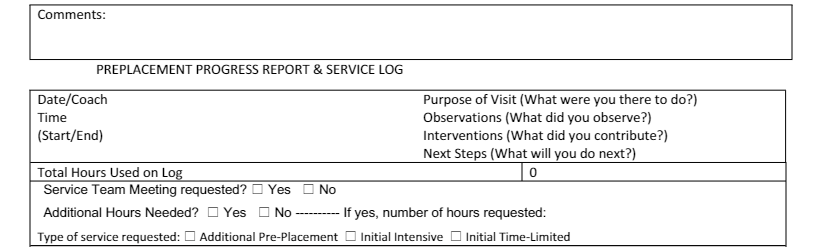
This information is Populated from the Logs that are attached to the Selected Authorizations from the Date Range Selected on the Form. There is a total of 30 Logs per Merge Report.
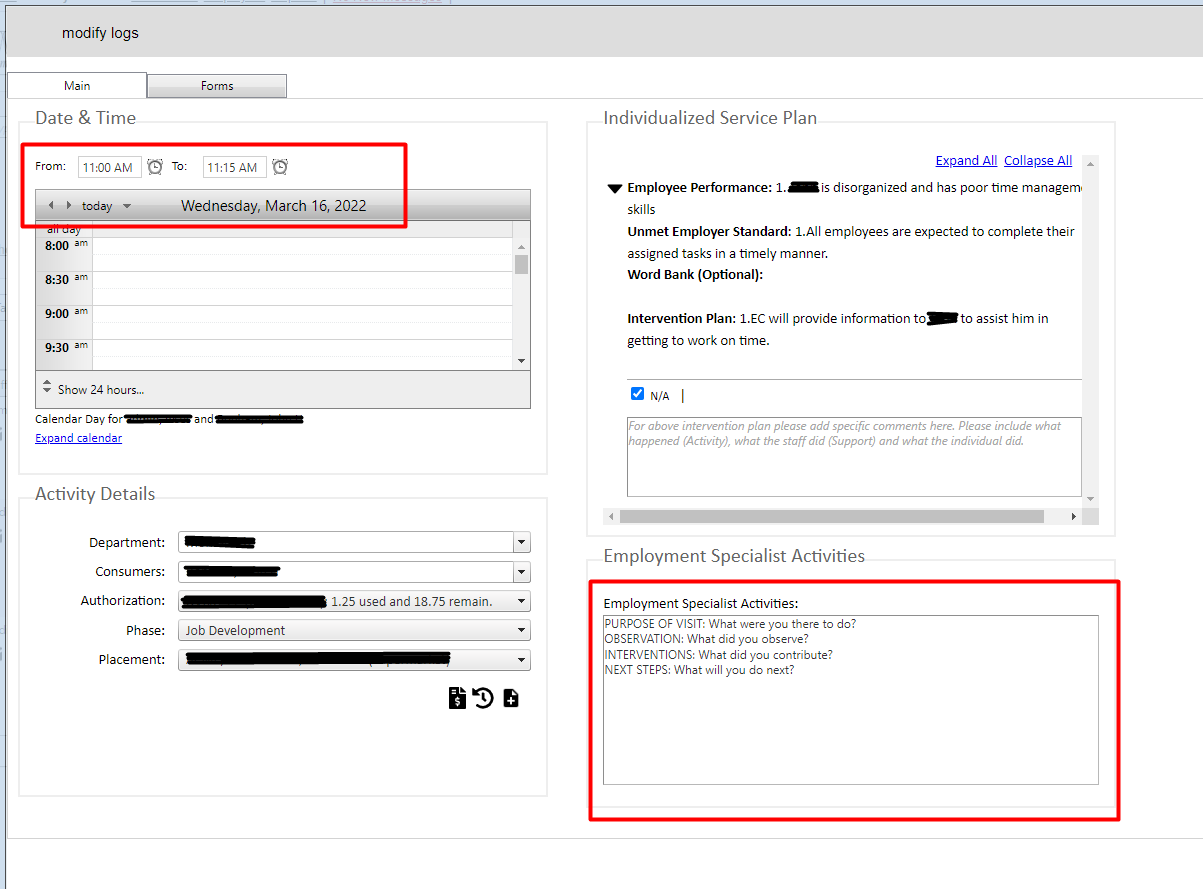
Date: Populates from the Date on the Log.
Coach: Populates from the Job Coach on the Log.
Start: Populates from the Start Time on the Log.
End: Populates form the End Time on the Log.
Total: Populates from the Total Time used on the Log.
The Right Column information Populates from the Employment Specialist Activities area on the Log.