
NJ Job Coaching Progress Report & Service Log
This form only works for DVRS Services
The Form has multiple sources of data: Form (predefined/query answers, manual entry), Data Extractor (Billable Individual Activity Records).
Note: Throughout this document, "Merge Report" is used to refer to the NJ Job Coaching Progress Report & Service Log output. "Form" is used to refer to form creation within SETWorks.
As a General Rule:
If the data on the form is correct and is not appearing on merge reports - this is an engineering problem. Please contact Support
If the data on the form matches the merge report but the content is wrong - this is a data entry problem. Please refer to the Form.
Below will show you where each section pulls its information from
Consumer Information
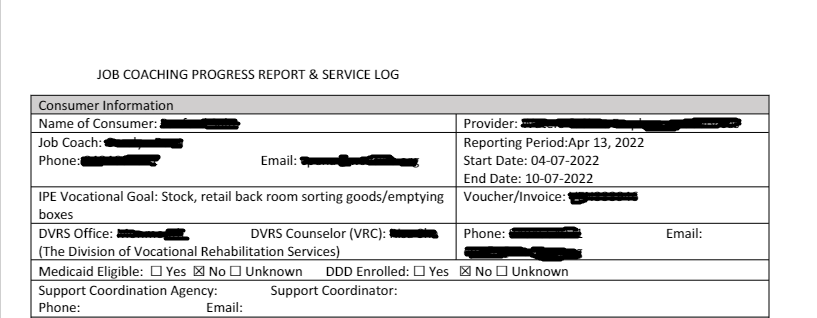
Name of Consumer: Populates from the Consumer Name.
Provider: Populates from your Provider Name.
Job Coach: Manual Entry of the name of the Job Coach.
Phone: Manual Entry of the Phone Number of the Job Coach.
Email: Manual Entry of the Phone Number of the Job Coach.
Reporting Period: Populates from the Date selected on the Form.
Start Date: Populates from the Authorization Start Date.
End Date: Populates from the Authorization End Date.
IPE Vocational Goal: Populates from the Job Goal Custom Field.
Voucher/Invoice: Populates from the Authorization Code.
DVRS Office: Populates from the Consumer County.
DVRS Counselor (VRC): Populates from the Funding Source Contact Name.
Phone: Populates from the Funding Source Contact Phone Number.
Email: Populates from the Funding Source Contact Email.
Medicaid Eligible: Manual Entry through Checkboxes on the Form.
DDD Enrolled: Manual Entry through Checkboxes on the Form.
Support Coordination Agency: Manual Entry of the Support Coordination Agency.
Support Coordinator: Manual Entry of the Support Coordinator.
Phone: Manual Entry of the Support Coordinators Phone Number.
Email: Manual Entry of the Support Coordinators Email.
Employment Information

Consumer's Job Title: Populates from the Job Title in Job Placement.
Hire Date: Populates from the Hire Date in Job Placement.
Full Time, Part Time, Per Diem: Manual Entry through Checkboxes on the Form.
Employer: Populates from the Employer in the Job Placement.
Address: Populates from the Employer Address in the Job Placement.
City, State, Zip: Populates from the Employer Address in the Job Placement.
Hours per Week: Populates from the Wage Weekly Hours in the Job Placement.
Days per Week: Manual Entry in the Form.
Hourly Rate: Populates from the Current Wage in the Job Placement.
Intervention Plan
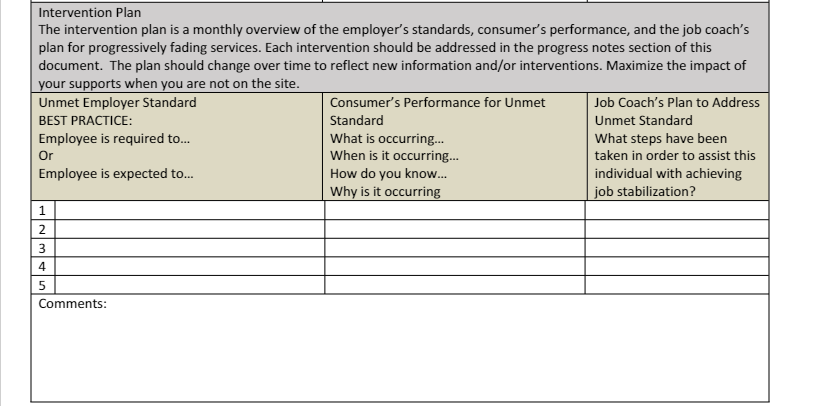
Unmet Employer Standard: Populates from the Unmet Employer Standard Section in the Intervention Plan Tab.
Consumer's Performance for Unmet Standard: Populates from the Employee Performance Section in the Intervention Plan Tab.
Job Coaches Plan to Address Unmet Standard: Populates from the Intervention Plan Section in the Intervention Plan Tab.
Comments: Manual Entry in the Form
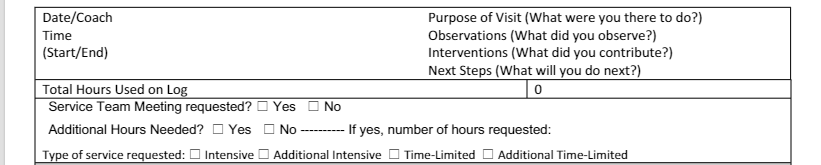
Total Hours Used on Log: Populates from the Activity Records Hours within the Select Date Range on the Form
Service Team Meeting requested?: Manual Entry through Checkboxes on Form
Additional Hours Needed?: Manual Entry through Checkboxes and text box on Form
Type of Service Requested: Manual Entry through Checkboxes on Form
Signature
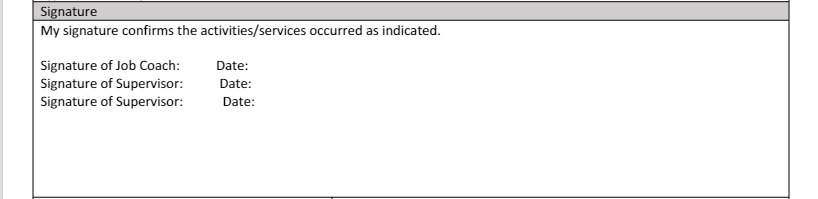
Signatures are pulled from the First, Second, and Third signature boxes on the Form Grid
First Box: Job Coach
Second: Supervisor 1
Third: Supervisor 2
Logs
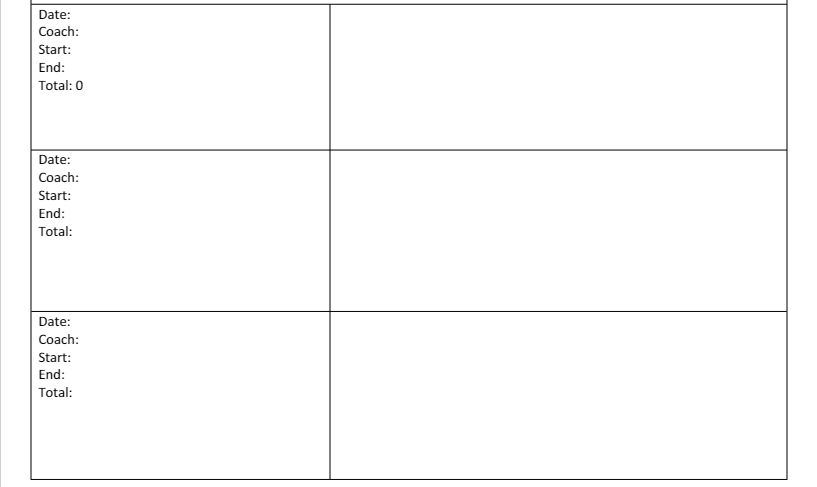
This information is Populated from the Logs that are attached to the Selected Authorizations from the Date Range Selected on the Form. There is a total of 30 Logs per Merge Report.
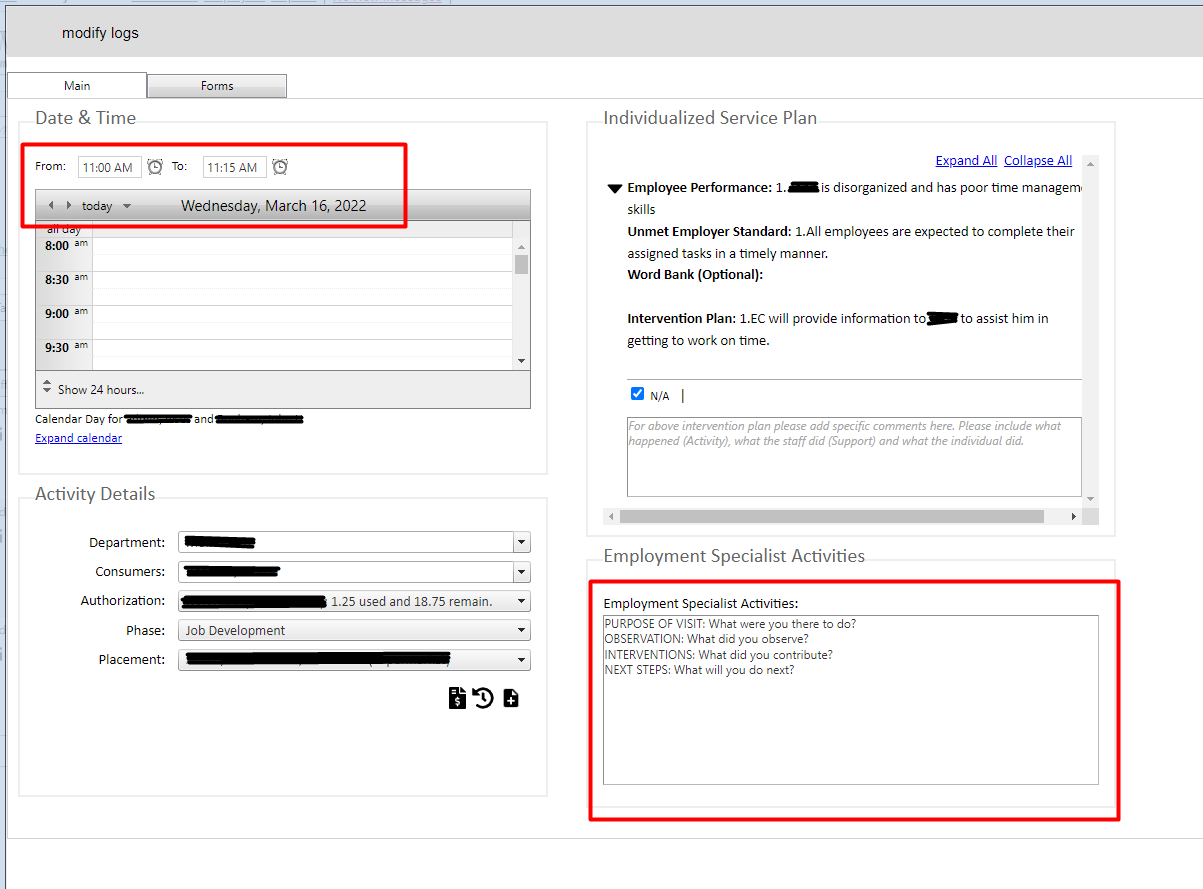
Date: Populates from the Date on the Log.
Coach: Populates from the Job Coach on the Log.
Start: Populates from the Start Time on the Log.
End: Populates form the End Time on the Log.
Total: Populates from the Total Time used on the Log.
The Right Column information Populates from the Employment Specialist Activities area on the Log.