
Overview
For Residential (ResHab) services in Pennsylvania, Consumers are typically authorized for three different Services. The Service codes can vary but Consumers are generally authorized for with day supports, without day supports, and an ineligible service. If using the HCSIS Authorization Import - Pennsylvania then all three Authorizations are imported.
Note: If for any reason records are logged directly on the Residential Ineligible authorization SETWorks strongly recommends against running the automated reauthorization process. Running the re-authorize tool on Ineligible records can cause issues.
Re-Authorize ResHab
When going through the normal billing process (How To Submit Electronic Billing (Pennsylvania) it is best to use a separate Batch for Residential Services. Once a Batch is created, the "re-authorize ResHab" button can be clicked which will process all the Authorizations and compare the time for each record to make sure the appropriate Authorization is selected for that date.
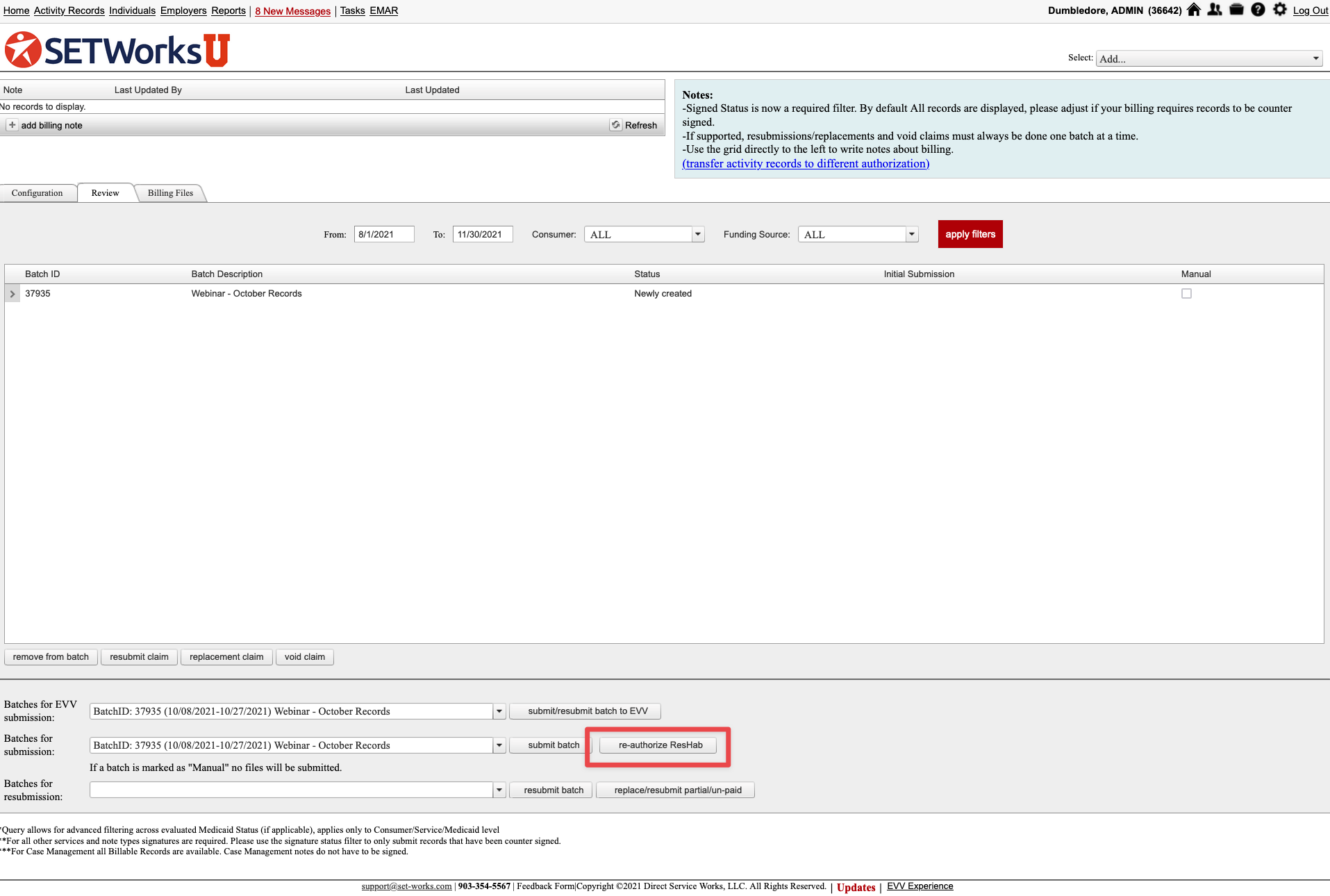
Note: This button is enabled by the "Show Re-Authorize Res Hab Button on Billing Screen (only applicable in certain states)" privilege.
There is complex logic involved with this process so we've included the PDF flow chart to this Article to assist.
Note: The Hospitalization logic utilizes a Consumer Event with a code of "HOSPITALIZATION". The start date and end date for that Consumer Event are used in the re-authorization calculations.
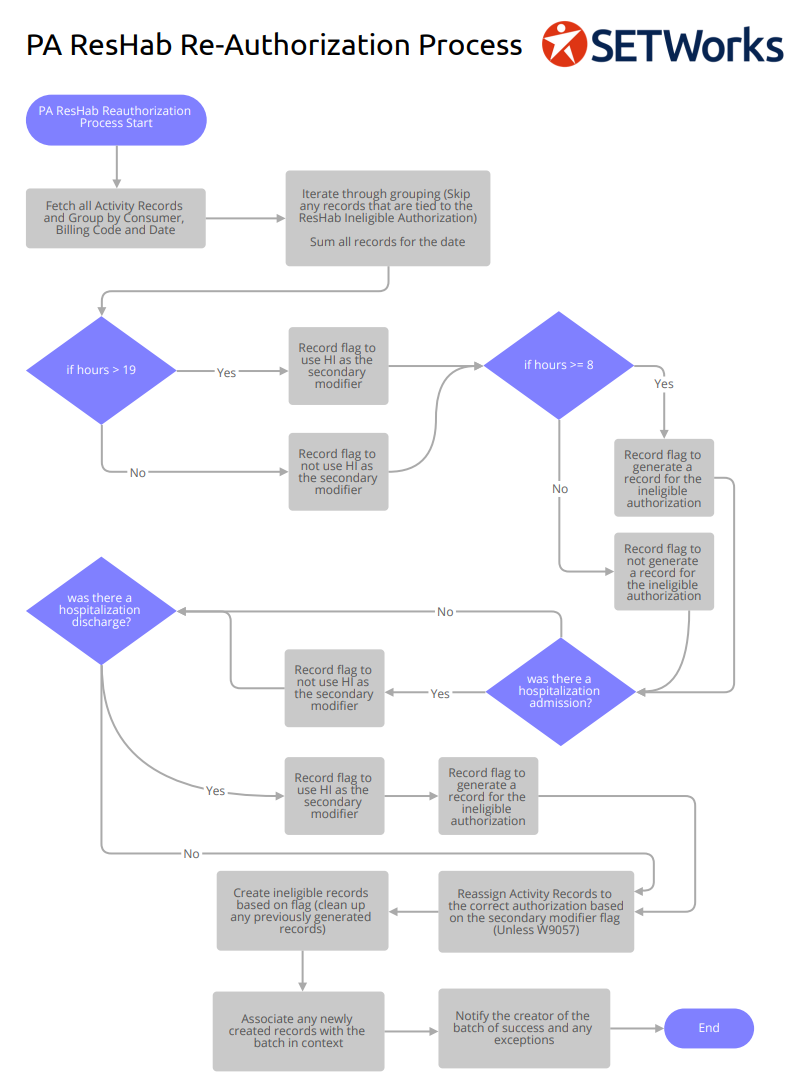
Note: If hours are over 19 then the Reauthorization tool adds modifier HI (Residential without day supports). If hours are less than 19 then it adds no modifier (Residential with day supports). If hours are greater than 8 then it generates a record on the ineligible authorization.