
Allowing Users to Request Form Signatures from External Users
Administrators
This article will explain how to enable internal users (staff) to request external users sign forms via email.
Note: Terminology can be modified within SETWorks to better fit the needs of your organization. If the terminology in our articles are not the same on your site, talk to your local administrator to assist in translation.
About
External Users are allowed to use SETWorks to sign forms. An External User can be anyone that doesn't already have a SETWorks account. Some examples include:
Parents
Guardians
Service Coordinators
Setup
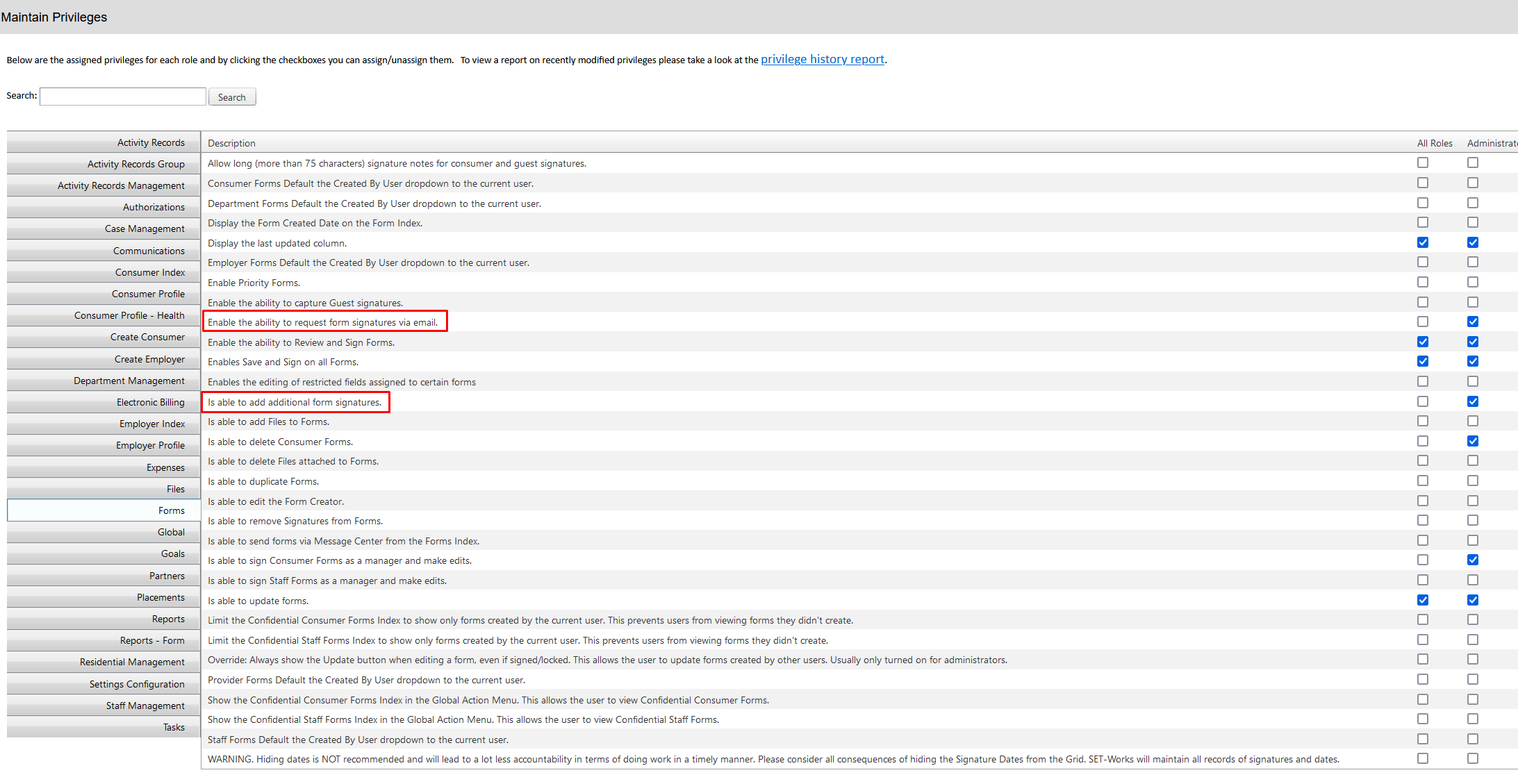
To get started, enable the following privileges for any role(s) that need to be able to request the signature from External Users:
Privileges
Settings > Provider Build > Maintain Privileges > Forms:
Note: Is able to add additional form signatures.
Note: Enable the ability to request form signatures via email.
Watch - Configure SETWorks to Allow Users to send a Signature Request to an External User
Please watch the following video for a demonstration on how to configure SETWorks and create a signature request: