
How do I configure Network Contact Relationships?
Administrators
The Contact Relationship Type Utility is used to create & maintain your agencies Network Contact Relationships. Network Contact Relationships are associated to each Consumer's Network Contact. This article will explore how to configure the Contact Relationship dropdown when adding a Network Contact to a consumer.
Access the Adaptive Equipment Utility
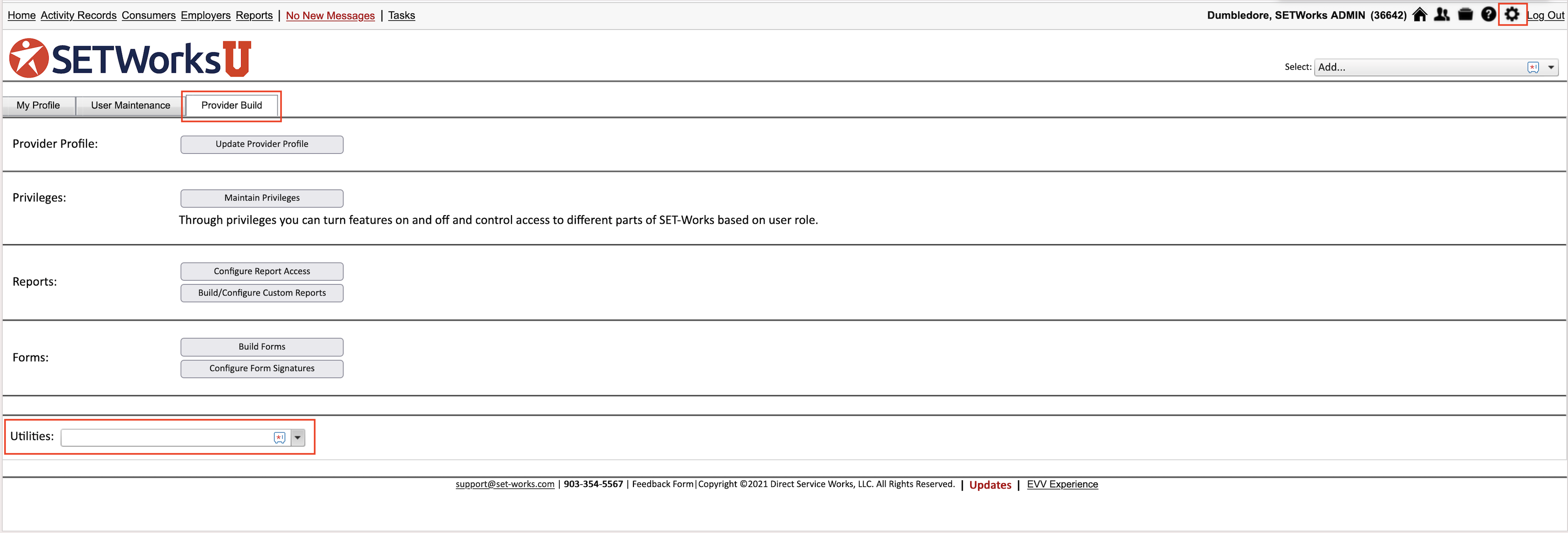
- Click on the Settings
 icon in the top right of the navigation bar.
- Select the Provider Build tab.
- Expand the Utilities drop-down and search for the "Network Contact Type" utility.
Adding Network Contact Relationships
- Select + Add new record.
- Complete the necessary fields:
- Description: The name of the Contact Relationship that will display within the Contact Relationship dropdown.
- Code: a unique internal code needed for SETWorks configuration. Best practice is to simply copy the description in ALL CAPS. **Certain reports pull data based on specific codes. Reach out to SETWorks support if you have any questions.**
- Precedence: the order, from top to bottom, in which the Contact Relationships will display in the dropdown.
- Active: Ensure this is selected if you want this to be enabled in your domain.
- Click Insert