How do I enable Completion Checking for Plan Questions?
Administrator
Plan Questions must be enabled and configured for individual's to appear for documentation within the Group Activity Record. Required plan questions can be checked to determine completion after being documented on from the Group Activity Record.
Review other Plan Questions resources within the Knowledge Base to learn more.
Note: Terminology can be modified within SETWorks to better fit the needs of your organization. If the terminology in our articles are not the same on your site, talk to your local administrator to assist in translation.
Plan Question Privileges
Settings > Provider Build > Maintain Privileges > Activity Record Group:
Note: Enable completion checking for Plan Questions
Configuring Plan Questions for Completion Checking
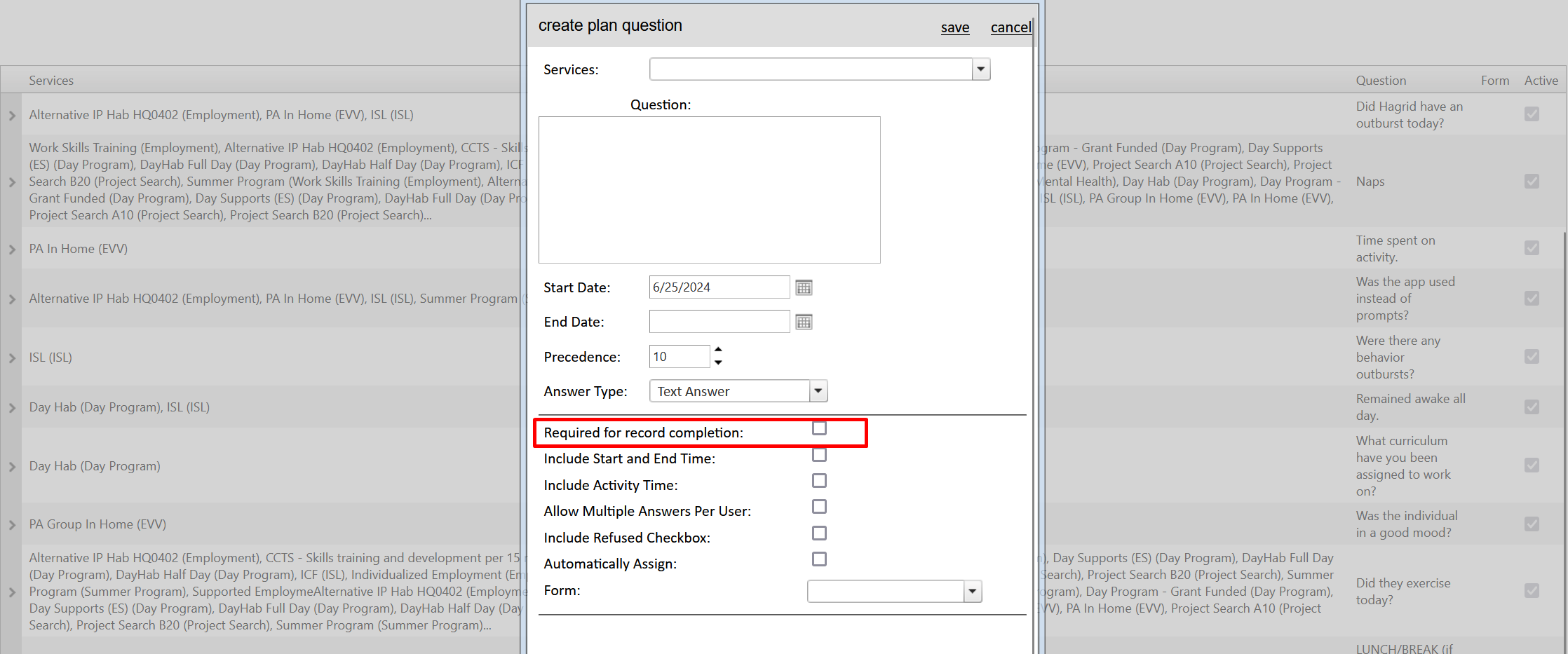
Created questions or items must be marked as 'required' for completion checking to apply. If the item is marked as 'required', the activity record will show 'incomplete' until the plan question has a response.
- After enabling the privilege listed above, navigate to an individual's Plan Questions in the Individual's profile or the Plan Question Utility. Learn more about creating and assigning plan questions.
- Select a created plan question to open or create a new plan question.
- Select "Required for record completion" per question or item for completion checking to apply.
Reviewing Plan Question Completion Checking
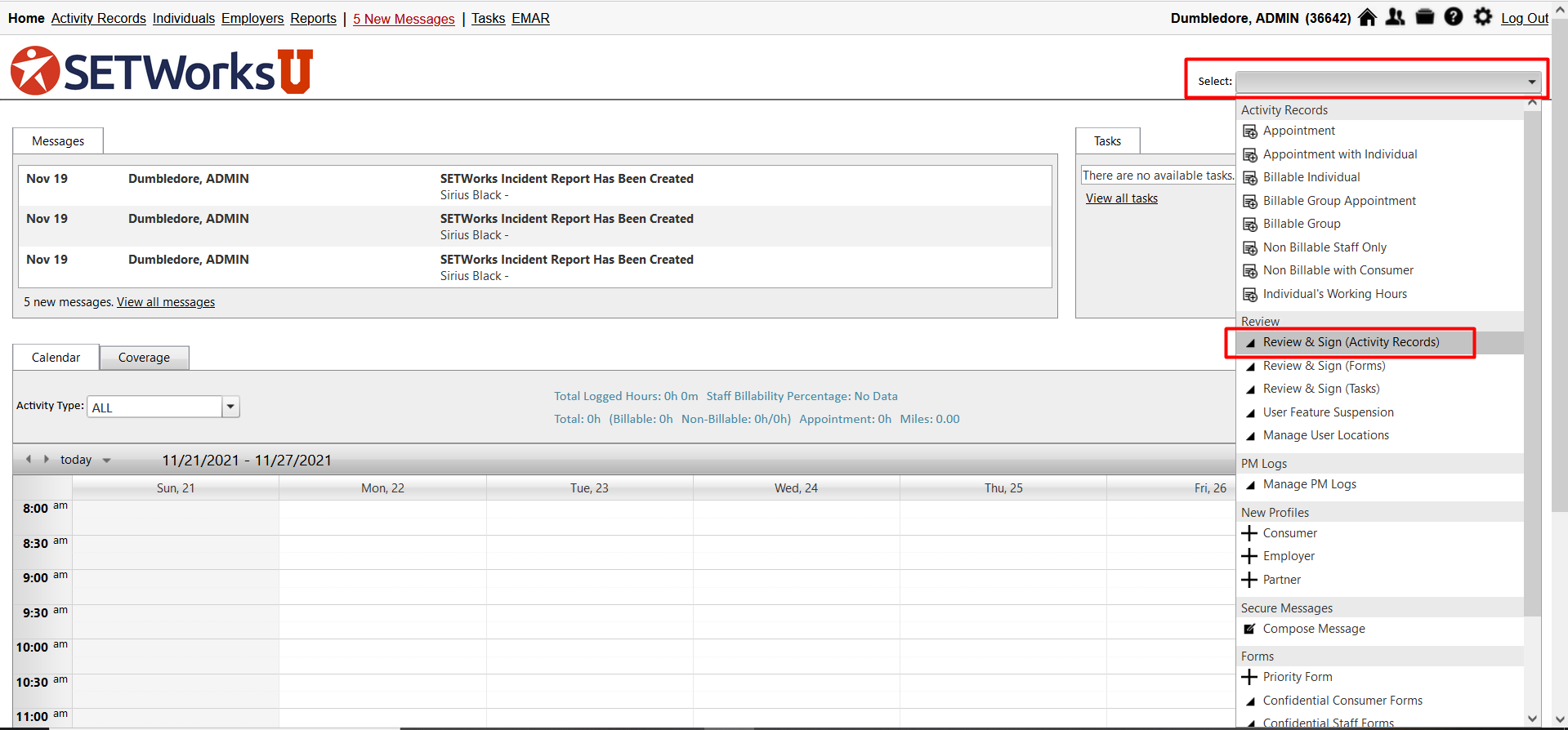
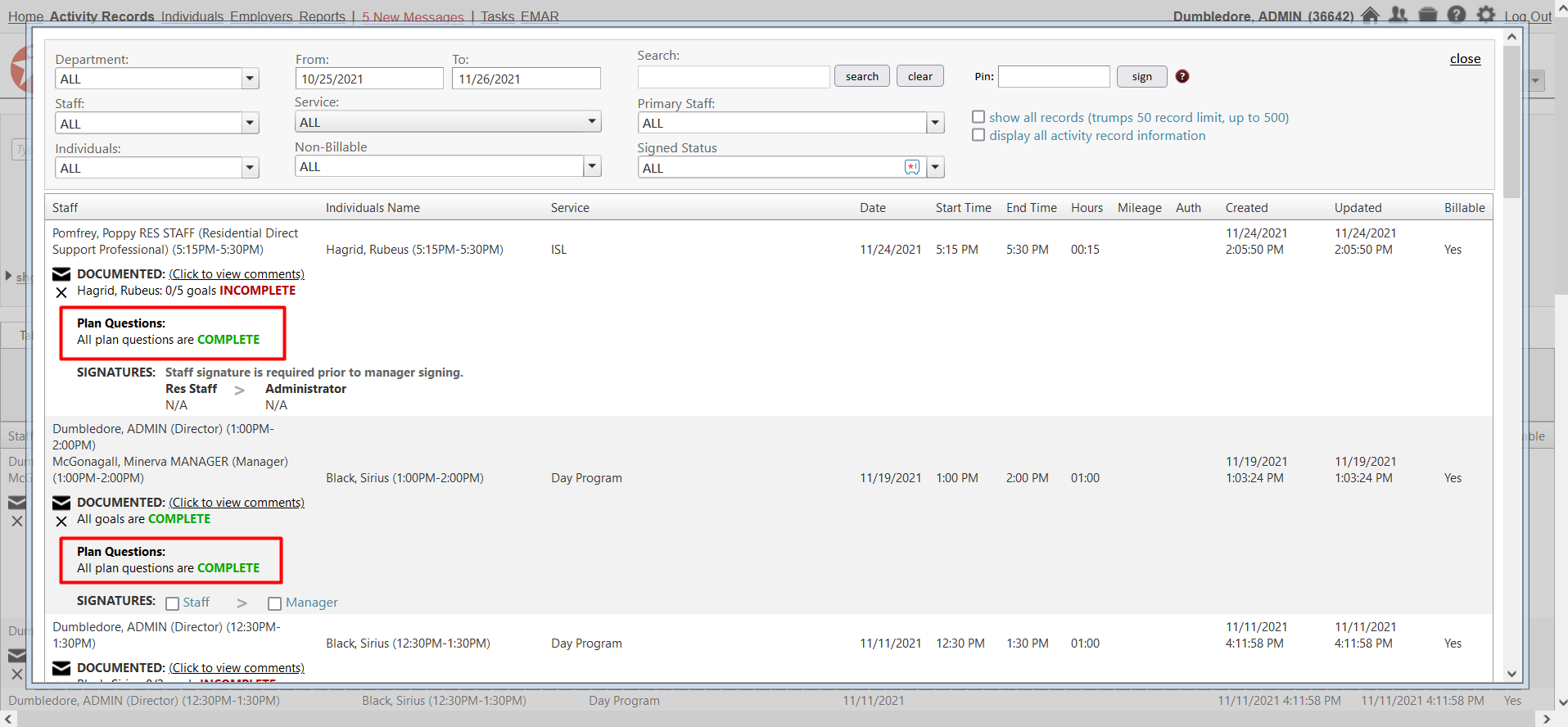
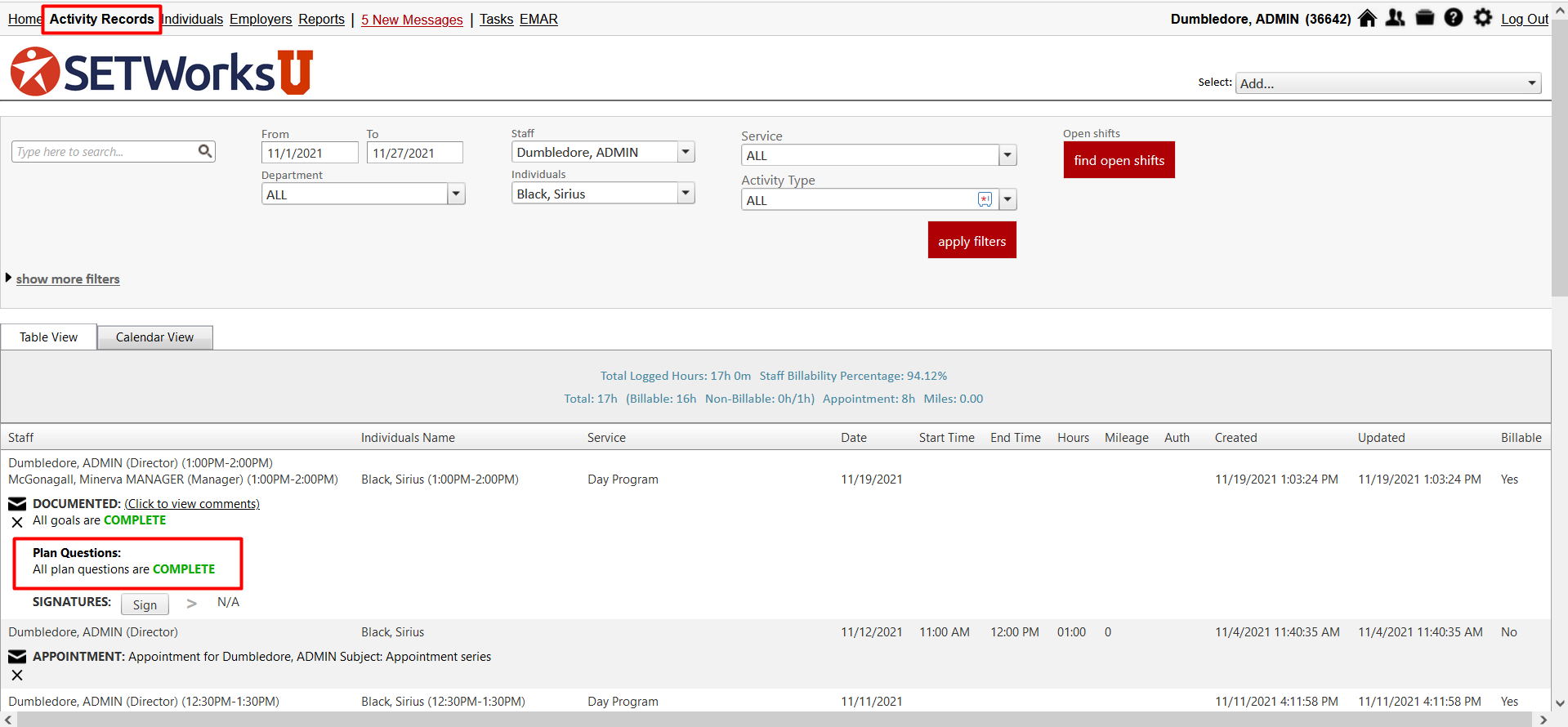
Completion checking appears within the Activity Record index and Review & Sign (Activity Records)
Completion Checking in the Activity Record index
Completion Checking in Review & Sign (Activity Records)