How do I Document on Plan Questions?
Administrator, Staff
Plan Questions must be enabled and configured for individual's to appear for documentation within the Group Activity Record. Review other Plan Questions resources within the Knowledge Base to learn more.
Note: Terminology can be modified within SETWorks to better fit the needs of your organization. If the terminology in our articles are not the same on your site, talk to your local administrator to assist in translation.
Custom Plan Question Privileges
Note: Is able to document onlan questions.
Plan Questions in the Billable Group Activity Record
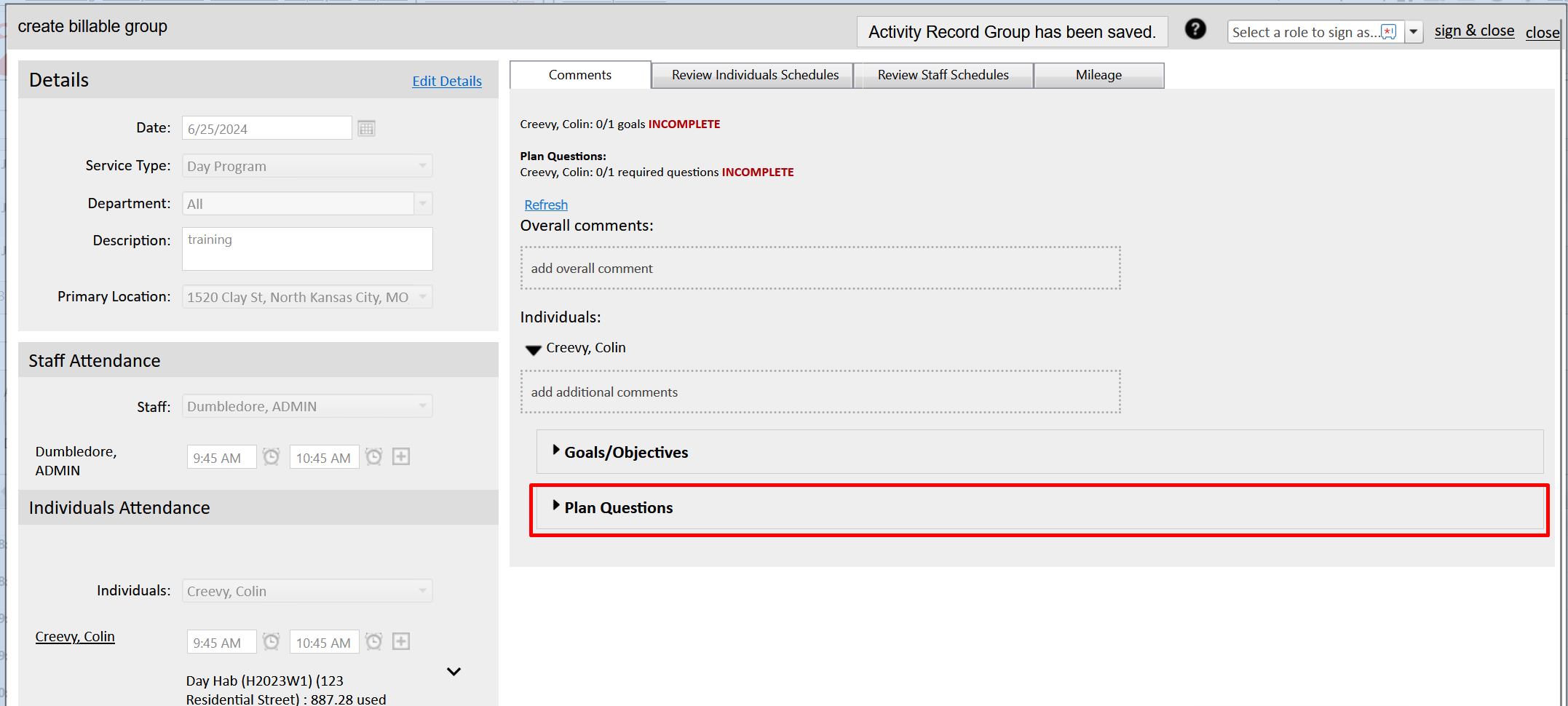
Plan questions are documented on within the Billable Group Activity Record.
NOTE: The Billables Group Activity Record might have been renamed in your site but looks like the image below.
How to Document on Plan Questions
- Create a Billable Group Activity Record.
- Fill out the required fields on the left side including service, staff, consumer, etc.
- Save Group Details.
- Find Plan Questions
- Select the expandable arrow to open the questions.
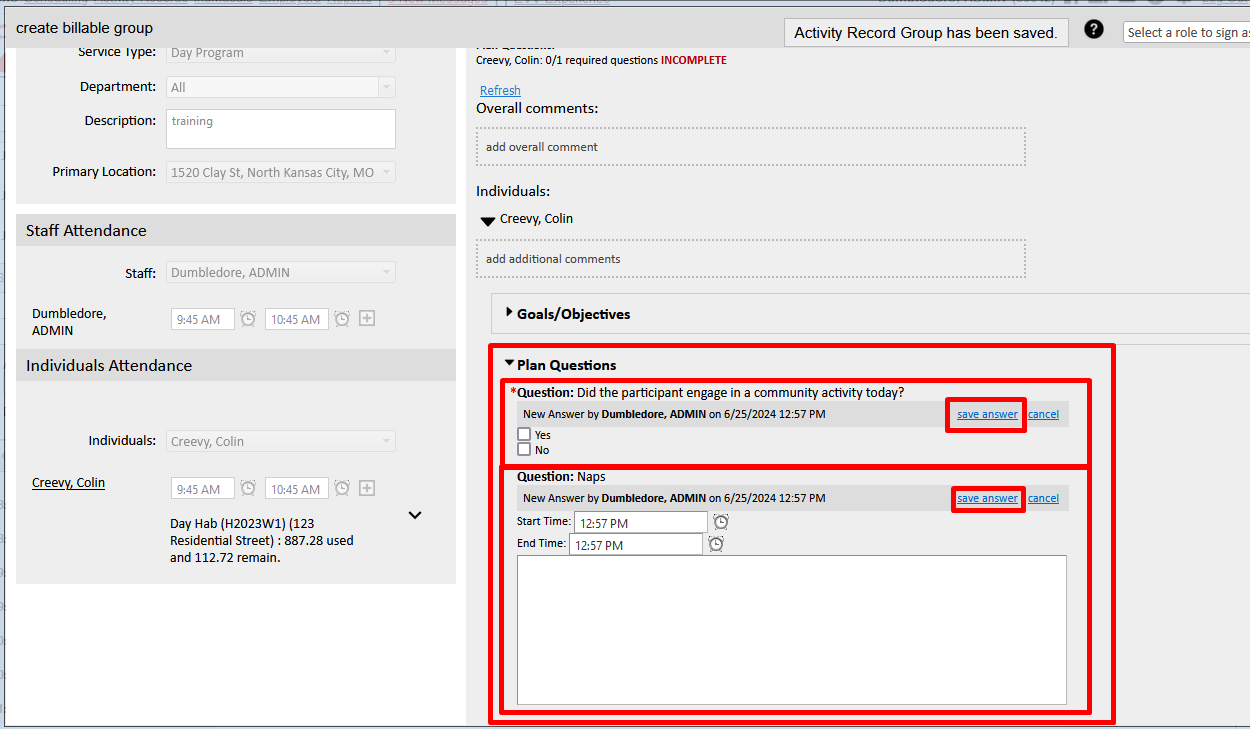
- Select the box below the question to document. Fill it out to completion.
- Save answer.
NOTE: Each answer must be saved using 'save answer' to save the content.
Note: Troubleshooting: If the question does not appear within the documentation, check the Start Date of the Plan Question as well as the service assigned to the individual and the plan question.