How do I configure identifiers?
Administrators
Identifiers are fields on the User or Consumer profile that allow you to collect other identifiers about your staff or individual's served. Examples of an identifiers include driver's license number or employee ID.
Note: Terminology can be modified within SETWorks to better fit the needs of your organization. If the terminology in our articles are not the same on your site, talk to your local administrator to assist in translation.
Accessing Identifiers
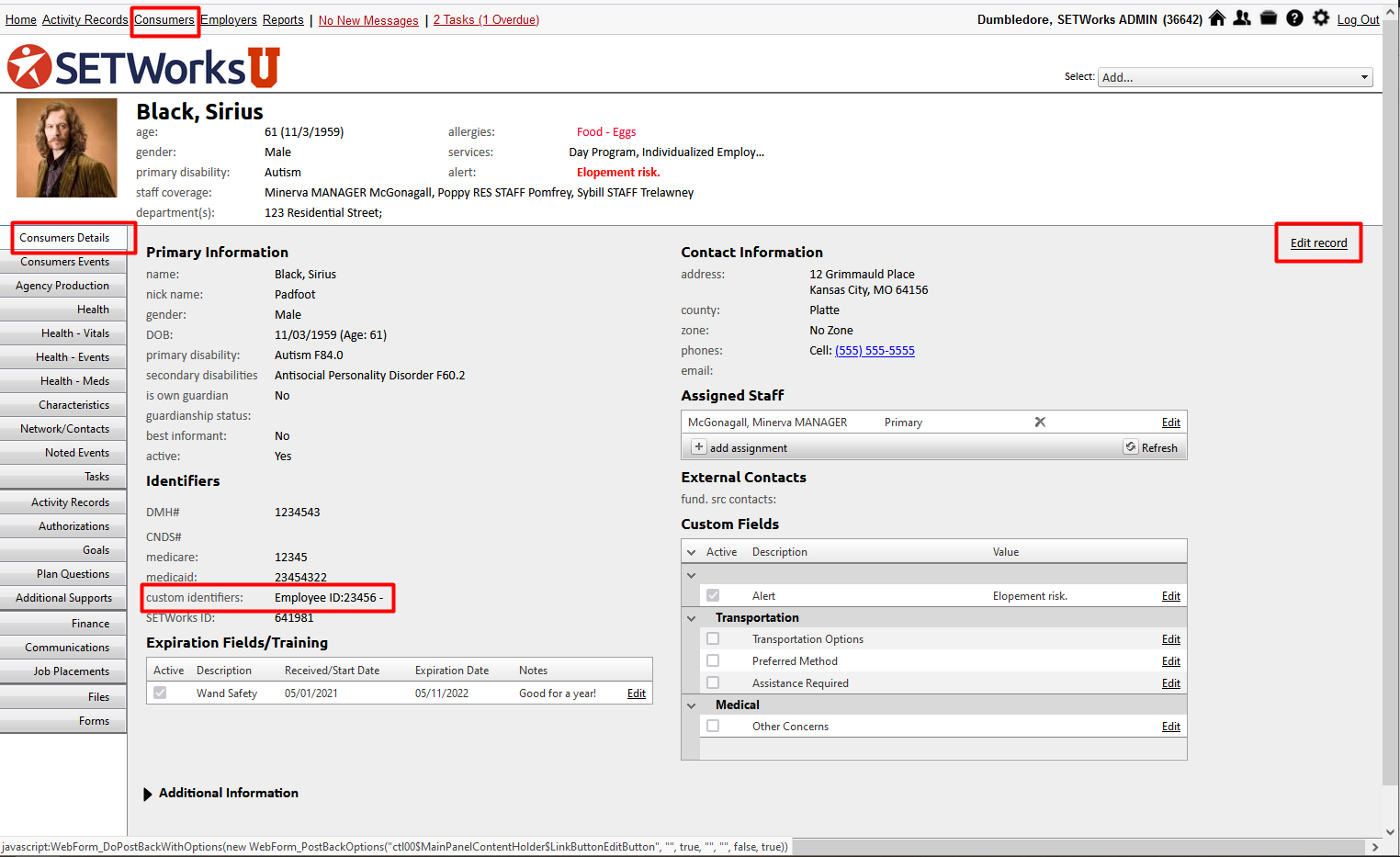
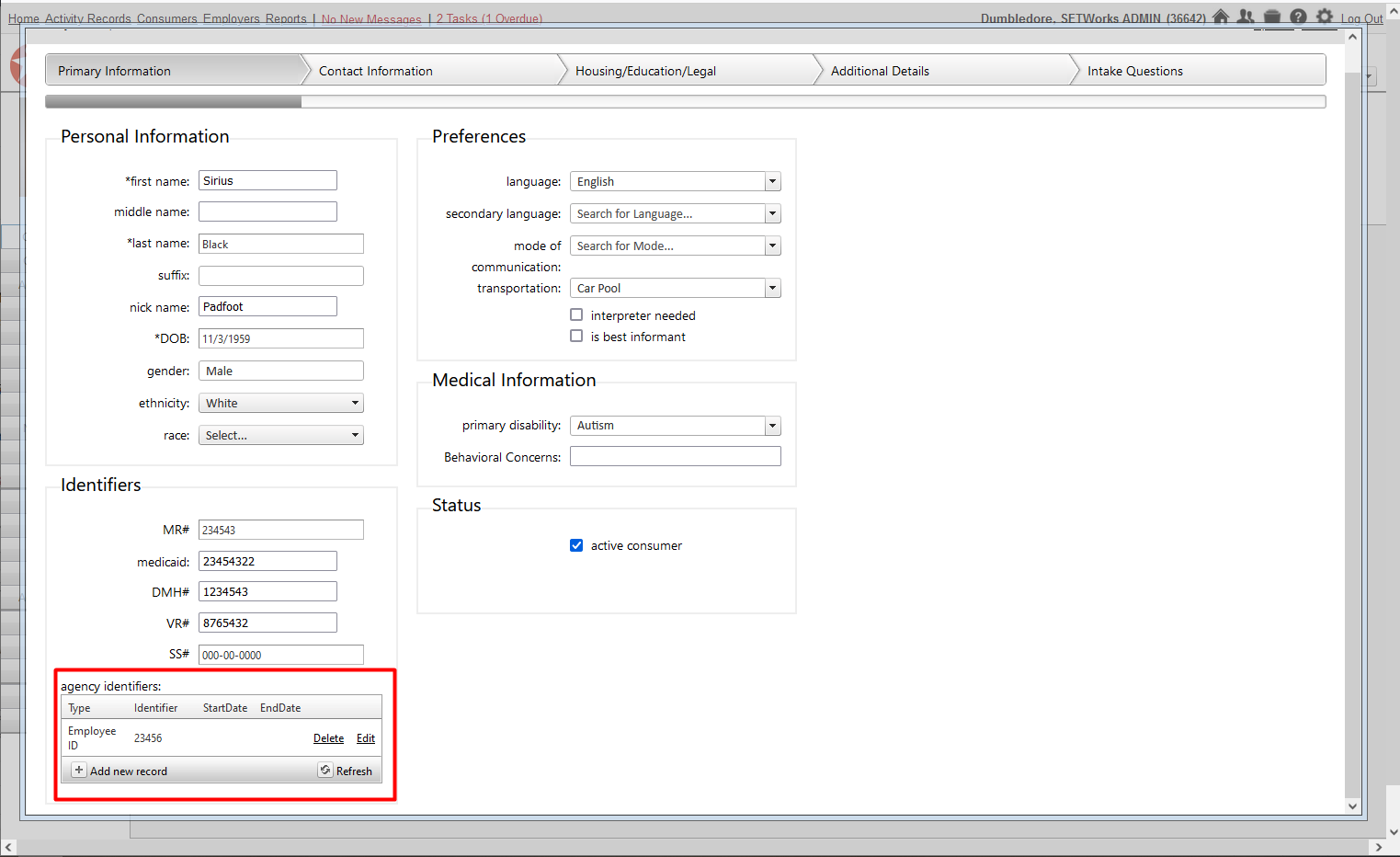
Consumers > select consumer > Consumers Details > Edit Record: Agency Identifiers
Staff Management > select staff > Details > Edit > Identifiers
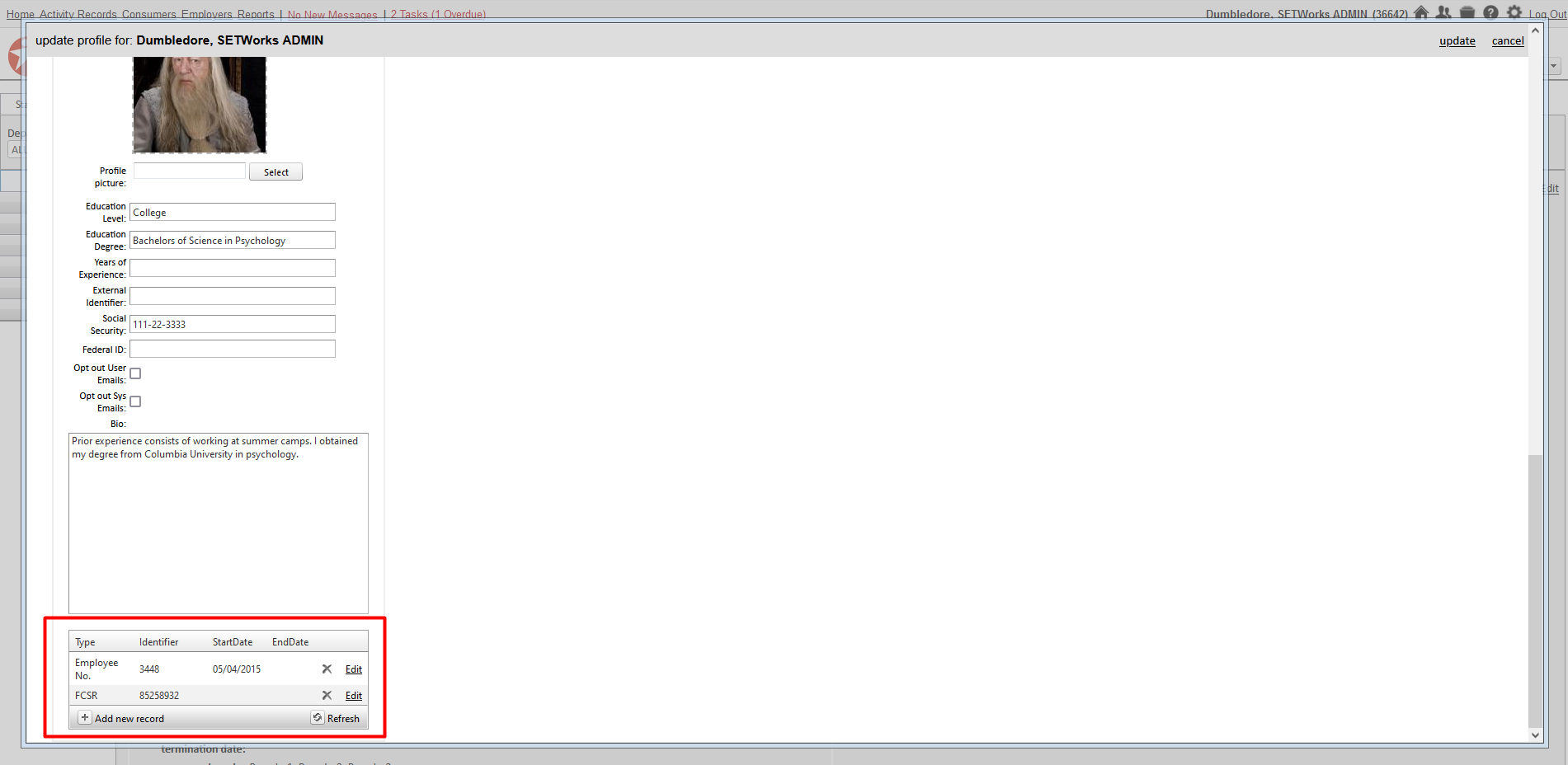
Configure Identifiers
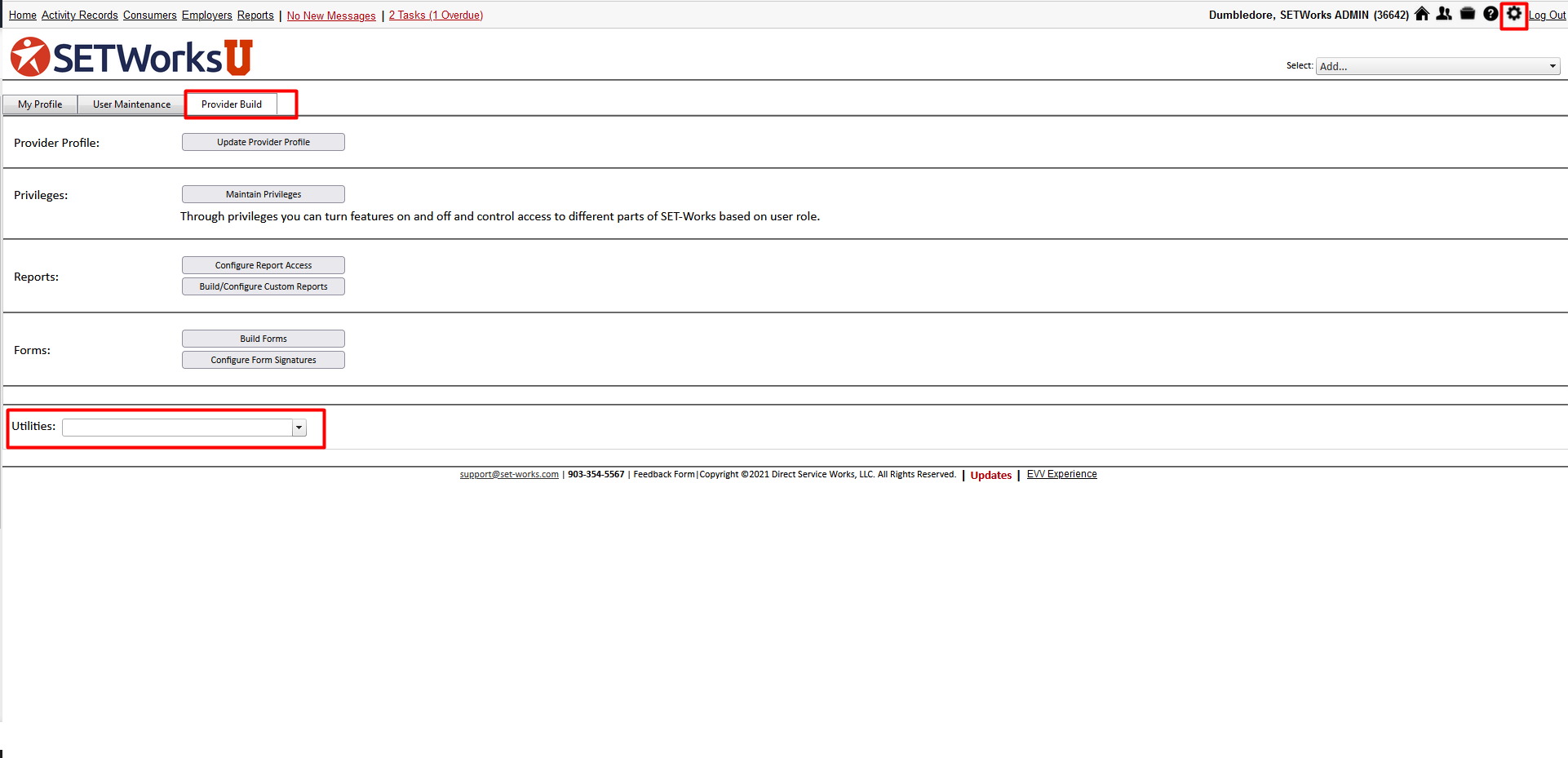
Settings > Provider Build > Utilities: Identifier Type
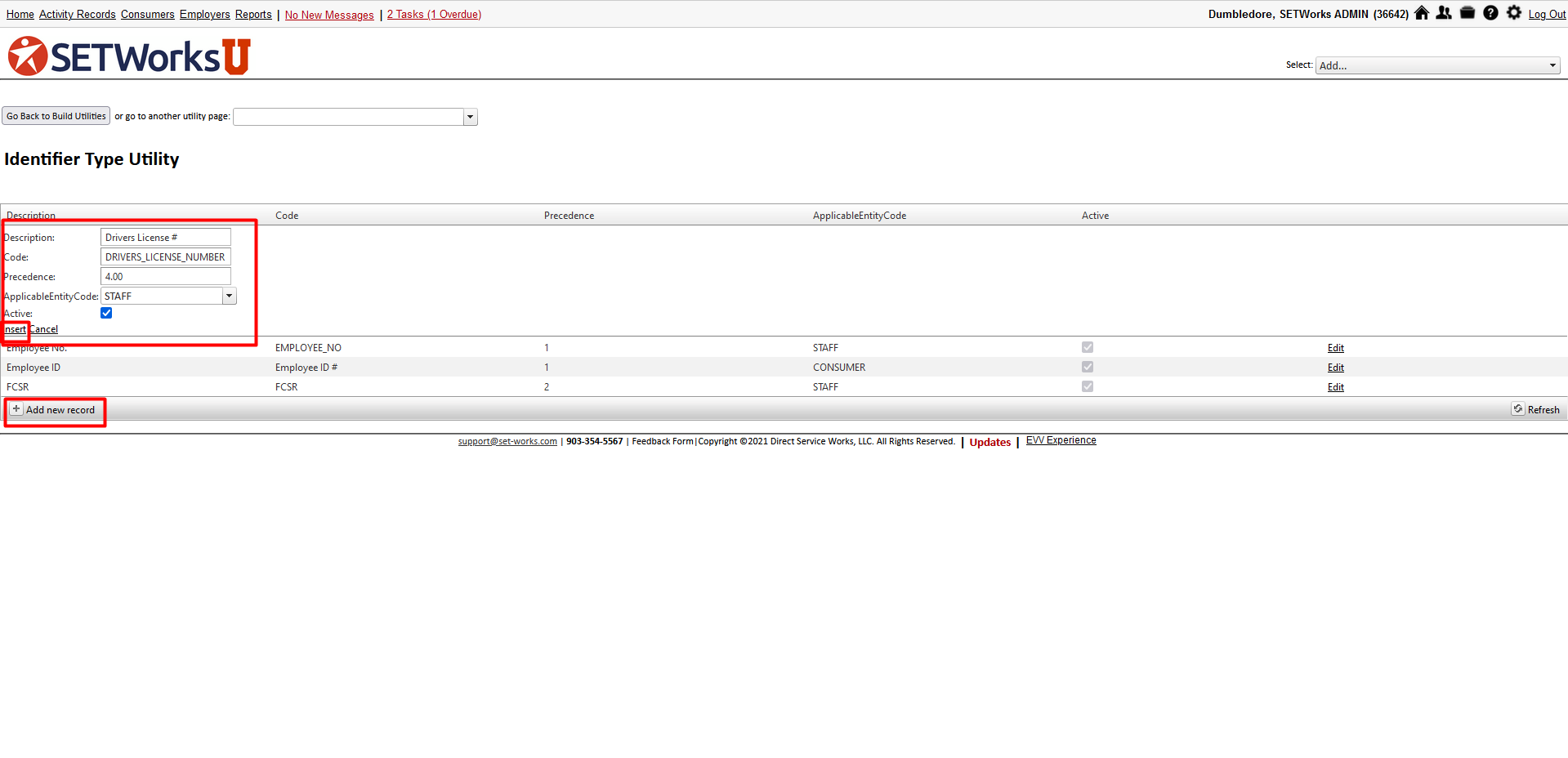
1. Add new record
2. Name the identifier by giving it a Description. Example: Employee ID
3. Assign a Code. Example: EMPLOYEE_ID
NOTE: It is recommended the codes are the same text as description in all caps with an underscore separating spaces.
4. Assign a precedence - which order this item should appear on the list. Examples: 1, 2, 6, 10
5. Assign an ApplicableEntityCode - where in SETWorks should this identifer appear. Example: CONSUMER or STAFF
6. Active
7. Insert