My funder changed our service rates - how do I change service rates in SETWorks?
Administrator
SETWorks has the ability to track a history of rate changes for each service.
Note: Terminology can be modified within SETWorks to better fit the needs of your organization. If the terminology in our articles are not the same on your site, talk to your local administrator to assist in translation.
Changing Service Rates
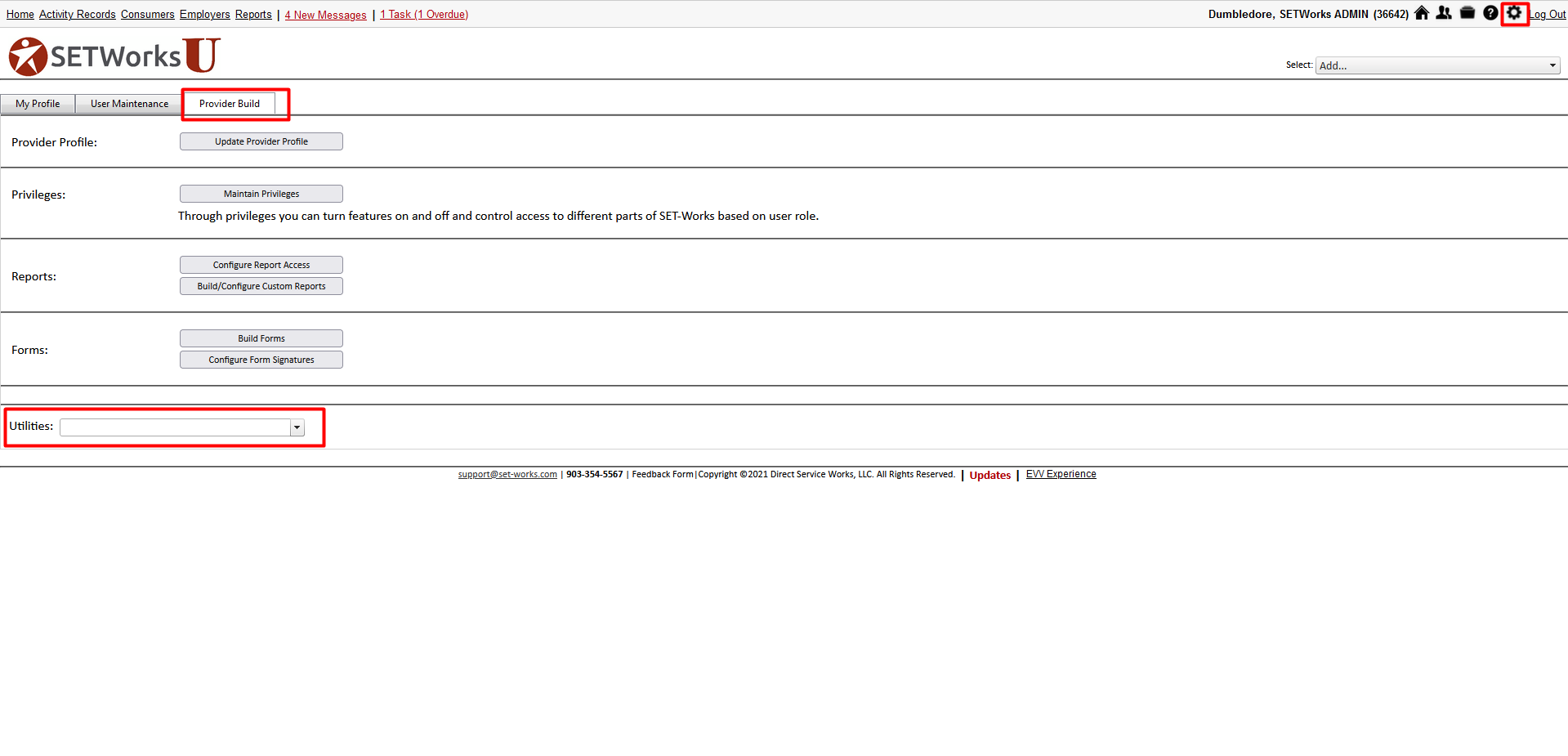
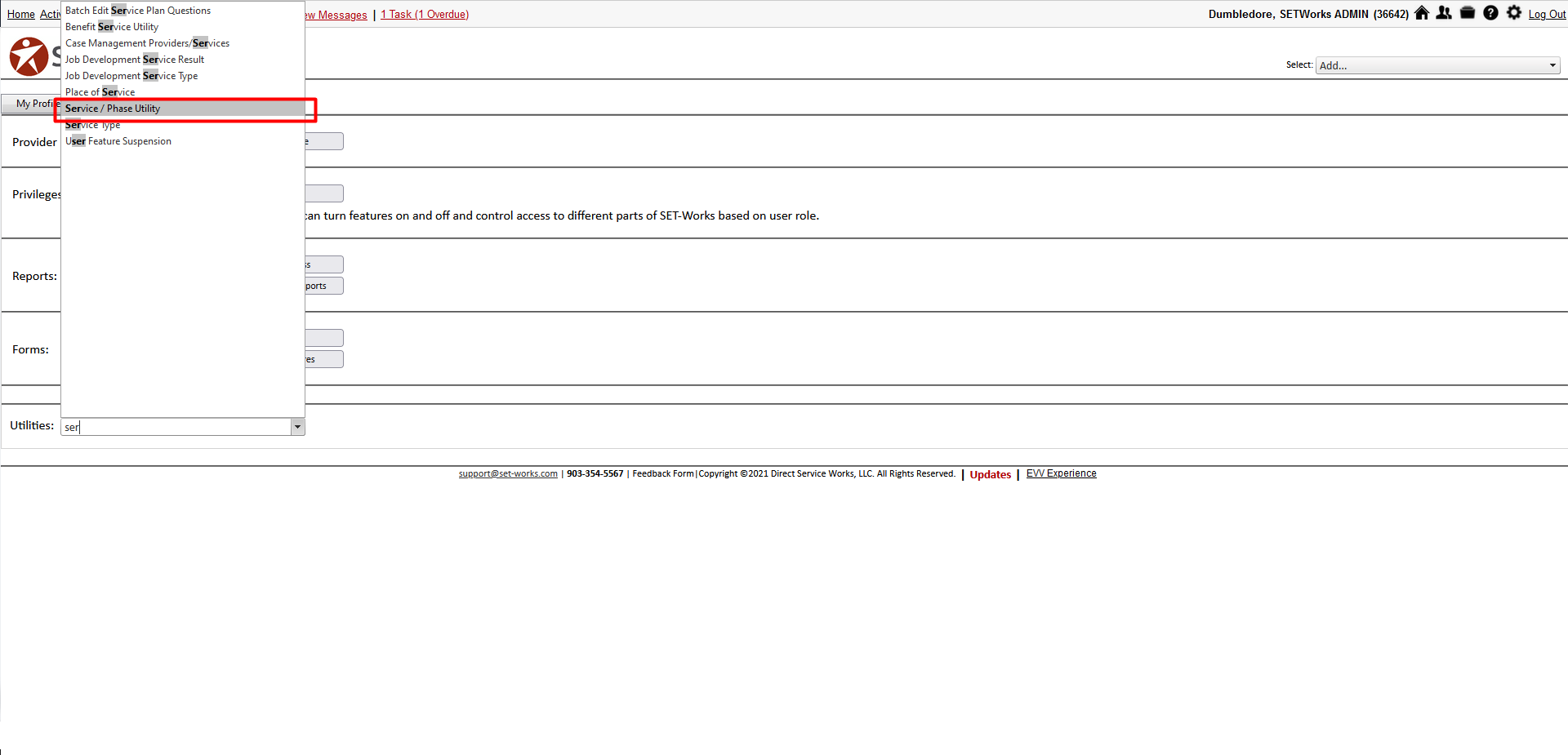
Settings > Provider Build > Utility: Service / Phase Utility.
1. Navigate to the Service / Phase Utility.
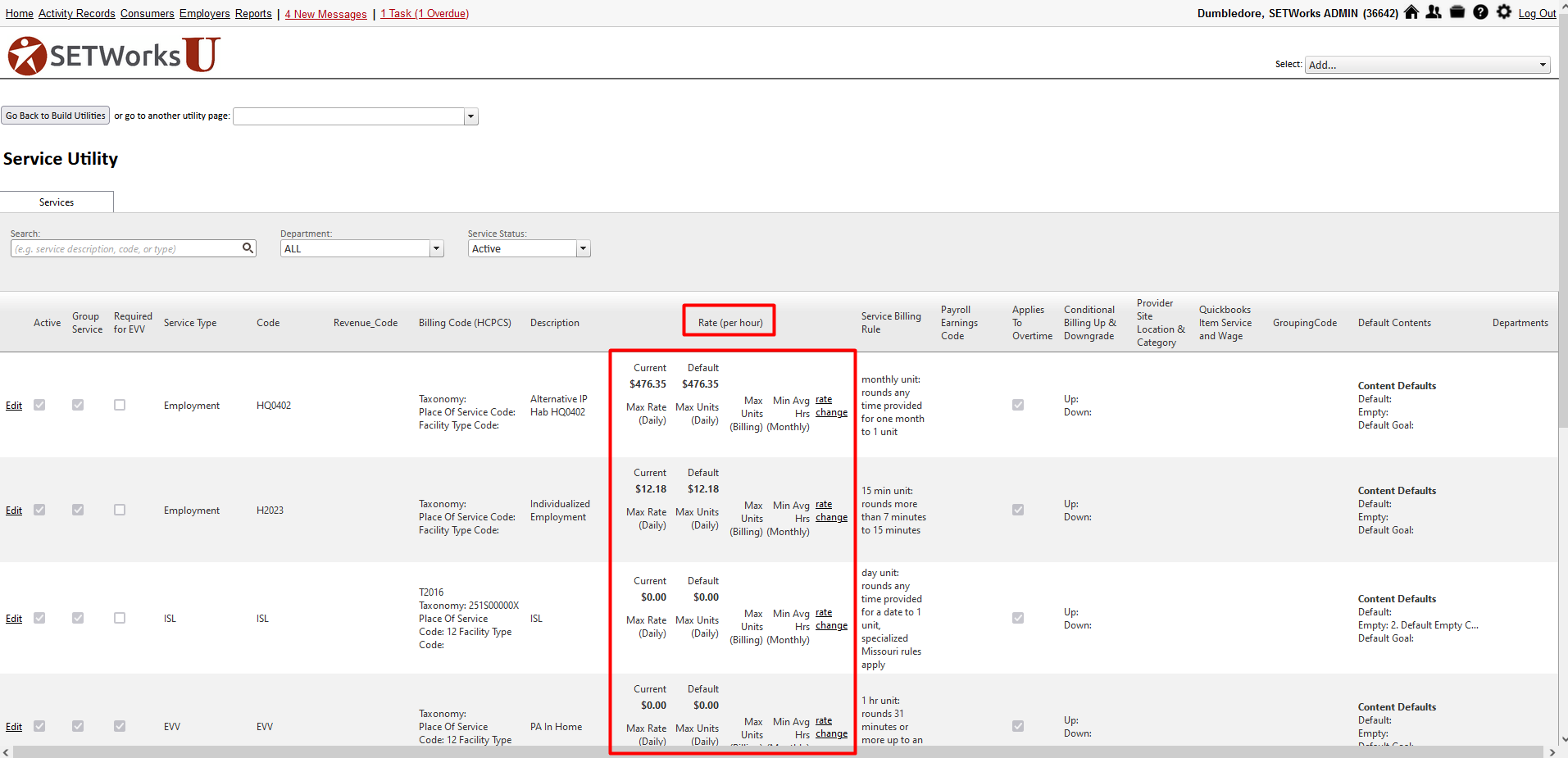
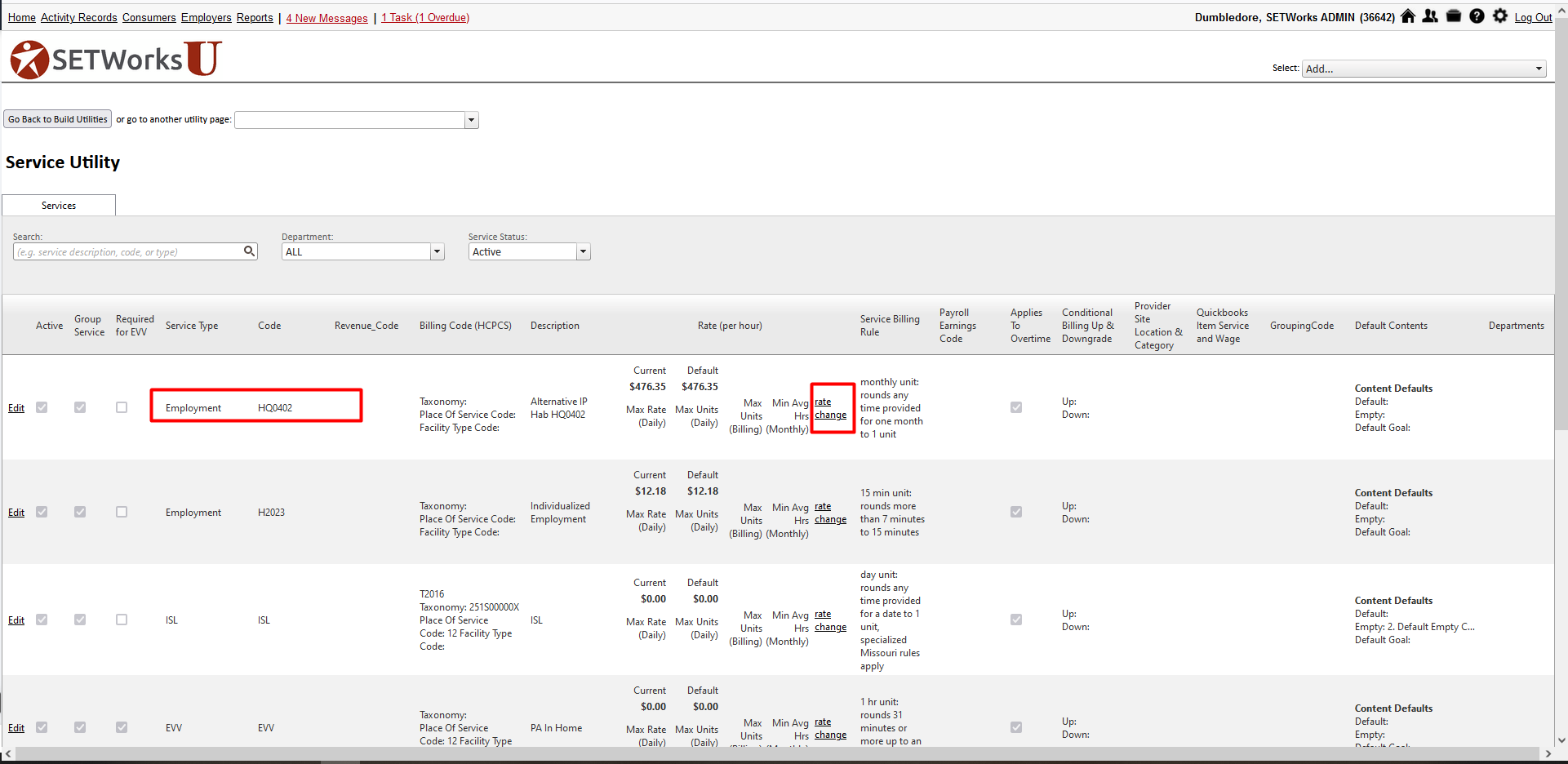
2. Find a service that requires a rate update.
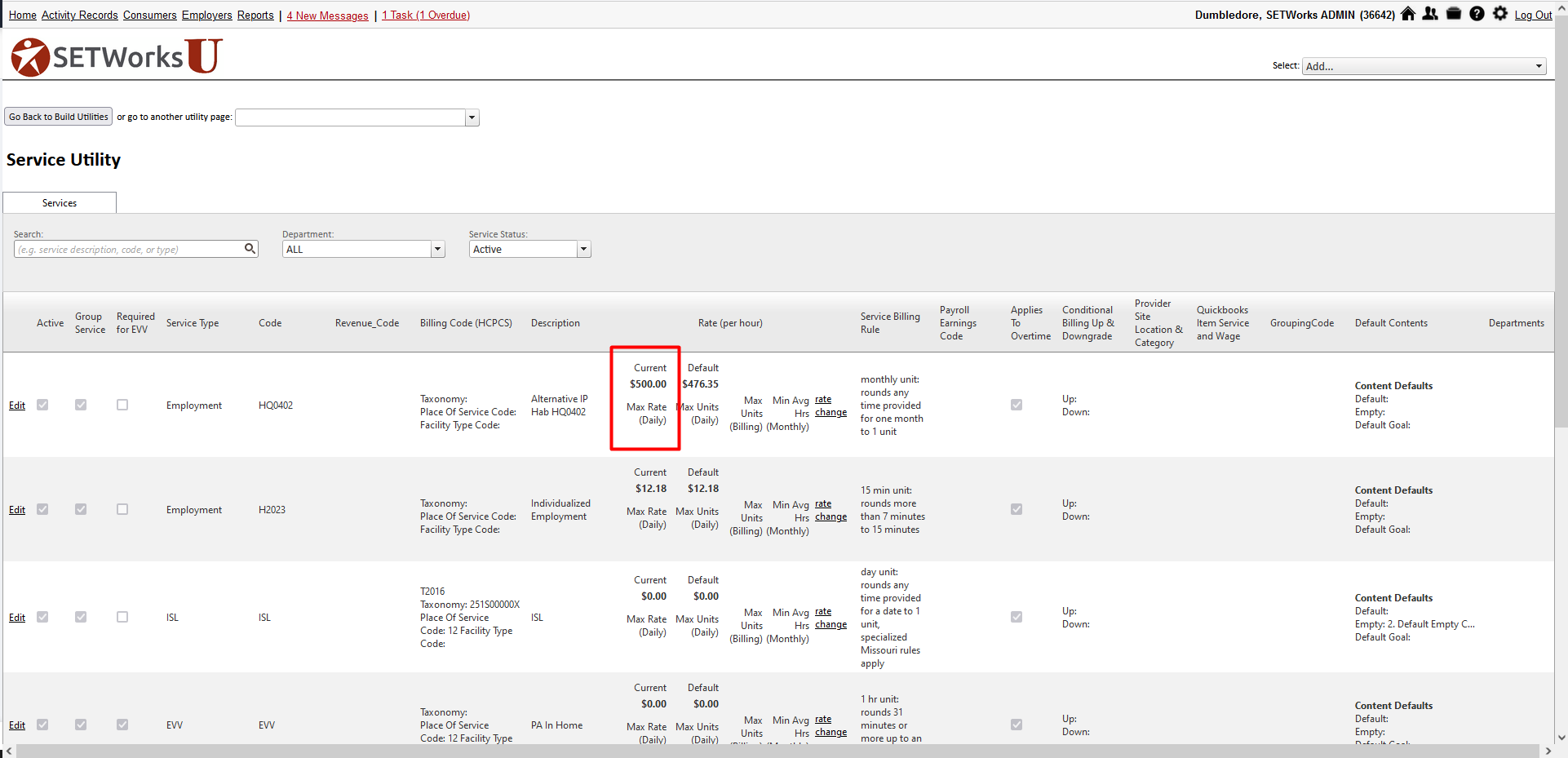
3. Observe and take note of the current rate in the Rate (per hour) column.
4. Select 'rate change' within those rate details of that service line.
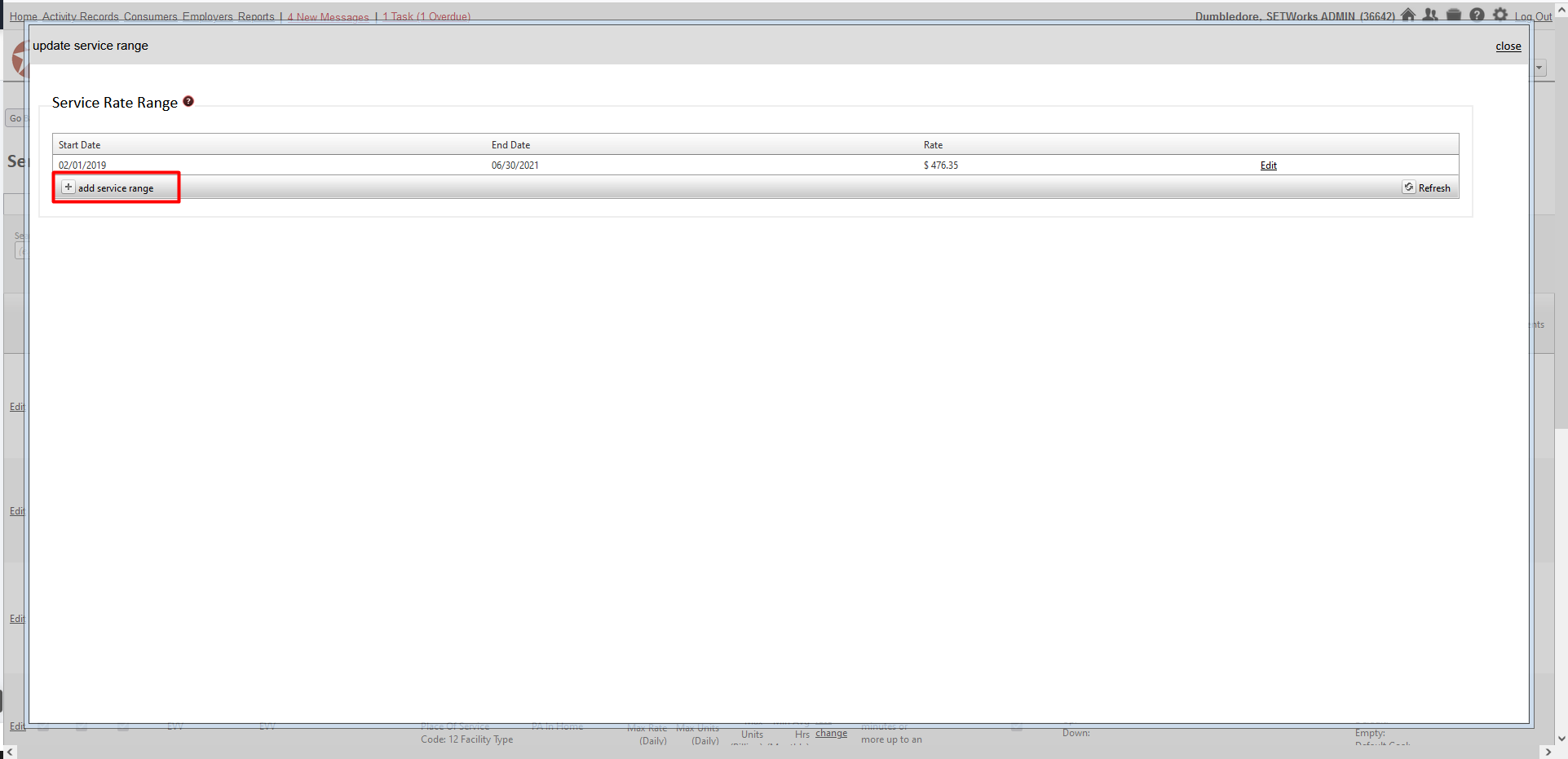
5. Select 'add service range'
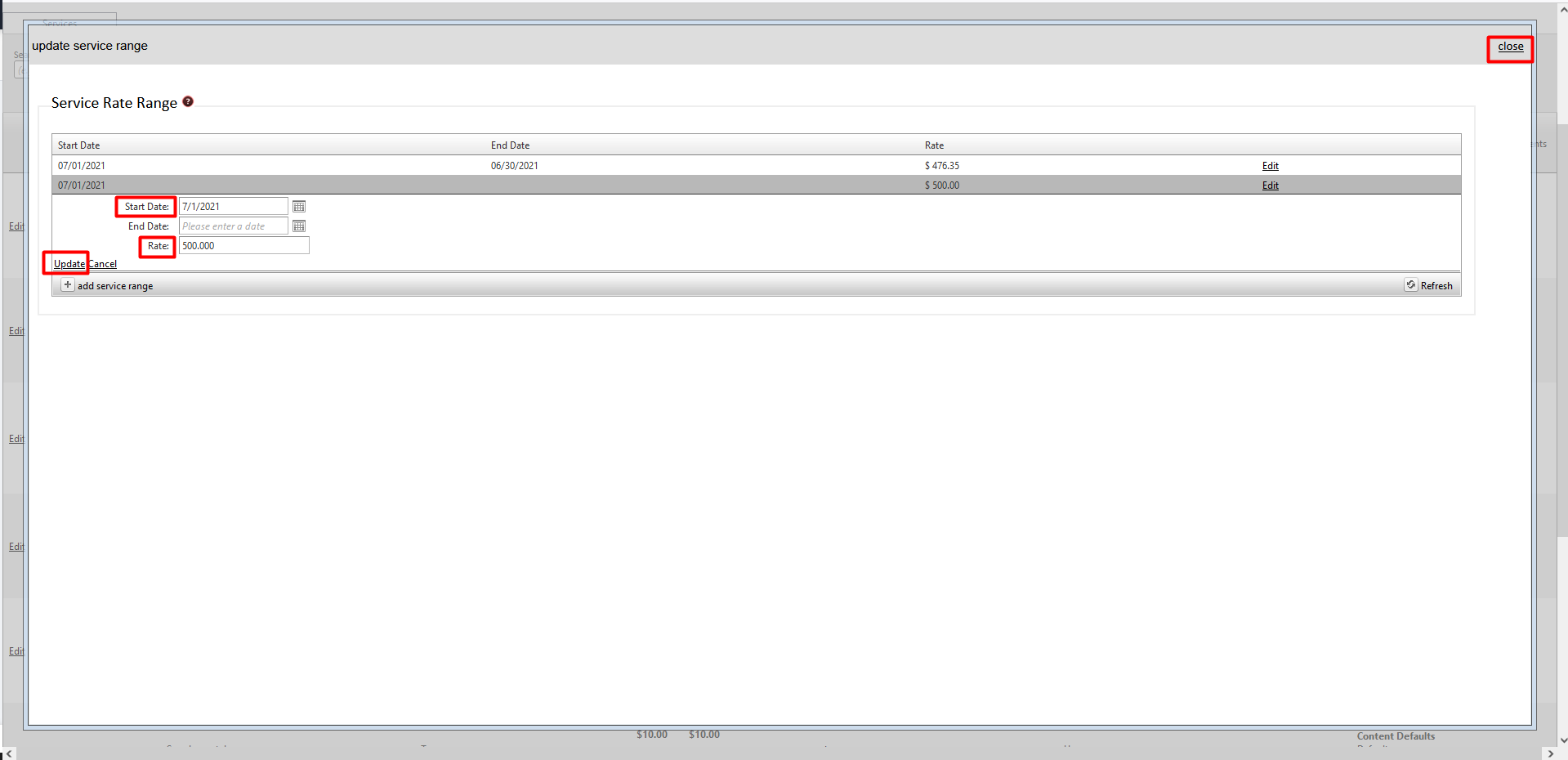
6. Insert the current rate with the corresponding start and end date.
7. Insert the new rate with the corresponding start date. Update. Close.
8. Observe that the current rate in the Rate (per hour) column has updated to the new rate.