OOD Form 12 - Transportation
Form 12 has multiple sources of data (currently): Billable Group Activity Record, and Mileage ticket icon by the staff.
UPCOMING CHANGES: Mileage will be pulled from the Mileage Tab on the Group AR > Consumer Mileage.
NOTE: Throughout this document, "Merge Report" is used to refer to the Form 12 output. "Form" is used to refer to form creation within SETWorks.
As a General Rule:
If the data on the form is correct and is not appearing on merge reports - this is an engineering problem. Submit a Jira.
If the data on the form matches the merge report but the content is wrong - this is a data entry problem. Refer to the form.
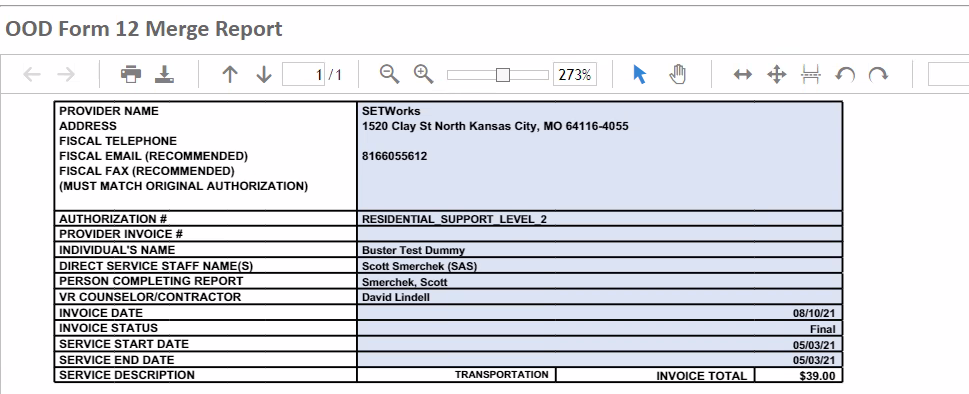
Merge Report: Billing Header
Most data appears as predefined query answers on the form from various parts of the site.
Top Row: Generated from Settings > Provider Build > Provider Profile.
Service Description: Fixed value - will always be Transportation
Calculations: Automatically calculates on the excel sheet.
Invoice Total: Calculated in the Data Extractor looking at units and rates
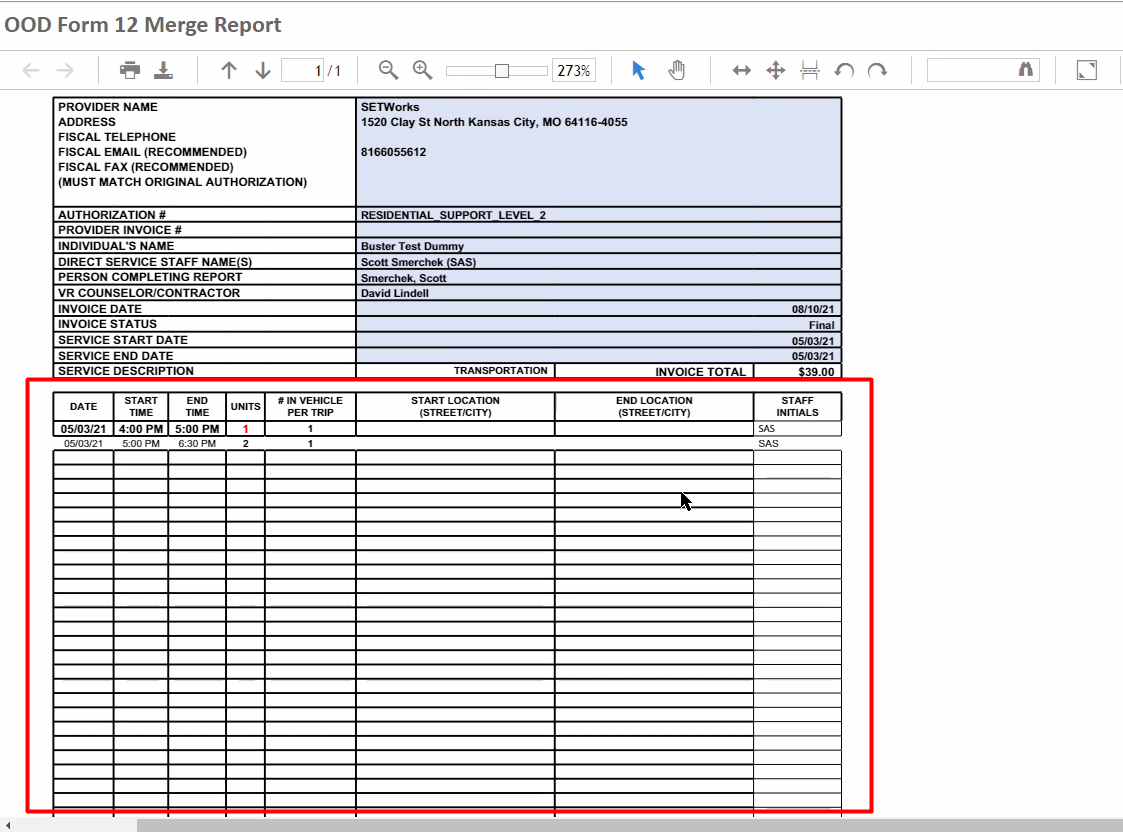
Merge Report: Activity Record Grid
All of this data comes from the Group Activity Record considering Authorization and date range.
Start Time: Based on Consumer Start Time on the Group Activity Record
End Time: Based on Consumer End Time on the Group Activity Record
Units: Based off the Start and End time
Start Location: Mileage > Source
End Location: Mileage > Destination