OOD Form 15 - Pre-Employment Transition Services
This form only works for Pre-ETS services. The original form is found here: OOD Forms
Form 15 has multiple sources of data: Form (predefined/query answers, manual entry), Data Extractor (Billable Group Activity Records & Entity Identifiers).
NOTE: Throughout this document, "Merge Report" is used to refer to the Form 15 output. "Form" is used to refer to form creation within SETWorks.
As a General Rule:
If the data on the form is correct and is not appearing on merge reports - this is an engineering problem. Submit a Jira.
If the data on the form matches the merge report but the content is wrong - this is a data entry problem. Refer to the form.
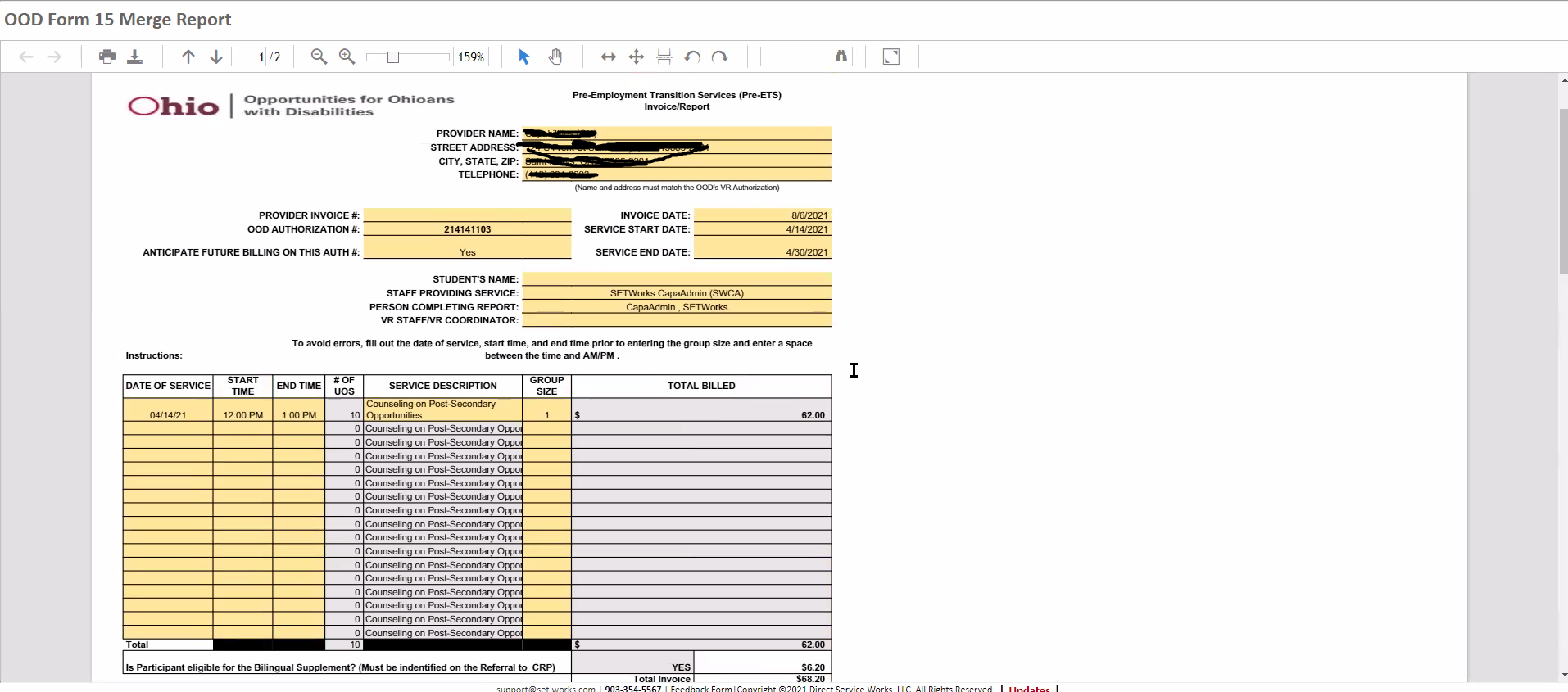
Merge Report: Billing Header (top section)
Fields are primarily pulled from predefined/query answers.
Staff Providing Service: Combination of all staff on the Billable Group Activity Records within the form date range.
Troubleshooting: Ensure the services is Pre-ETS. If yes, submit a Jira.
Merge Report: Activity Record Grid
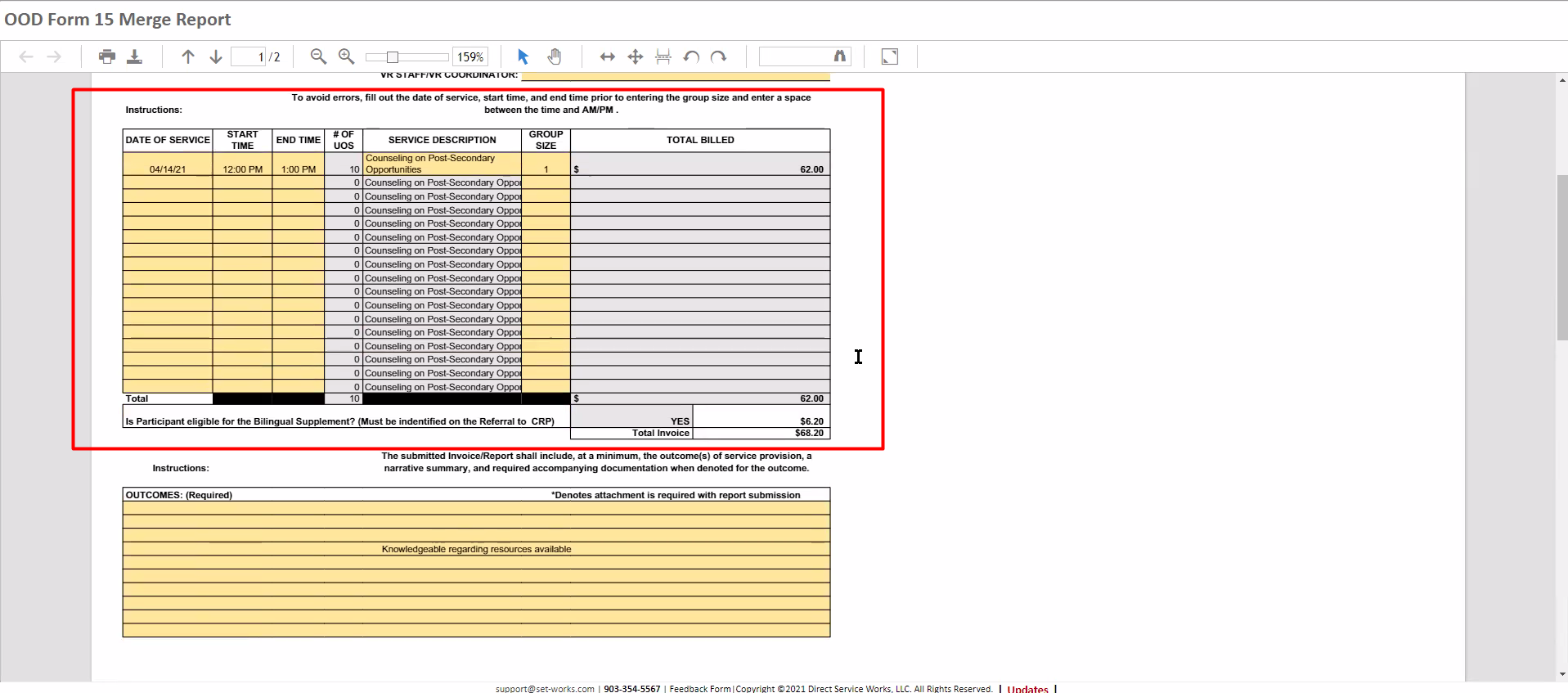
Fields are primarily pulled from Billable Group Activity Records.
Number of UOS: Calculated on the excel spreadsheet.
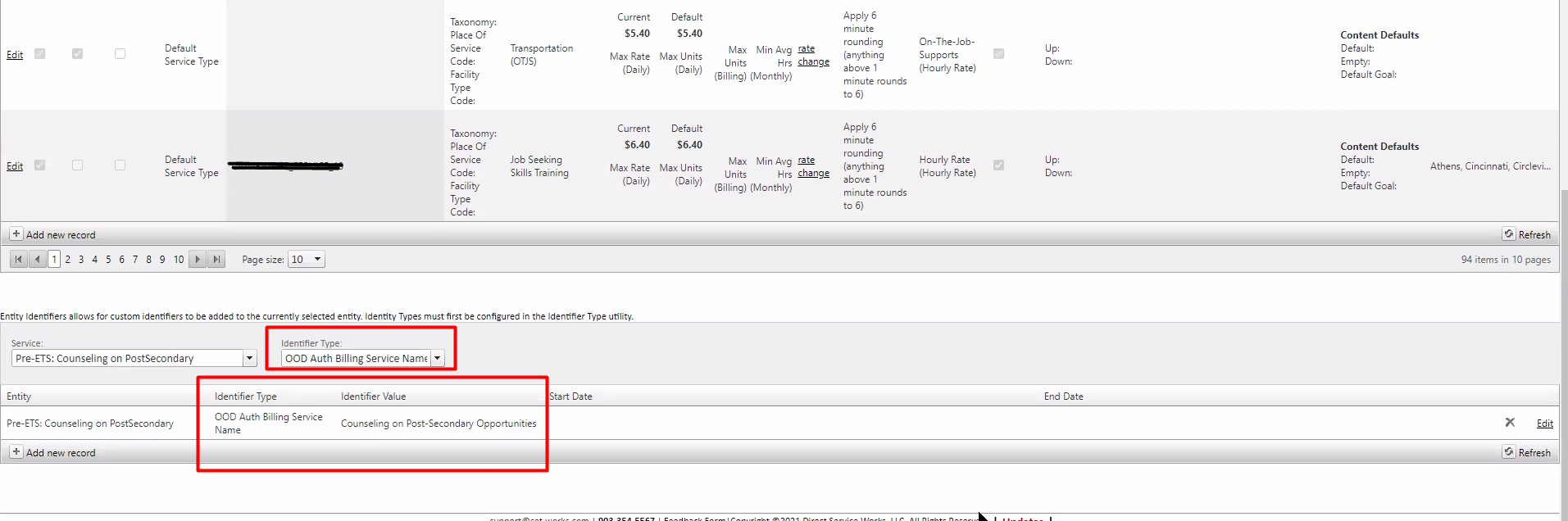
Service Description: Service Description found in the Service/Phase utility.
Settings > Provider Build > Utilities: Service/Phase, scroll to the bottom of the Service/Phase utility, Referring to Identifier Type.
If Identifier Type = OOD Auth Billing Service Name, the entity identifier value is populated as the Service Description on the merge report.
Group Size: Calculated within the data extractor based on the consumer count within the Billable Group Activity Record.
Total Billed: Calculated on the excel spreadsheet.
Troubleshooting: Check the Billable Group Activity Record and ensure data matches.
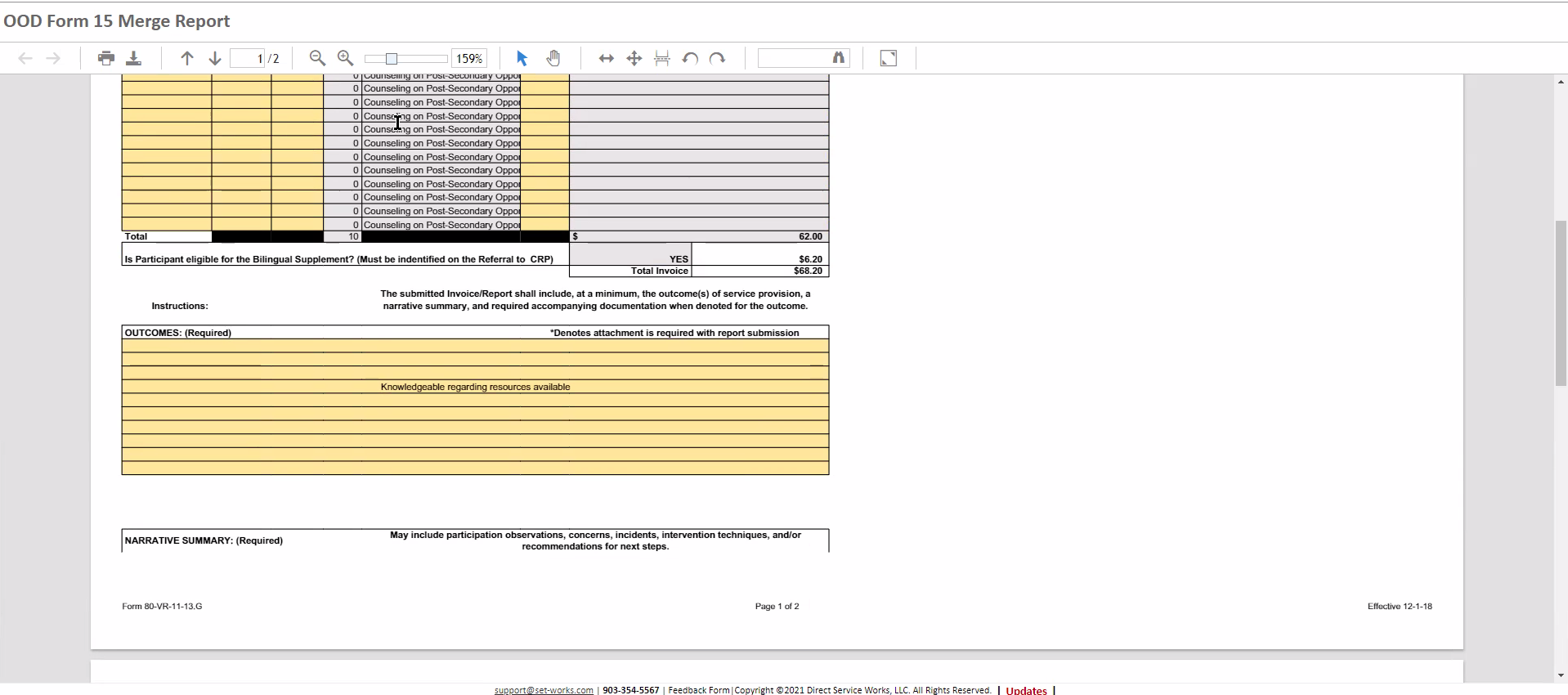
Merge Report: Outcomes Table
Fields are primarily pulled from entity identifier on Protocol/Custom Plan Questions.
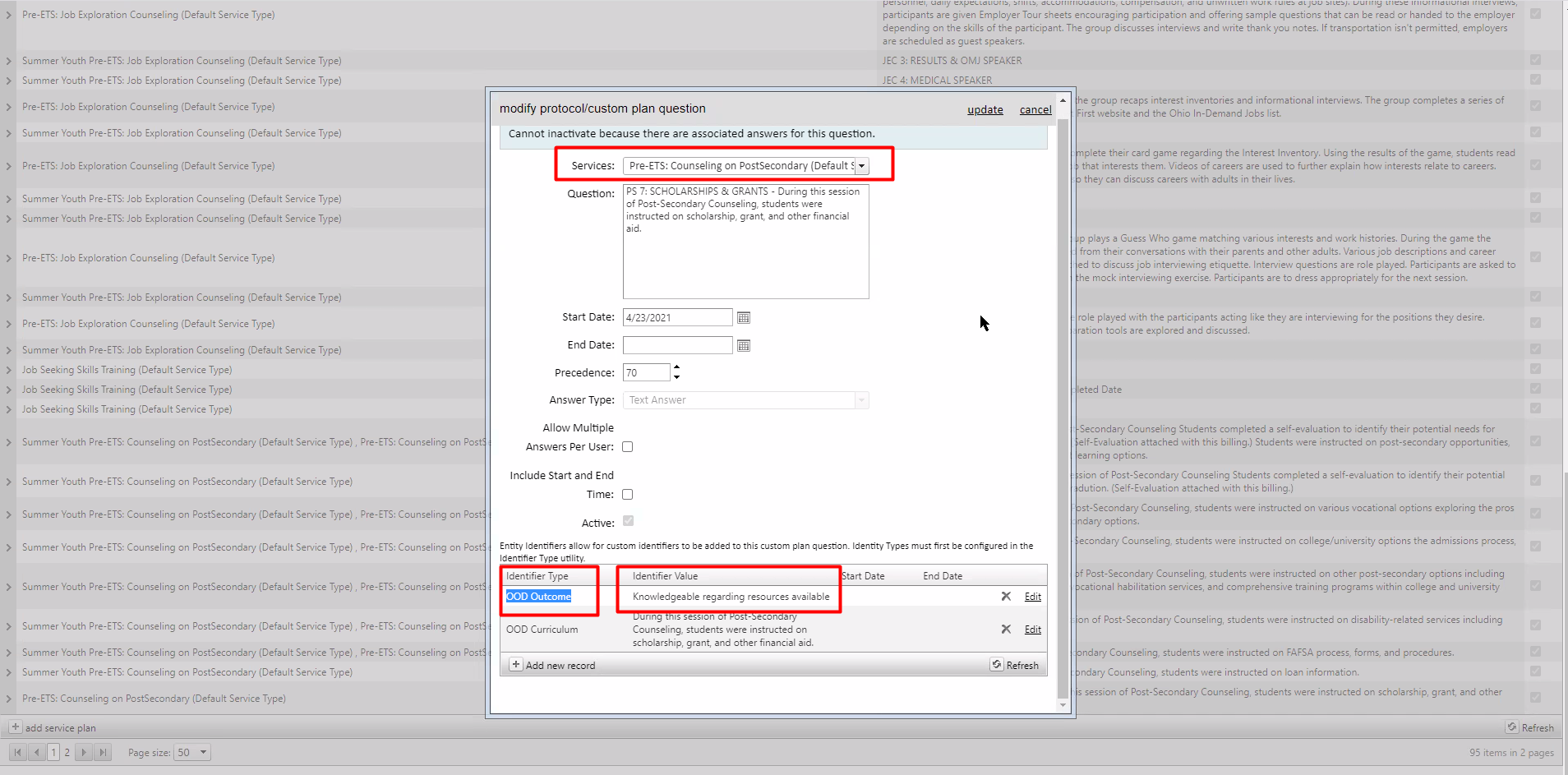
Outcomes: Found in the Batch Edit Service Plan Question utility.
Settings > Provider Build > Utilities: Batch Edit Service Plan Question, click on a custom plan question, Service: the same service on the authorization, Identifier Type
If Identifier Type = OOD Outcome, the identifier value is populated as the Outcome on the merge report IF plan question is answered in the Billable Group Activity Record.
Troubleshooting: Check the Billable Group Activity Record and ensure protocol/custom plan questions are completed. Check the entity identifiers on the completed protocol/custom plan questions within the Batch Edit Service Plan utility.
Merge Report: Narrative Header, Completed Curriculum, and Narrative Summary
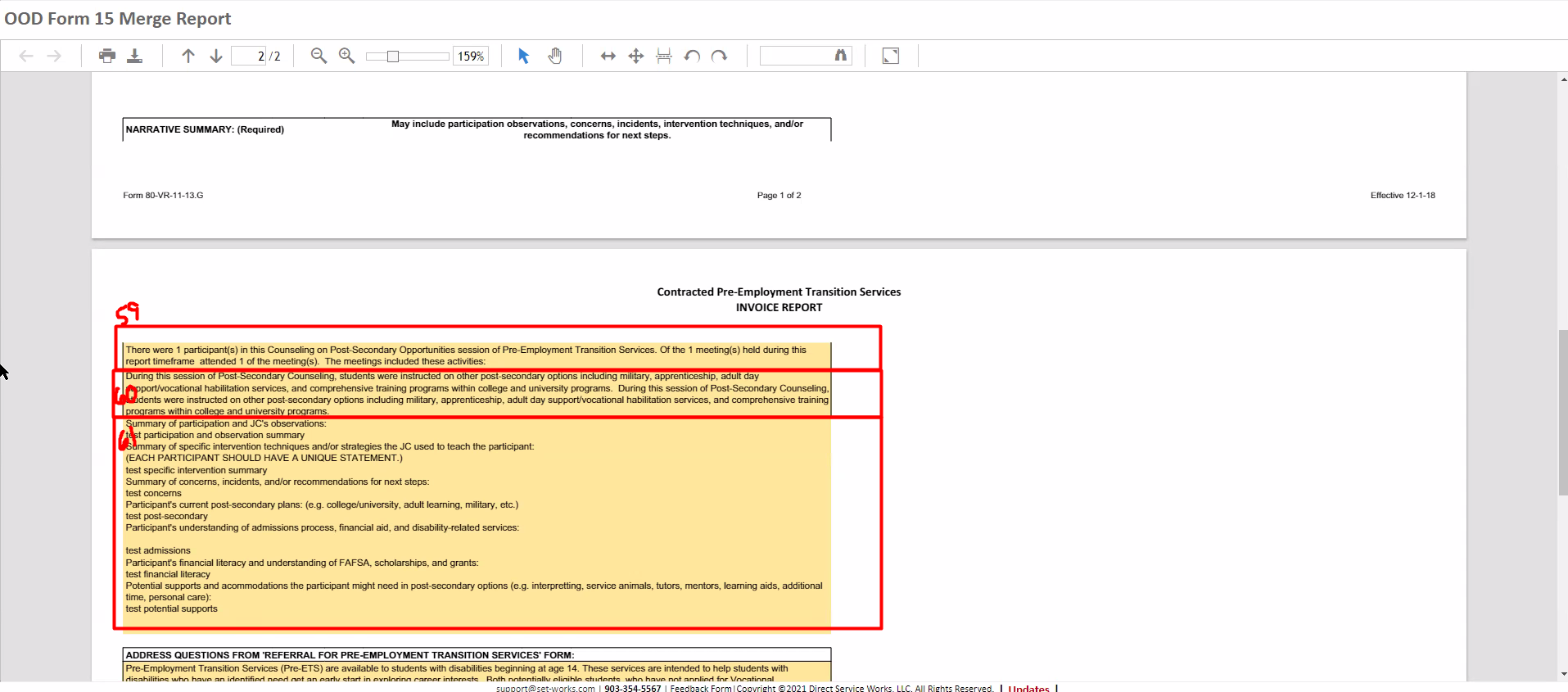
The narrative summary section is comprised of three excel rows. On the merge report, these all look like one yellow block of text. If you exported into excel, we're looking at row 59, 60, and 61 as three separate sections.
Row 59/Narrative Header: Fields are primarily calculated on the excel spreadsheet with the data that was listed in Activity Records grid. Excel formula was added SETWorks.
Troubleshooting: If you see an issue with this section, refer to the Activity Records grid and excel formula.
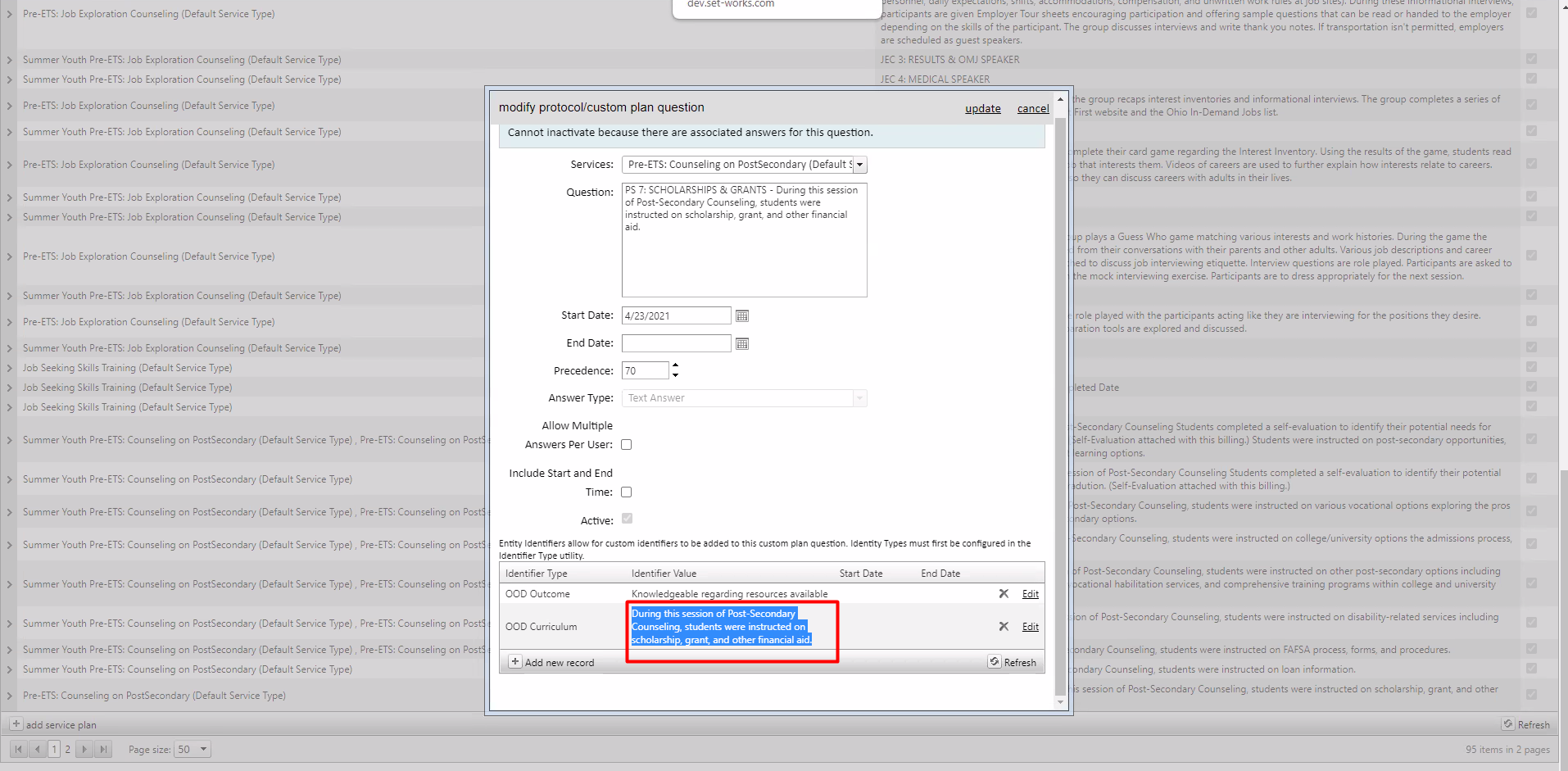
Row 60/Completed Curriculum: Similar to the Outcomes Table in that it refers to the entity identifier on the protocol/custom plan question. If answered within the Billable Group Activity Record, the protocol/custom plan question Identifier Value is populated within row 60 on the merge report.
Troubleshooting: Check the Billable Group Activity Record and ensure protocol/custom plan questions are completed. Check the entity identifiers on the completed protocol/custom plan questions within the Batch Edit Service Plan utility.
Row 61/Narrative Summary: Data comes from the Form. Based on the authorization selected within the form, the multiline text boxes from the Form populate.
Troubleshooting: Check the Form.
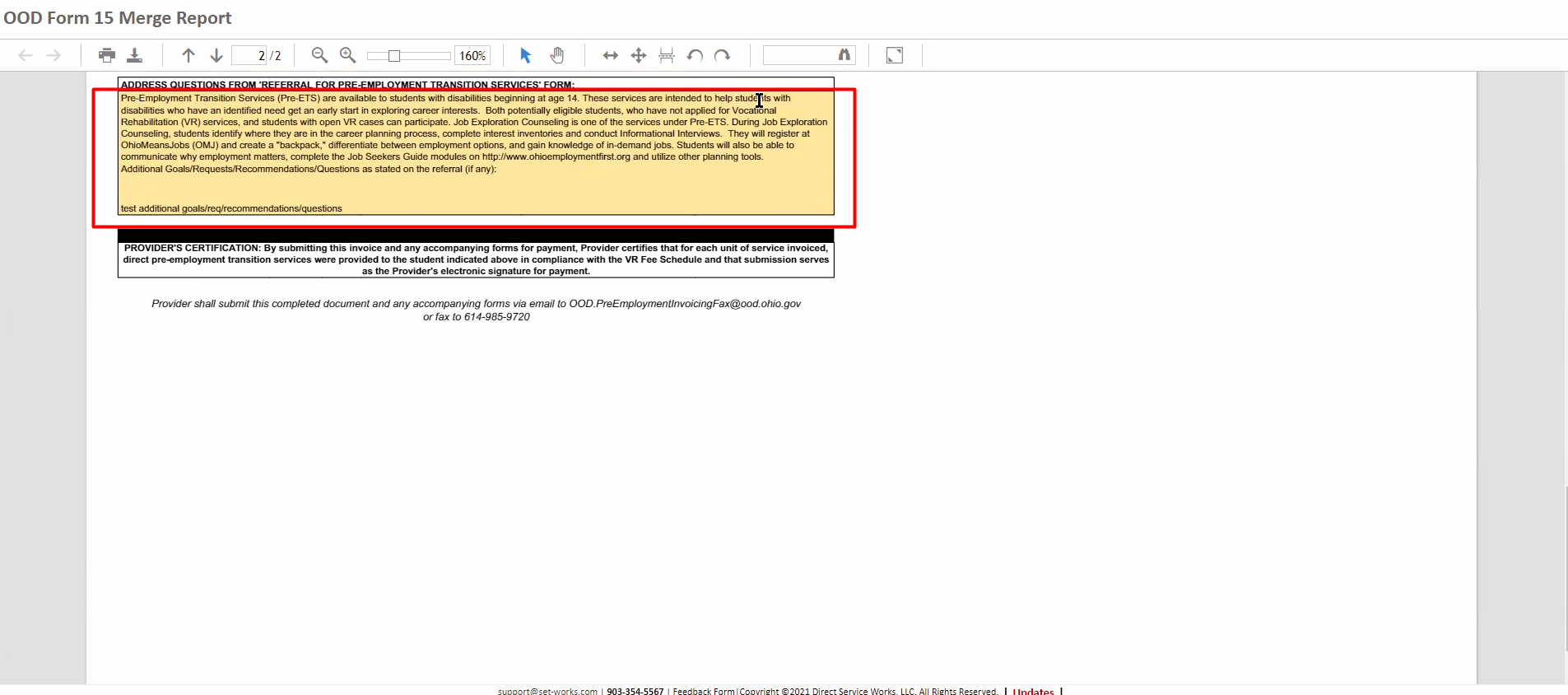
Merge Report: Address Question from 'Referral...'
The "Address Question from Referral...' section is comprised of two excel rows. On the merge report, these again look like one yellow block of text. If you exported into excel, we're looking at row 64 and 65 as two separate sections.
Row 64: Data is primarily from the data extractor.
Troubleshooting: Jira.
Row 65: Data is from a form field "Additional Goals/Requests/Recommendations/Questions as stated on the referral (if any):"
Troubleshooting: Check the Form.